How to find Obsidian notes affected by retraction notices
As of October 2026, Obsidian Search can find text and property values for manual DOI review.
As of October 2026, Obsidian Search can locate phrases and restrict results by path. For a paired glossary review, compare corresponding paragraphs yourself or use Glossary Term Audit. Its literal matches do not assess translation meaning.
The workflow starts with source prose, translated prose and your approved terminology. The plugin brief asks for paragraph findings with links back to the affected text; it supplies no public demand count.
Use quoted phrases for exact text searches and path: to narrow the target notes. Search approved and forbidden wording, then compare the corresponding source and target paragraphs.
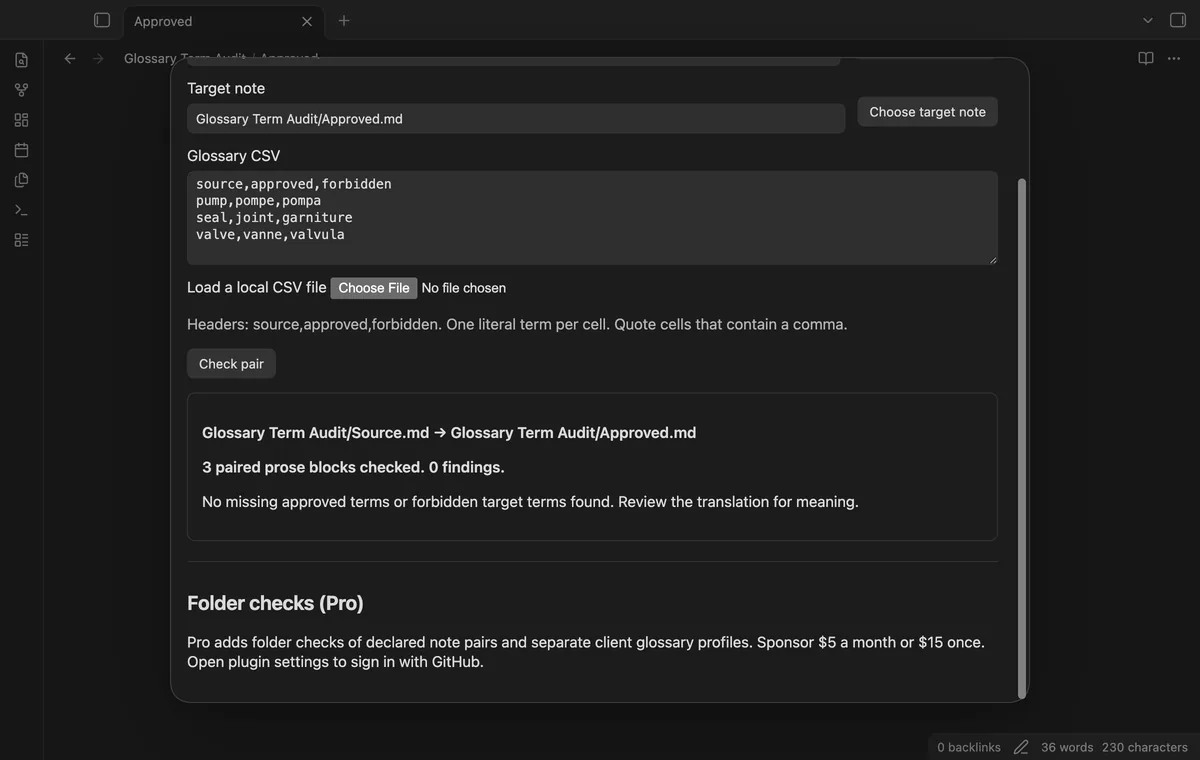
Choose a source note and its translation, then load a CSV with source,approved,forbidden headers. Run the free pair check and inspect the affected paragraphs through the result buttons.
MIT · no telemetry · core features free
Run Check a translated note pair from the command palette.
Choose your source and target notes, then load or paste the glossary CSV.
Select Check pair and resolve skipped rows or alignment errors.
Open affected paragraphs, review the wording and rerun after edits.
Use a short translation with matching blank-line breaks. Compare paragraph order before reading the findings as a terminology checklist.
The audit checks forbidden target terms independently. A source match is required only for the approved-term requirement.
 You can now check translation glossary terms.
You're officially a regular.
Obsidian rewards people who share. NoteMods is just me and a lot of coffee. If this guide saved you a fight with the syntax, buy me a cup.
That's visit . Regulars are the reason I keep NoteMods running. If it's part of your routine now, a coffee says thanks better than anything.
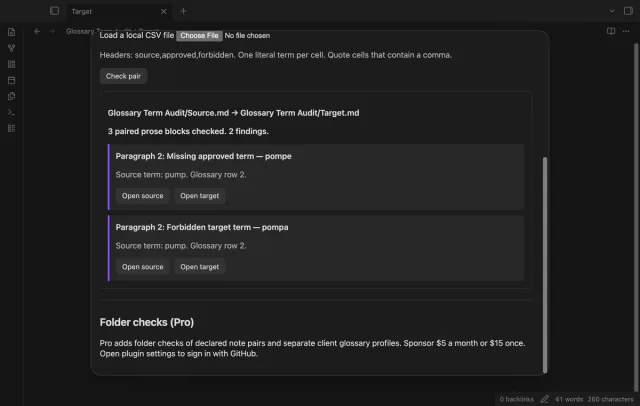
Check translation paragraphs for term errors.