How to rename a heading in Obsidian without breaking links
Right-click the heading and choose Rename this heading.
As of October 2026, Obsidian follows the file name rules of the system where you create a note. A name that works on one device can fail or collide on another. A path report before the move shows those names.
Vault Path Portability has Pro, and $15 one time turns it on in all 129 plugins.
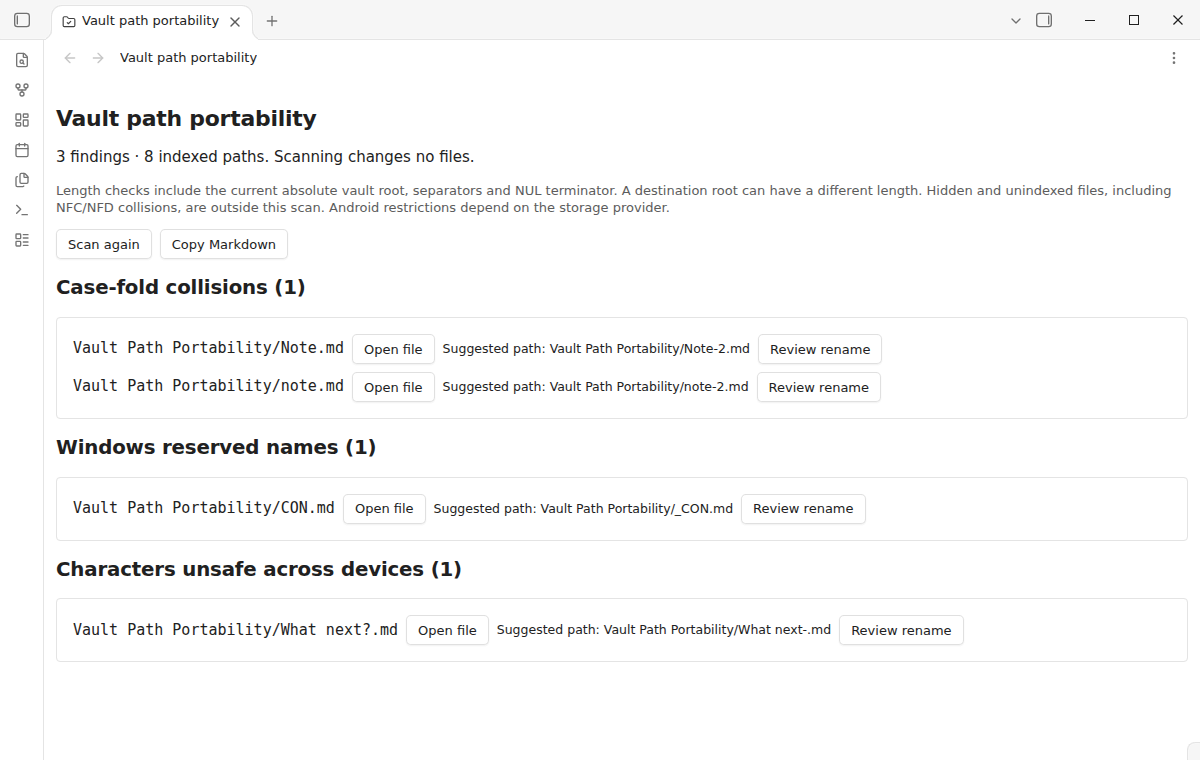
The forum topic "I switched to Obsidian Sync but now all files with special characters don't sync" asks how to rename them safely. Names such as Note.md and note.md can be two files on one system and one file on another.
The Manage notes help page says Obsidian respects the file name limits of the system you create the note on. It asks you to keep names safe for other systems when you sync.
Rename a risky file inside Obsidian. With Automatically update internal links on, under Settings, Files and links, Obsidian updates the links to it.
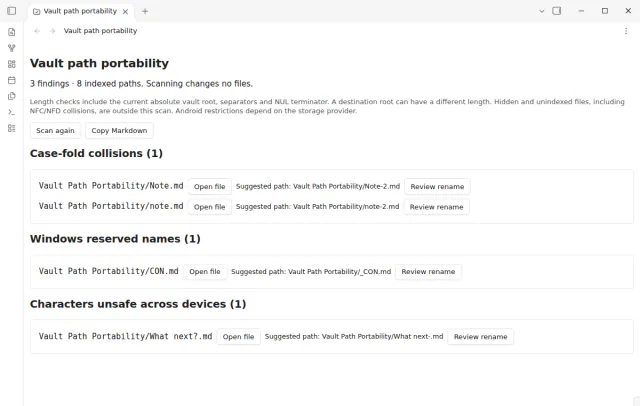
Vault Path Portability scans the paths that Obsidian has indexed and groups them by rule. It finds case-fold collisions, Windows reserved names such as CON or NUL, trailing dots or spaces, unsafe characters and link delimiters.
It also flags names over 255 UTF-8 bytes and Windows path length risks. Open file shows a flagged note, and Copy Markdown puts the full report on the clipboard.
MIT · no telemetry · core features free
Back up the vault before you move it or reorganize folders.
Open Settings, then Community plugins, and install and enable Vault Path Portability. It needs Obsidian 1.13.4 or later.
Run Scan vault paths from the command palette.
Read each rule group, and select Open file where you need context. Select Copy Markdown to keep the report as a checklist.
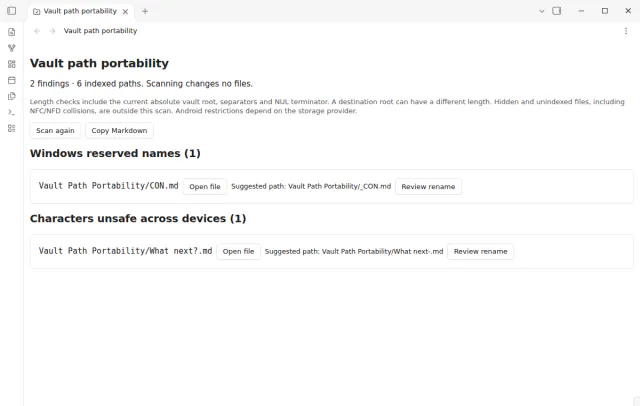
Rename the flagged paths, then scan again before you copy the vault to the next device.
The report flags reserved device names such as CON, PRN, AUX, NUL, COM1 to COM9 and LPT1 to LPT9, also with an extension. It flags trailing dots or spaces and Windows punctuation. It also checks the 260 unit Windows path budget.
No. Obsidian normalizes its index before the plugin reads the names, so composed and decomposed twins are not detected. Check the source file system for those conflicts.
A rename in Obsidian updates internal links when Automatically update internal links is on. Links in other programs and outside documents do not change. Keep your backup until you have checked the links on the new device.
 That's every step, start to finish.
This guide uses Vault Path Portability. Pro adds "Apply a suggested rename" and "Scans on change and report notes". One payment of $15 turns on Pro in 129 plugins.
This guide uses Vault Path Portability. Pro adds "Apply a suggested rename" and "Scans on change and report notes". One payment of $15 turns on Pro in 129 plugins.
Find vault paths that can fail on Windows, macOS, Linux, iOS or Android before you move your notes.