Paragraph Spell Focus
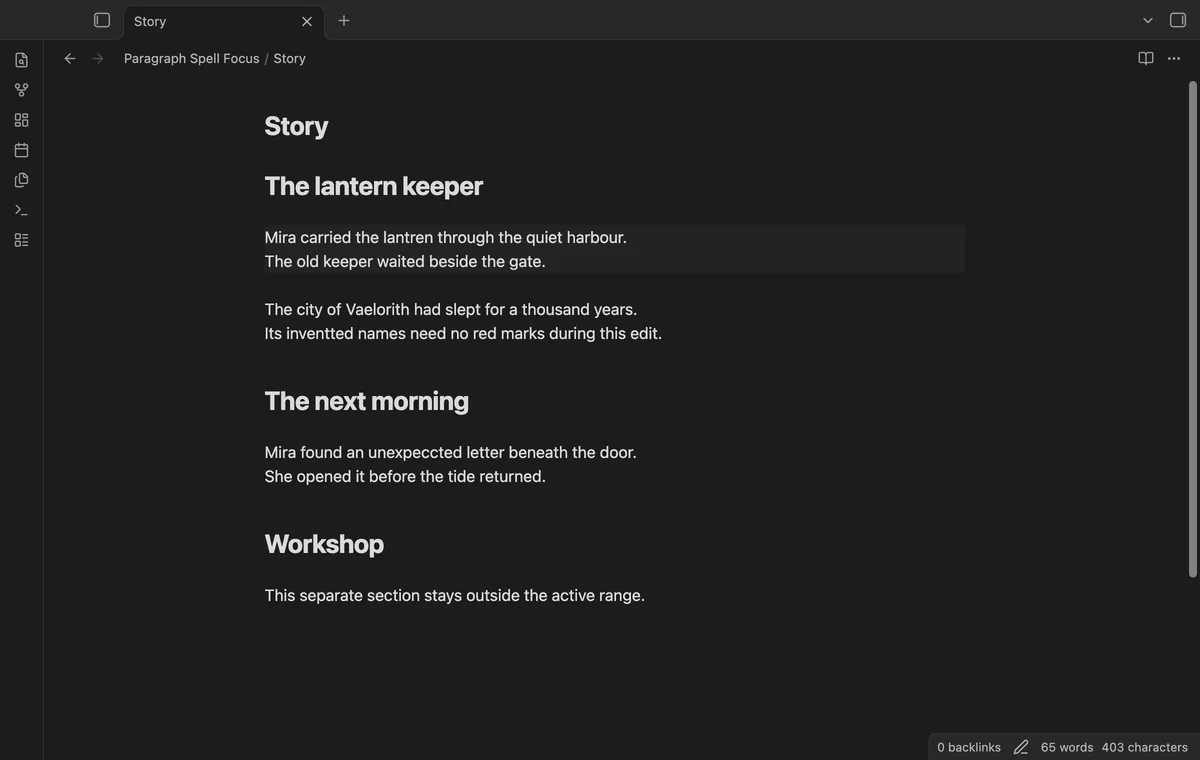
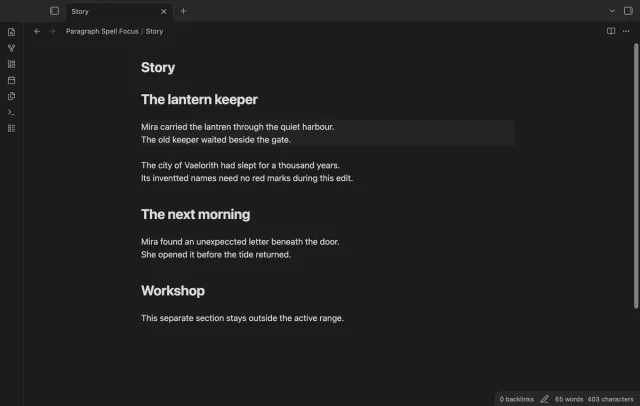
Keep native spelling available in your active paragraph and suppress it on other visible lines.
As of October 2026, Obsidian offers a native Spellcheck switch in editor settings. Paragraph Spell Focus keeps spelling available near your cursor and suppresses it elsewhere in the visible editor. Enable native spellcheck before using it.
A draft can contain names or unfinished passages that distract you with spelling marks. You can turn spelling off while drafting, or restrict its active range with the plugin.
Turn Spellcheck off in the Obsidian editor settings while drafting. Turn it back on when you are ready to check spelling.
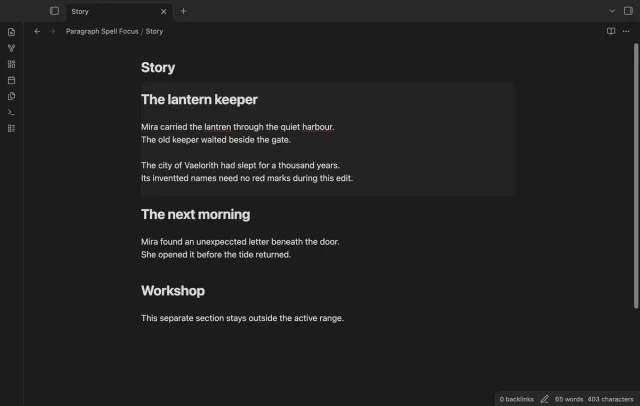
Keep native spelling enabled, then use the free paragraph scope. Pro adds section scope and folder rules for drafts that need a larger range. Tested on desktop only.
MIT · no telemetry · core features free
Turn on native Spellcheck in the Obsidian editor settings.
Enable Paragraph Spell Focus and open a note in an editor.
Move one cursor between paragraphs to change the active range.
Use the plugin toggle to restore normal native spelling.
Yes. Turn off Mark the active range in the plugin settings. The spelling focus policy stays enabled.
The nearest hash-mark heading above the cursor starts the section. The section ends at the next heading of the same or a higher level, so deeper child headings stay inside it. Underlined headings do not set boundaries.
No. It never forces spelling on inside the active range. Enable the native setting if you want spelling feedback.
 That's every step, start to finish.
You're officially a regular.
Obsidian rewards people who share. NoteMods is just me and a lot of coffee. If this guide saved you a fight with the syntax, buy me a cup.
That's visit . Regulars are the reason I keep NoteMods running. If it's part of your routine now, a coffee says thanks better than anything.
Keep native spelling available in your active paragraph and suppress it on other visible lines.