Local Citation Page Jump
Open a local PDF at a cited page.
As of October 2026, Obsidian supports PDF page fragments such as #page=3, which require a supplied PDF path and page. The link itself does not resolve a manuscript citekey. Local Citation Page Jump reads its reference note and adds an offset to the printed page.
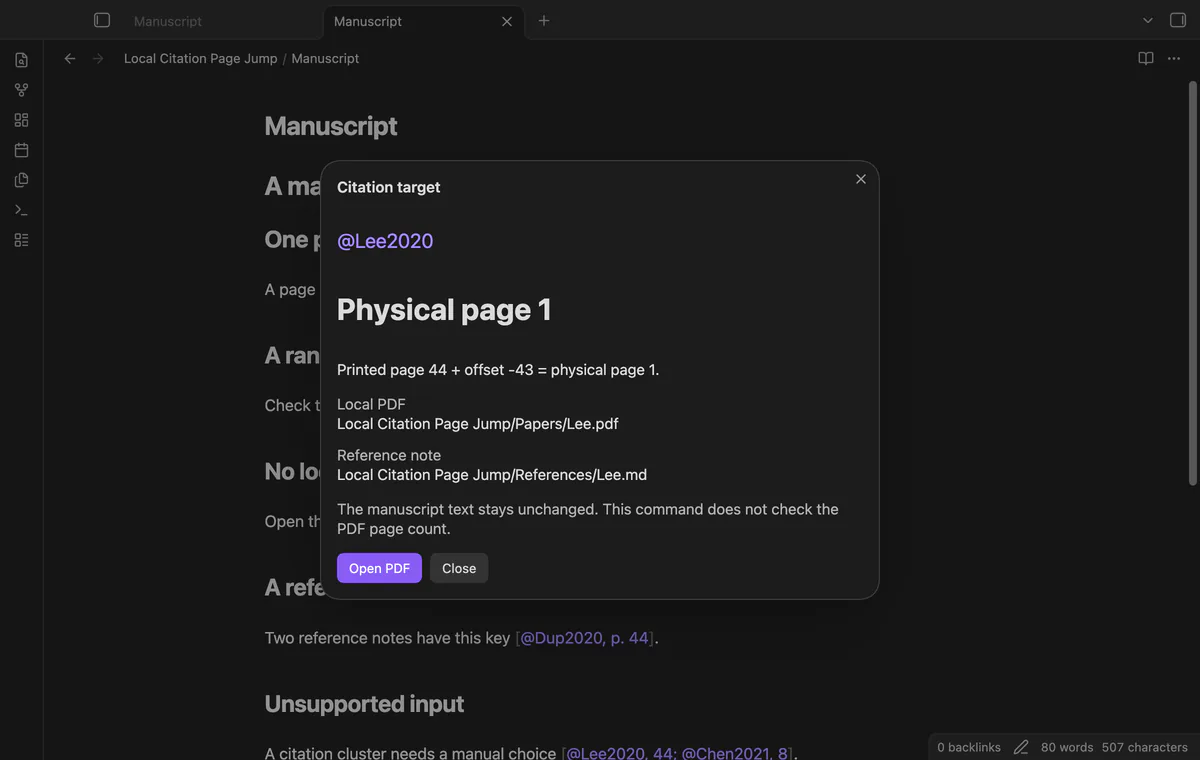
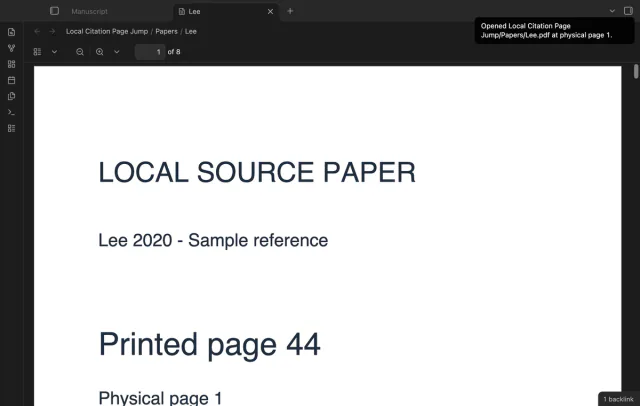
A printed page and a PDF page can have different numbers. The plugin README uses printed page 44 and physical page 1 as its offset example.
Use a vault PDF link with a page fragment, such as [[Papers/Lee.pdf#page=3]]. Obsidian documents #page=N for opening a specific PDF page.
Keep your existing citation and add a reference note with its citekey, local PDF path and integer offset. Run the preview command at the citation to inspect the computed page.
MIT · no telemetry · core features free
Keep the source PDF inside your vault and create a Markdown reference note.
Set citekey to Lee2020 and pdf to the exact vault path, such as Papers/Lee.pdf.
Set page-offset to -43 if printed page 44 is physical page 1.
Open your manuscript in Source mode or Live Preview and put the cursor inside [@Lee2020, p. 44].
Run Preview the citation target, check the calculation, then select Open PDF.
Subtract the printed page number from its physical PDF page number. If printed page 44 is physical page 1, the offset is -43.
The plugin takes the first page of a valid numeric range. For printed pages 46 to 48 with offset -43, it opens physical page 3.
A bare key or bracketed key without a locator opens physical page 1. The plugin does not add the saved offset to that default page.
 That's every step, start to finish.
You're officially a regular.
Obsidian rewards people who share. NoteMods is just me and a lot of coffee. If this guide saved you a fight with the syntax, buy me a cup.
That's visit . Regulars are the reason I keep NoteMods running. If it's part of your routine now, a coffee says thanks better than anything.
Open a local PDF at a cited page.