Heading Link Sync
Update heading links and embeds when you edit a heading.
Open a local PDF at a cited page.
MIT · no telemetry · core features free
The README reports macOS desktop app checks on the earliest supported and latest public versions. PDF page fragments on iOS and Android were not tested.
Directory facts fetched from community.obsidian.md/users/theluckystrike.
You write manuscripts with citekeys and keep source PDFs in your vault.
Put your cursor inside a citation and run the jump command. Local Citation Page Jump finds its reference note and opens the local PDF in a new tab. Your manuscript text stays unchanged.
Printed page numbers can differ from PDF page numbers. Save an integer offset in the reference note, then preview the calculation before opening the PDF.
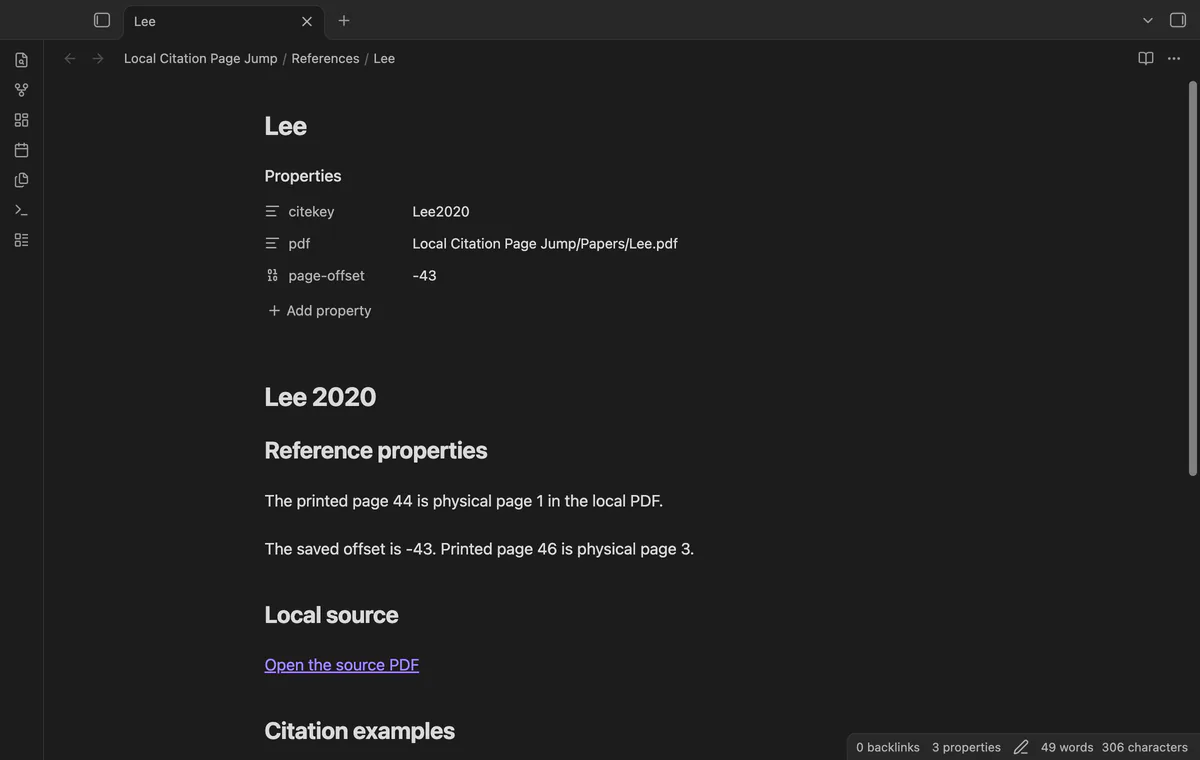
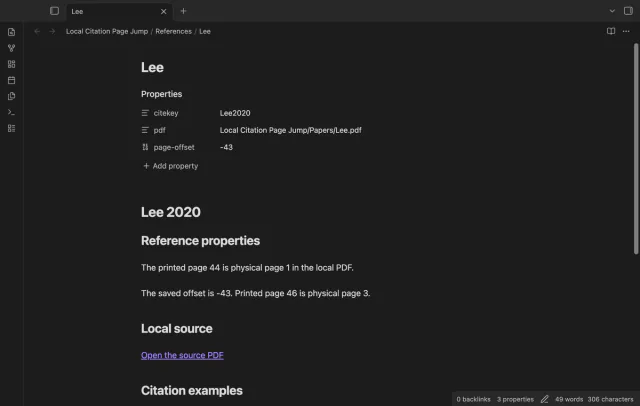
Create one reference note per citekey with citekey, pdf and page-offset properties. You can rename those properties in settings and restrict lookups to one folder with its subfolders.
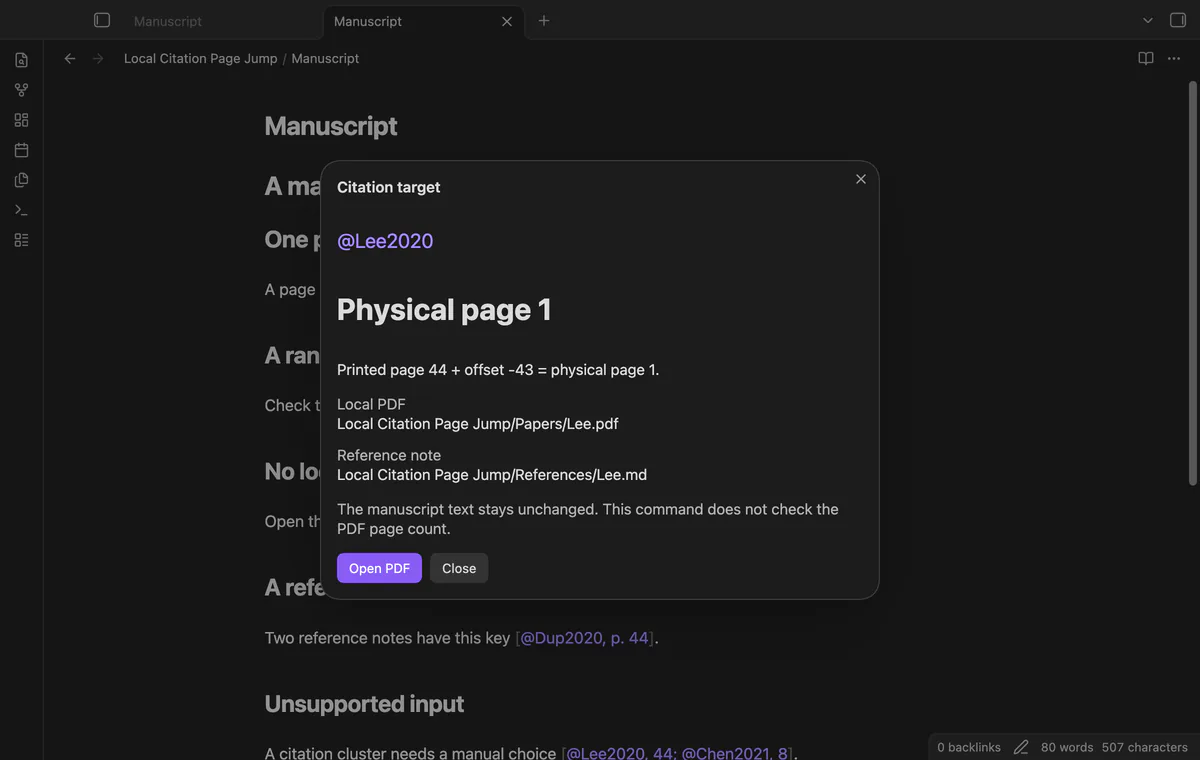
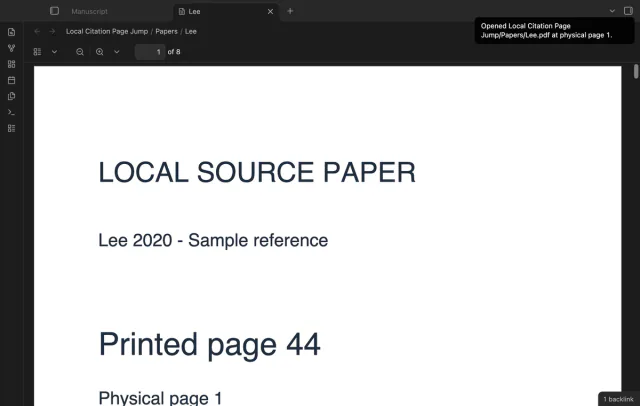
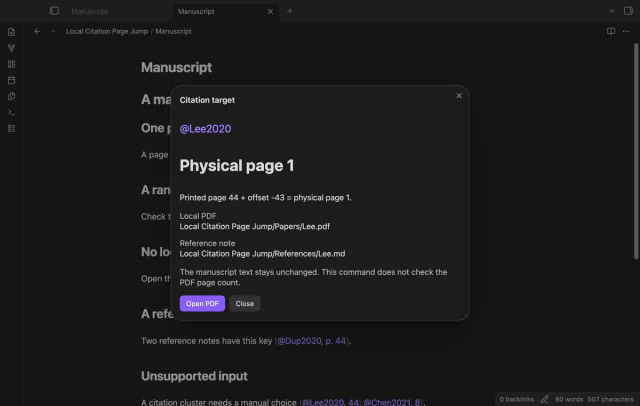
Place your cursor in [@Lee2020, p. 44] and run Open the PDF at the citation page. The PDF opens in a new tab; the plugin supplies no default hotkey.
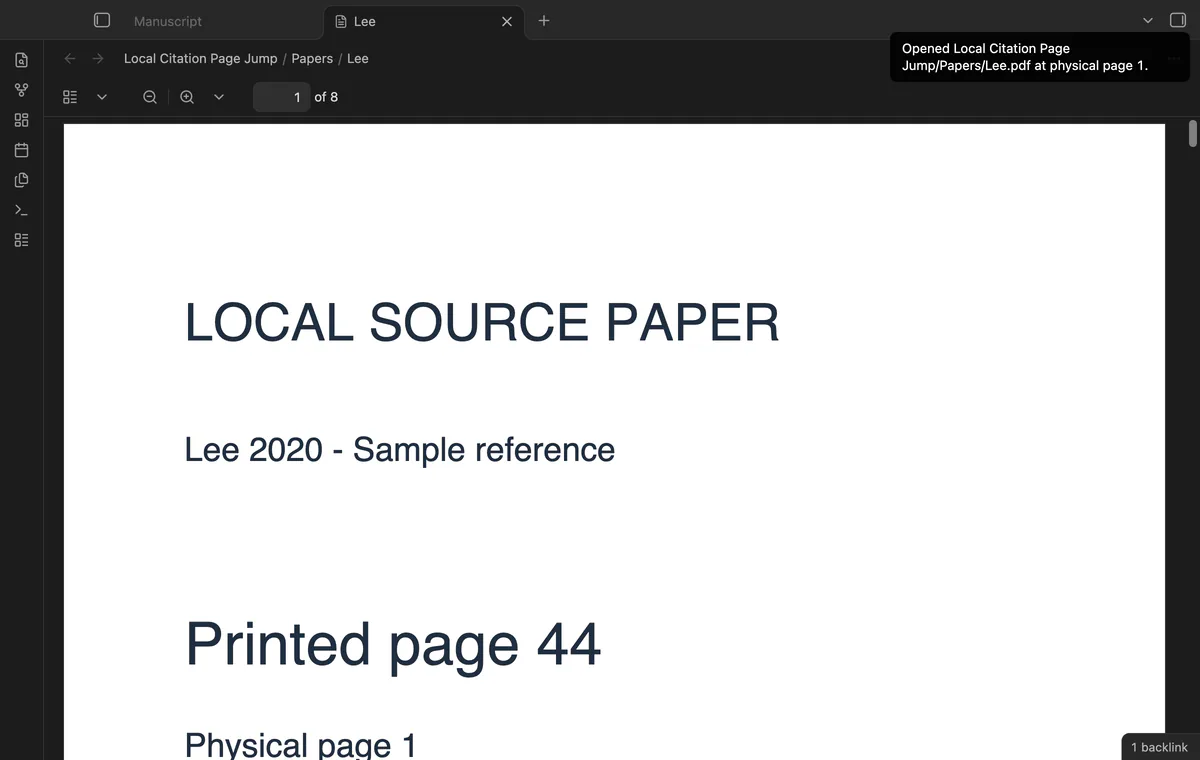
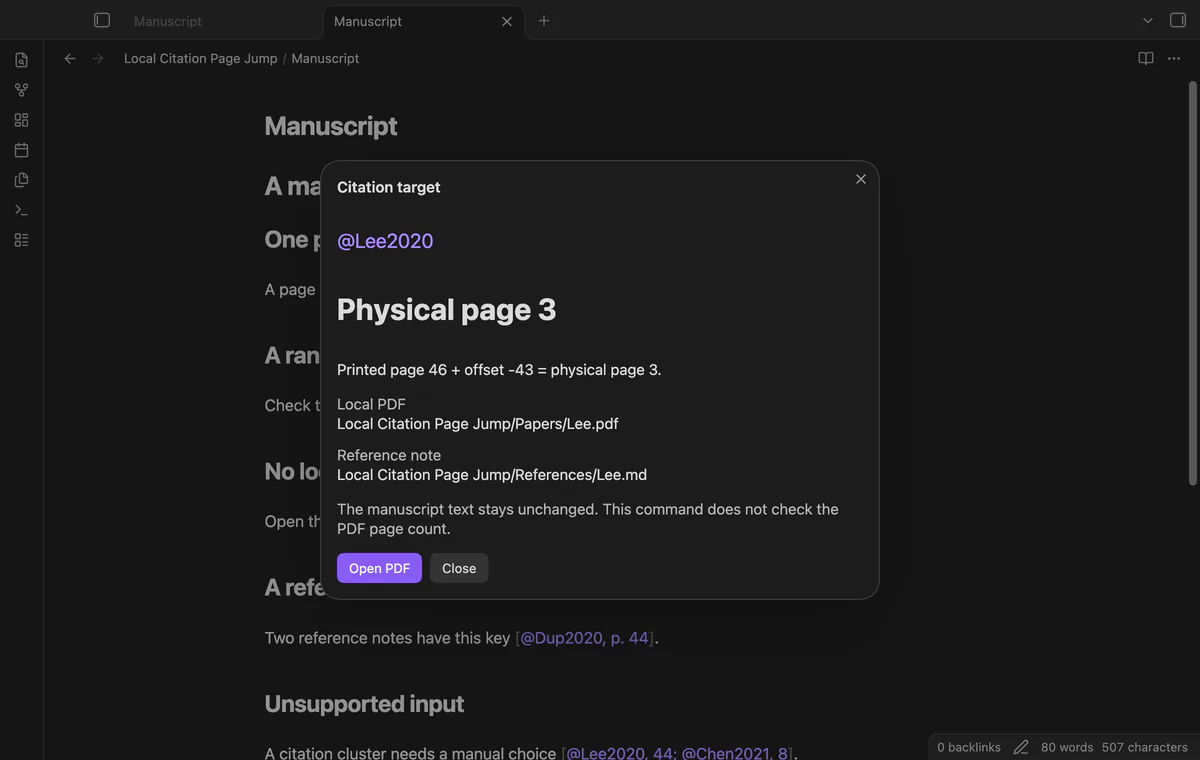
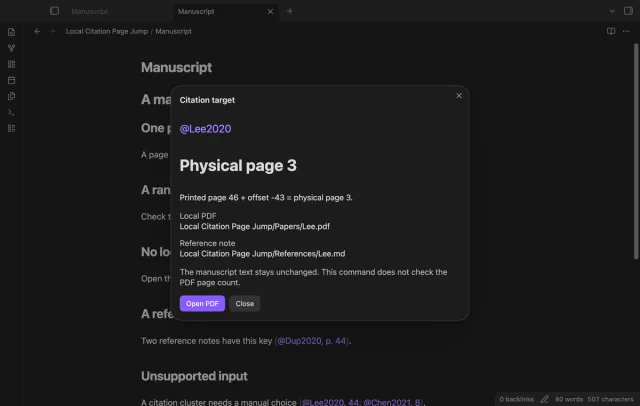
The plugin adds your offset to the printed page number. An offset of -43 maps printed page 44 to physical page 1. A missing offset means zero.
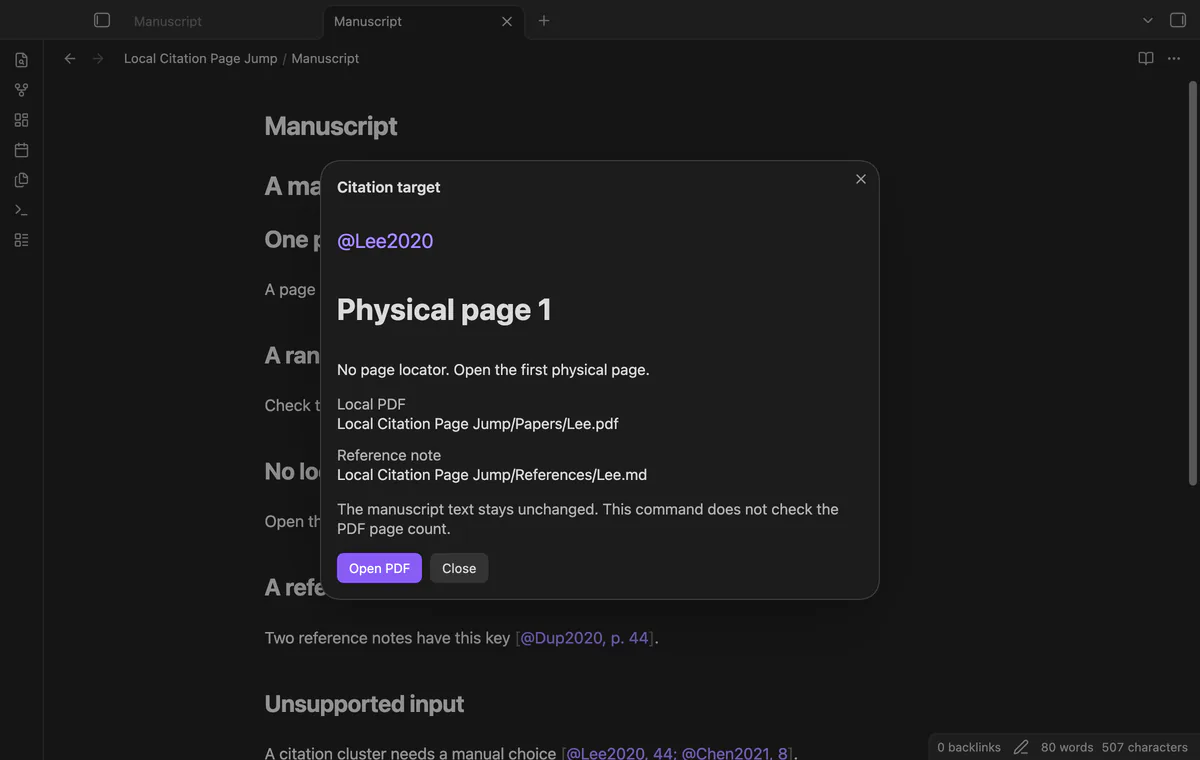
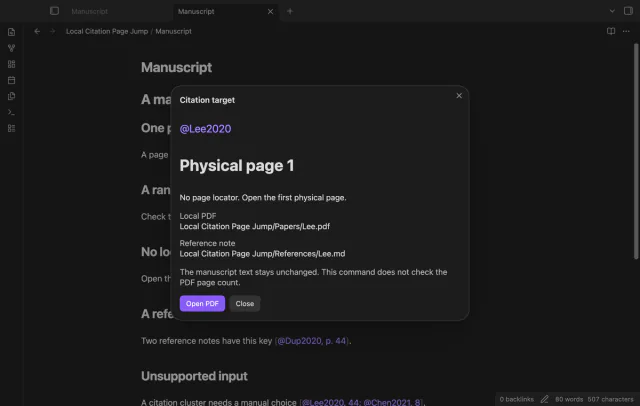
The command uses the first page of a numeric range and accepts the suppressed author form. A key without a locator opens physical page 1 without applying the offset.
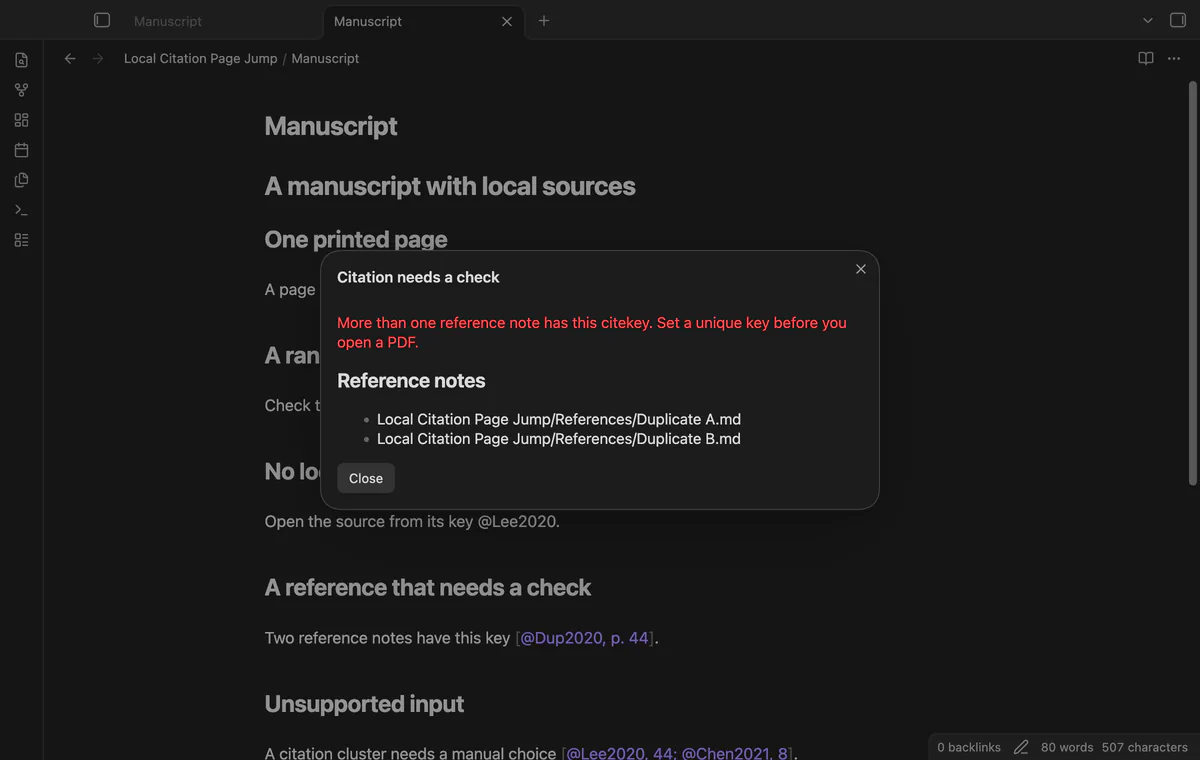
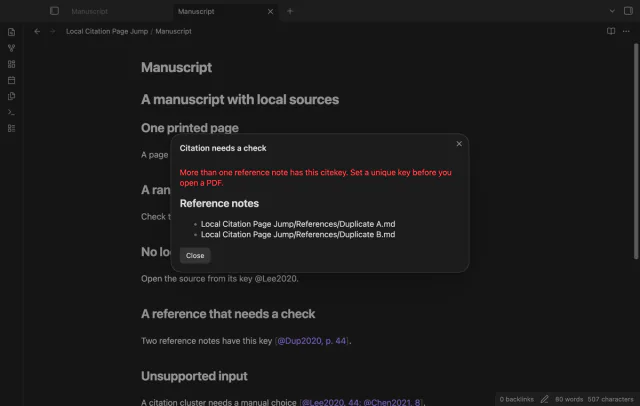
Duplicate keys produce a report with the matching reference paths. Missing PDFs, invalid offsets and unsupported citations stop the jump.
Run Preview the citation target to inspect the reference path, PDF path and page calculation. Select Open PDF to follow the target; the button checks that the file still exists.
needs
steps
Keep the source PDF inside your vault and create a Markdown reference note.
Set citekey to Lee2020 and pdf to the exact vault path, such as Papers/Lee.pdf.
Set page-offset to -43 if printed page 44 is physical page 1.
Open your manuscript in Source mode or Live Preview and put the cursor inside [@Lee2020, p. 44].
Run Preview the citation target, check the calculation, then select Open PDF.
If the app can't find a new plugin yet, try again later. Obsidian says a plugin that passes the review shows in the app within 24 hours.
Need a change for your team? I build custom Obsidian plugins and features.
It reads the citation and reference properties without changing either note. It opens the local PDF rather than importing references or inserting links.
It rejects calculated pages below one and unsafe integer calculations. It can't check the upper page bound because this command has no PDF page count.
Citation clusters, Roman page labels and locators outside brackets are unsupported. Use one key with a numeric page or range inside brackets.
Version 1 has no paid features. Saved folder maps and selected-folder checks are planned, so a sponsorship does not provide those features now.
Before you sign in, the plugin makes no network requests. Sign in sends a public client ID and read:user scope to github.com, then polls that host for an access token. Afterward, it sends the token and sponsorship queries to api.github.com; those requests include no note text, file names or vault data.
Tell me what is broken in Local Citation Page Jump, or what it should do next.
Local Citation Page Jump 1.1.0, MIT license
MIT · no telemetry · core features free
Update heading links and embeds when you edit a heading.

See headings from embedded notes in one outline.