Parallel Paragraph Reader
Read matched language paragraphs.
As of October 2026, Obsidian can split tab groups to display two notes together. A split gives separate note views, rather than paragraph pairing. Parallel Paragraph Reader puts existing prose blocks in shared rows.
Two language versions can use different paragraph lengths or counts. Choose between separate note views and rows that expose gaps without translating your text.
Open both versions, then right-click a tab and select Split right. Obsidian lets you move and resize tab groups.
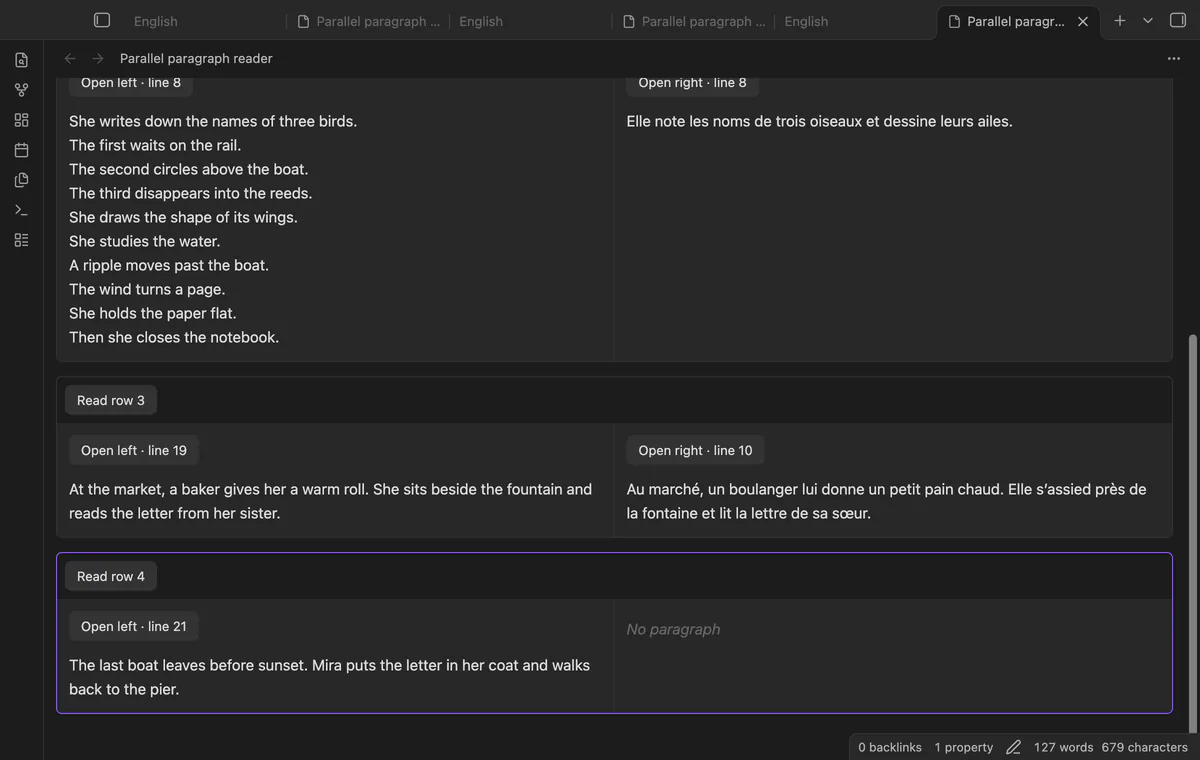
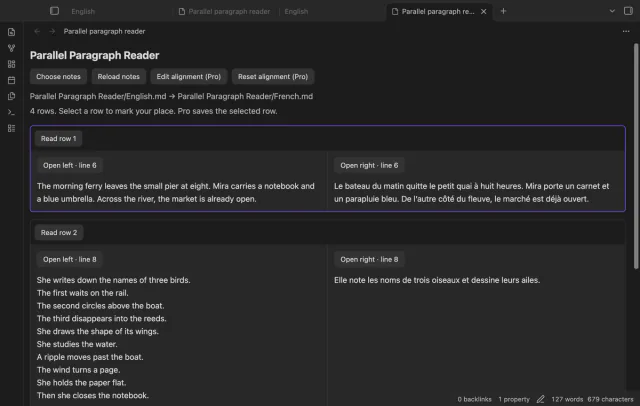
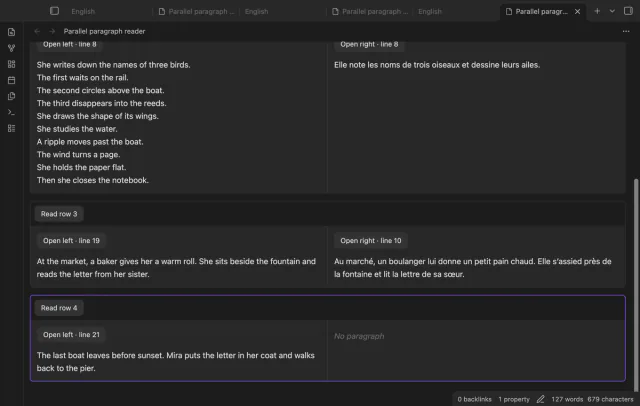
Choose the two existing notes in left-to-right order. The reader pairs prose blocks by order and gives each pair enough height for its longer paragraph.
MIT · no telemetry · core features free
Enable Parallel Paragraph Reader and start with two short passages whose paragraph order is similar.
Run Choose two notes and choose the original first, then the second language.
Compare the first rows before reading further.
After editing a source, select Reload notes before using another source link.
Use a blank line between prose blocks. Obsidian documents blank lines as paragraph separators, and this reader uses them to form its prose blocks.
Default order pairing can differ from the translation. A Pro map can add empty cells, but it cannot merge blocks. Split passages in your own notes if needed.
Scrolling alone does not select a row. With Pro, use Read row or open a source link to save the selected row.
 You can now read two language versions.
You're officially a regular.
Obsidian rewards people who share. NoteMods is just me and a lot of coffee. If this guide saved you a fight with the syntax, buy me a cup.
That's visit . Regulars are the reason I keep NoteMods running. If it's part of your routine now, a coffee says thanks better than anything.
Read matched language paragraphs.