Bases Property Repair
Preview and repair property references in Bases.
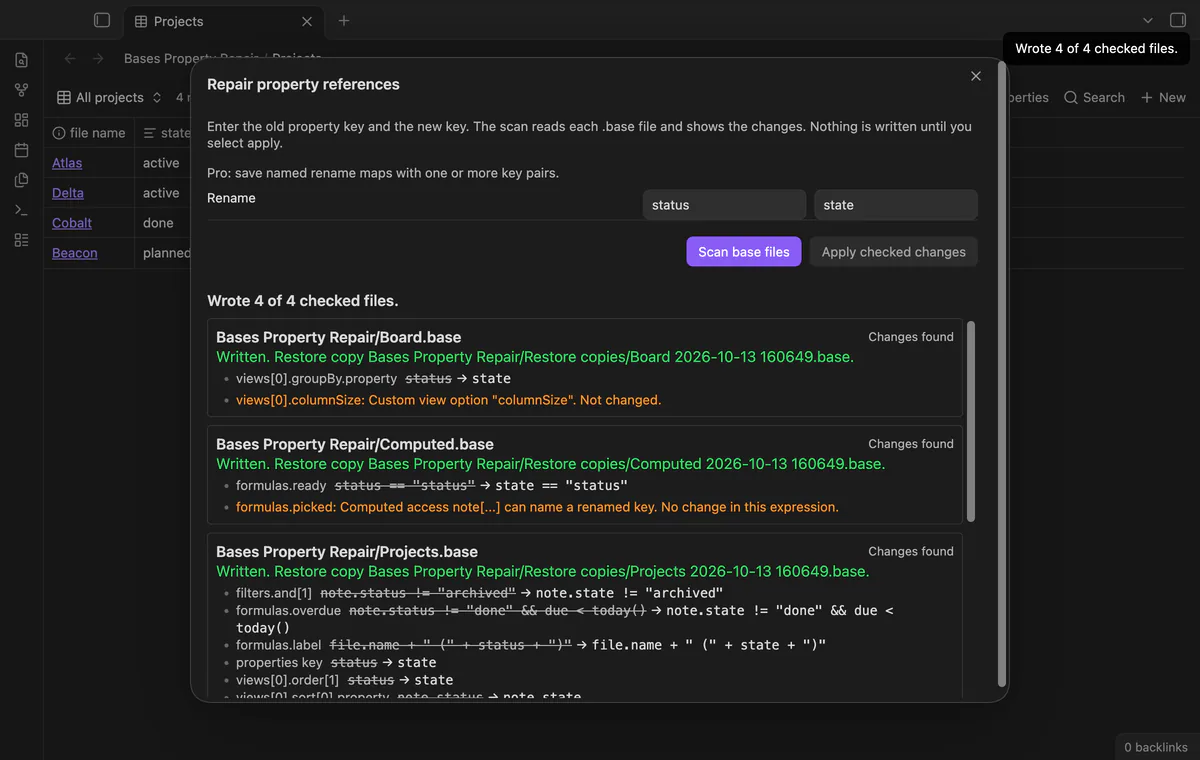
As of October 2026, Obsidian lets you rename properties and edit Base YAML manually. Check the Base references after renaming your note property. Bases Property Repair can preview supported references and create restore copies before applying your selected changes.
You renamed a note property and need your Base filters, formulas and columns to use its new key. Rename the property in your notes first. Bases Property Repair previews matching references in Base files and writes the files you select.
Base YAML contains filters, formulas and view settings. Review references to the old note property and edit the appropriate keys manually.
Rename the property in your notes first. Bases Property Repair previews matching references in Base files and writes the files you select.
.base files only, not Base code blocks embedded in Markdown.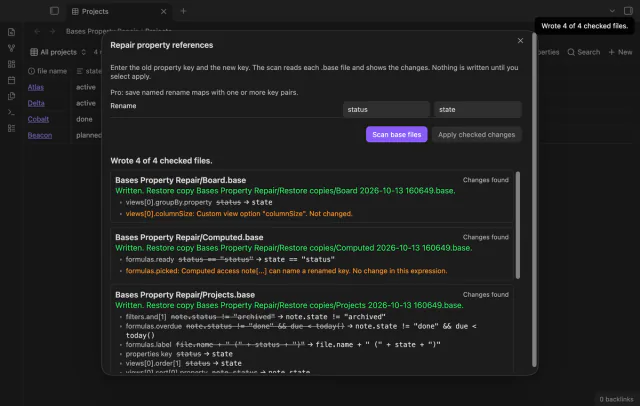
MIT · no telemetry · core features free
Rename the property in your notes first.
Run Repair property references in base files.
Enter the old and new keys without a note. prefix.
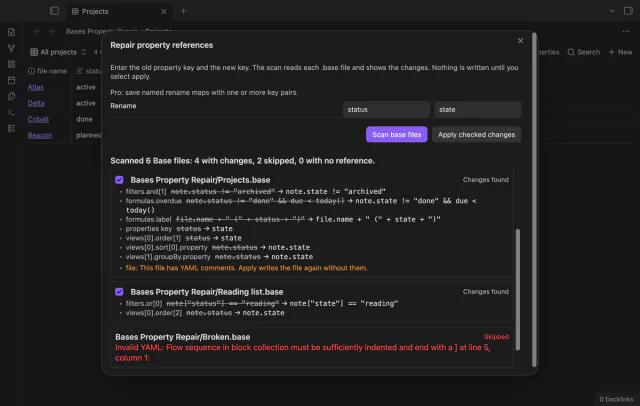
Select Scan base files, read the changes and warnings, and uncheck files you want to keep.
Select Apply checked changes and check each file’s result and restore copy path.
Yes, a quoted value is text rather than a property key. The scanner preserves it when renaming the matching property reference.
Inspect each warning before applying. Unknown syntax or a custom option may need a manual edit.
 That's every step, start to finish.
You're officially a regular.
Obsidian rewards people who share. NoteMods is just me and a lot of coffee. If this guide saved you a fight with the syntax, buy me a cup.
That's visit . Regulars are the reason I keep NoteMods running. If it's part of your routine now, a coffee says thanks better than anything.
Preview and repair property references in Bases.