Bases Note Templates
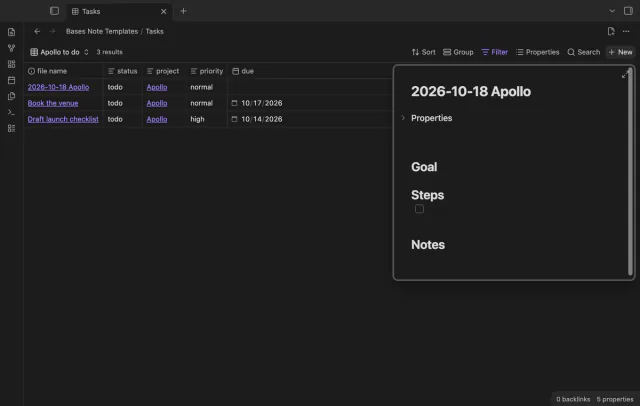
Create notes in Bases with a template and filter values.
Preview and repair property references in Bases.
MIT · no telemetry · core features free
The directory takes these platforms from the plugin manifest. The automated tests run in the desktop app only.
Directory facts fetched from community.obsidian.md/users/theluckystrike.
You renamed a note property and need your Base filters, formulas and columns to use its new key.

Rename the property in your notes first. Bases Property Repair previews matching references in Base files and writes the files you select.
 Play demo
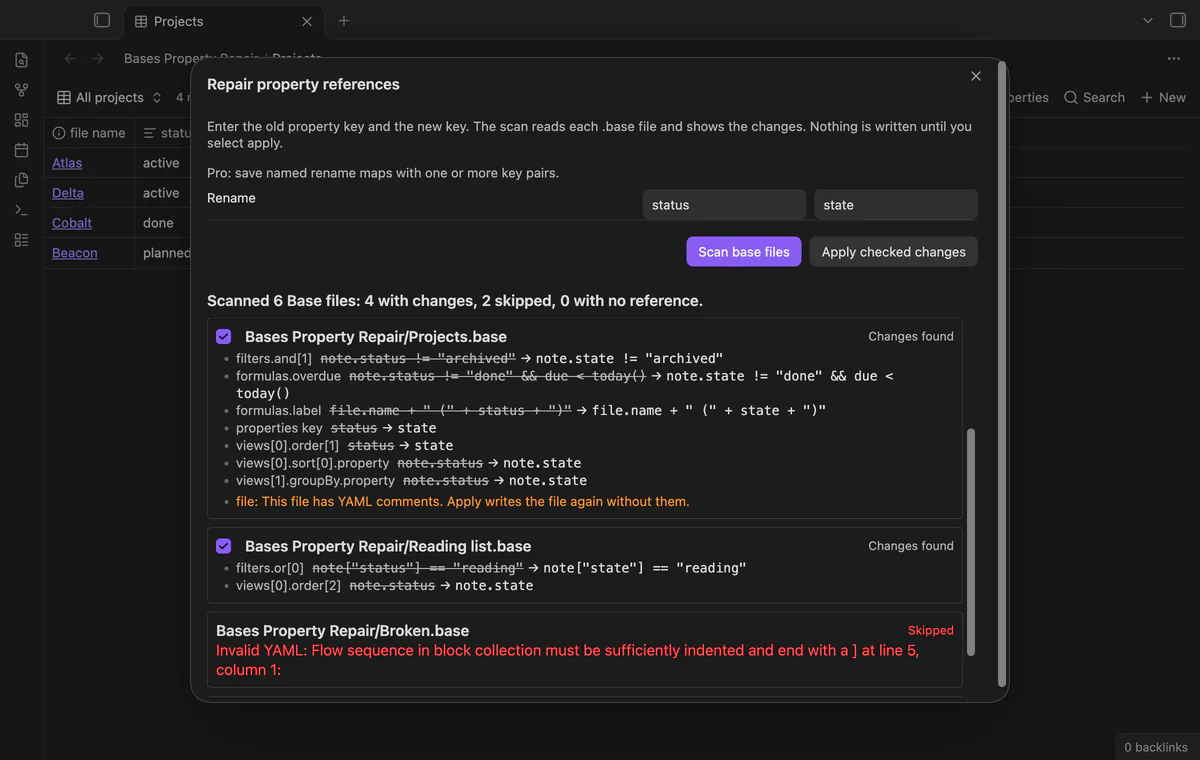
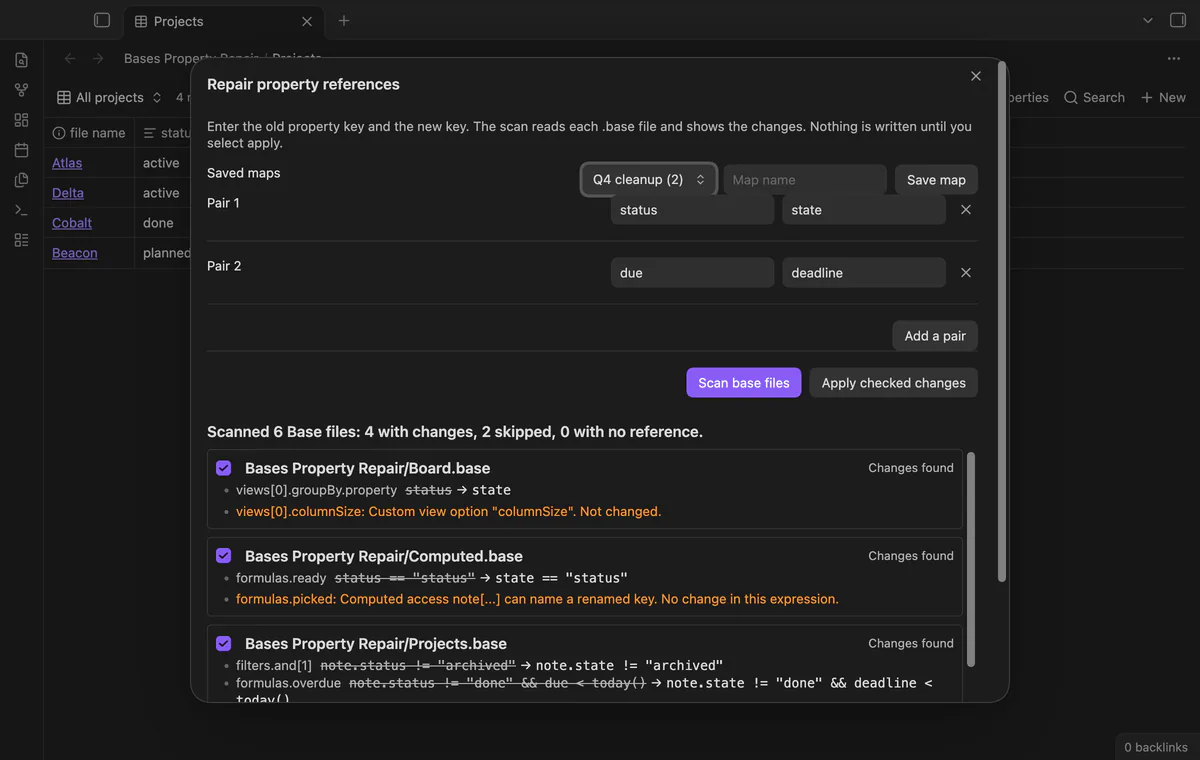
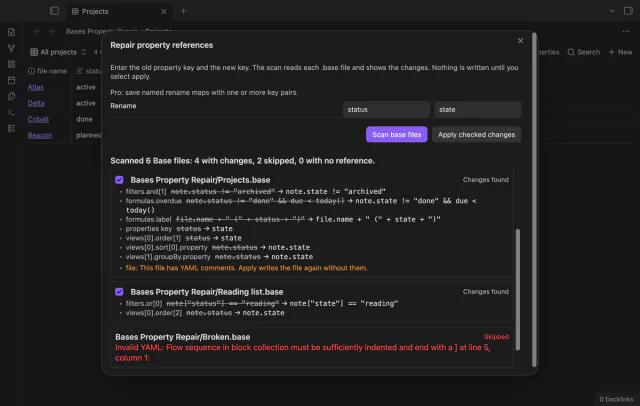
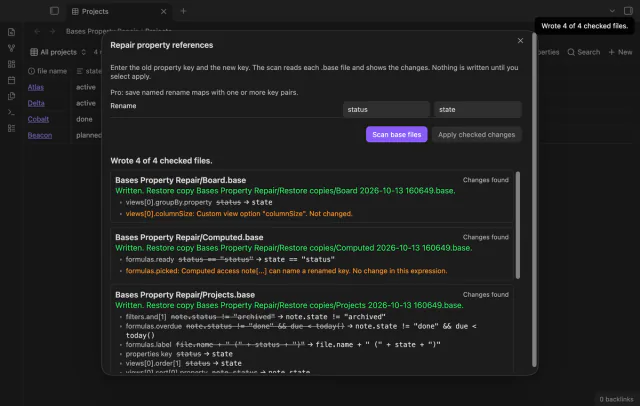
Scan Base files for supported property references. The preview lists changes in filters, formulas and supported view settings.
Quoted strings, method names and file or formula references keep their text. Keys that merely start with the old key remain unchanged.
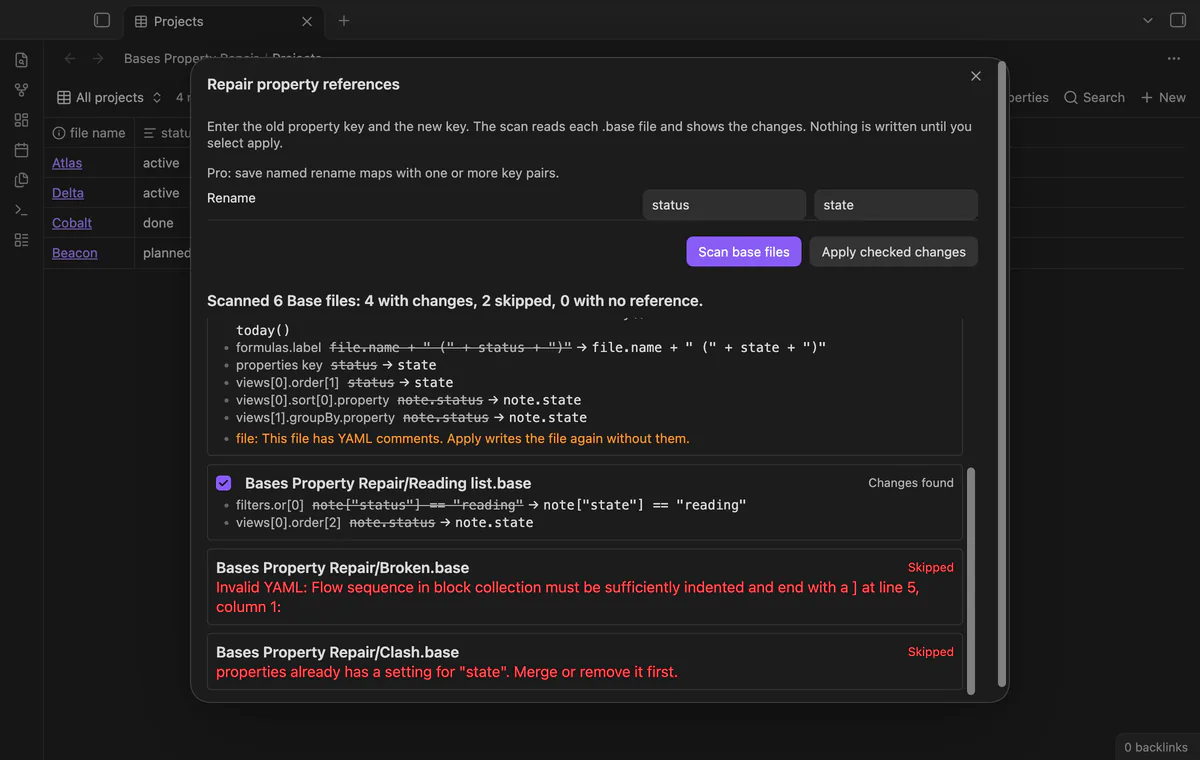
![note["status"] changes in Reading list.base; an invalid YAML file and a file with a clash are skipped.](/img/640/eafdd37d.webp)
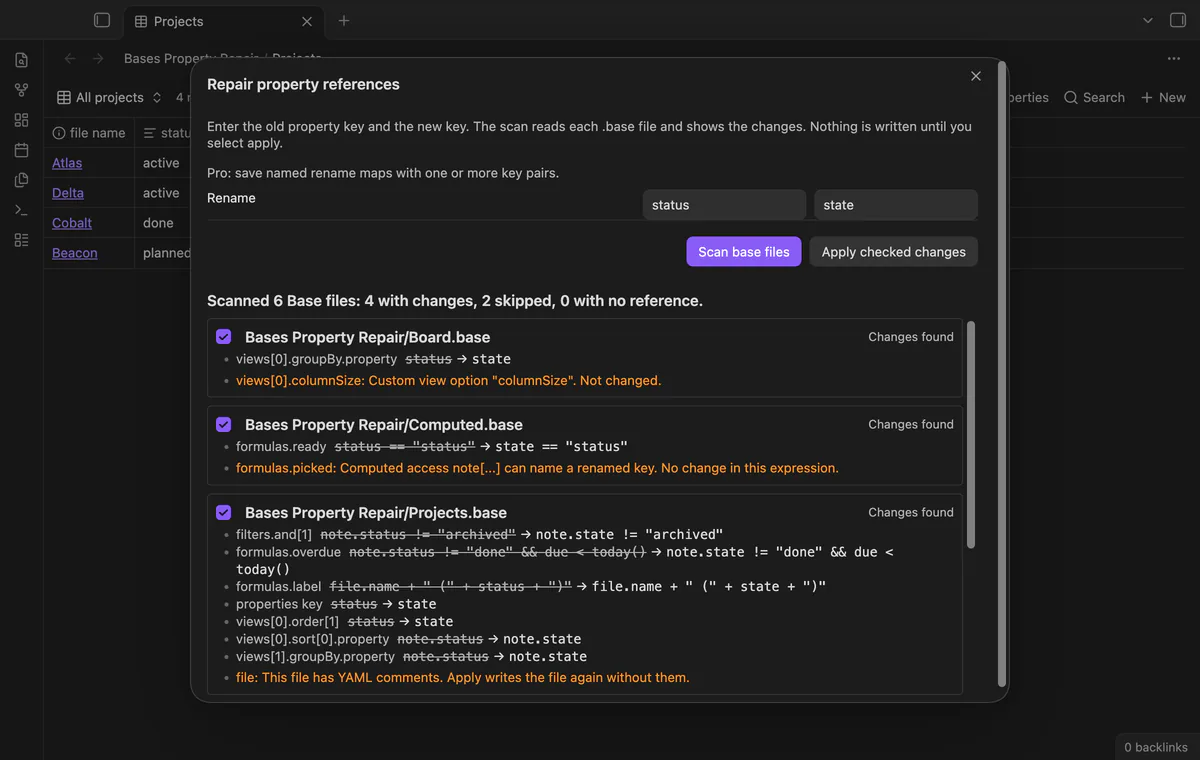
Warnings identify expressions and custom view options the scanner leaves unchanged. Invalid YAML or conflicting target settings skip the file.
![Warnings for a custom view option and for a computed note[field] access.](/img/640/b4a91fa3.webp)
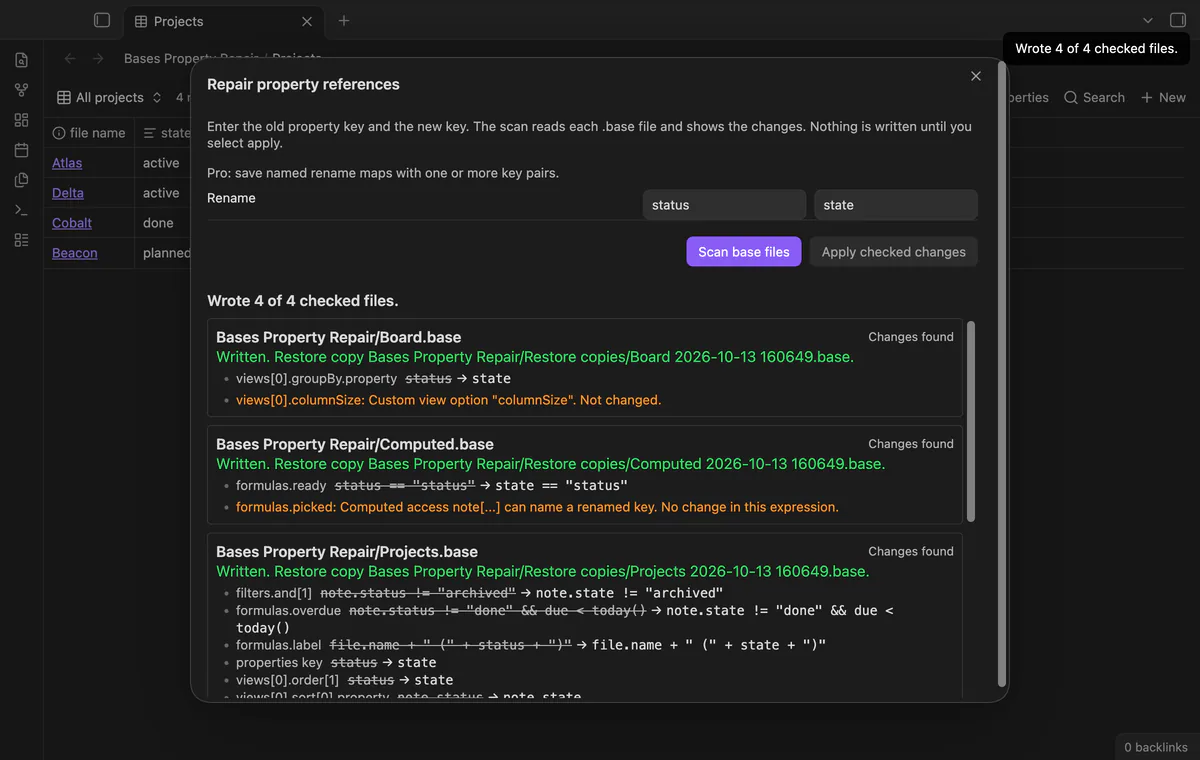
Apply creates a restore copy before writing each checked file. If the file changed since scanning, its stale preview stops that write.
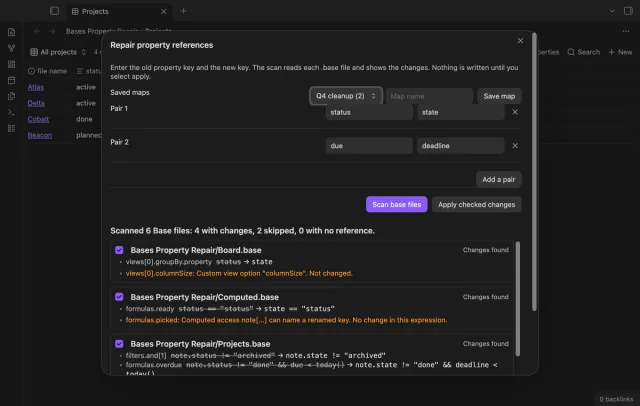
The free version applies one key pair; named maps, multiple pairs and journal restore need Pro.
Pro costs $5 a month or $15 one time through GitHub Sponsors. One sponsorship turns on Pro in every plugin that has it.
Save named key maps and load them again. Pro supports several pairs in a map, including simultaneous swaps.
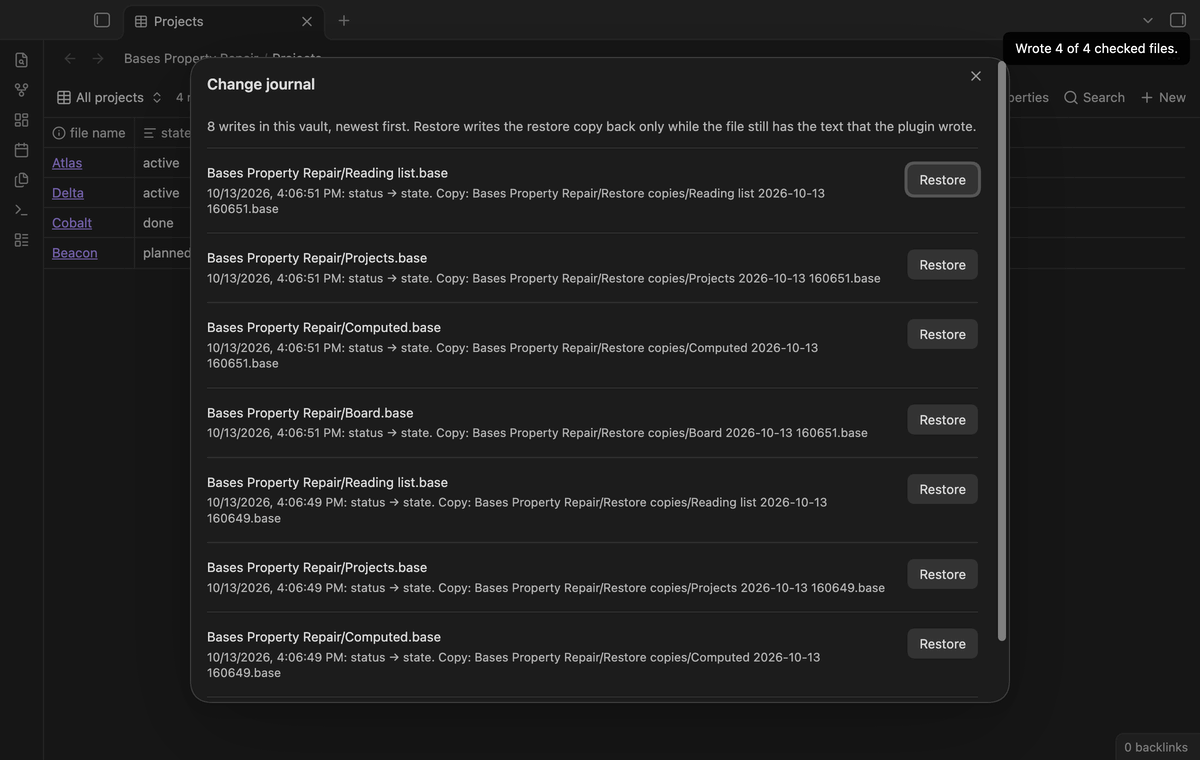
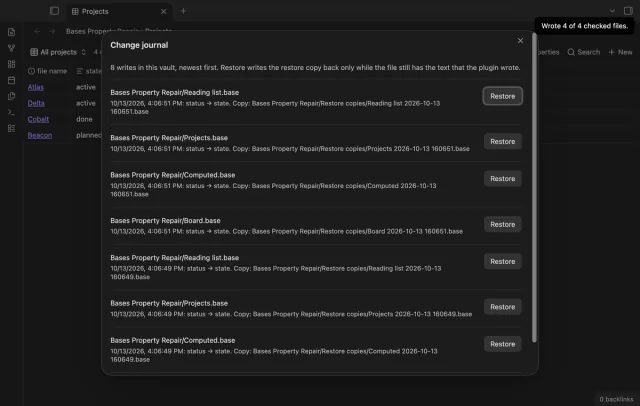
Open the local journal and restore a recorded change. Restore stops if the repaired file no longer matches the text the plugin wrote.
needs
steps
Rename the property in your notes first.
Run Repair property references in base files.
Enter the old and new keys without a note. prefix.
Select Scan base files, read the changes and warnings, and uncheck files you want to keep.
Select Apply checked changes and check each file’s result and restore copy path.
If the app can't find a new plugin yet, try again later. Obsidian says a plugin that passes the review shows in the app within 24 hours.
How to repair Base references after a property rename in Obsidian
.base files only, not Base code blocks embedded in Markdown.this references unchanged and lists them in the preview.Need a change for your team? I build custom Obsidian plugins and features.
Repair changes Base files. Rename your note properties separately before scanning.
Apply writes fresh YAML without the original comments or layout. The restore copy retains the old text.
Apply compares the file against the scanned text. A stale preview stops that file’s write.
The free version applies one pair with no file limit. Named maps and multiple pairs need Pro.
Before sign-in, requests stay off; sign-in sends the client ID and read:user scope to github.com and polls for a token. After sign-in, api.github.com receives authenticated sponsorship queries for tier and total payments; no note content, file names or vault data leaves. Successful checks last seven days, failures retry after six hours, and Refresh requests an earlier check.
Tell me what is broken in Bases Property Repair, or what it should do next.
Bases Property Repair 1.1.0, MIT license
MIT · no telemetry · core features free
Create notes in Bases with a template and filter values.
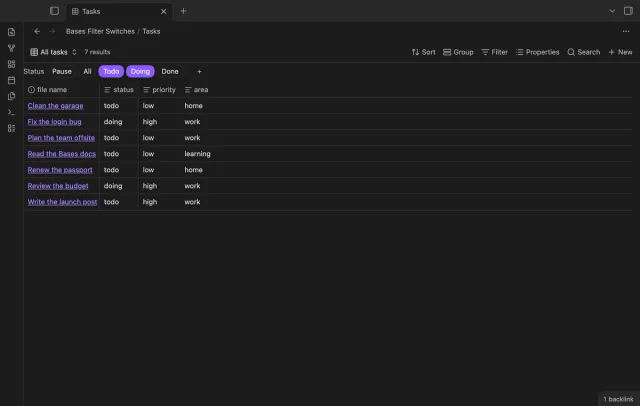
Turn saved Bases filters on or off with switches.