Research Source Review
Compare approved paragraph text with the current source.
As of October 2026, Obsidian block links let you return to a specific paragraph. A link identifies the block rather than preserving an approved text copy. Research Source Review saves that baseline and compares it with the current passage before approval.
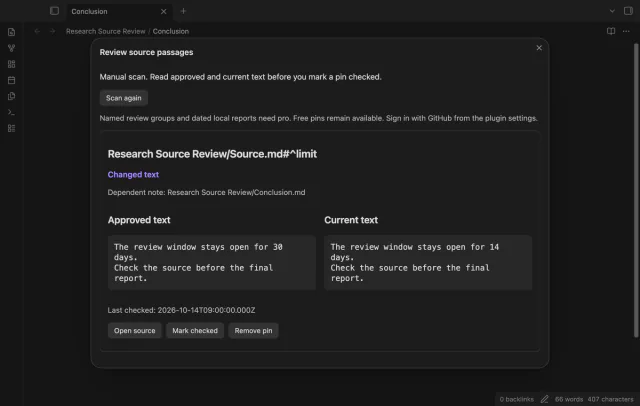
The plugin README gives a conclusion that relies on a 30 day period. When the source changes to 14 days, its saved passage provides the earlier wording.
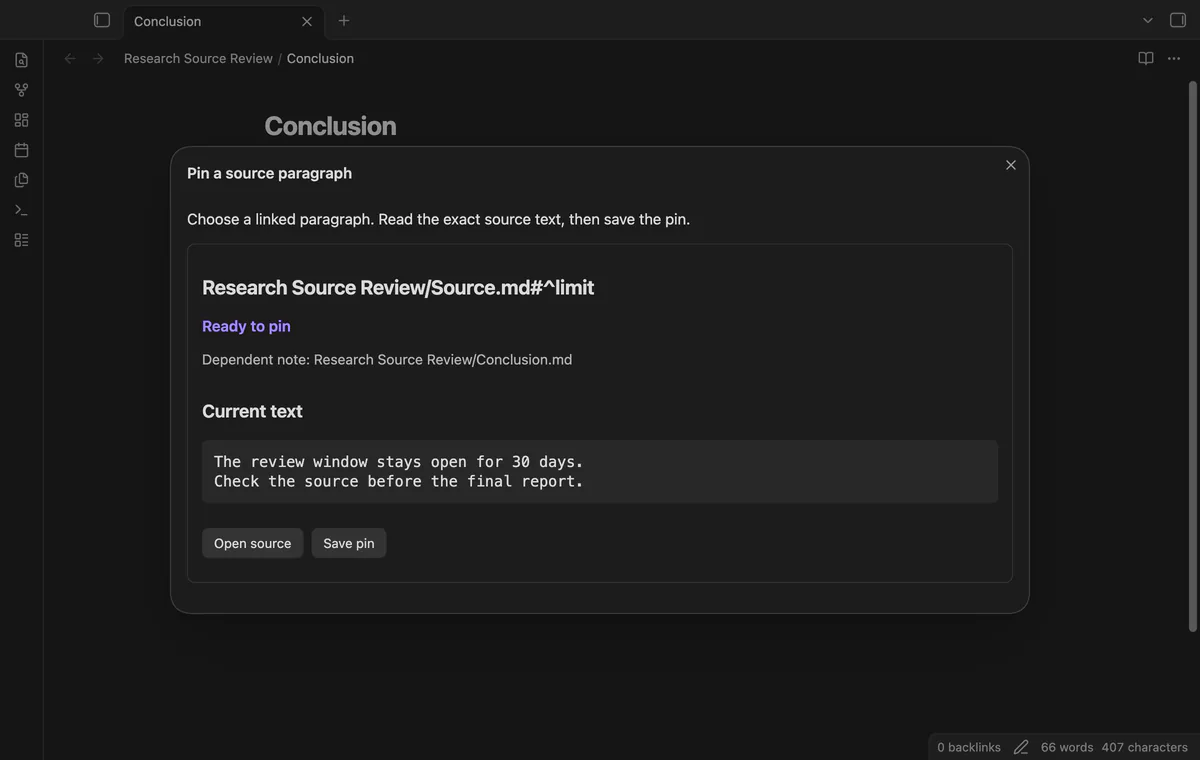
End your source paragraph with an explicit ID such as ^limit, then link to it with [[Source#^limit]]. Follow that link when you review the dependent claim.
Save a linked paragraph as a pin, then run Scan saved pins. Review the approved and current text, update the dependent claim if needed, then select Mark checked.
MIT · no telemetry · core features free
Add 30 days ^limit as a separate paragraph in Source.md.
Link to it with [[Source#^limit]] in Conclusion.md, then open that note.
Run Pin a source paragraph from the active note, read the passage, then select Save pin.
After a source edit, run Scan saved pins and compare the approved and current text.
Review your conclusion, then select Mark checked to approve the displayed passage.
Put it at the end of the paragraph, separated by a space. The plugin also accepts a marker on a new line within that paragraph.
Scanning leaves the approved text intact. Select Mark checked only after reviewing the new passage and its dependent claim.
Approval reads it again and compares it with the displayed version. A changed passage or baseline stops approval and refreshes the comparison.
 You can now review changed source paragraphs.
You're officially a regular.
Obsidian rewards people who share. NoteMods is just me and a lot of coffee. If this guide saved you a fight with the syntax, buy me a cup.
That's visit . Regulars are the reason I keep NoteMods running. If it's part of your routine now, a coffee says thanks better than anything.
Compare approved paragraph text with the current source.