Heading Link Sync
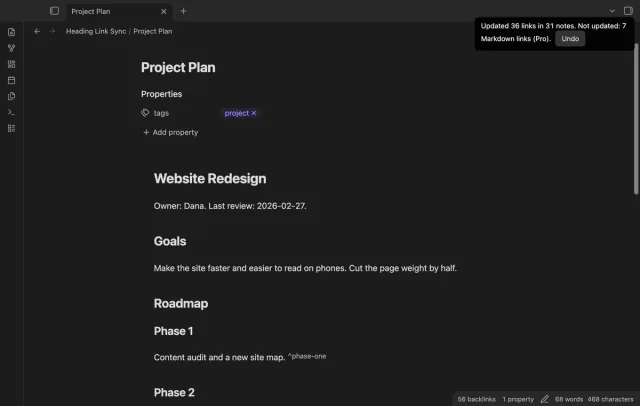
Update heading links and embeds when you edit a heading.
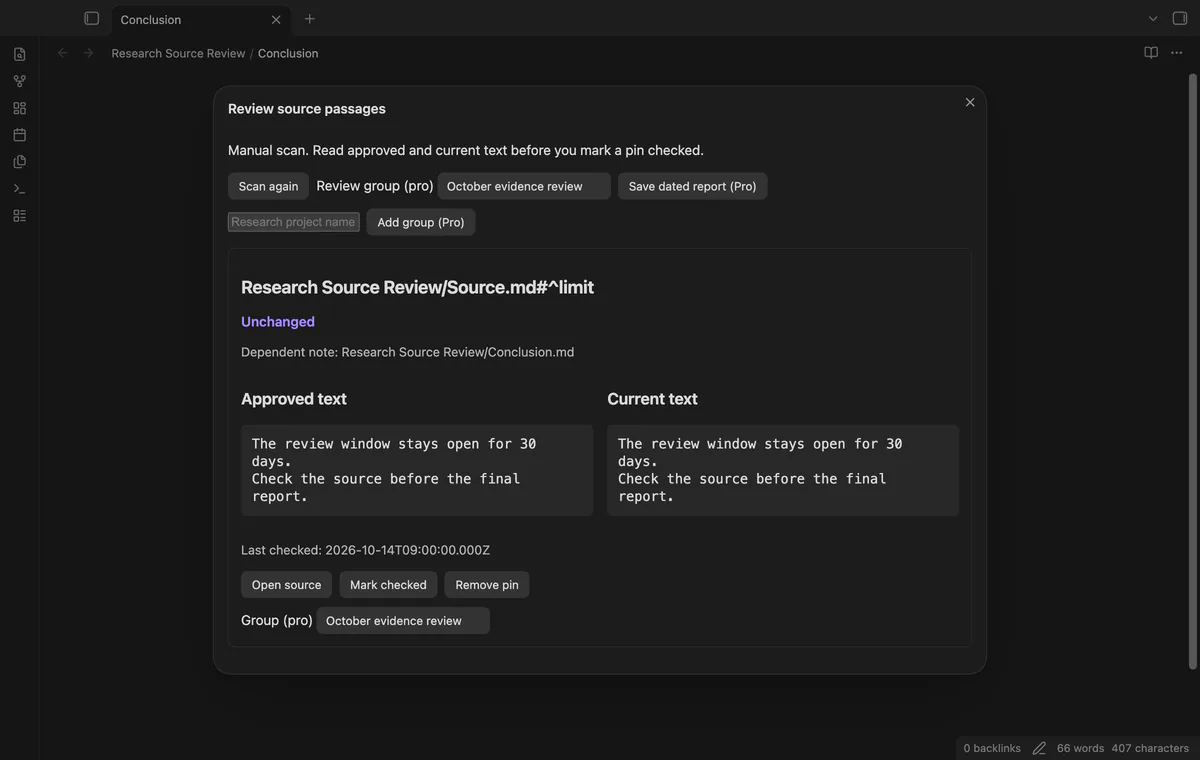
Compare approved paragraph text with the current source.
MIT · no telemetry · core features free
The README reports desktop persistence checks through app restarts and plugin reloads. Phones, tablets, Linux, large vaults and concurrent sync writes were not tested.
Directory facts fetched from community.obsidian.md/users/theluckystrike.
You base conclusions on passages in other Markdown notes and need to review those claims when source text changes.
A source paragraph can change after you use it to support a conclusion. Research Source Review saves the text you approved and compares it with a fresh read. You decide whether the conclusion needs work.
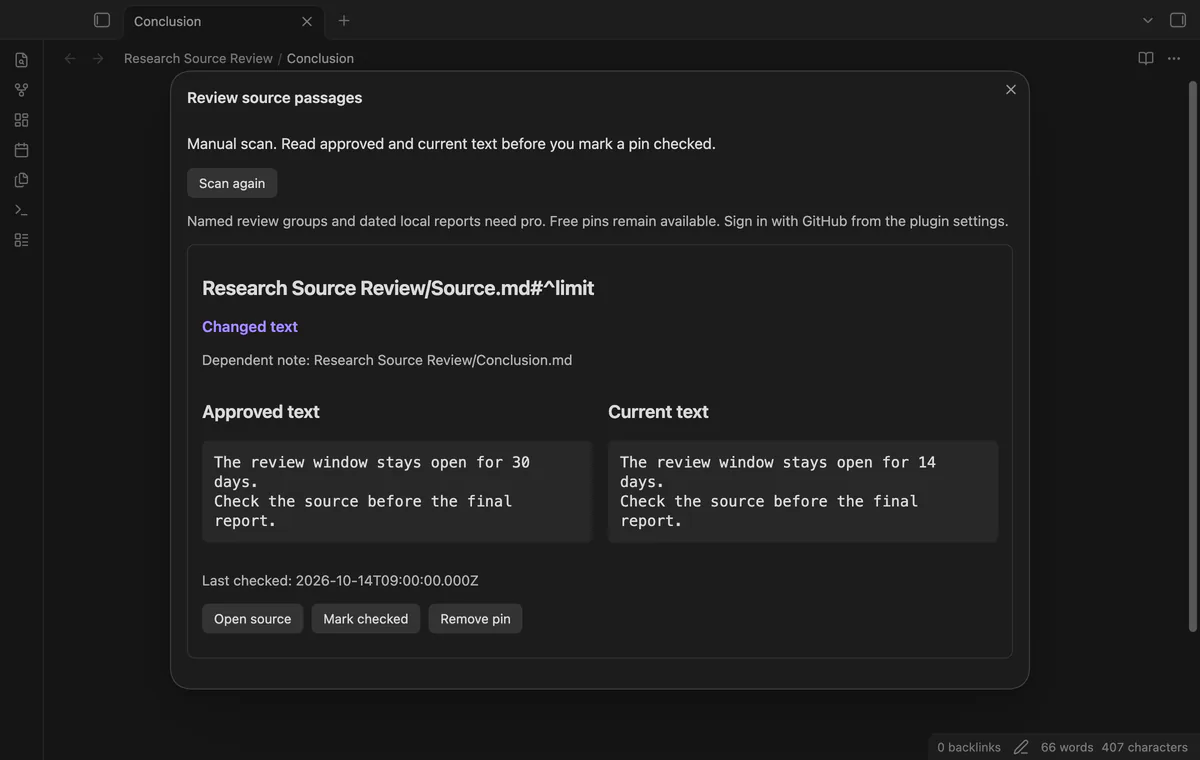
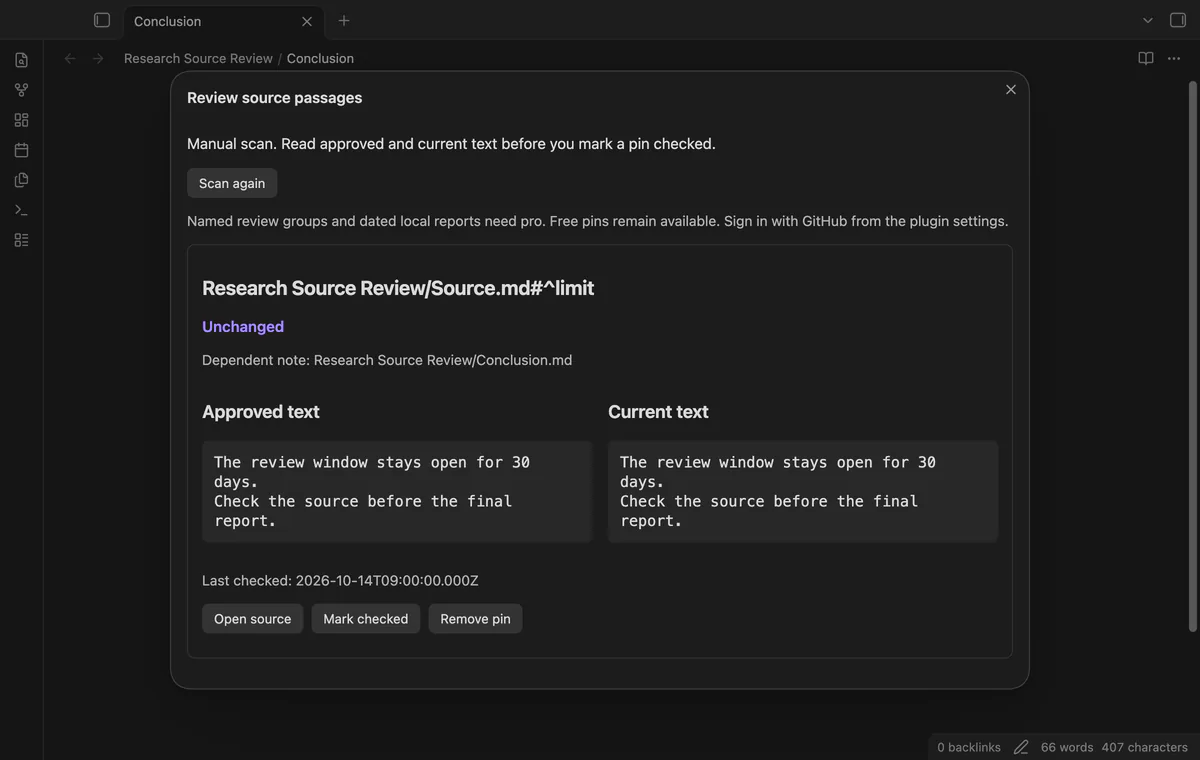
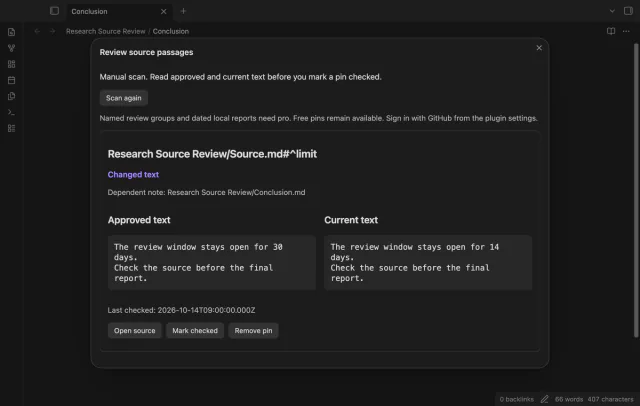
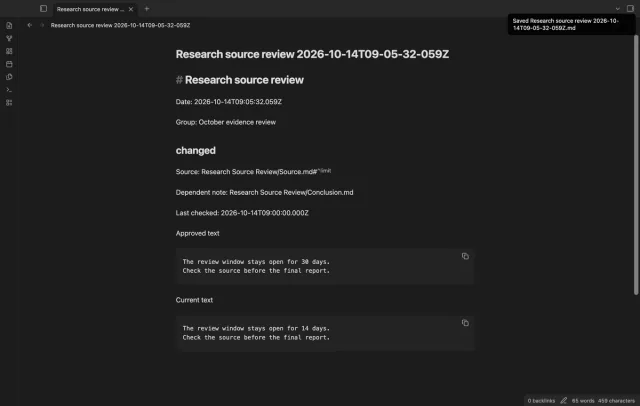
Pin a linked paragraph, run a manual scan, then inspect Approved text beside Current text. Scanning leaves the baseline intact until you select Mark checked.
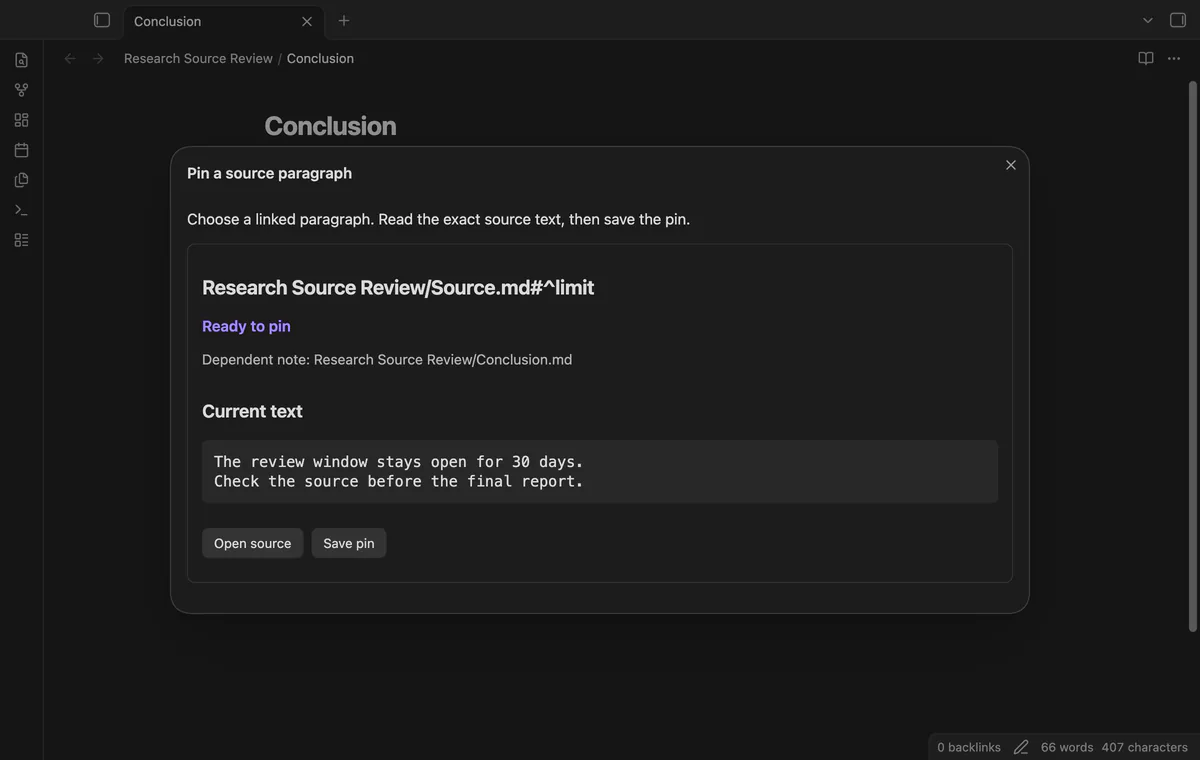
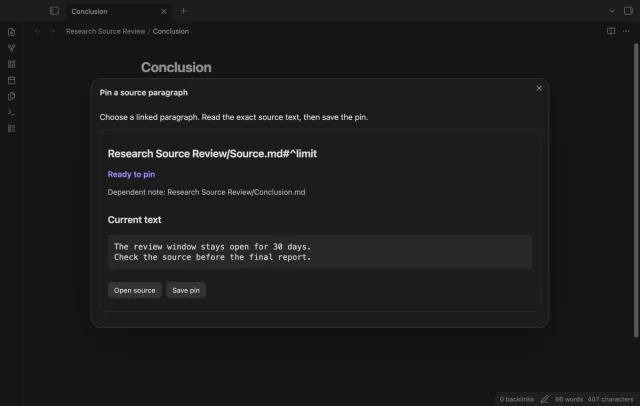
Run Pin a source paragraph from the active note to choose a link or embed with an explicit paragraph block ID. Read the passage, then select Save pin. Pins stay in local plugin data without edits to your source or dependent note.
Run Scan saved pins to compare current paragraphs with their saved text. An unrelated paragraph edit or moving the same paragraph within its source leaves its result unchanged.
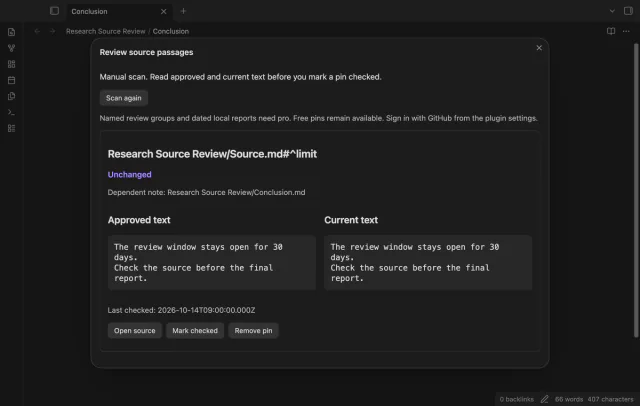
The comparison uses literal Markdown, including internal spaces and line breaks, but excludes the block ID marker. Approval reads the source again. If the passage or saved baseline changed, you must review the refreshed comparison.
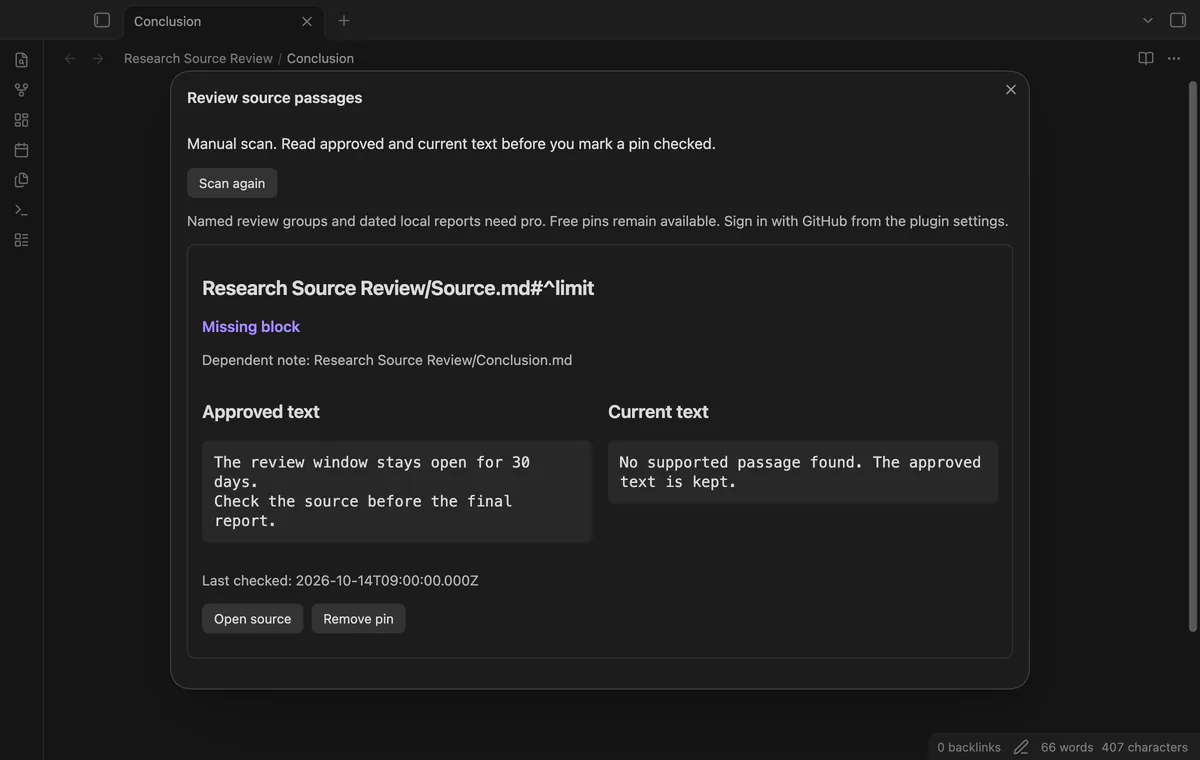
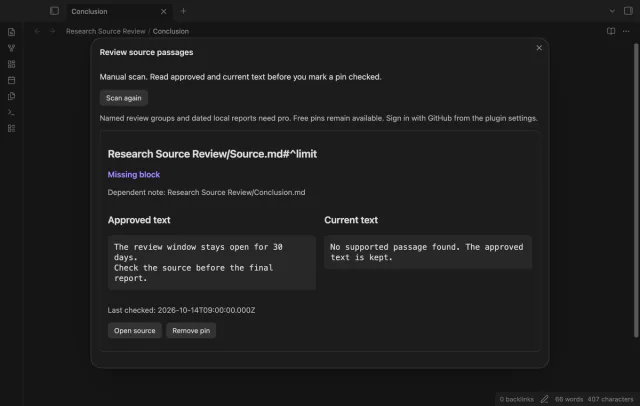
Missing sources, missing blocks and unsupported passages keep your approved text. Active rename events update saved paths; a rename while the plugin is off can leave a missing path.
Pro costs $5 a month or $15 one time through GitHub Sponsors. One sponsorship turns on Pro in every plugin that has it.
Create named project groups, assign pins and filter a scan by group. Group creation, assignment and filtering require Pro. Free scans still include pins from saved groups if Pro ends.
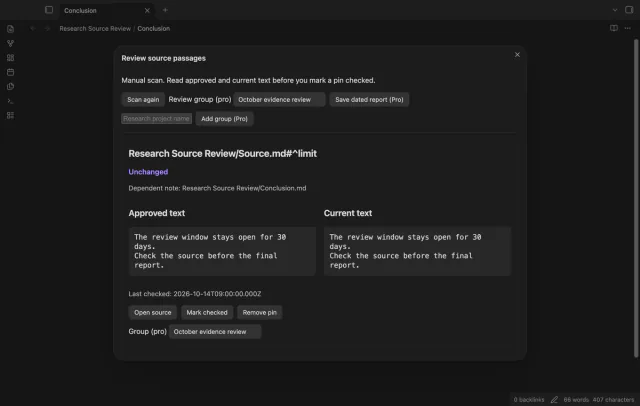
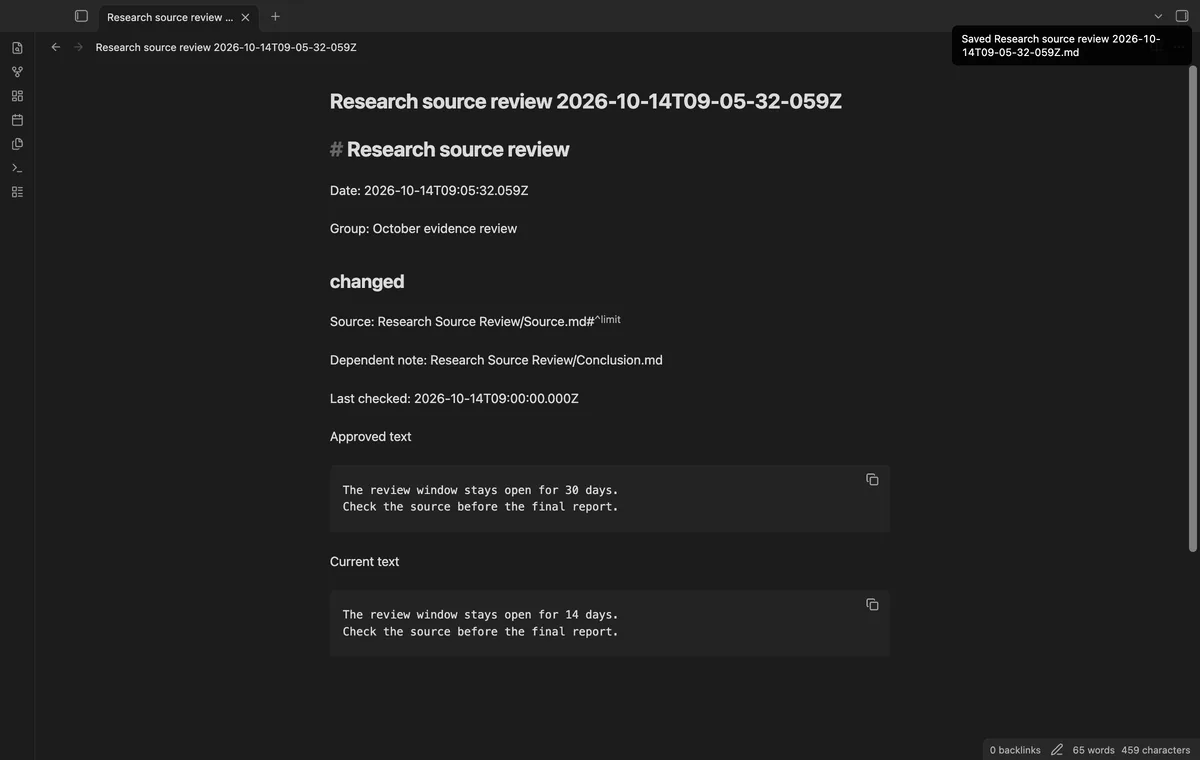
Save dated report creates a Markdown note in your vault root after a fresh scan. It includes paths, check dates, statuses and approved and current text. Saving a report does not approve its passages.
needs
steps
Add 30 days ^limit as a separate paragraph in Source.md.
Link to it with [[Source#^limit]] in Conclusion.md, then open that note.
Run Pin a source paragraph from the active note, read the passage, then select Save pin.
After a source edit, run Scan saved pins and compare the approved and current text.
Review your conclusion, then select Mark checked to approve the displayed passage.
If the app can't find a new plugin yet, try again later. Obsidian says a plugin that passes the review shows in the app within 24 hours.
Need a change for your team? I build custom Obsidian plugins and features.
The plugin detects literal changes in local source paragraphs. It doesn't assess a claim, source reliability or changes to a remote article.
Use Markdown paragraphs with explicit IDs at their ends. Headings, lists, quotes, tables and code blocks are excluded, as are PDF and image text.
Its saved path can become missing. Repair the link and save a new pin; the scan does not search for a replacement.
Pins keep approved passages in local plugin data between plugin loads. Pro reports create notes containing source text and paths in the vault root.
Before you sign in, the plugin makes no network requests. Sign in sends a public client ID and read:user scope to github.com, then polls that host for an access token. Afterward, it sends the token and sponsorship queries to api.github.com; those requests include no note text, file names or vault data.
Tell me what is broken in Research Source Review, or what it should do next.
Research Source Review 1.1.0, MIT license
MIT · no telemetry · core features free
Update heading links and embeds when you edit a heading.

See headings from embedded notes in one outline.