Revision Session Marks
Save a prose baseline and a marked review of edits.
As of October 2026, Obsidian File recovery lets you compare note snapshots and copy a saved version. For a separate editorial review, you can mark changes manually with CriticMarkup. Revision Session Marks compares a saved prose baseline with the later text and writes a marked review copy.
You revise plain prose and want a separate review showing changes since a saved writing baseline. Save your draft before a writing session, then edit the same note. Revision Session Marks compares the texts and writes a separate CriticMarkup review.
Use File recovery to find snapshots of your note. Show changes displays added, removed or modified content, and Copy lets you keep a saved version separately.
CriticMarkup has plain text marks for additions, deletions and substitutions. Keep an original copy and mark the revised text yourself.
Save your draft before a writing session, then edit the same note. Revision Session Marks compares the texts and writes a separate CriticMarkup review.
MIT · no telemetry · core features free
Open a plain prose draft in an editor.
Run Start a writing session to save its baseline.
Edit the same note.
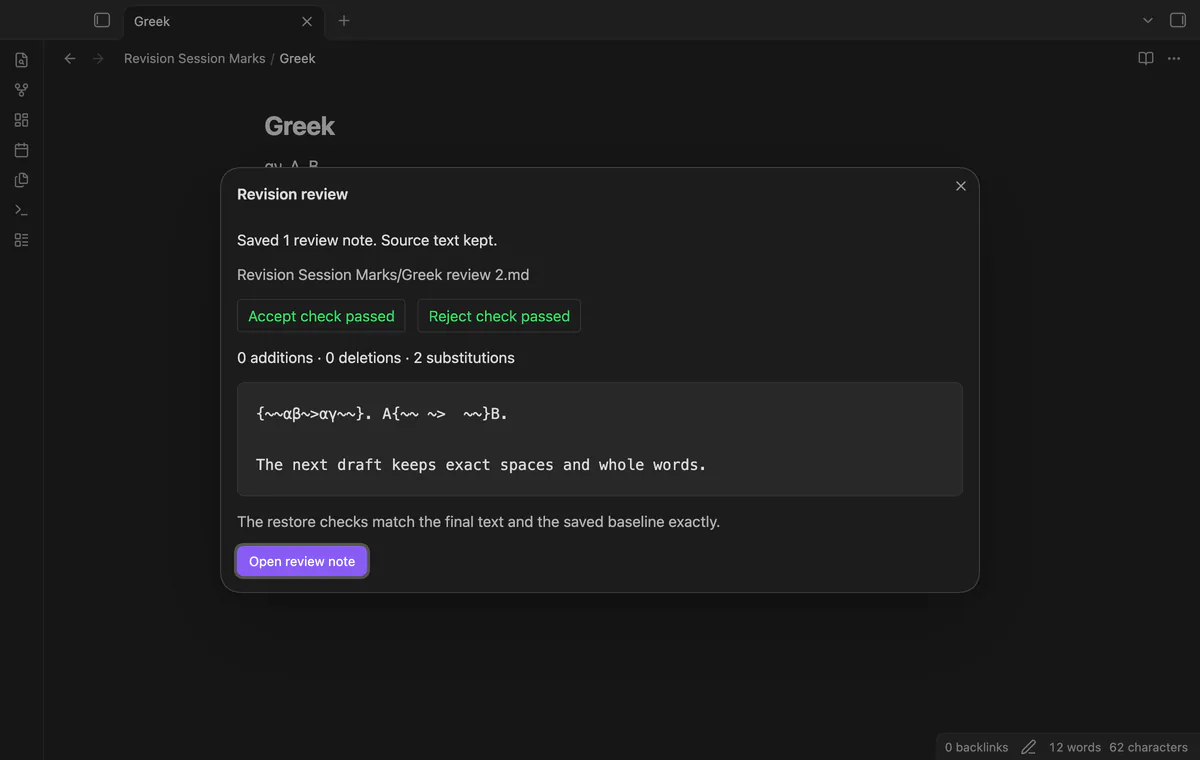
Run Stop session and create a review note, then inspect the dialog and open the new review.
Unsupported input and comparison limits keep the baseline. Correct the problem and try the same session again.
The restore checks verify the generated text. They do not apply review decisions to your source note.
 That's every step, start to finish.
You're officially a regular.
Obsidian rewards people who share. NoteMods is just me and a lot of coffee. If this guide saved you a fight with the syntax, buy me a cup.
That's visit . Regulars are the reason I keep NoteMods running. If it's part of your routine now, a coffee says thanks better than anything.
Save a prose baseline and a marked review of edits.