How to freeze columns in an Obsidian Bases table
Bases has no setting that freezes a column, as of October 2026.
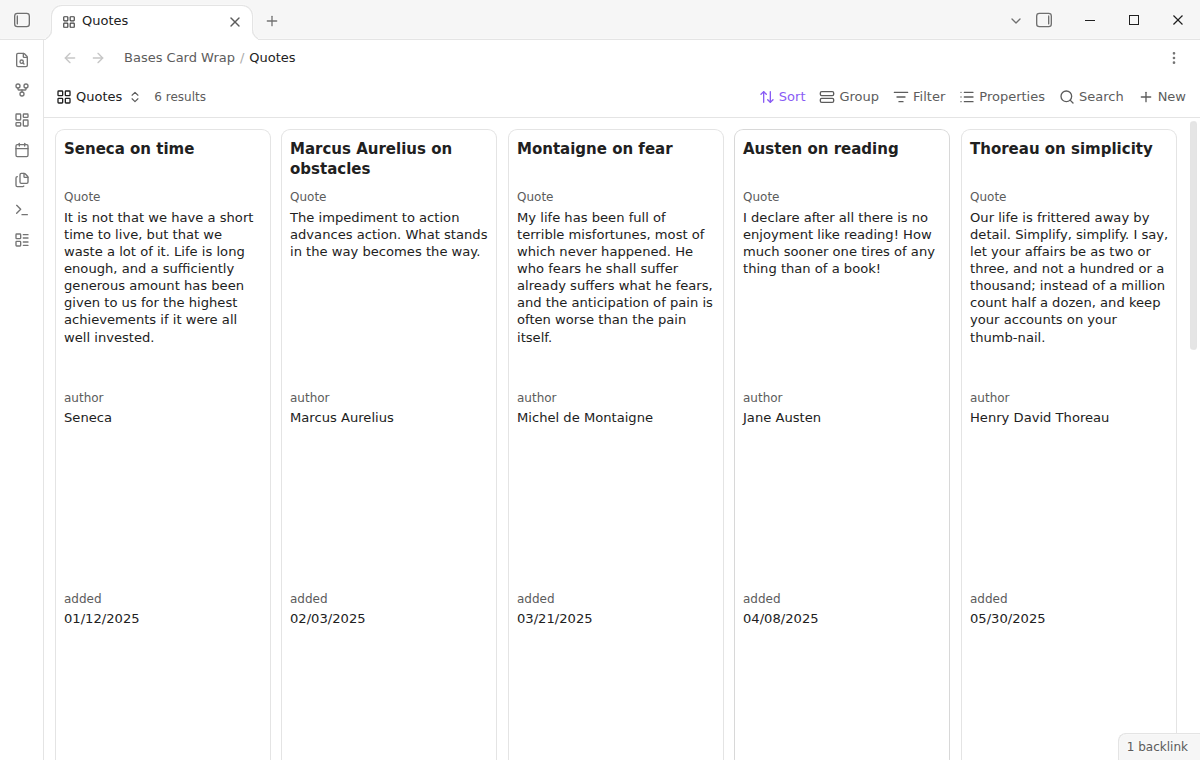
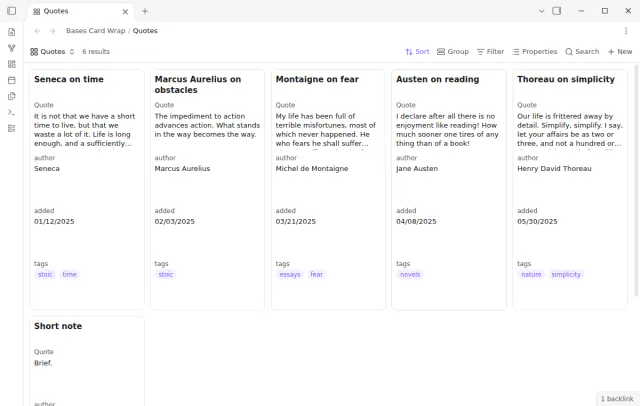
As of October 2026, the cards view of Bases shows each property on one line and has no wrap setting. A wider card or a CSS snippet for the title helps a little. Bases Card Wrap gives each property of a view from 1 to 10 lines, or the full value in a scrolling box.
Bases Card Wrap has Pro, and $15 one time turns it on in all 129 plugins.
The forum request "Bases: Word wrap in cards / Multiple lines" was opened in August 2025 and has 48 likes. Its first post, with 34 likes, shows a quote database where each quote is cut off. A later post asks for a set number of lines.
The cards view has a Card size setting in the view settings. It sets the width of a card, so a wider card fits more words on each line.
Forum posts share snippets that give the card title two or three lines. You save the rules as a CSS file in the snippets folder and turn it on under Appearance, CSS snippets.
One post from July 2026 adds a CSS class, so you can choose the bases that get the longer title.
Run the command Set card wrap for this view in a cards view. Pick a mode for all properties or for one property. The modes are one line, a set number of lines with an ellipsis, or the full value.
Every card in the view keeps one height, so the grid stays in rows. The rule also applies where you embed the base in a note, and your notes and base files stay unchanged.
MIT · no telemetry · core features free
Install Bases Card Wrap from Community plugins and enable it. It needs Obsidian 1.13.4 or later.
Open a base file and select a cards view.
Open the command palette and run Set card wrap for this view.
In the row All properties, or in the row of one property, select a mode.
For Wrap up to a number of lines, select from 1 to 10 lines.
Close the window. The plugin saves each change at once.
Yes. The rule window has one row for all properties and one row for each property of the view. A property row can also say Same as all properties. Each property after the title then gets the space of the largest line count in the view.
The wrap mode shows the value in a box of up to 10 lines. You scroll inside the box to read the rest. The test suite checks that a quote of about 40 words fits in 10 lines on a card of the default size.
Yes. The plugin keeps the rules in its own data file, under the base path and the view name. When you rename or move the base file or rename the view, the rule moves with it.
 That's every step, start to finish.
This guide uses Bases Card Wrap. Pro adds "Vault default rule". One payment of $15 turns on Pro in 129 plugins.
This guide uses Bases Card Wrap. Pro adds "Vault default rule". One payment of $15 turns on Pro in 129 plugins.
Choose how many lines each property gets on the cards of a base.