Annotation Inbox
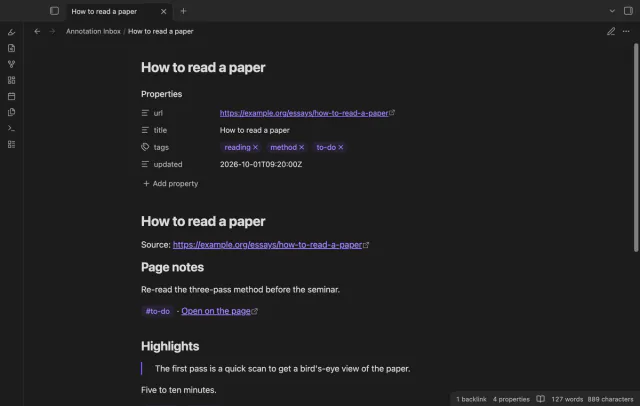
Import Hypothesis highlights, notes and tags without duplicates.
Keep saved quotes, comments and tags in a local JSON archive.
MIT · no telemetry · core features free
Tests used saved note data, an in-memory vault and desktop Obsidian. Mobile devices, hosted imports, video, EPUB, very large archives and live paid sign-in were not tested.
Directory facts fetched from community.obsidian.md/users/theluckystrike.
You have saved annotation notes and need a local JSON copy of their remaining quotes, comments and tags.
Your annotation note can hold saved JSON alongside newer comments and tags. Annotator JSON Export combines those saved fields in a preview, then creates a separate archive.
The active note workflow is free and needs no account. It can preserve fields that remain in your note, but it can't recover removed data.
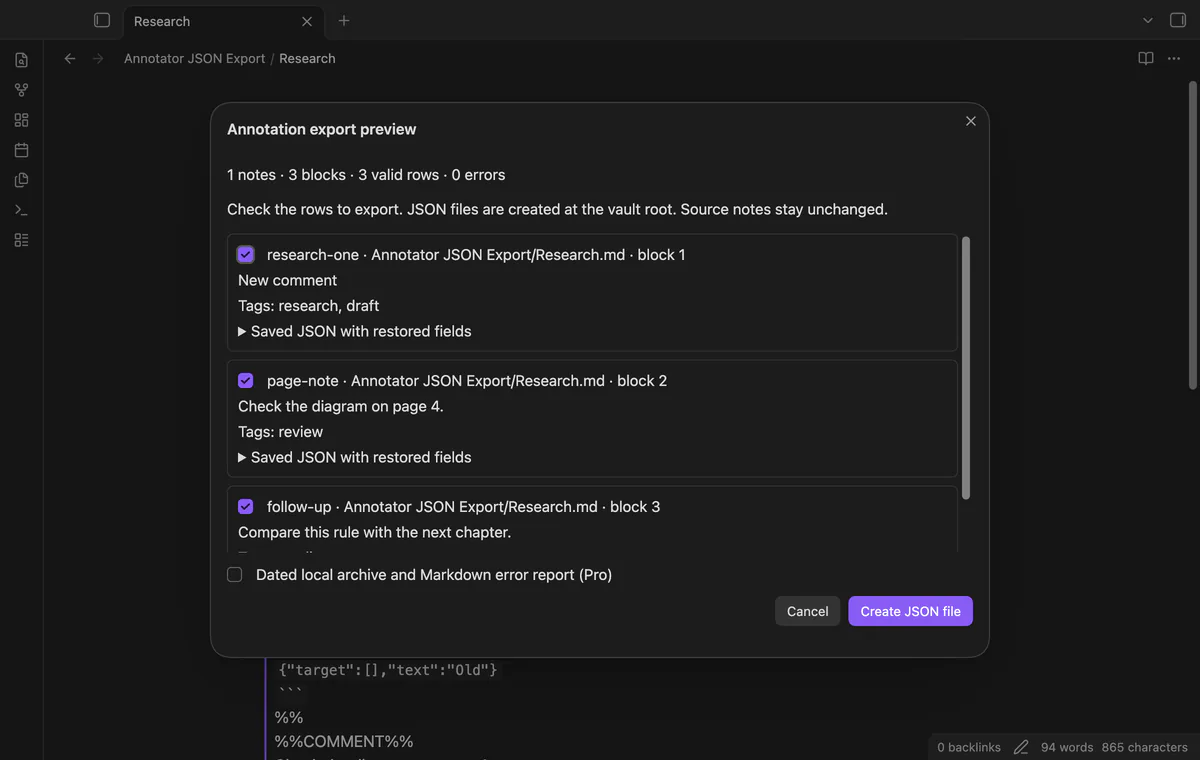
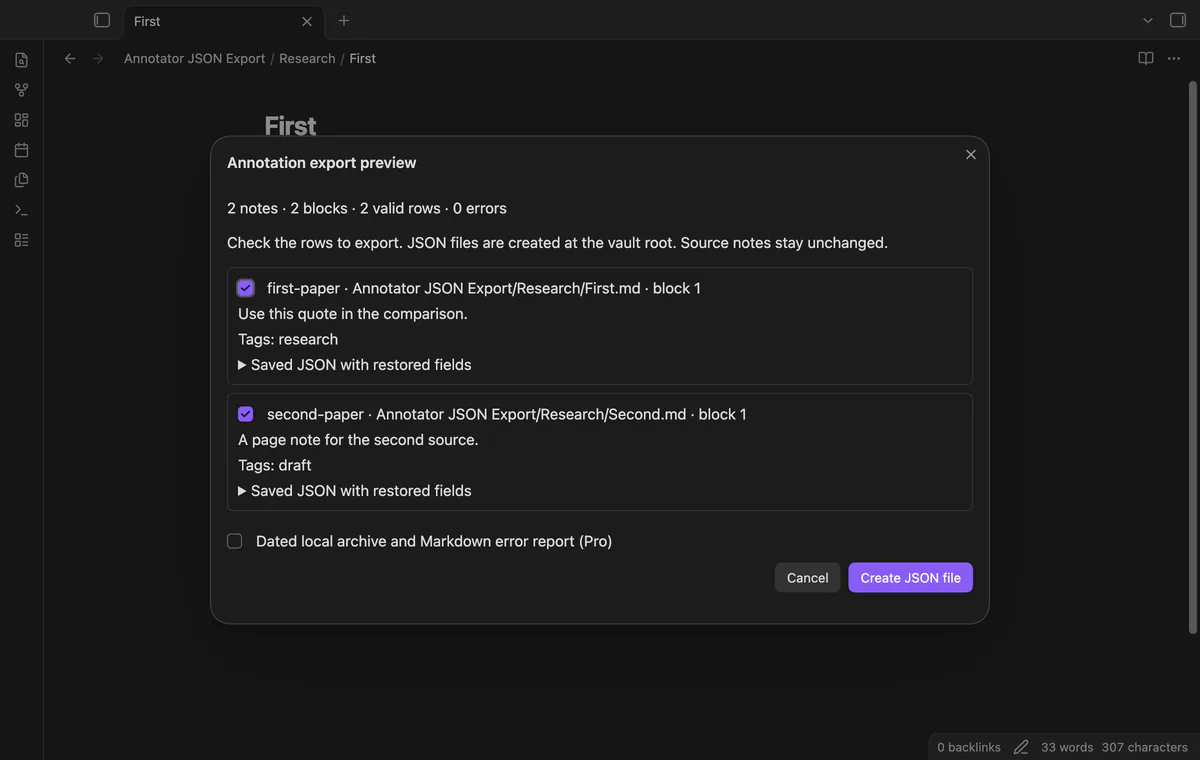
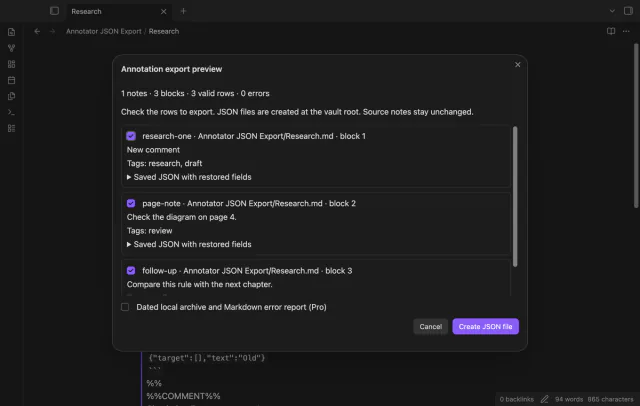
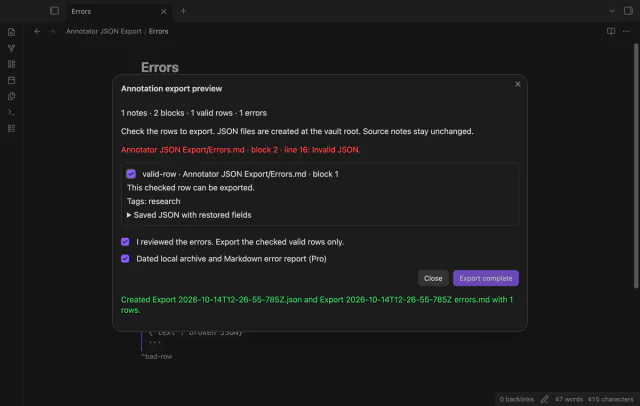
Run the preview command on a saved Markdown note. You can inspect note, block, valid row and error counts. A note without annotation blocks contributes no rows.
A standalone block ID supplies the exported ID. Marked comments and tags replace the saved JSON values; an empty section clears its value. A missing section keeps the saved value.
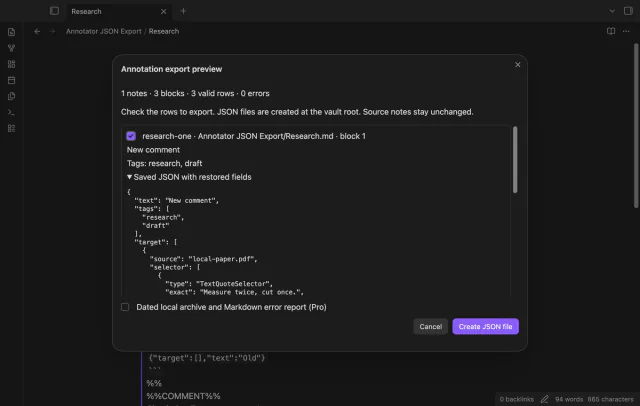
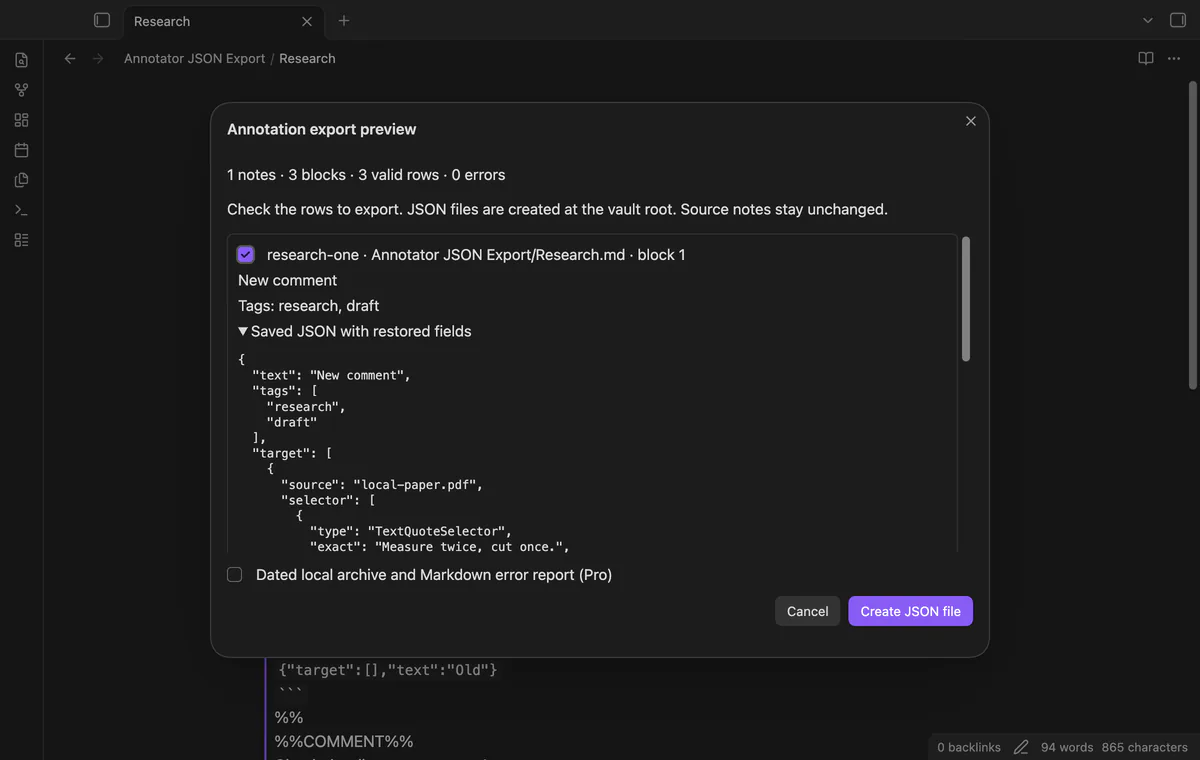
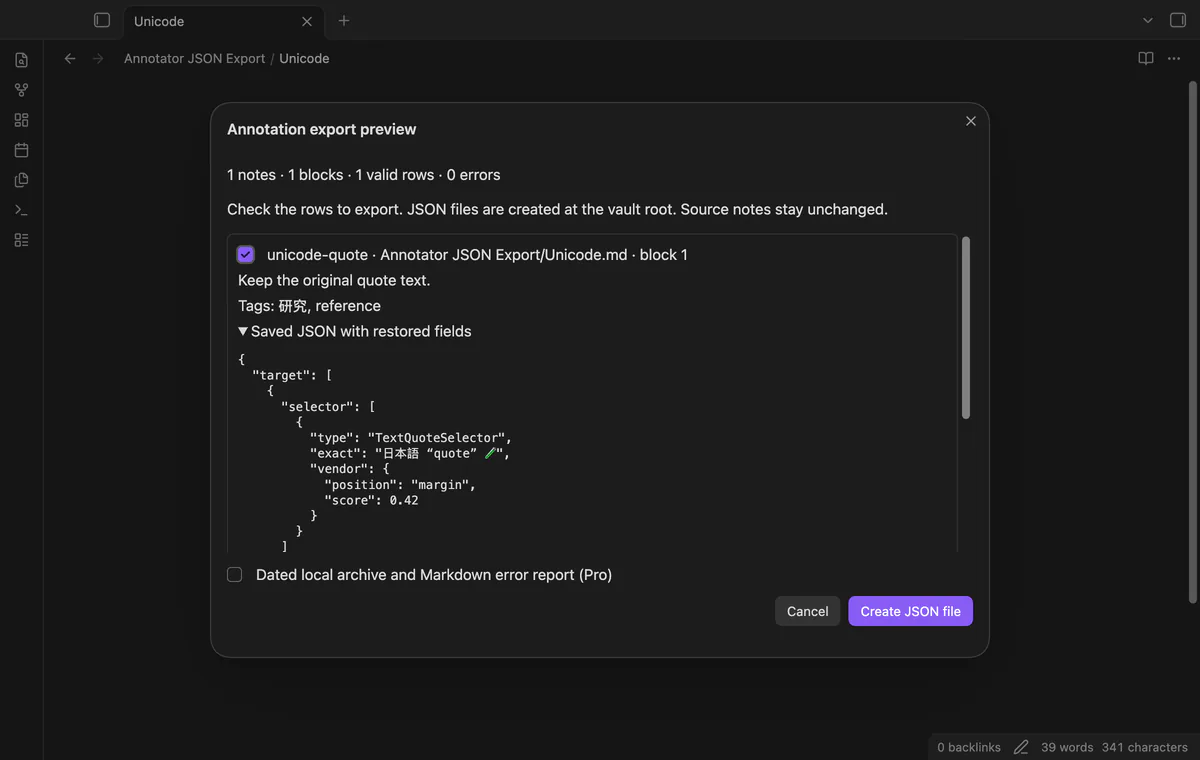
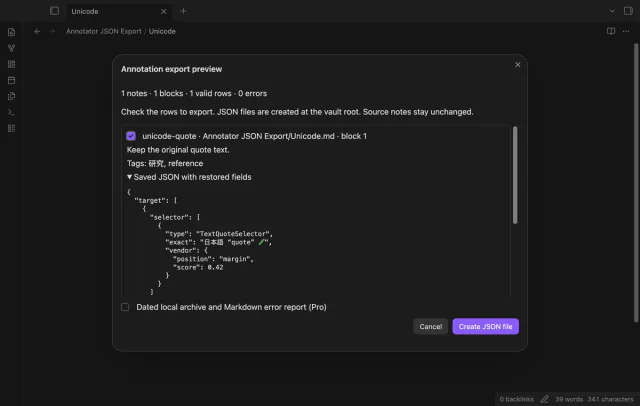
Expand a row to inspect saved quote selectors, document fields and vendor fields. Page notes remain without an invented quote. JSON must be an object, and unsupported numeric values produce an error.
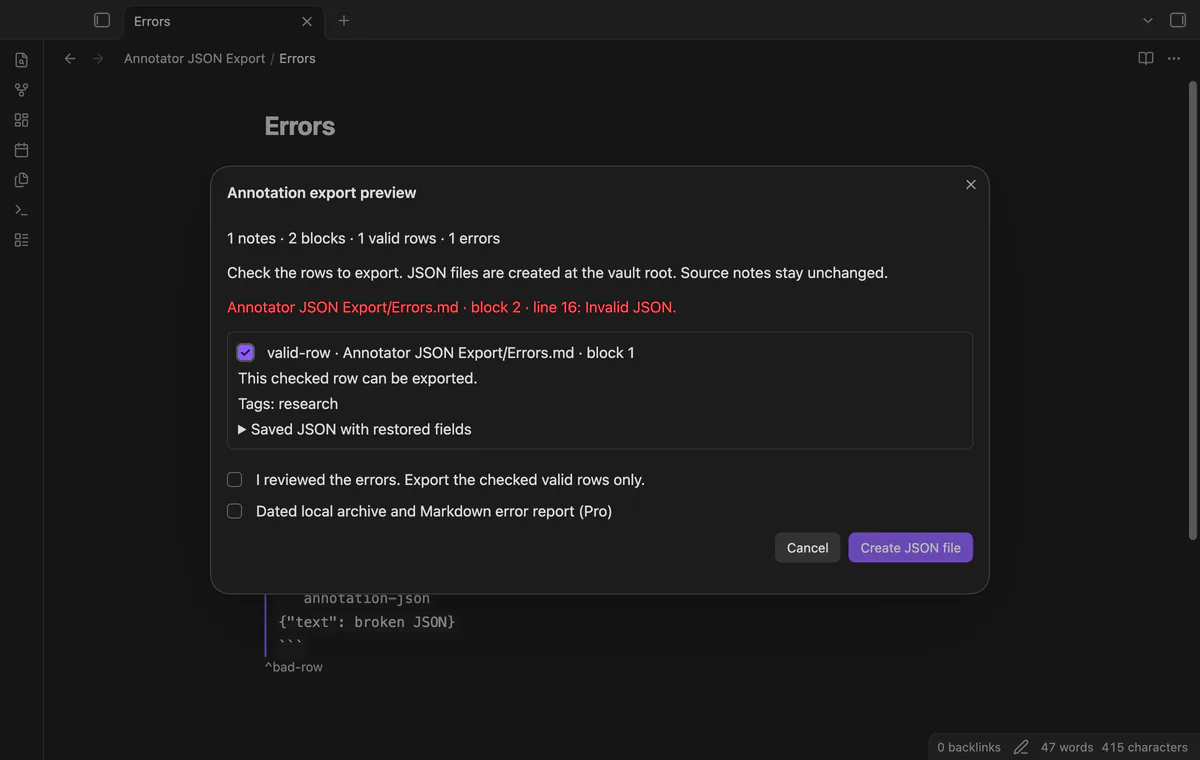
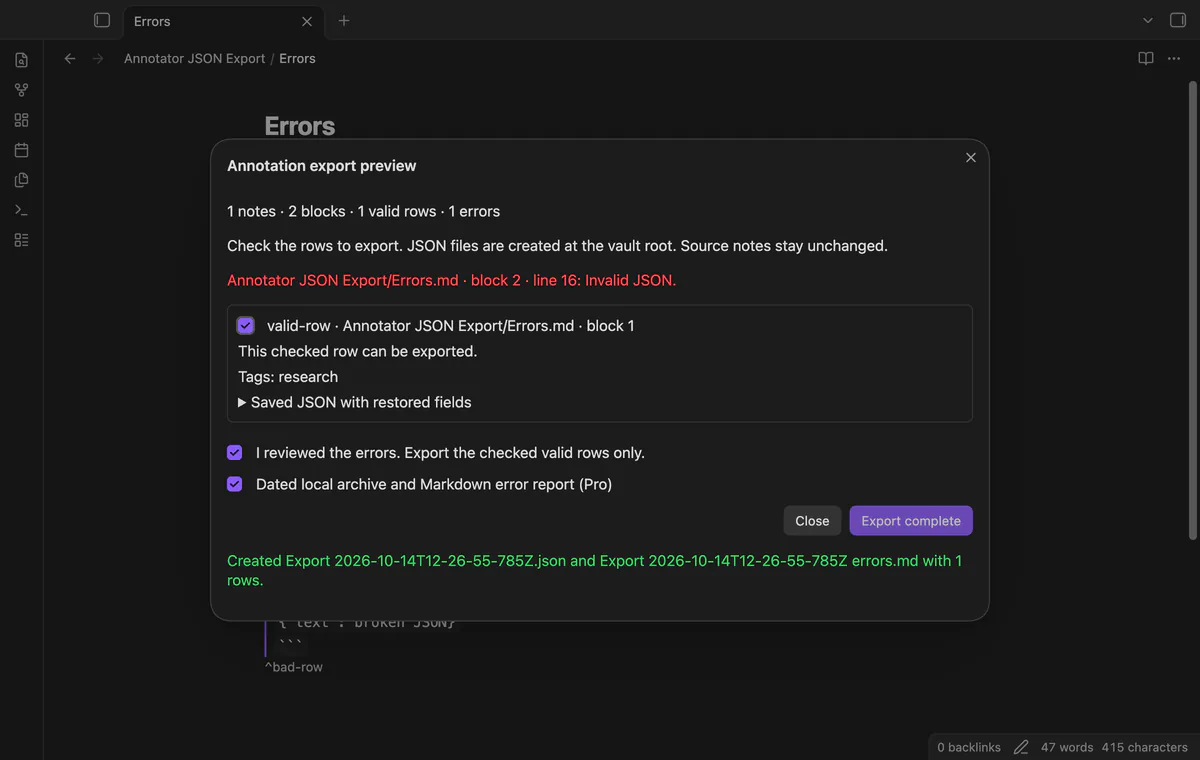
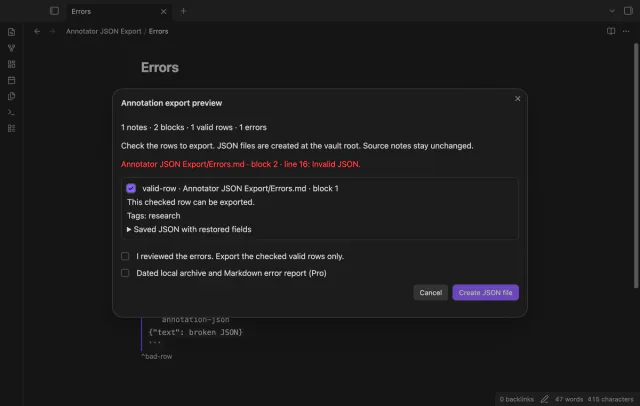
Clear a row checkbox to exclude it, and acknowledge reported errors before exporting checked valid rows. Cancel creates no file. An existing Export.json gets a numbered alternative such as Export (2).json.
The active note export is free; folder export, dated archive copies and Markdown error reports require Pro.
Pro costs $5 a month or $15 one time through GitHub Sponsors. One sponsorship turns on Pro in every plugin that has it.
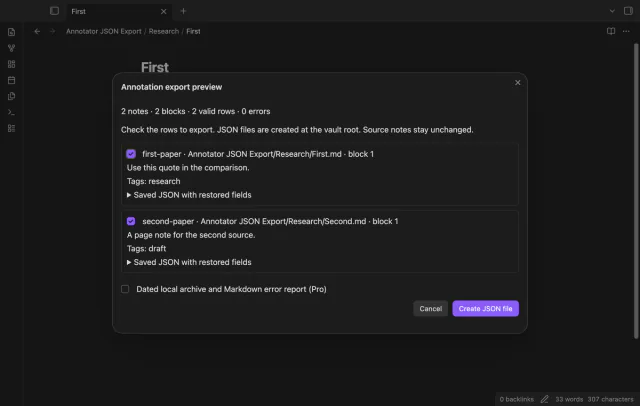
Select a folder to read its Markdown notes and subfolders into one preview. Rows identify their source notes in the preview. Archive objects receive no extra source path field.
The dated option adds a UTC timestamp to the JSON name and creates a Markdown report of exported rows and parse errors. The report includes local source paths. If its write fails, the saved JSON remains.
needs
steps
Save your annotation note and open it in Obsidian.
Run Preview annotation export from the active note from the command palette.
Inspect the counts, current comments, tags and expanded JSON.
Clear unwanted rows and acknowledge reported errors after reviewing them.
Select Create JSON file and check the new file name and row count.
If the app can't find a new plugin yet, try again later. Obsidian says a plugin that passes the review shows in the app within 24 hours.
Need a change for your team? I build custom Obsidian plugins and features.
It can't recover fields removed before the note was saved. The export keeps remaining JSON fields and restores marked comments, tags and standalone block IDs.
The output is a local archive with a rows array and a total number. Hosted service import compatibility has not been tested or promised.
It keeps a snapshot of the saved note read at command time. Cancel and reopen the preview after editing your source.
No account is needed for the active note export. Pro adds folder export and dated archives with reports for $5 a month or $15 once, subject to sponsorship checks.
After you choose Sign in with GitHub, github.com receives device authorization and token polling requests using the public client ID and read:user scope. Then api.github.com receives an authenticated query for your sponsorship tier and total payments, with no vault data. Successful checks last 7 days, failed checks can retry after 6 hours, and Refresh requests an earlier check.
Tell me what is broken in Annotator JSON Export, or what it should do next.
Annotator JSON Export 1.1.0, MIT license
MIT · no telemetry · core features free
Import Hypothesis highlights, notes and tags without duplicates.

Edit AsciiDoc source and see its preview side by side.