
AsciiDoc Files
Edit AsciiDoc source and see its preview side by side.
Find and insert terms from a local CSV glossary.
MIT · no telemetry · core features free
Phone, tablet, Linux and Windows apps, light-theme layout, assistive technology, many profiles, live payments and live sign-in were not tested.
Directory facts fetched from community.obsidian.md/users/theluckystrike.
You keep a glossary in CSV or TSV and want its meanings while editing your notes.
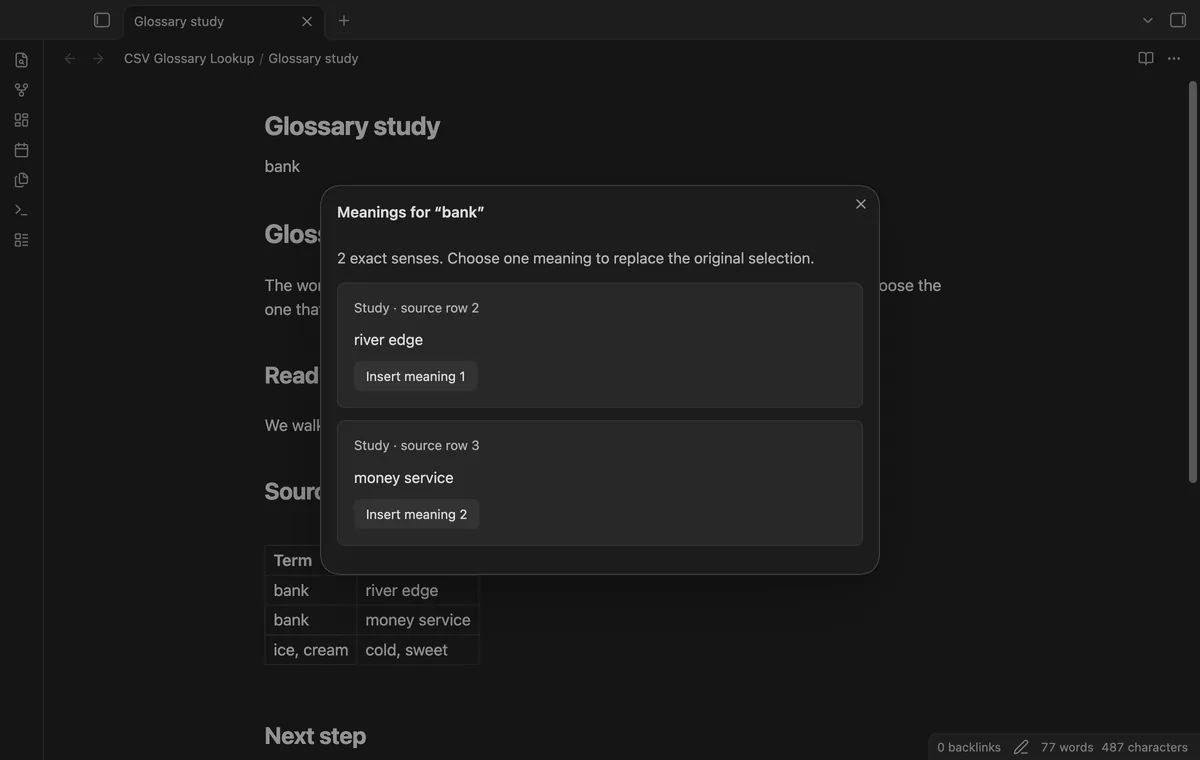
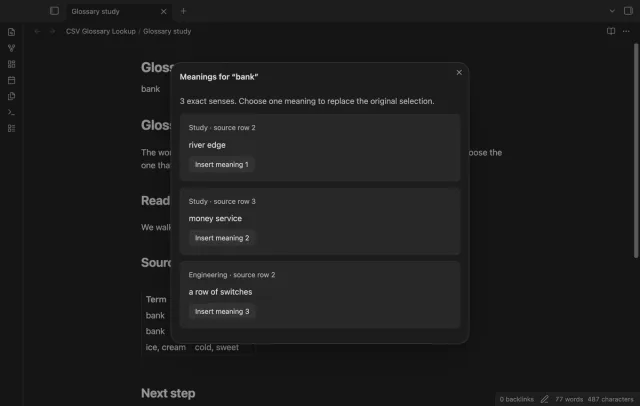
Import a local glossary and map its term and meaning columns. Select a term in your note to read its exact senses. Choose one meaning to replace the original selection, or close the result to keep your text.
 Play demo
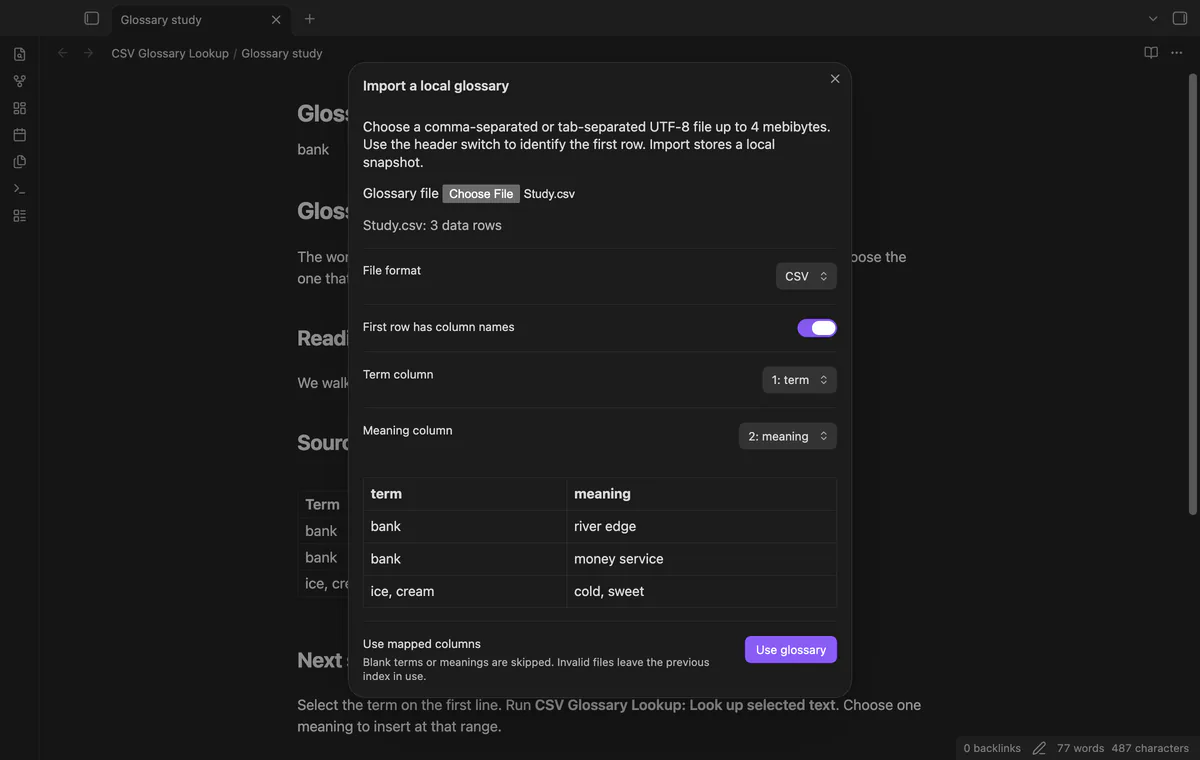

Import a UTF-8 CSV or TSV file up to 4 MiB. Quoted commas, newlines and doubled quotes stay in their fields. A malformed import leaves your previous glossary available.
Check the header switch, map two different columns and review the first five data rows. Extra columns can stay in the file.
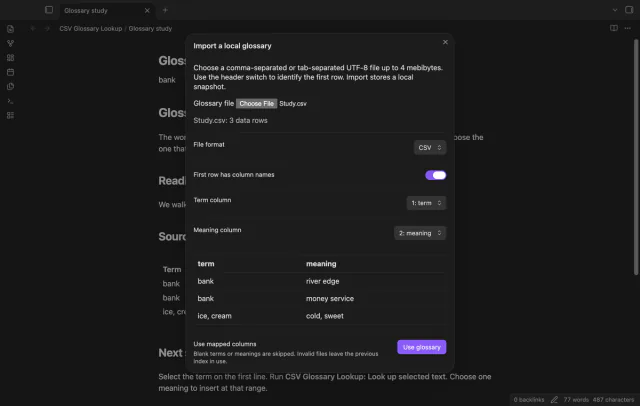
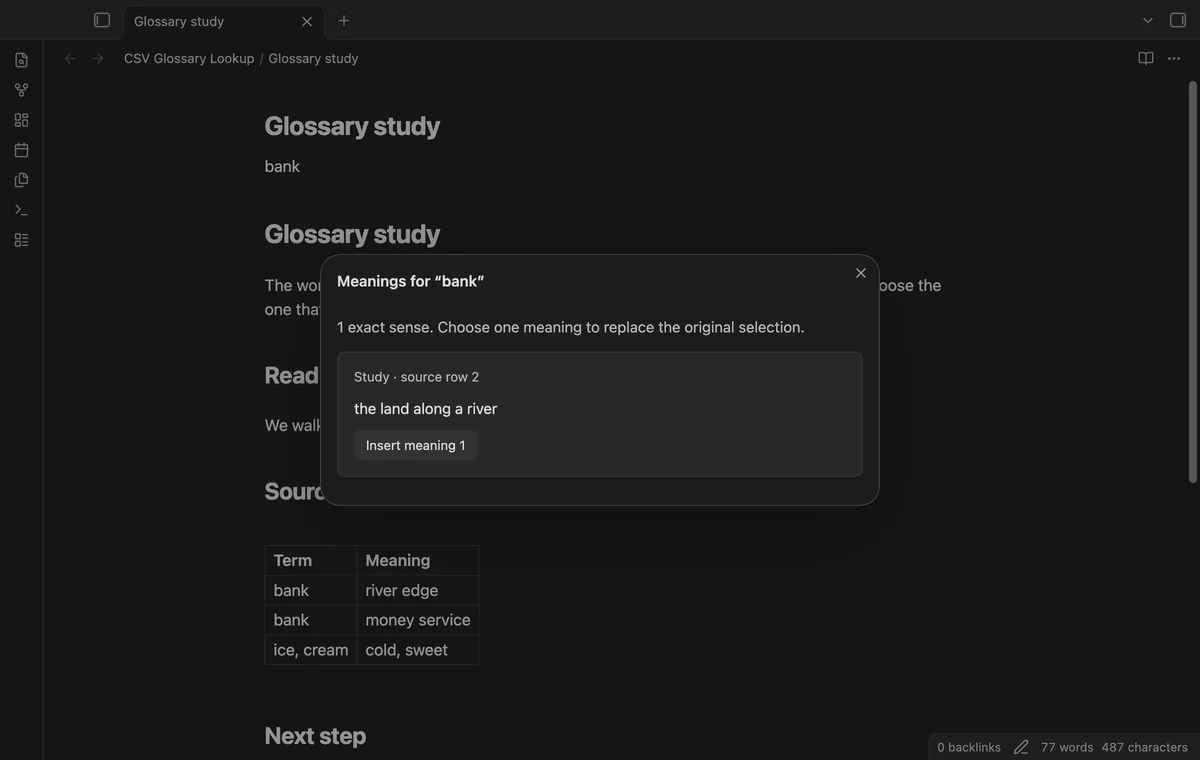
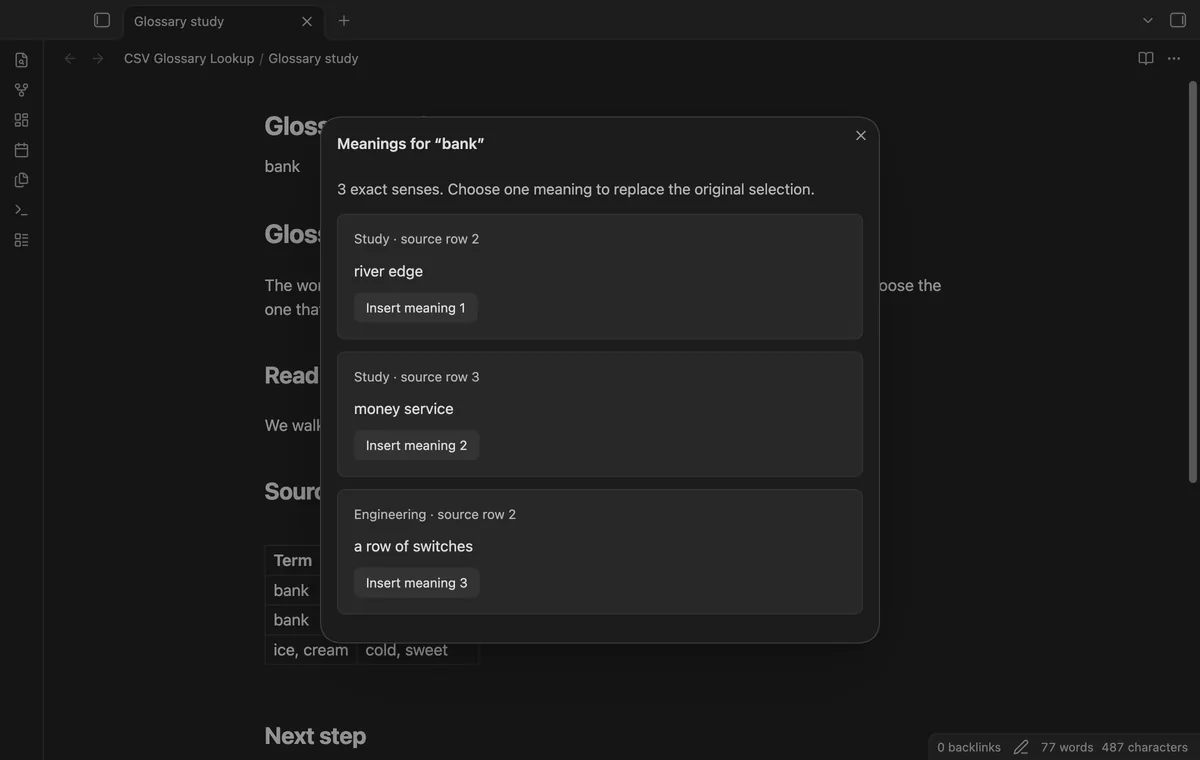
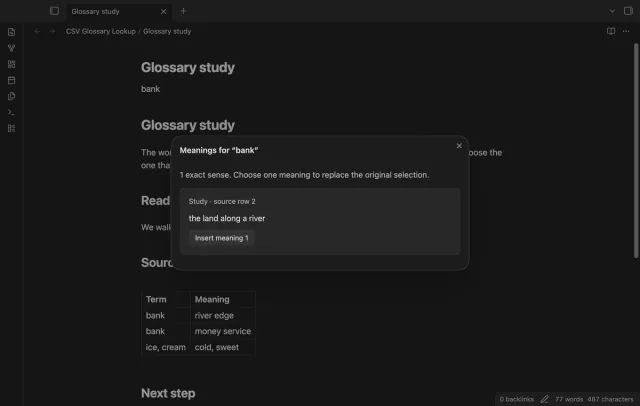
Look up the complete selected term to see senses in source order. Ignore case starts on, and lookup trims edge spaces. Each sense names its glossary and source row.
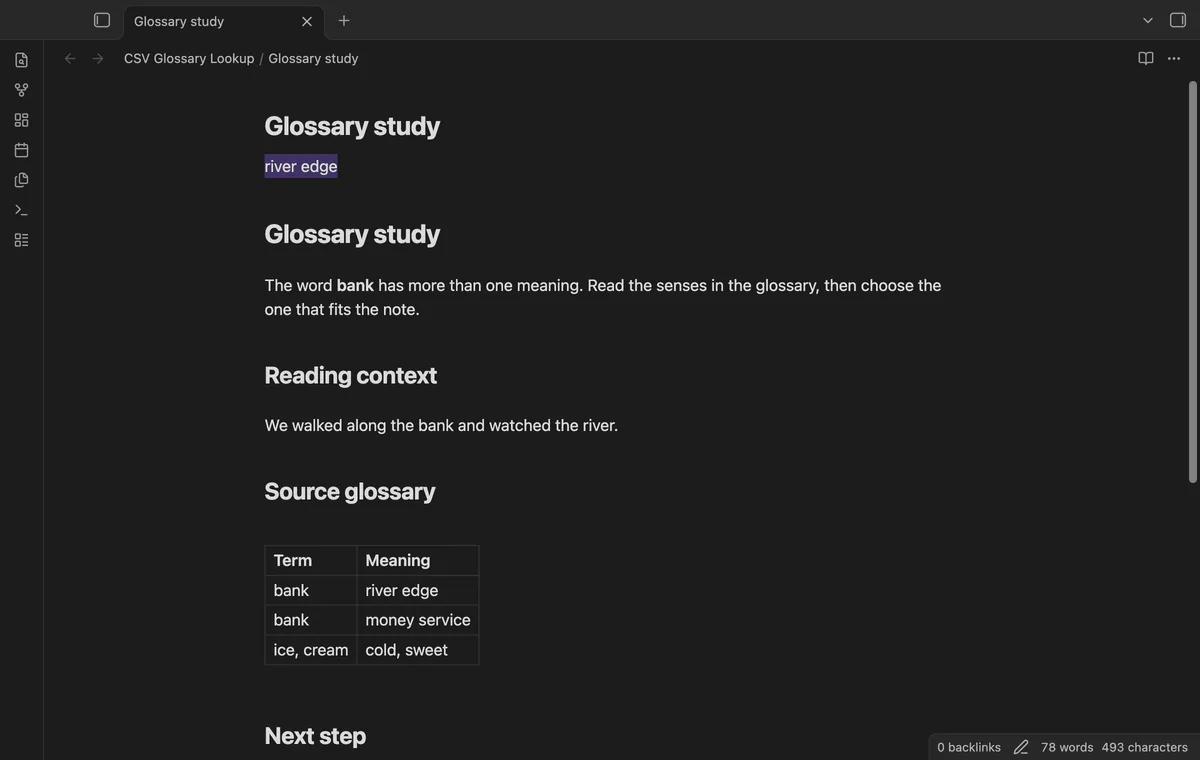
Choose a meaning to replace the captured selection while preserving its outer spaces. Cursor movement does not move the target. Changed note text or a different active note prevents insertion.
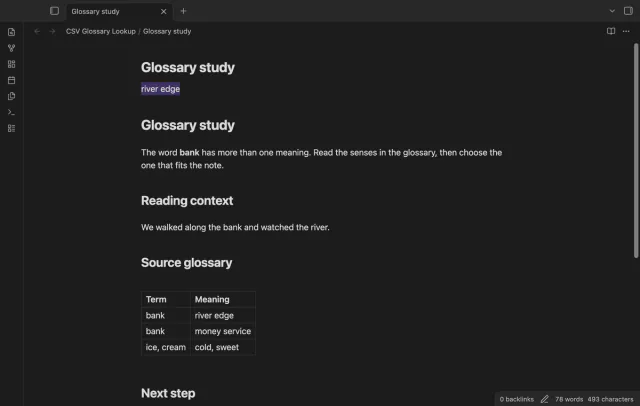
Run Reload the glossary and select the updated file again. Review its mapping and select Use glossary to replace the snapshot. There is no background file watcher.
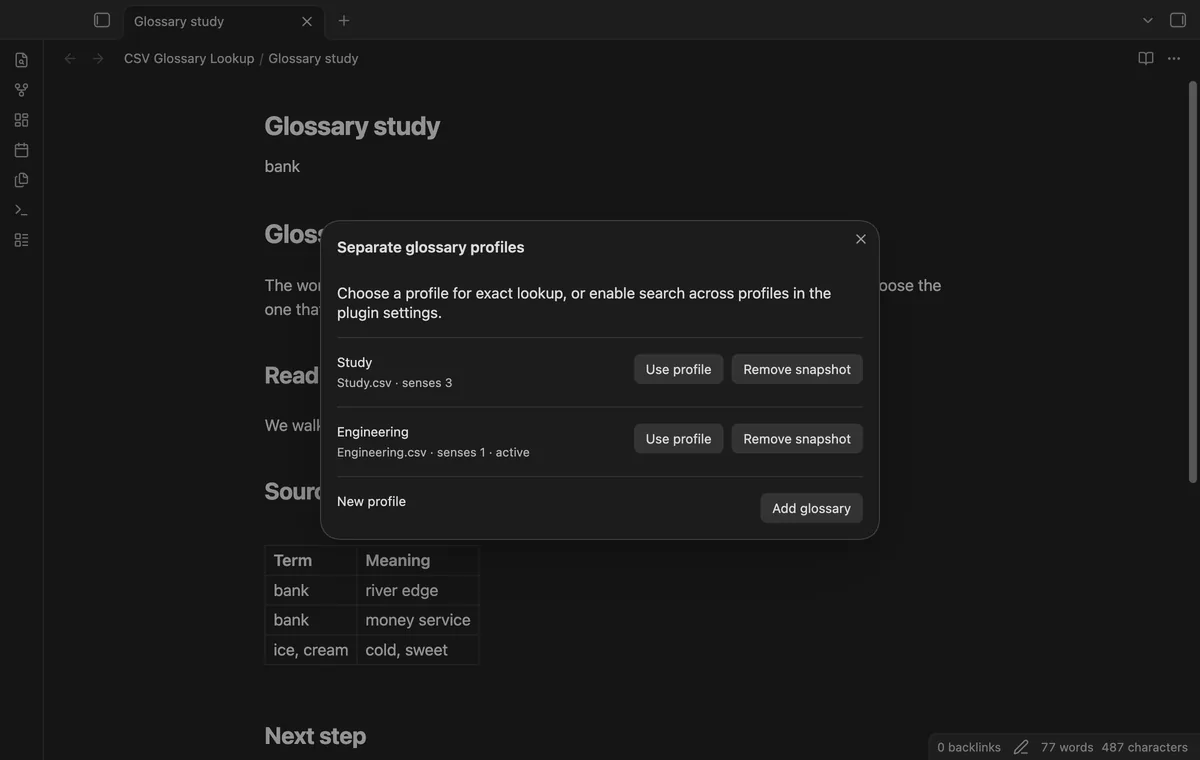
Free use has one glossary; separate profiles and lookup across profiles need Pro.
Pro costs $5 a month or $15 one time through GitHub Sponsors. One sponsorship turns on Pro in every plugin that has it.
Pro stores separate named glossaries with their imported text and column mappings. Removing a snapshot leaves its source file alone. Without Pro, the first stored profile supplies the free glossary.
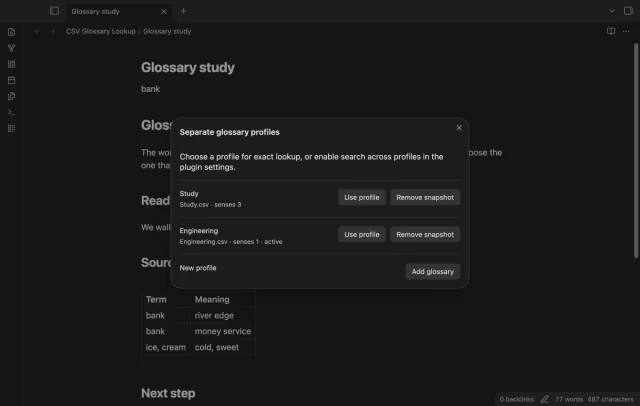
Enable Search several glossaries with Pro to search stored profiles together. Results follow profile order, then source row order. Duplicate senses remain visible.
needs
steps
Open the plugin settings and select Import glossary.
Choose your CSV or TSV file and check whether its first row contains column names.
Map two different columns, inspect the preview and select Use glossary.
Select a term in a Markdown editor and run Look up selected text.
Read the senses, then insert one meaning or close the modal to keep your note unchanged.
If the app can't find a new plugin yet, try again later. Obsidian says a plugin that passes the review shows in the app within 24 hours.
Need a change for your team? I build custom Obsidian plugins and features.
No. Import stores a snapshot in plugin data. Reload asks you to choose the updated source file again.
The plugin compares the current note text with the text captured before lookup. Even an edit outside the selection prevents insertion. Start a fresh lookup.
No. Lookup matches the complete term after trimming edge spaces. BANKER does not match bank.
The snapshot and options are saved in the plugin data.json inside your vault. Include that file when you back up or sync glossary data.
After you select Sign in with GitHub, github.com receives the public client ID, read:user scope and device-flow polling requests. Signed-in checks send your token and sponsorship query to api.github.com, asking for your tier and total payment. Checks reuse positive answers for seven days, can retry failures after six hours or run on Refresh, without sending vault data.
Tell me what is broken in CSV Glossary Lookup, or what it should do next.
CSV Glossary Lookup 1.1.0, MIT license
MIT · no telemetry · core features free
Edit AsciiDoc source and see its preview side by side.
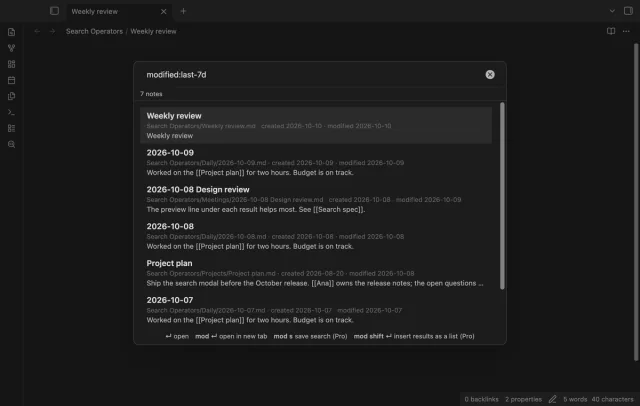
Find notes by date and links, with a preview for each result.