Standard Notes Import
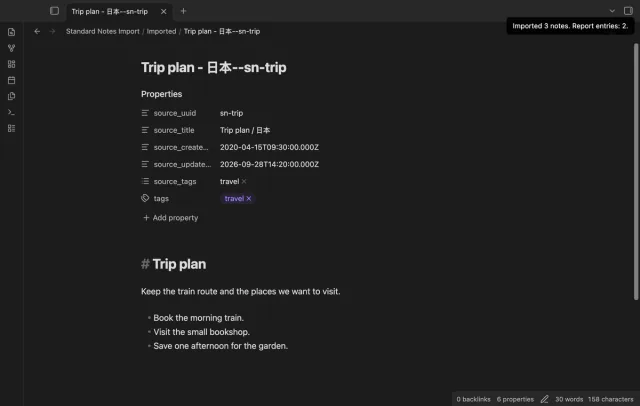
Import supported text, tags, UUIDs and dates from a decrypted JSON backup.
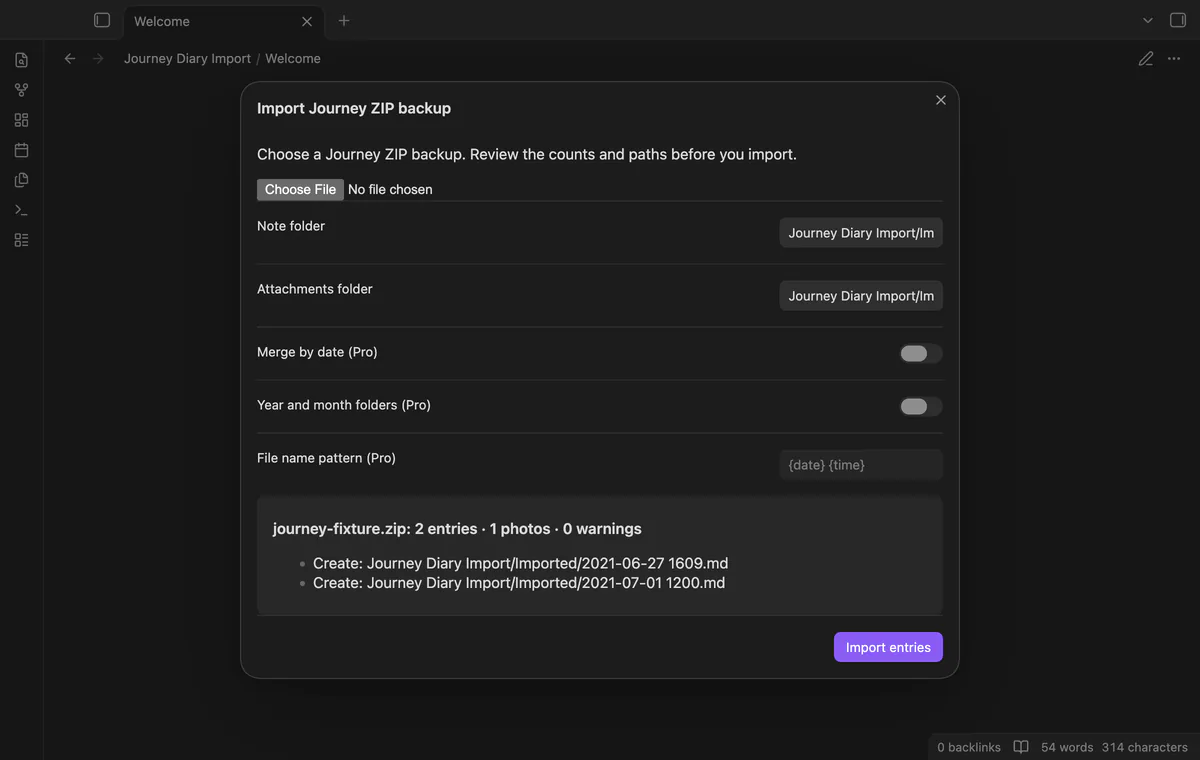
Preview a Journey ZIP and import dated notes with local photos.
MIT · no telemetry · core features free
Tests use a public 2021 fixture and generated entries. Newer export schemas, encrypted ZIPs, large real diaries and physical mobile devices were not tested.
Directory facts fetched from community.obsidian.md/users/theluckystrike.
You want to move a Journey diary into your vault while keeping supported entry properties and local photos.

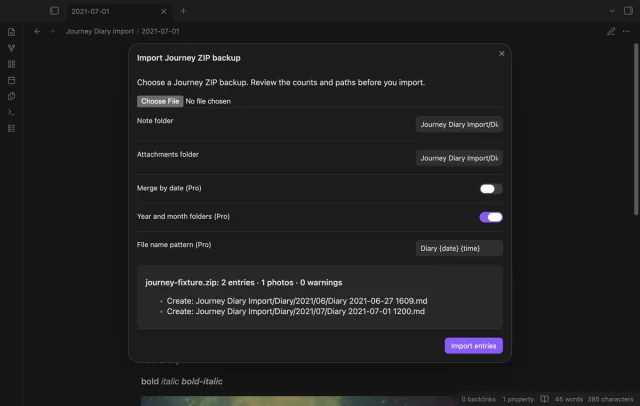
Choose a Journey ZIP backup and review its entries, photos and warnings before writing notes. The free import creates one dated Markdown note per entry. Photos come from the archive.
Start with a separate folder and keep the original backup. Repeating an import creates duplicates; a daily merge appends the entries again.
 Play demo
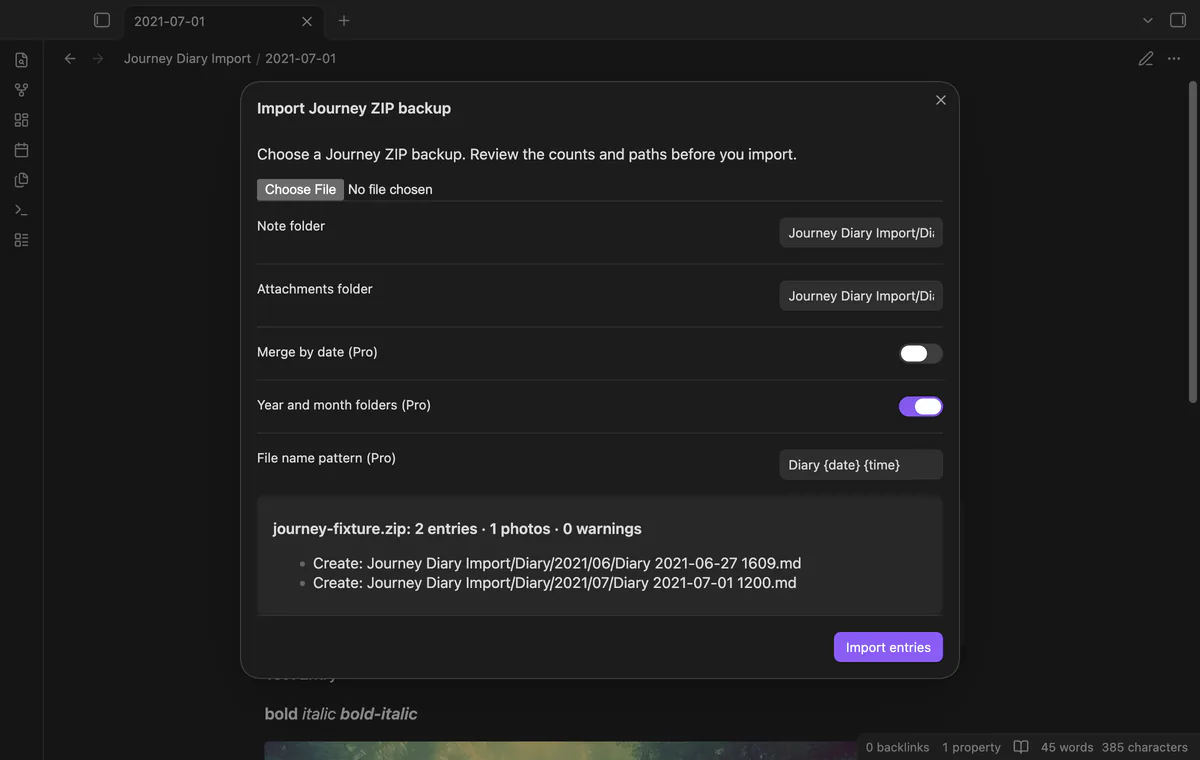
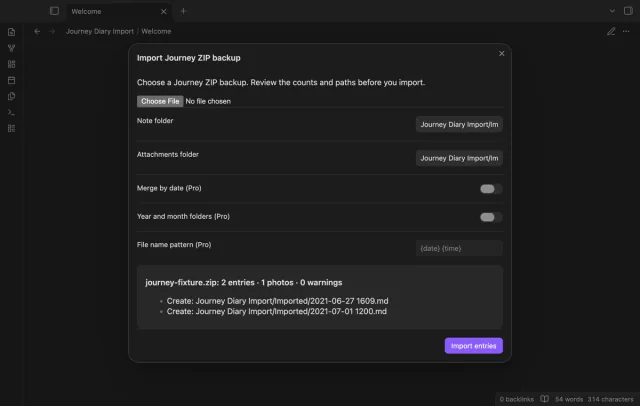
Review entry and photo counts, warnings and the first eight output paths. The preview reads entries with date_journal and text fields without writing notes. A ZIP without matching entries produces no notes.
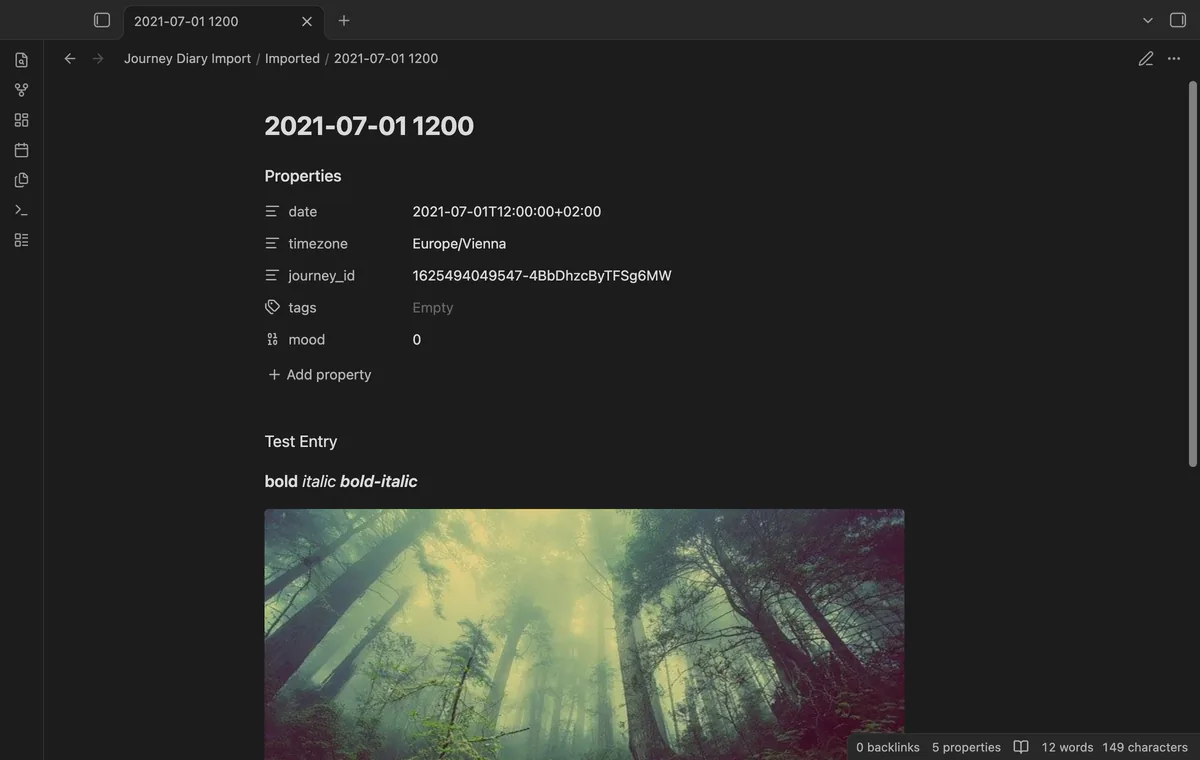
Each entry becomes a note named from its local date and minute. HTML bold and italic become Markdown, while Markdown entries lose image syntax and HTML tags. Existing paths receive numbered suffixes.
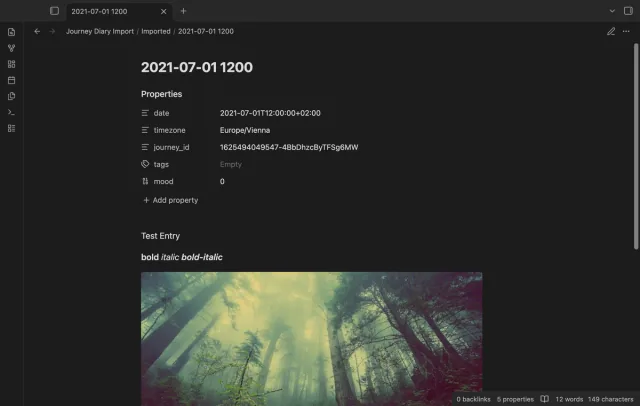
Archive photos become local attachments with vault embeds. Missing or ambiguous photo names produce warnings while entry text can still import. Supported extensions are JPEG, PNG, GIF, WebP and HEIC; HEIC display depends on your device.
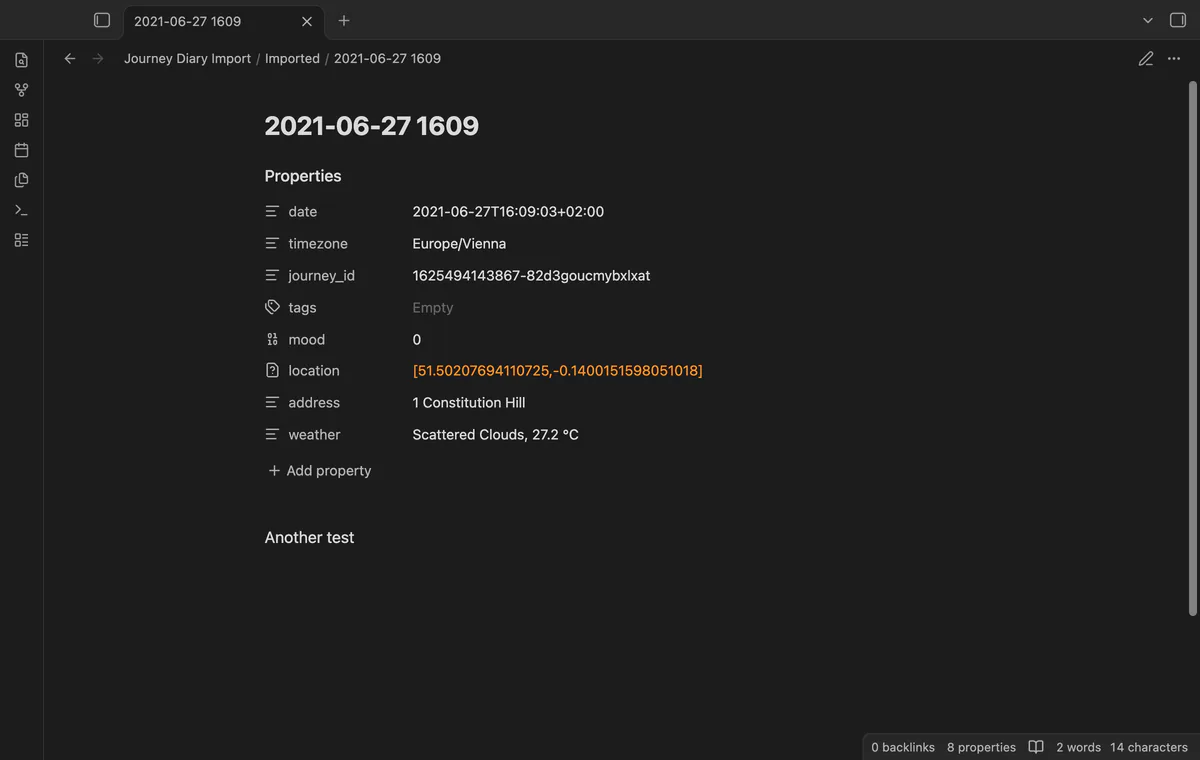
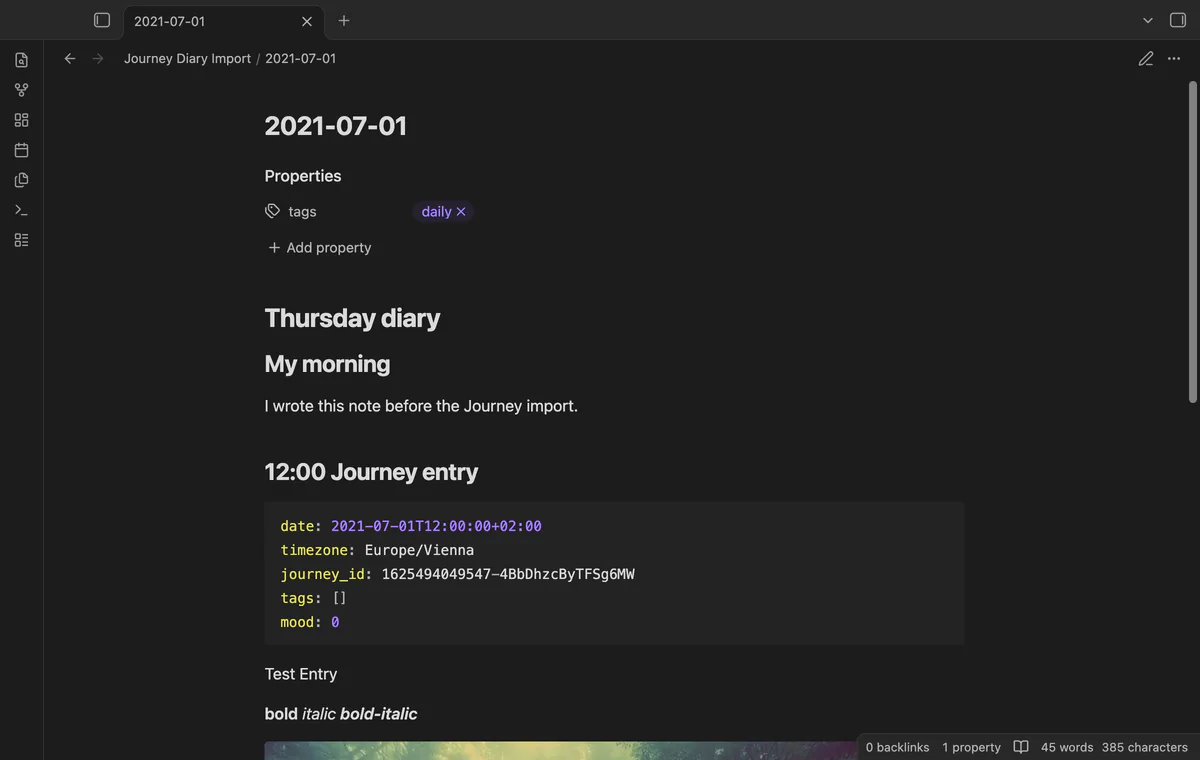
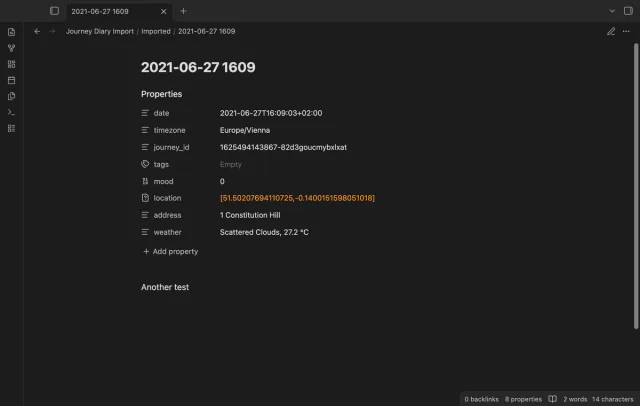
Separate notes keep date, timezone and Journey ID as properties. Tags, mood, valid coordinates with their address, and weather follow when present. Missing timezones use UTC; unknown timezones also produce a warning.
Pro costs $5 a month or $15 one time through GitHub Sponsors. One sponsorship turns on Pro in every plugin that has it.
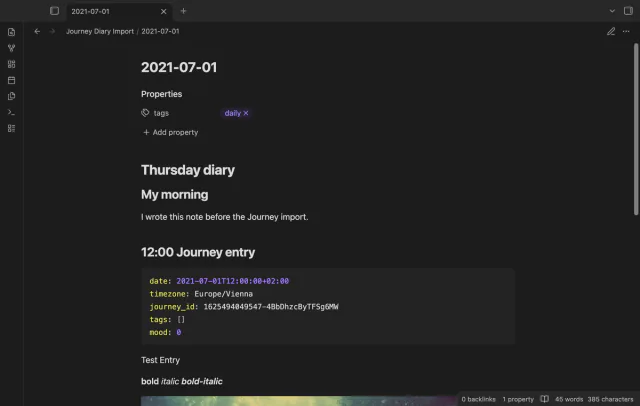
Pro appends entries to date-named daily files, creating missing files. Existing daily frontmatter stays in place. Each entry gets a time heading and its own properties in a YAML code block.
Pro can group notes in year and month folders. File name patterns accept {date}, {time} and {id}. Daily merge uses the date name instead of your custom pattern.
needs
steps
Make a ZIP backup in Journey and keep the original.
Run Import Journey ZIP backup and choose the ZIP with the file picker.
Choose note and attachment folders, then check counts, warnings and output paths.
Select Import entries and compare the resulting notes with Journey.
If the app can't find a new plugin yet, try again later. Obsidian says a plugin that passes the review shows in the app within 24 hours.
Need a change for your team? I build custom Obsidian plugins and features.
No, the importer doesn't track completed backups or deduplicate earlier imports. Another free import creates numbered copies, and another daily merge appends entries again.
No, images in the text are removed. The importer embeds photos listed in the archive instead of fetching remote images.
ZIP input is limited to 128 MiB and 10,000 files, with 256 MiB of selected expanded data. One JSON entry can be at most 4 MiB.
The error reports how many entries and photos completed. Files already written remain in the vault, so inspect them before trying again.
After you choose Sign in with GitHub, github.com receives the public client ID and read:user scope for device sign-in. Then api.github.com receives your token and a sponsorship query at sign-in, periodic checks or Refresh. The plugin sends no vault data; successful checks last seven days, and failed checks can retry after six hours.
Tell me what is broken in Journey Diary Import, or what it should do next.
Journey Diary Import 1.1.0, MIT license
MIT · no telemetry · core features free
Import supported text, tags, UUIDs and dates from a decrypted JSON backup.

Edit AsciiDoc source and see its preview side by side.