
AsciiDoc Files
Edit AsciiDoc source and see its preview side by side.
Import supported text, tags, UUIDs and dates from a decrypted JSON backup.
MIT · no telemetry · core features free
The review tested the desktop app on macOS. No physical phone or tablet test ran.
Directory facts fetched from community.obsidian.md/users/theluckystrike.
You want to move supported plain text or Markdown records from a Standard Notes backup into your vault.
Standard Notes Import reads a decrypted JSON backup with a .json or .txt extension in your vault. Check proposed paths and skipped records before creating Markdown notes with source properties. Existing notes keep their text.
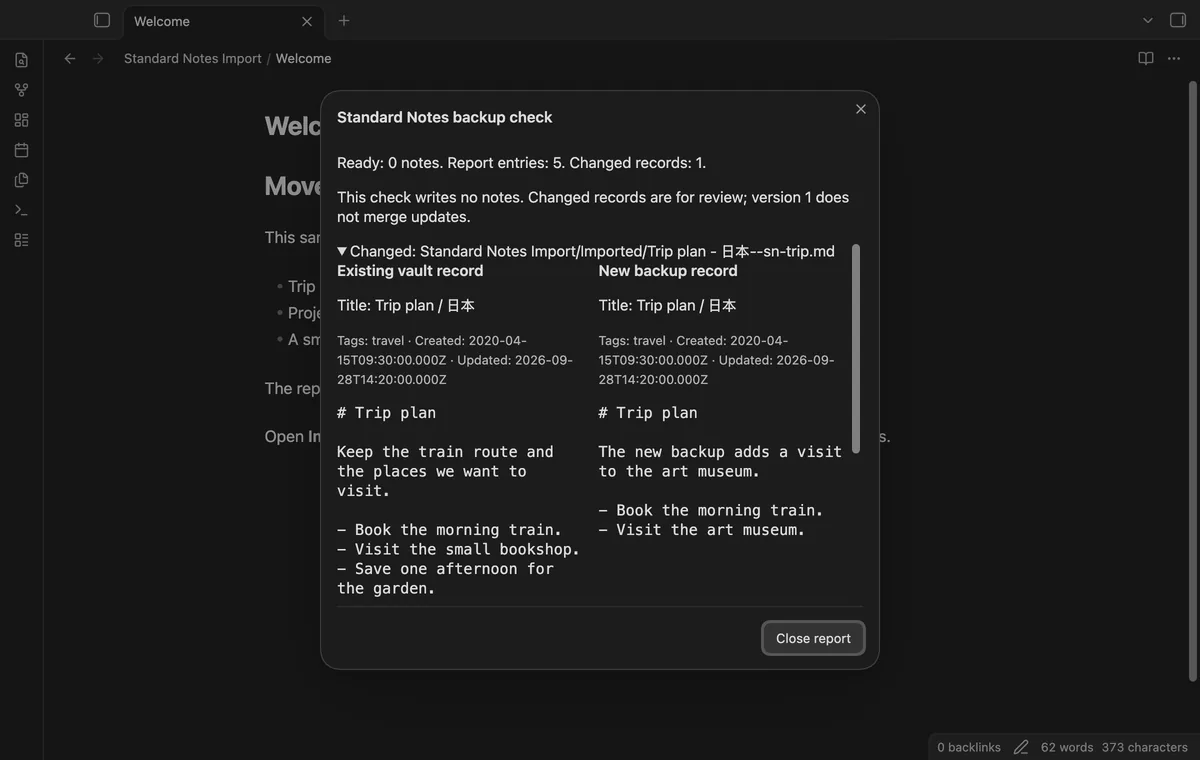
Pro saves destination folders by source tag and previews changed records on a repeat import. That preview helps you review differences; it doesn't merge updates.
 Play demo
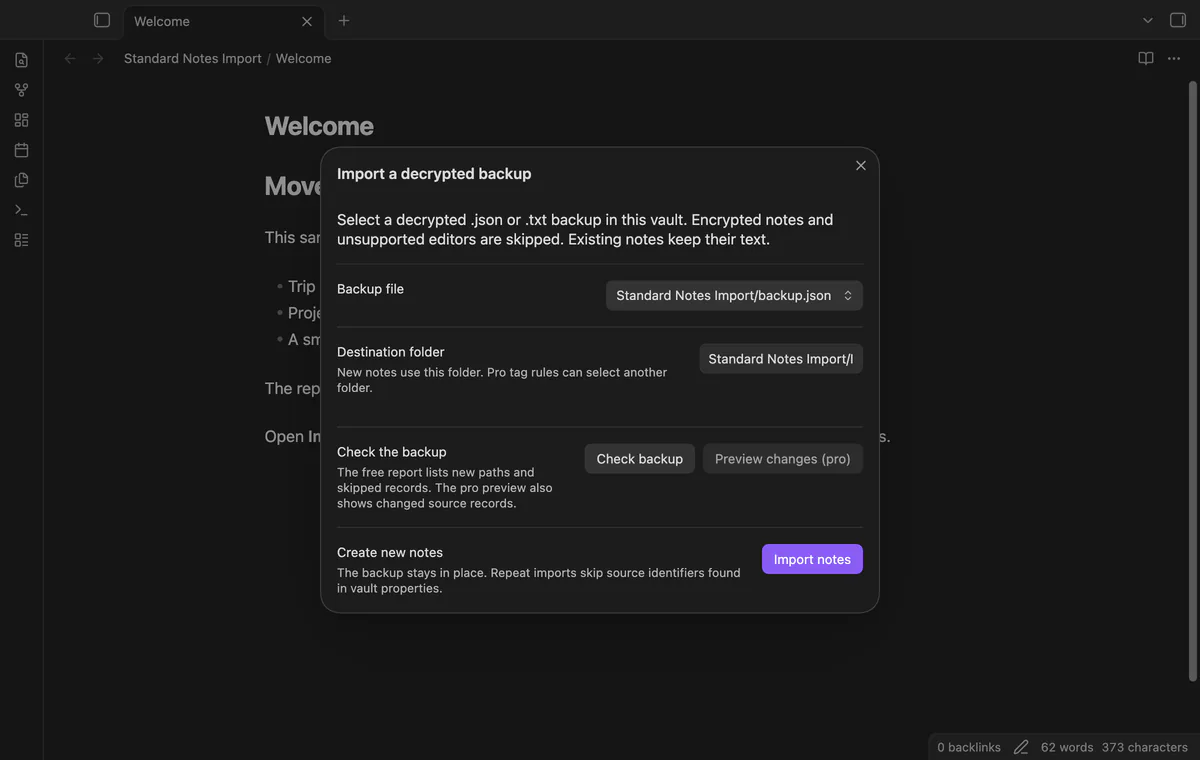
Choose a decrypted JSON backup with a .json or .txt extension in your vault. Check backup lists planned paths without creating notes. The parser accepts an items array with no version field or version 004.
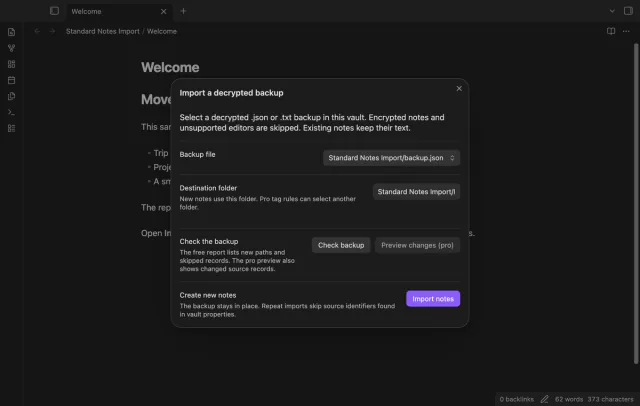
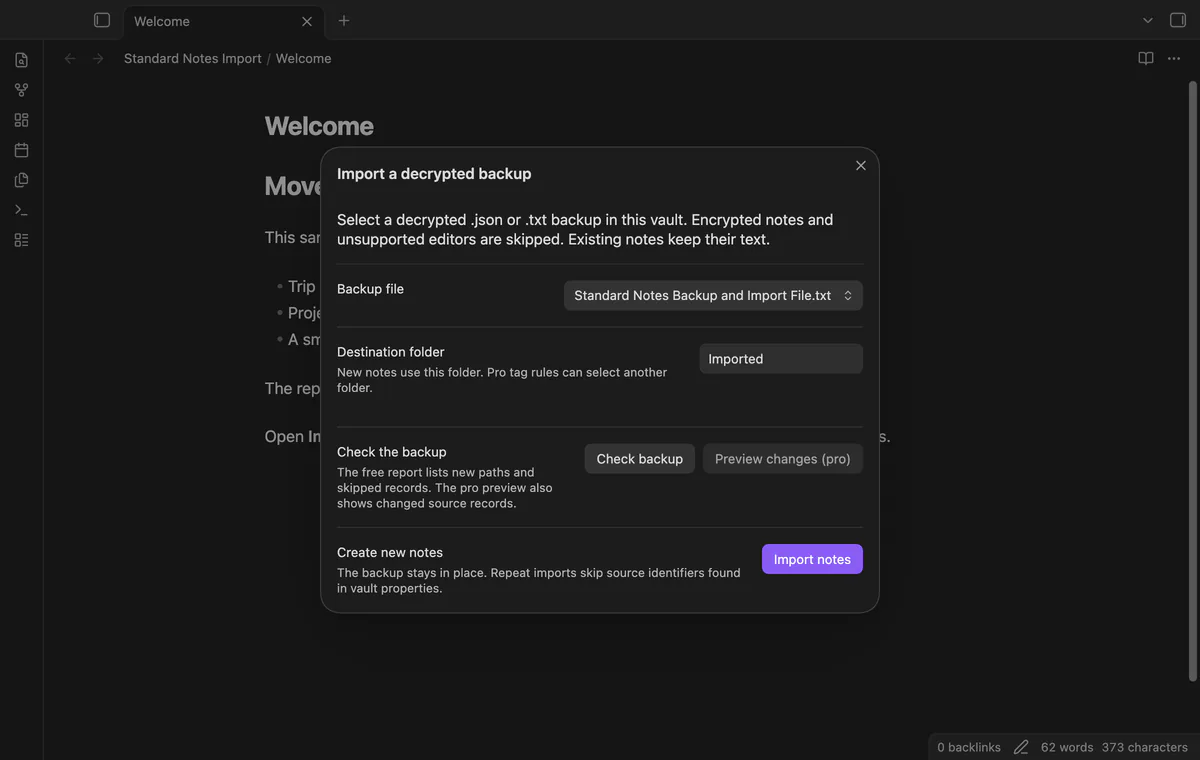
Extract a decrypted ZIP first, then select Standard Notes Backup and Import File.txt from your vault without renaming it. The file must contain JSON with an items array. Individual text notes and ZIP files cannot be imported.
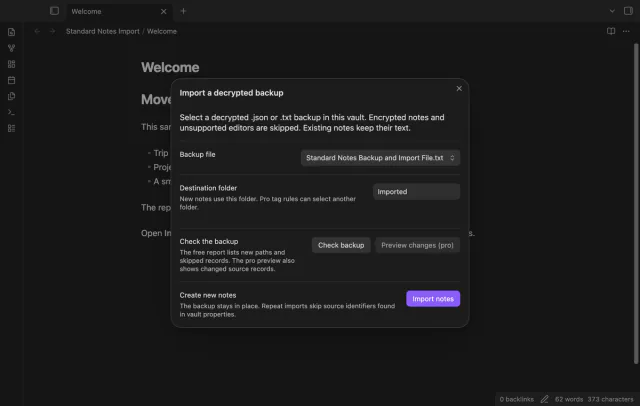
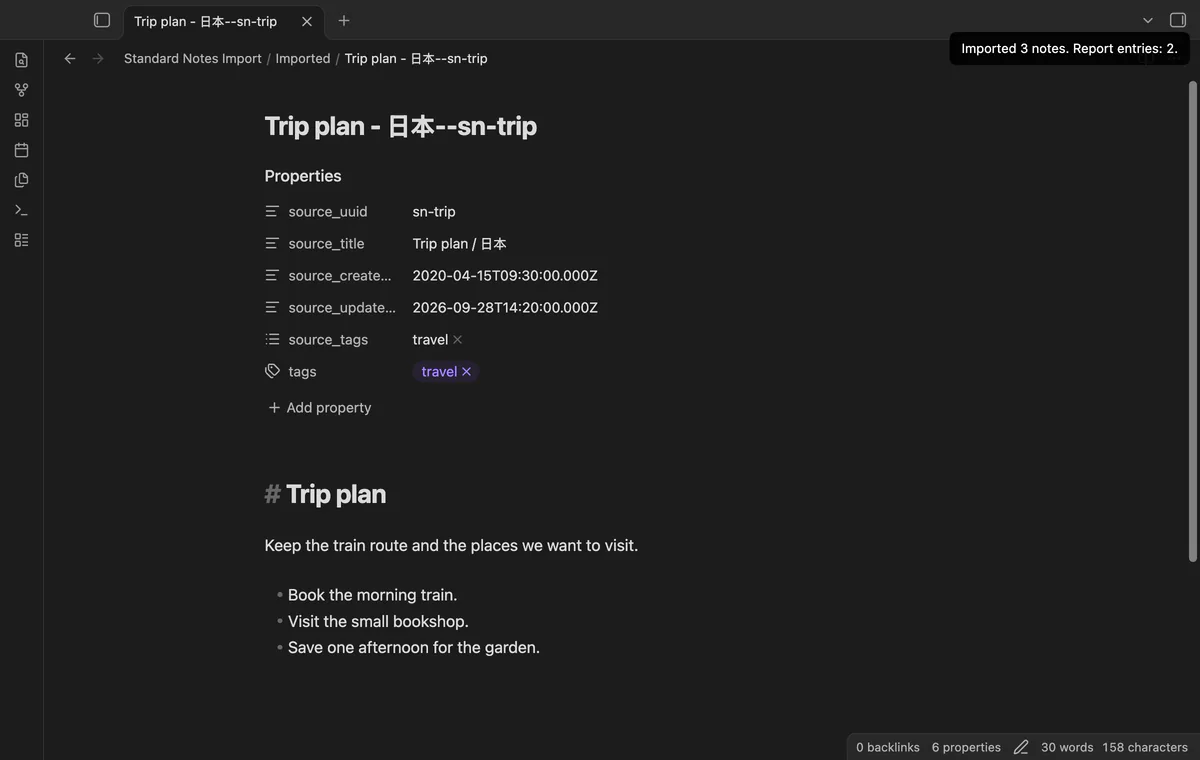
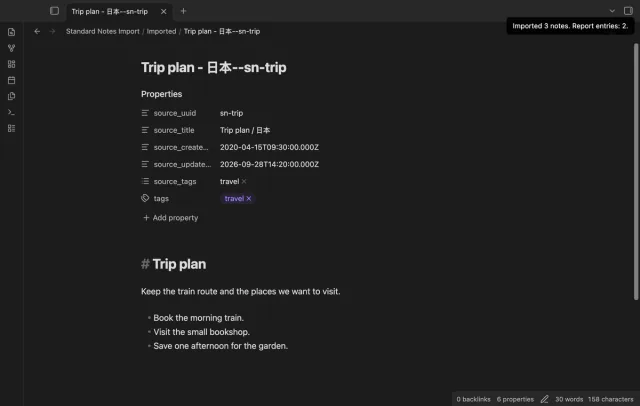
Supported plain text and Markdown records keep their body text. The importer joins Tag-to-Note and Note-to-Tag references, removes repeated tag names and skips deleted tags. Original names stay in source_tags, while converted tags go in tags.
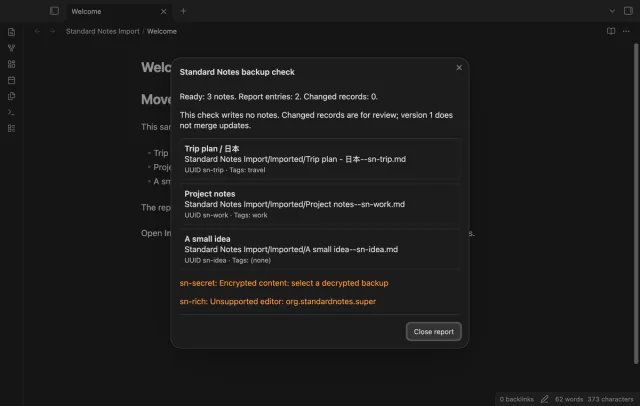
Properties keep the original title, UUID and source tags. Supplied creation and update date strings become source properties, rather than file system dates. File paths use a cleaned title and the full source UUID.
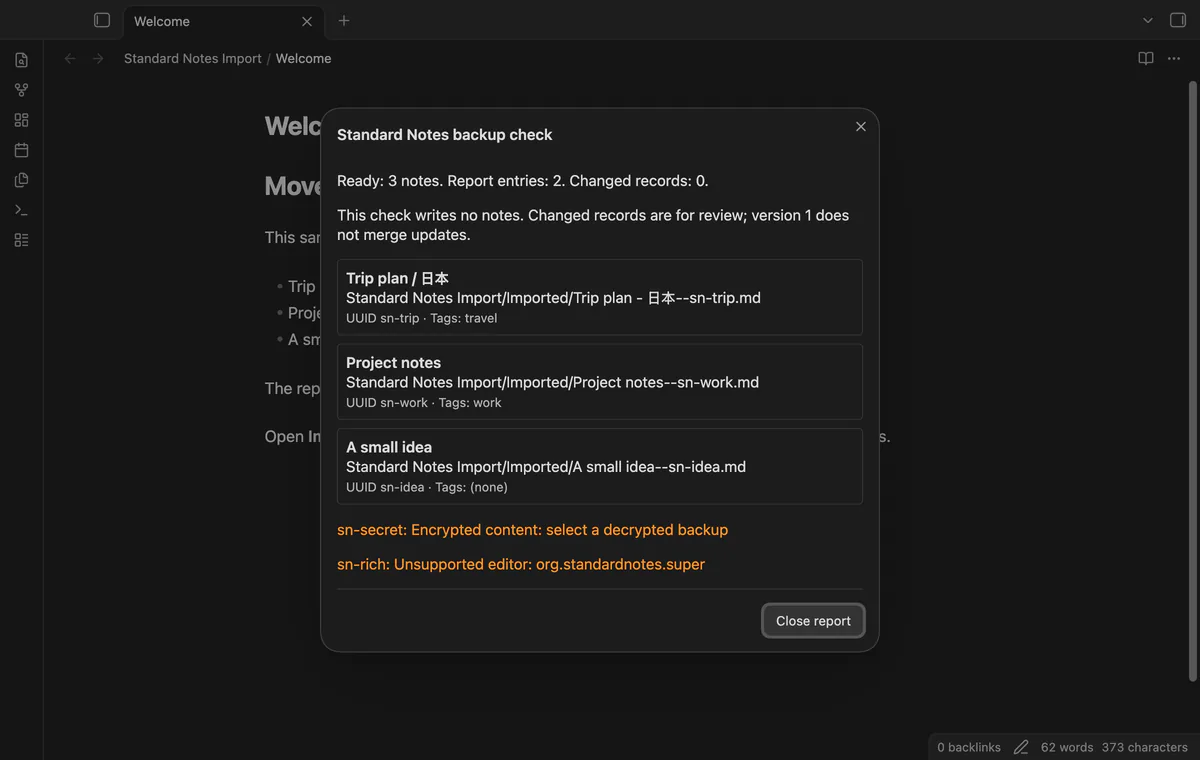
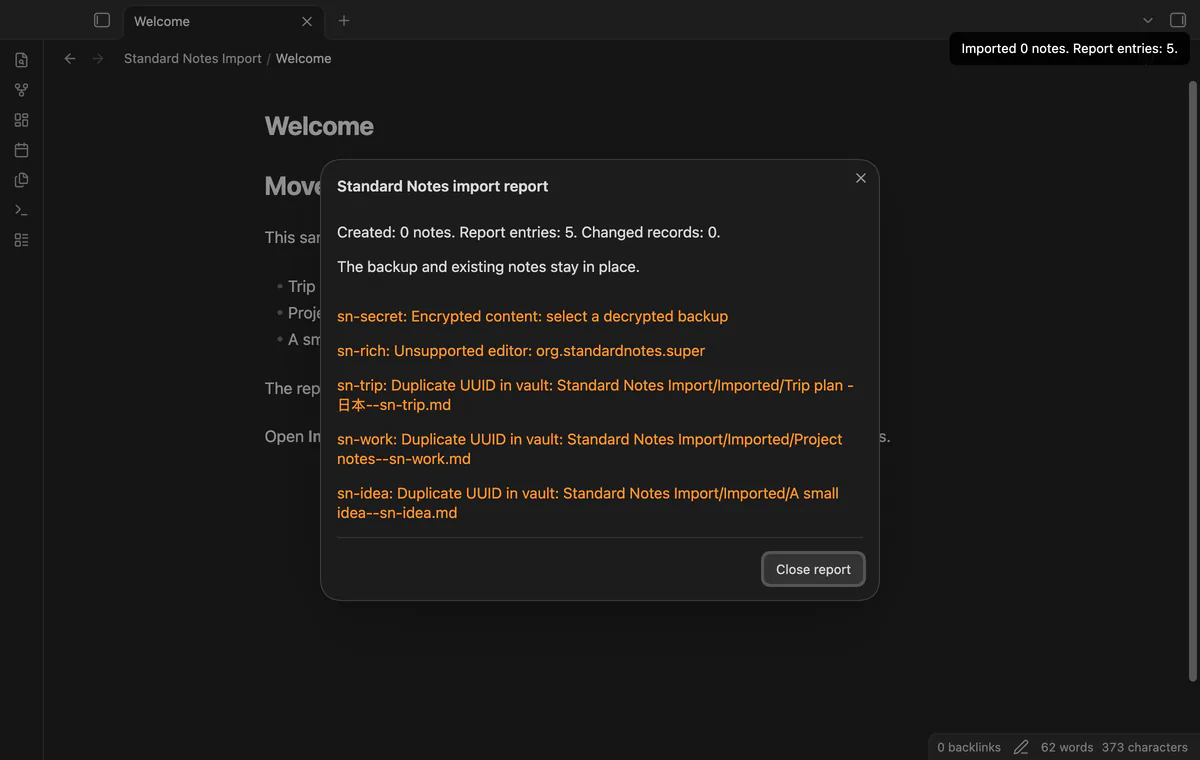
The report lists unsupported editors, encrypted content, malformed records, missing tag references, duplicate UUIDs and path conflicts. A UUID found in a vault note causes a skip, including after you rename or move that note. Write errors name the affected path, and earlier created notes remain.
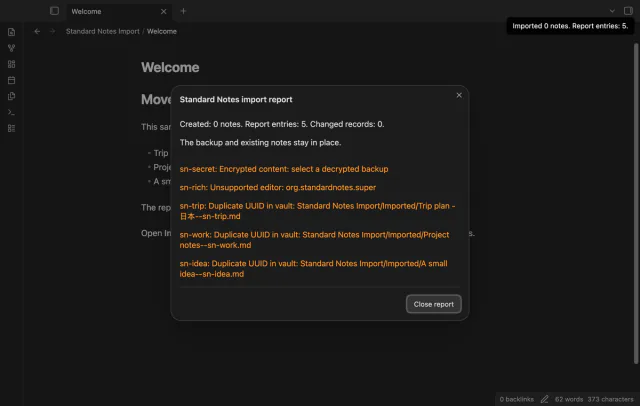
The free importer has no note count limit, but format checks still restrict which records it can read.
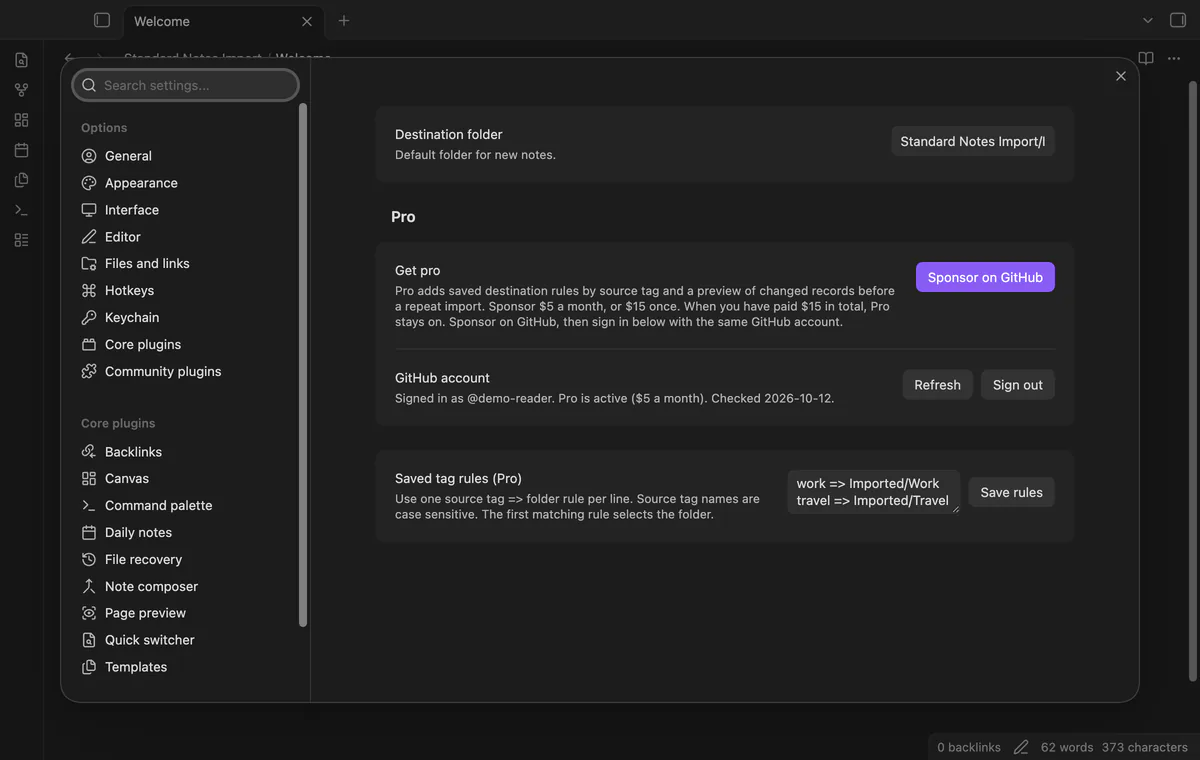
Pro costs $5 a month or $15 one time through GitHub Sponsors. One sponsorship turns on Pro in every plugin that has it.
Save rules such as work => Imported/Work in the plugin settings. Source tag names are case sensitive, and the first matching rule chooses the folder. Without Pro, the rules stay saved but imports use the default destination.
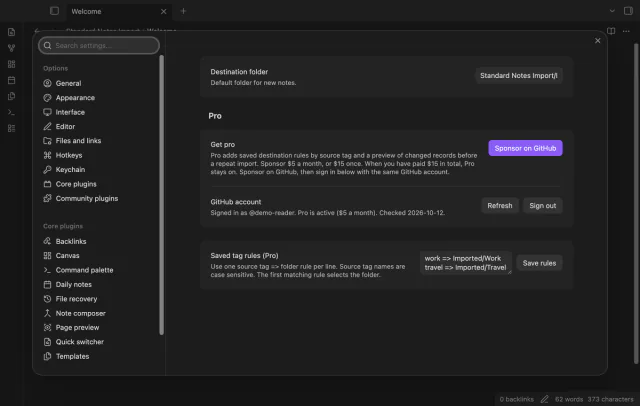
Pro compares matching UUIDs and shows existing and incoming text, titles, source tags and dates. Local body edits can appear as changes too. The preview writes no notes and doesn't replace or move existing records.
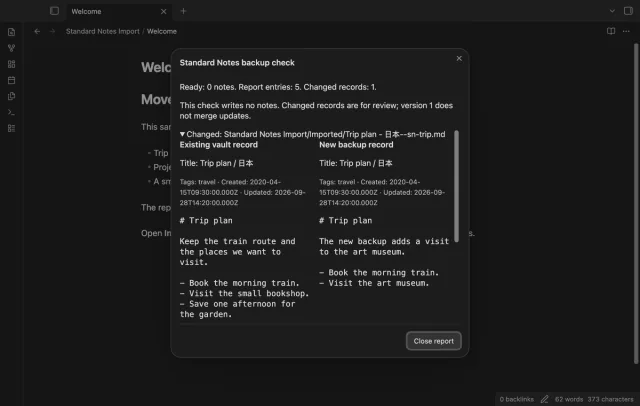
needs
steps
Export a decrypted Standard Notes backup, extract its ZIP if needed and keep a separate copy.
Copy the .txt or .json backup into your vault and run Import a decrypted backup.
Choose the file and destination, then select Check backup.
Read planned paths and skipped records, then close the report.
Select Import notes and check the new Markdown files and source properties.
If the app can't find a new plugin yet, try again later. Obsidian says a plugin that passes the review shows in the app within 24 hours.
items array and either no version field or version 004.com.standardnotes.plain-text and org.standardnotes.simple-markdown-editor; other identifiers are skipped.noteType must be plain-text or markdown, even when the editor identifier is absent.source_uuid can make a record appear new, though an occupied output path can still block it.Need a change for your team? I build custom Obsidian plugins and features.
No. The importer needs a decrypted JSON backup, and it skips encrypted string content with a report message. It doesn't handle encryption keys.
It supports plain text without an editor identifier and the identifiers com.standardnotes.plain-text and org.standardnotes.simple-markdown-editor. A supplied noteType must be plain-text or markdown. Other editors and note types are skipped; rich editor conversion and attachment downloads are outside this version.
The source UUID identifies a record already imported, so the importer leaves its vault note unchanged. Pro shows differences for manual review. It doesn't merge updates.
No. The free importer works without signing in. GitHub sign-in checks sponsorship for the saved tag rules and changed-record preview.
Sign-in sends the client ID and device codes to github.com; api.github.com receives your token and a sponsorship query, without vault data. Successful Pro checks wait seven days; failed checks can retry after six hours, and Refresh checks when you're signed in. The plugin sends no requests before you start GitHub sign-in.
Tell me what is broken in Standard Notes Import, or what it should do next.
Standard Notes Import 1.2.0, MIT license
MIT · no telemetry · core features free
Edit AsciiDoc source and see its preview side by side.

See headings from embedded notes in one outline.