Search Operators
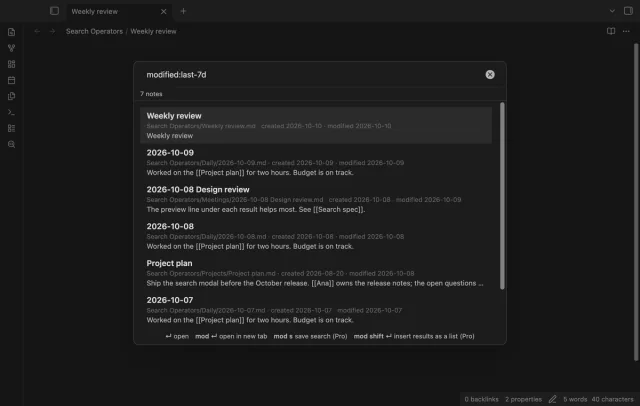
Find notes by date and links, with a preview for each result.
Run and save JMESPath queries on vault JSON or JSONL files.
MIT · no telemetry · core features free
Phone and tablet use, live GitHub sign-in and paid sponsorship were not tested in this build.
Directory facts fetched from community.obsidian.md/users/theluckystrike.
You keep JSON exports in your vault and want to select fields or filter records without sending them to a service.
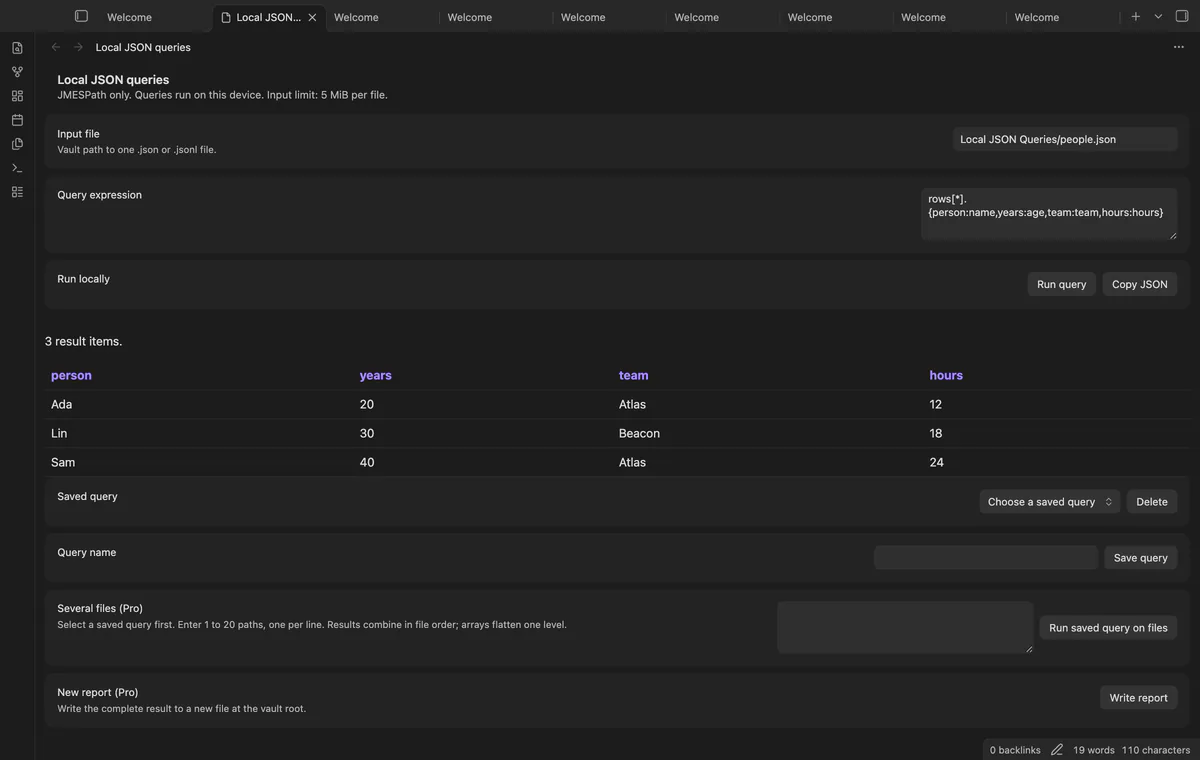
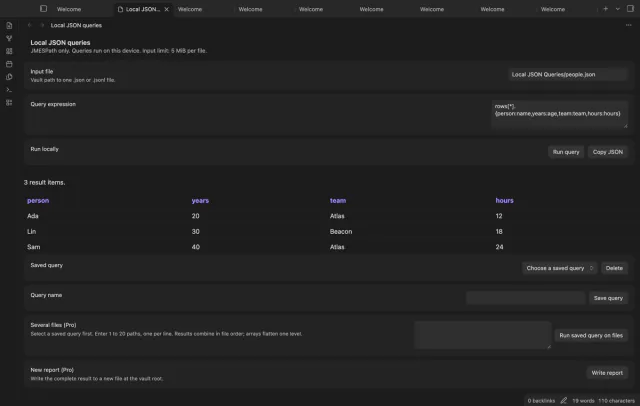
Local JSON Queries runs a JMESPath expression on a JSON or JSONL file in your vault. Inspect a table, object, array or scalar result. Save the file and expression together for repeat work.
 Play demo

Enter a vault file path and a JMESPath expression, then select Run query. Use @ to inspect the input value. Changing the path or expression clears the old result.
Arrays of objects appear as tables, with nested values shown as JSON text. Missing fields leave empty cells. Copy JSON uses the complete result, including rows omitted from the display.
Each nonblank JSONL line becomes one value in an array. A damaged record stops the query and names its physical line. Blank lines still count toward that number.
Save up to 100 named file and expression pairs. Selecting a name restores the pair, and saving that name again replaces it. Results themselves are not saved.
Queries, named pairs and JSON copy are free; several-file queries and new report files need Pro.
Pro costs $5 a month or $15 one time through GitHub Sponsors. One sponsorship turns on Pro in every plugin that has it.
Run a saved expression on 1 to 20 chosen paths in file order. Arrays combine by one level, while scalar and object results add one item each. A failed file clears the combined result.
Write the complete result as a new CSV or Markdown file at the vault root. An existing path stops the write. CSV quotes fields and prefixes text that could start a spreadsheet formula.
needs
steps
Put a JSON or JSONL file in your vault.
Run Open JSON query view from the command palette.
Enter the file path and a JMESPath expression, then select Run query.
Save the pair with a name or select Copy JSON to copy the result.
If the app can't find a new plugin yet, try again later. Obsidian says a plugin that passes the review shows in the app within 24 hours.
Need a change for your team? I build custom Obsidian plugins and features.
This version supports JMESPath only. JSONPath and SQL expressions are outside its scope.
Tables display up to 500 rows and 50 columns. Copy JSON and report files use the complete result.
Integers outside the safe JavaScript range are rejected. Store long identifiers as JSON strings; decimal calculations still use floating point.
The query reads your selected file, and saving a pair writes plugin settings. A Pro report creates a separate file and refuses an existing path.
After you choose Sign in with GitHub, github.com receives the public client ID, profile scope and device-flow polling requests. After sign-in, api.github.com receives an authenticated query for your sponsorship tier and total payment; neither host receives vault data. Successful checks last seven days; network failures can retry after six hours, and Refresh requests an earlier check.
Tell me what is broken in Local JSON Queries, or what it should do next.
Local JSON Queries 1.1.0, MIT license
MIT · no telemetry · core features free
Find notes by date and links, with a preview for each result.
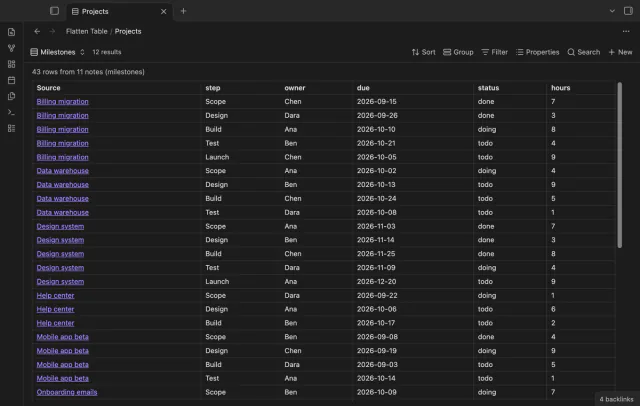
Show each item of a Bases list property as a separate row.