
AsciiDoc Files
Edit AsciiDoc source and see its preview side by side.
Preview and import supported RemNote records.
MIT · no telemetry · core features free
The README reports desktop app tests. Physical phones and tablets were not tested.
Directory facts fetched from community.obsidian.md/users/theluckystrike.
You want to move supported RemNote JSON into linked notes in your vault.
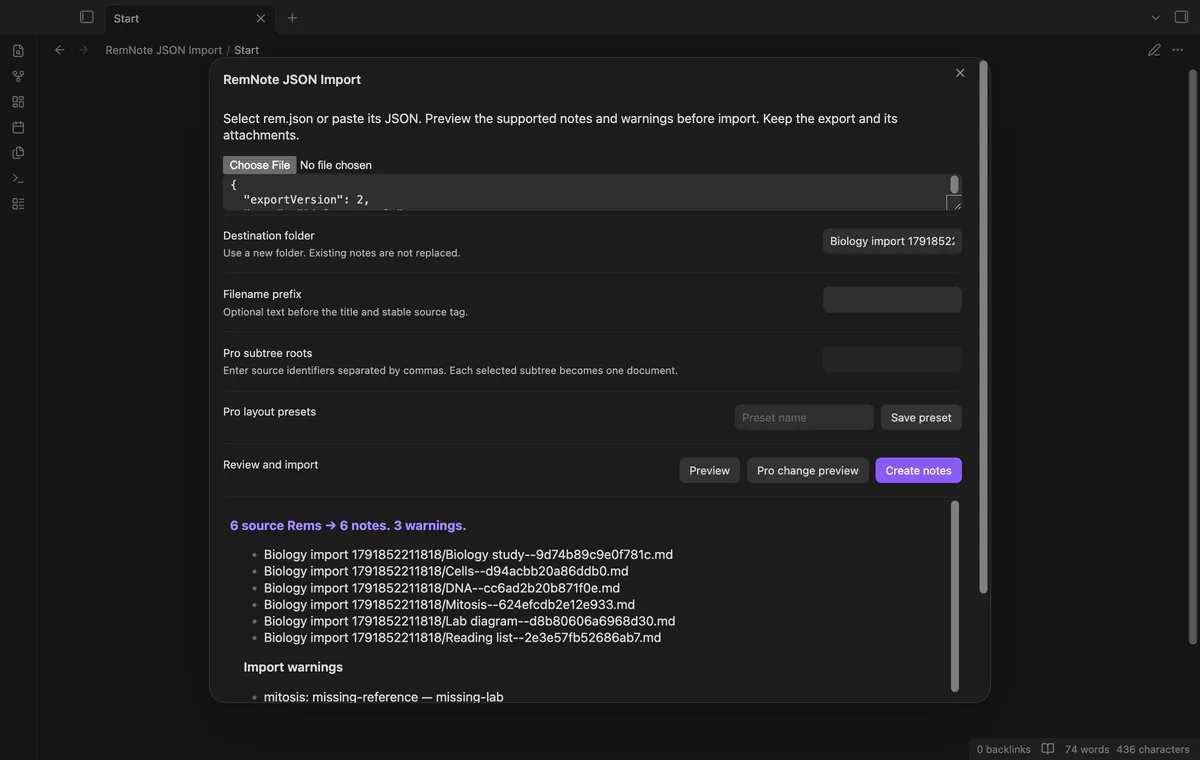

Select your local RemNote JSON or paste its text into the import window. RemNote JSON Import previews supported records and warns about missing references or unsupported content. Keep the source export and attachments while reviewing your notes.
 Play demo
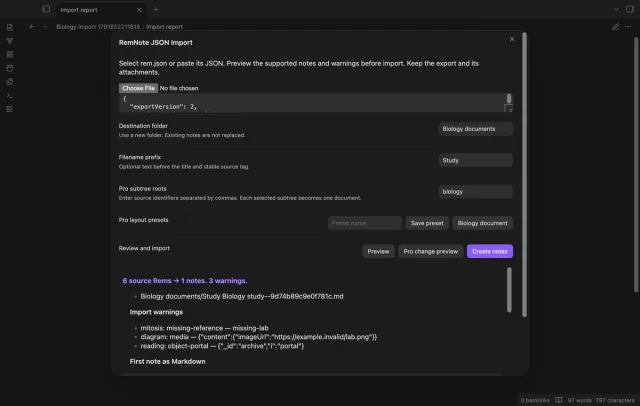
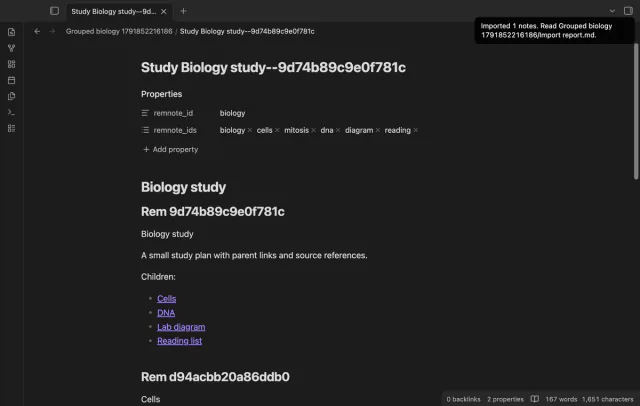
Review source counts, planned paths and warnings before creating notes. The preview also shows Markdown for the first note.
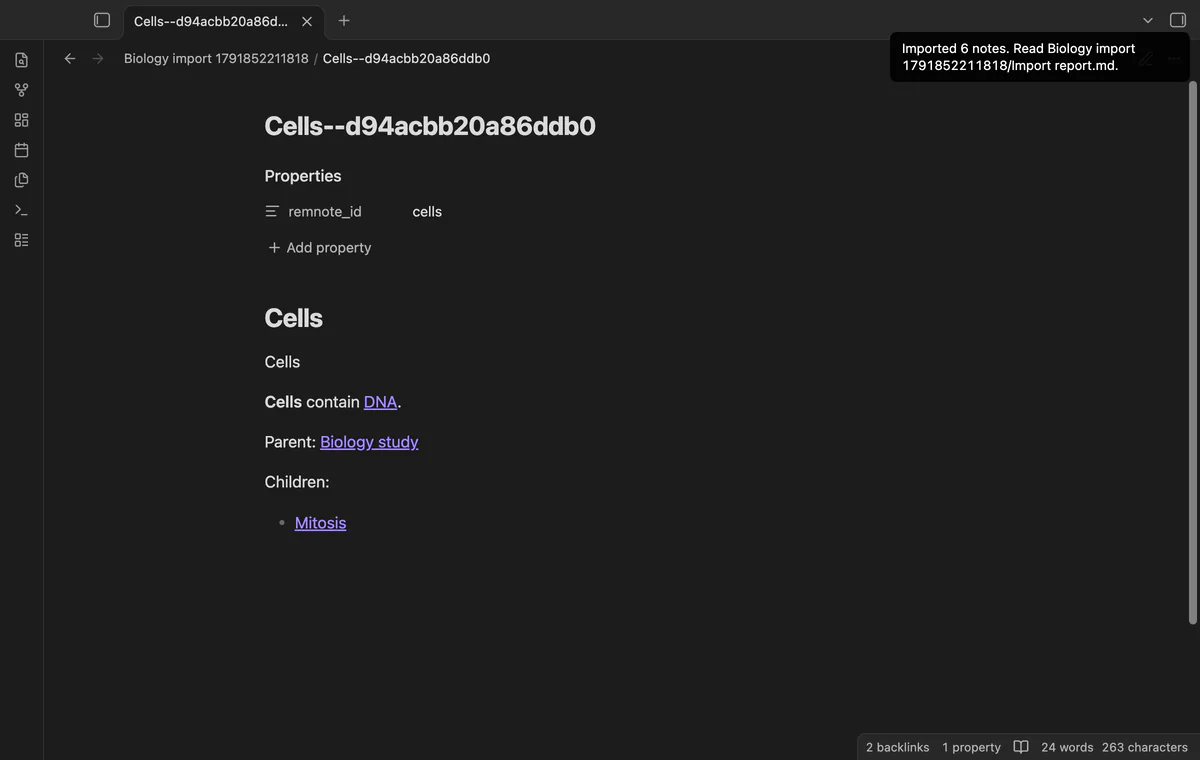
The free layout creates one note per Rem with a source ID and stable filename tag. Supported parent, child and reference links connect notes.
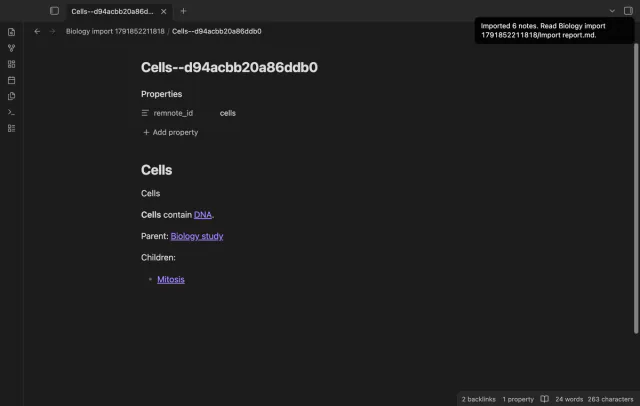
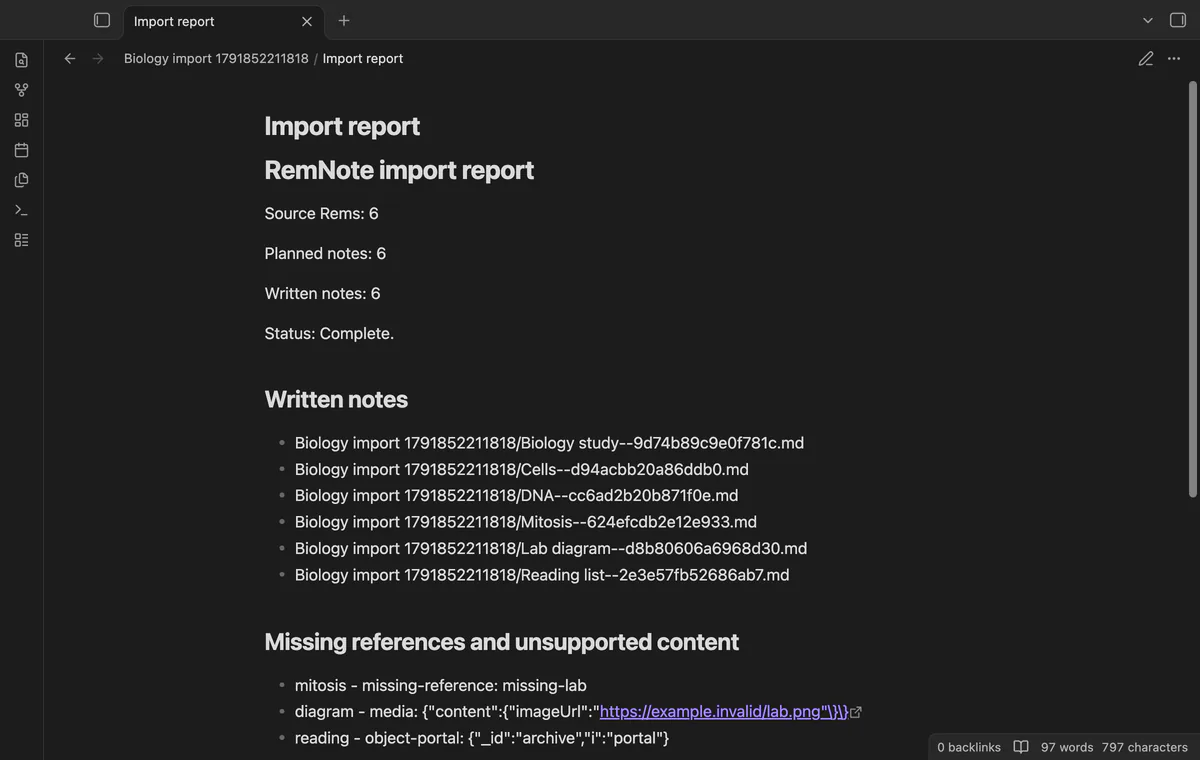
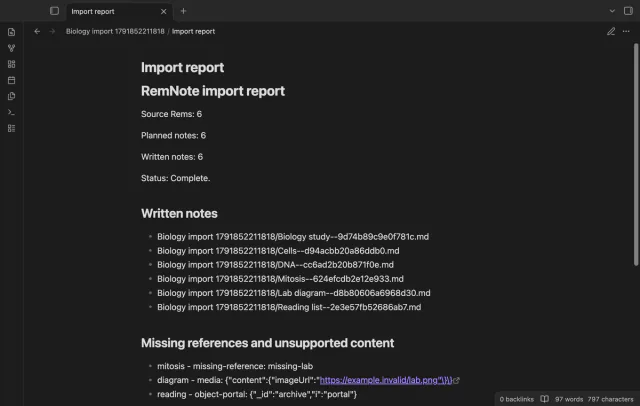
The report lists written paths, missing references and unsupported content by source ID. Media produces markers rather than copied or downloaded files.
Pro costs $5 a month or $15 one time through GitHub Sponsors. One sponsorship turns on Pro in every plugin that has it.
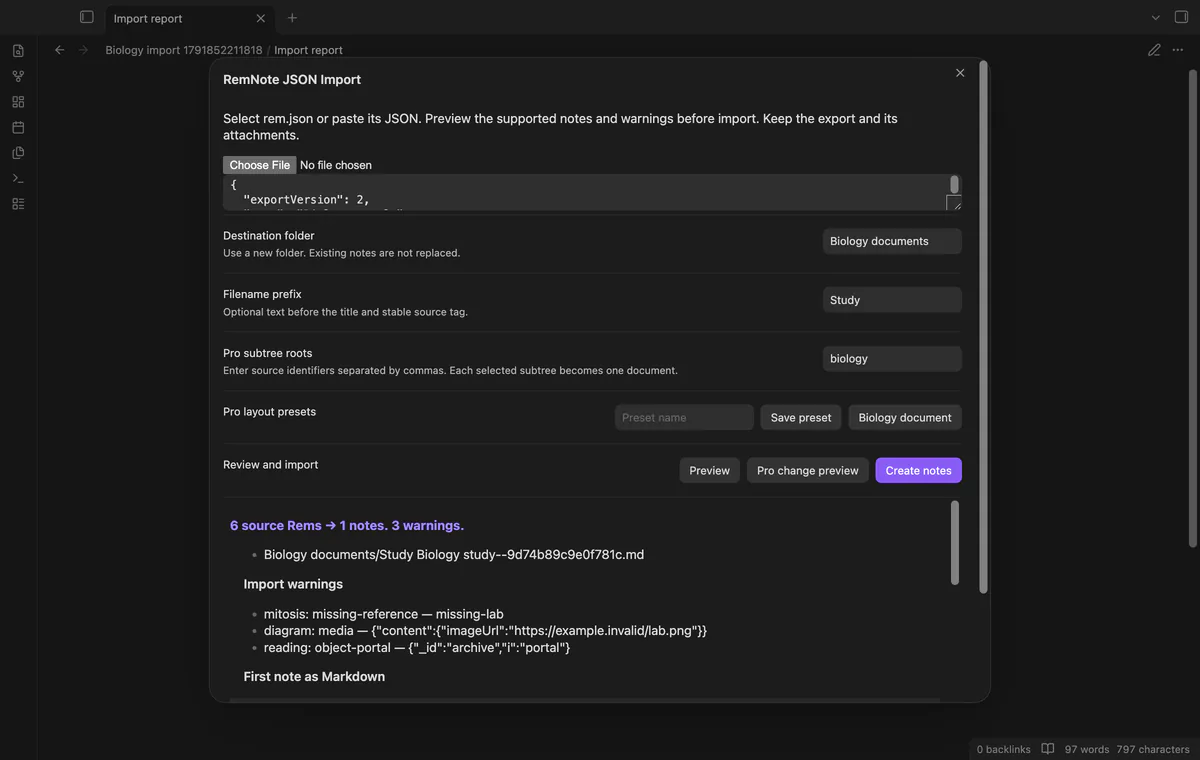
Pro saves up to ten destination, prefix and subtree presets. Applying a preset doesn't remove the requirement for a new destination.
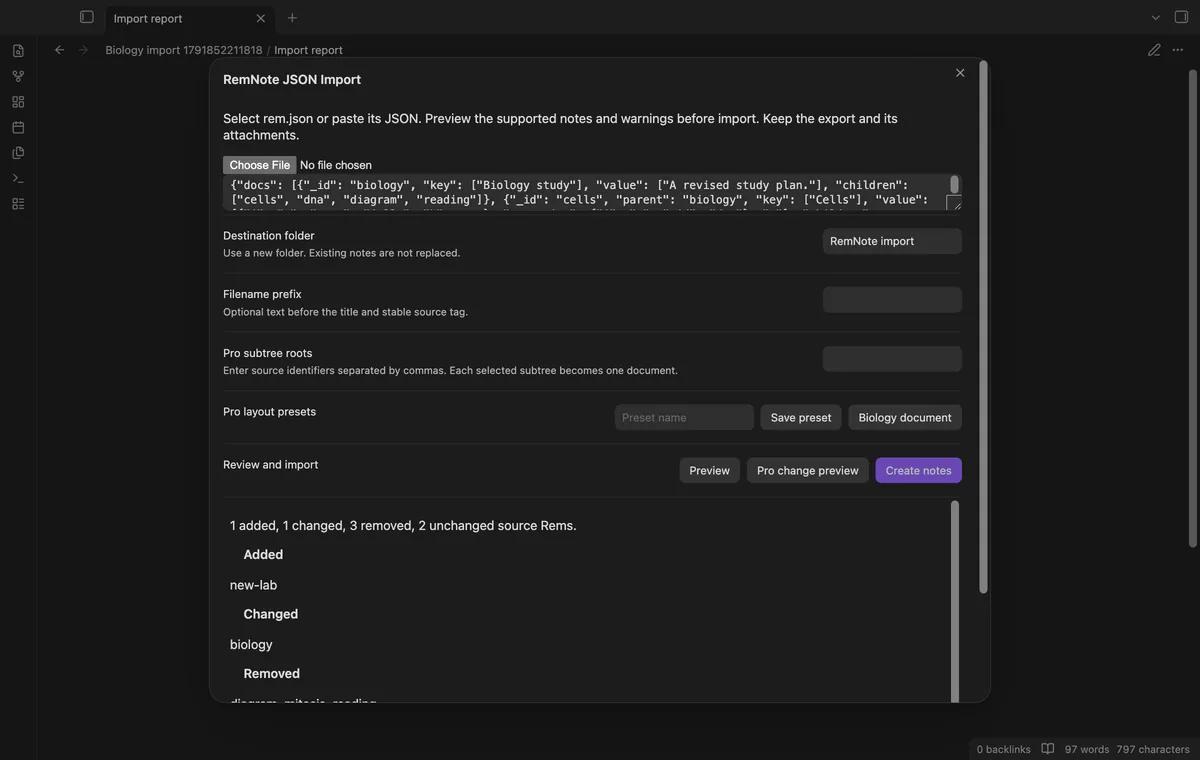
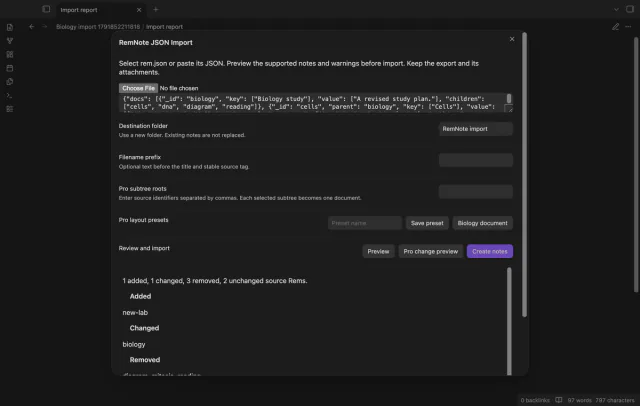
Pro compares a later export with the last complete import snapshot. It reports source record changes rather than edits to imported Markdown.
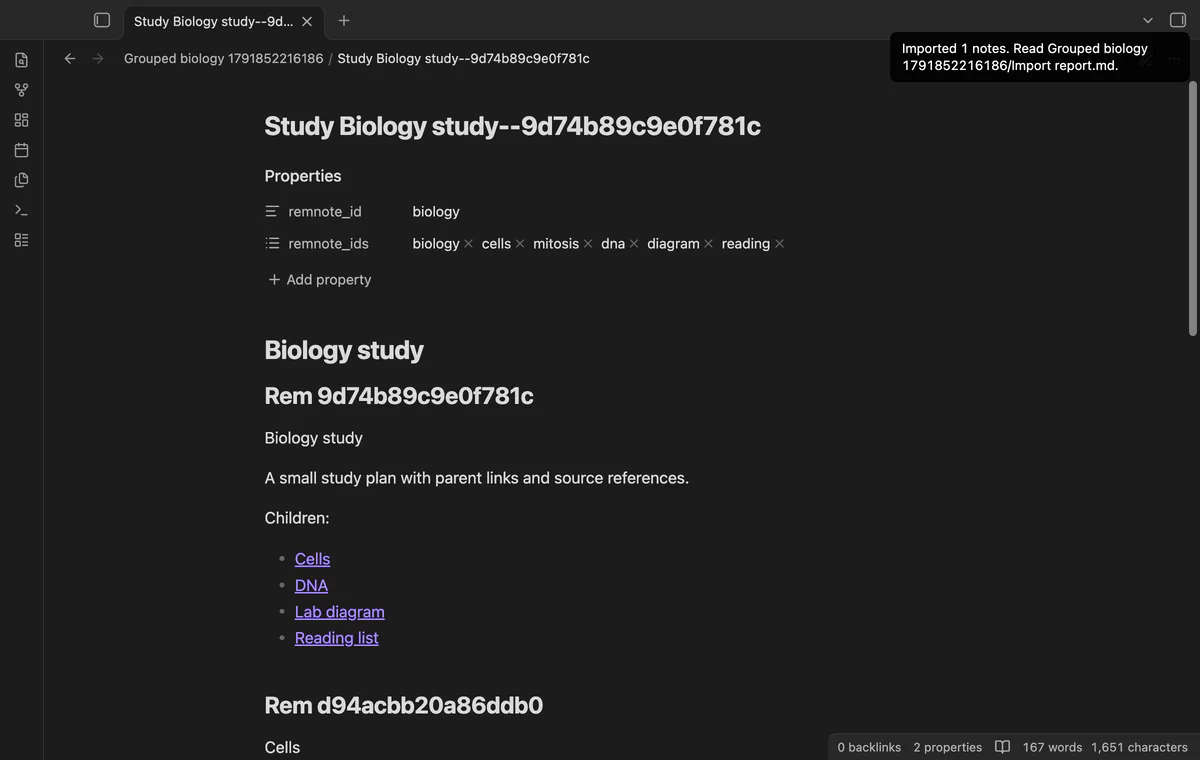
Pro creates one document per selected subtree with sections and source IDs. References use section links, and overlapping subtree roots are rejected.
needs
steps
Export RemNote JSON and keep the original export and attachments.
Run Import a JSON export from the command palette.
Select rem.json or paste its JSON into the text box.
Choose a new folder, select Preview and review warnings.
Select Create notes, then inspect Import report.md and sample links.
If the app can't find a new plugin yet, try again later. Obsidian says a plugin that passes the review shows in the app within 24 hours.
Need a change for your team? I build custom Obsidian plugins and features.
The root needs a docs array with unique string source IDs. Key and value accept text or arrays, with supported relation and emphasis fields.
The importer doesn't rebuild portals, cloze behavior or card schedules. Unsupported fragments become markers and report entries.
The comparison preview writes no notes. Another import needs a new destination and doesn't merge vault edits.
The last complete import saves source records in local plugin data. That snapshot can contain source text and media addresses, so protect it with your export.
After you select Sign in with GitHub, the plugin sends its client ID, read:user scope and device-flow requests to github.com. Due checks and Refresh send your token to api.github.com to read your sponsorship tier and total payment. No note text, filenames or other vault data goes to either host.
Tell me what is broken in RemNote JSON Import, or what it should do next.
RemNote JSON Import 1.1.0, MIT license
MIT · no telemetry · core features free
Edit AsciiDoc source and see its preview side by side.

See headings from embedded notes in one outline.
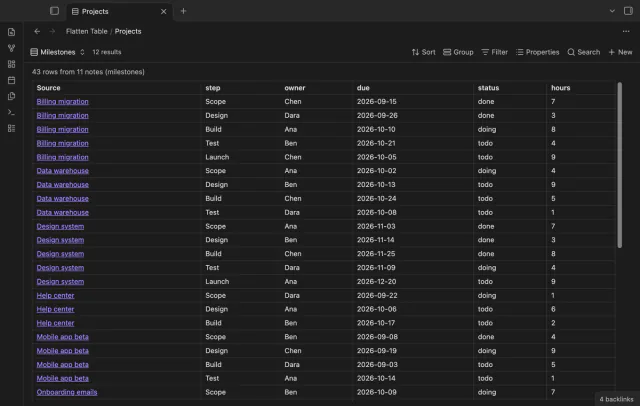
Show each item of a Bases list property as a separate row.