How to import OPML outlines into Obsidian
Convert each outline root into a Markdown note, with its children as nested lists.
Try RemNote Markdown export when you need readable notes, or a supported JSON reader when source IDs and relations matter. As of October 2026, Obsidian accepts Markdown files in its vault. RemNote JSON Import creates linked notes from its documented JSON subset.
RemNote offers a native Markdown export alongside its other formats. The JSON importer addresses supported source relations rather than rebuilding the study system.
Choose Markdown in the RemNote export controls, then move the resulting notes into your vault. Inspect the output before replacing your source workflow.
Select rem.json or paste JSON, then preview the counts and warnings. Create notes in a new folder and inspect the import report.
MIT · no telemetry · core features free
Export RemNote JSON and keep the original export and attachments.
Run Import a JSON export from the command palette.
Select rem.json or paste its JSON into the text box.
Choose a new folder, select Preview and review warnings.
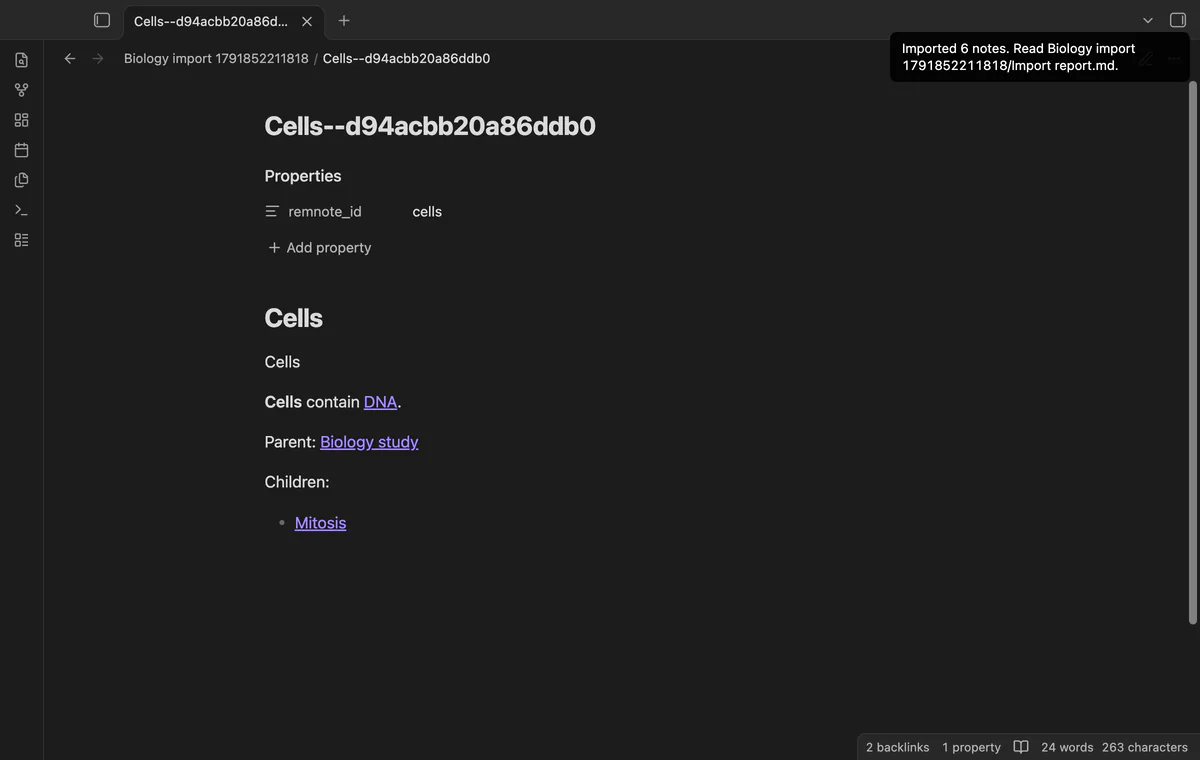
Select Create notes, then inspect Import report.md and sample links.
Follow a parent link and a reference link from a sample note. Read the report and search for unsupported markers.
Clear snapshot removes the saved source records from plugin data. It leaves imported notes and layout presets in place.
 You can now import RemNote JSON into Obsidian.
You're officially a regular.
Obsidian rewards people who share. NoteMods is just me and a lot of coffee. If this guide saved you a fight with the syntax, buy me a cup.
That's visit . Regulars are the reason I keep NoteMods running. If it's part of your routine now, a coffee says thanks better than anything.
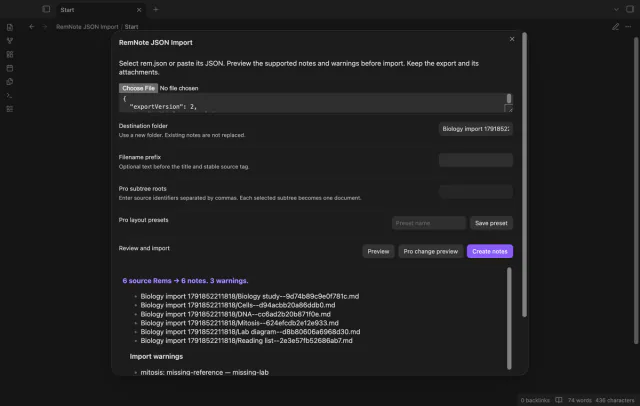
Preview and import supported RemNote records.