
AsciiDoc Files
Edit AsciiDoc source and see its preview side by side.
Import local Substack posts with properties.
MIT · no telemetry · core features free
The directory takes these platforms from the plugin manifest. The automated tests run in the desktop app only.
Directory facts fetched from community.obsidian.md/users/theluckystrike.
You want your Substack posts in your vault with publication fields and a report of missing bodies.
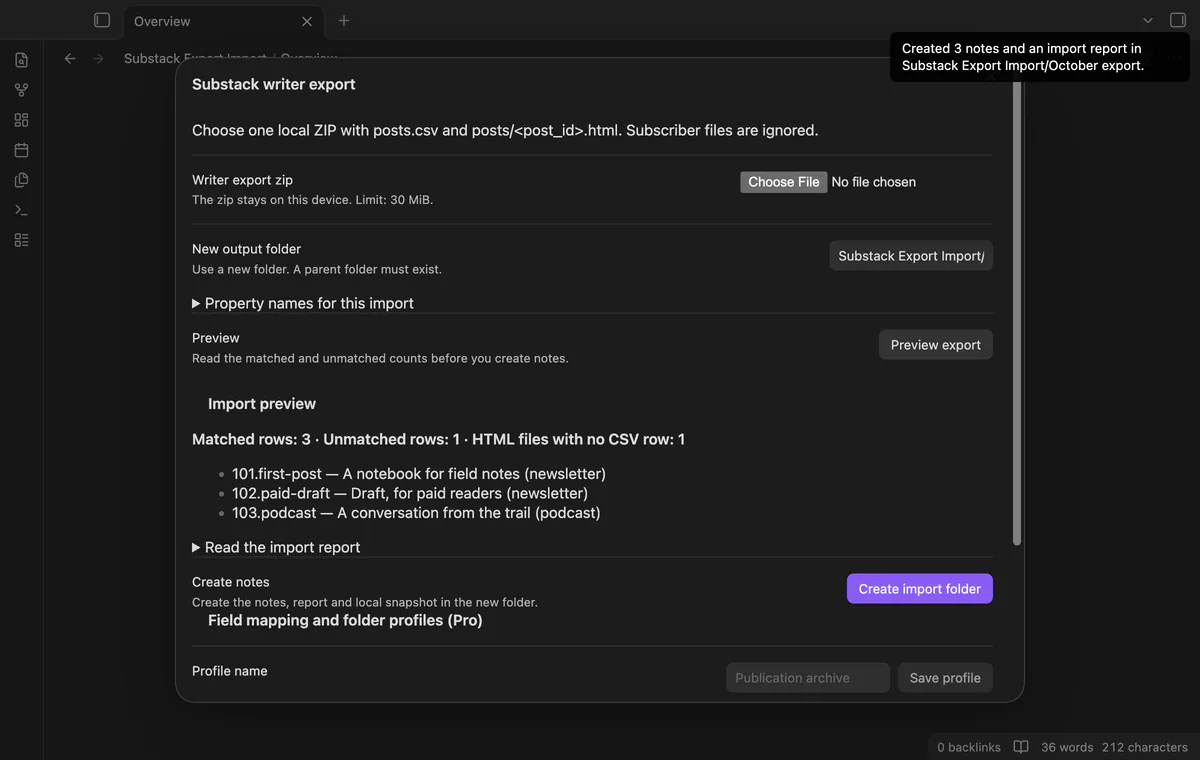
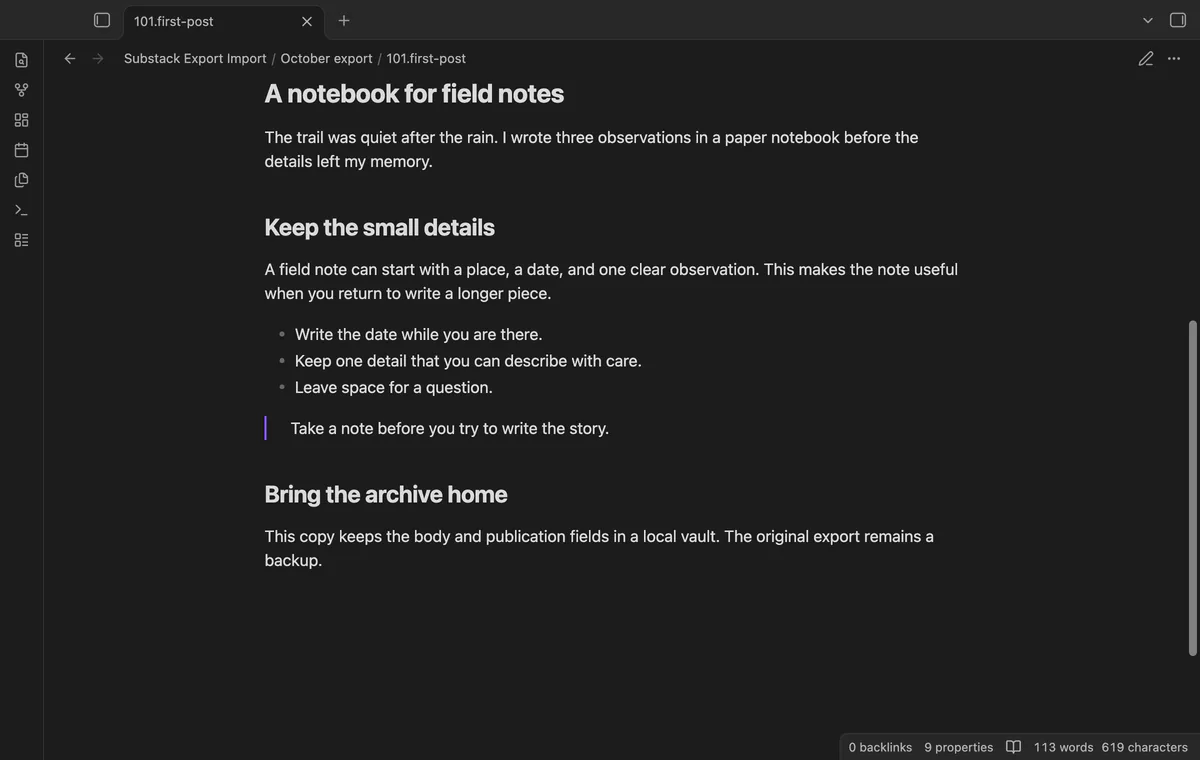
Select a local writer export ZIP and inspect its matched posts and missing bodies. The importer joins complete source IDs to HTML filenames and creates a new folder of Markdown notes. Subscriber data stays out of the import.
 Play demo
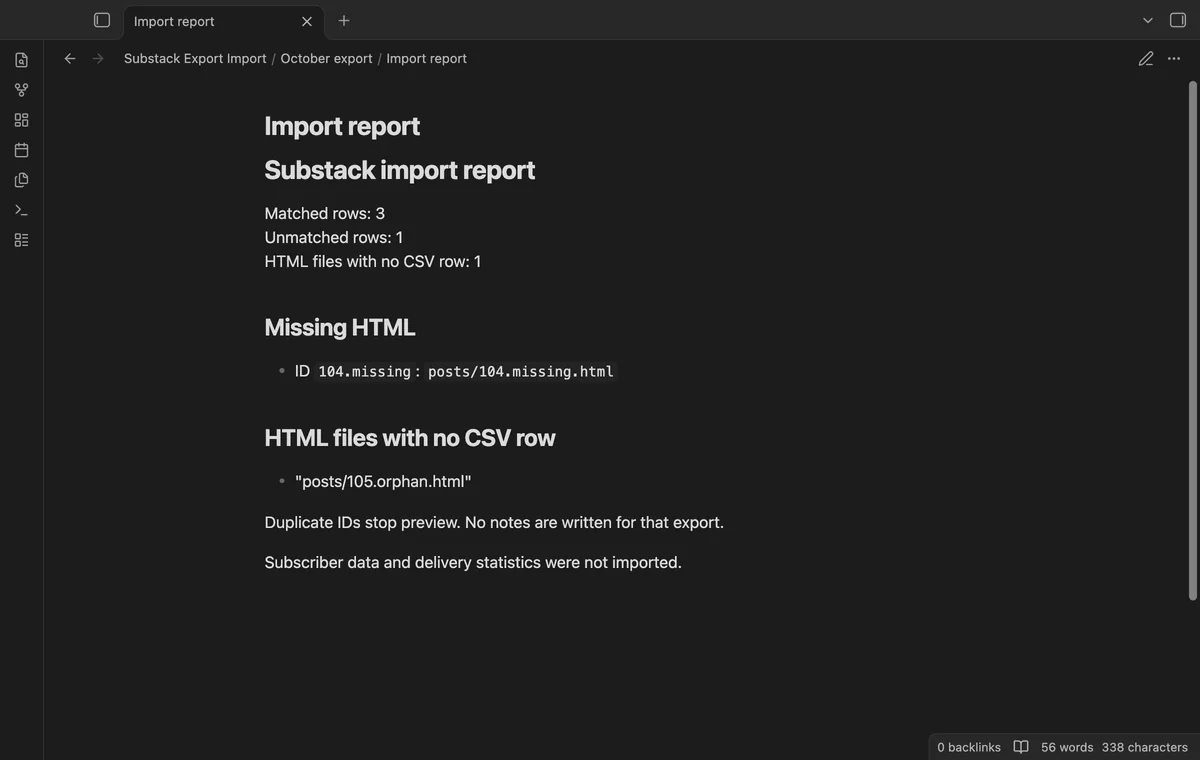

Choose a ZIP with posts.csv at its root. The preview counts matched posts, missing bodies and HTML files without CSV rows. Read the report before creating notes.
The complete post_id must match posts/<post_id>.html. The importer converts cleaned HTML locally and uses the source ID as the note filename. It doesn't guess from titles or numeric prefixes.
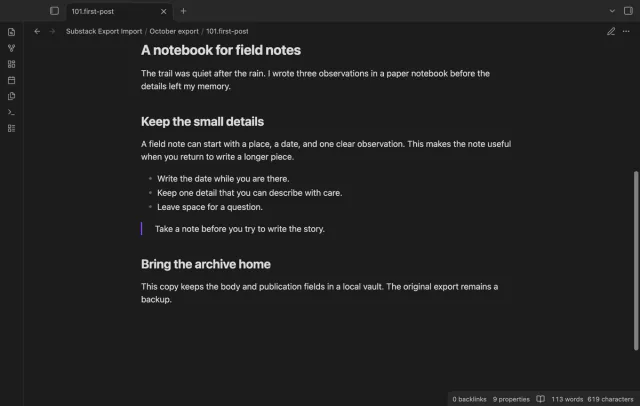
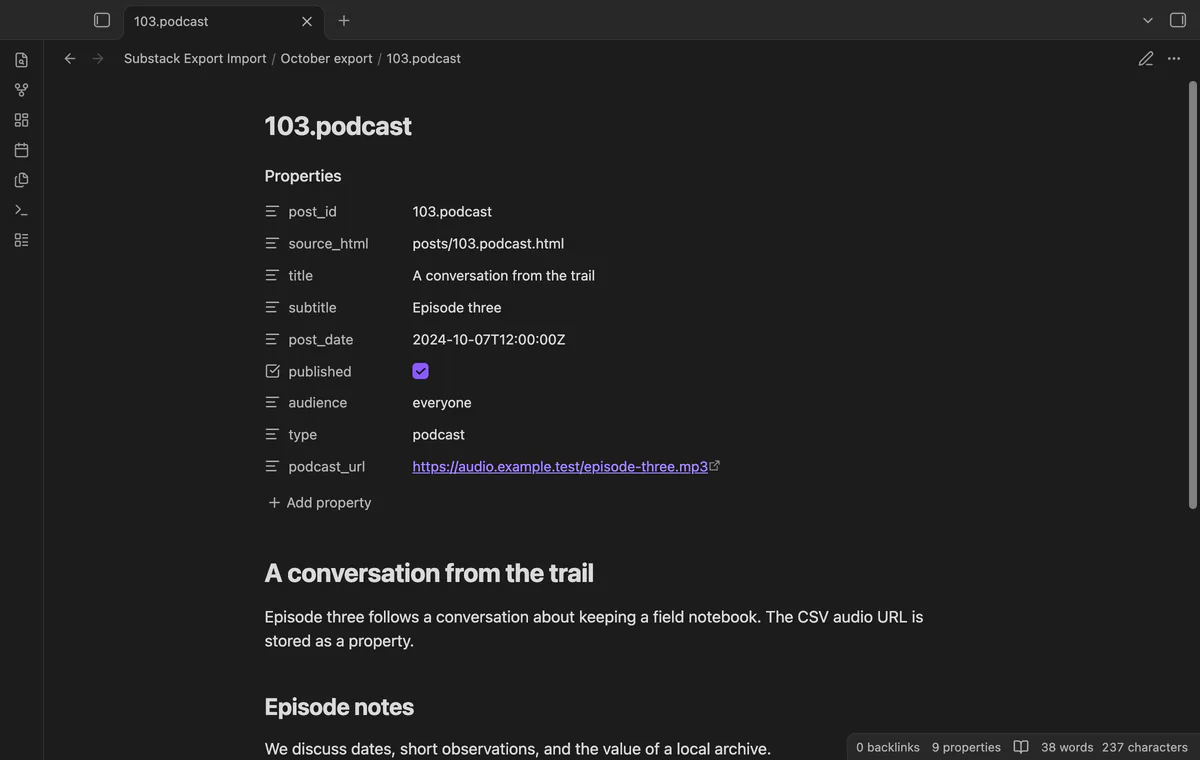
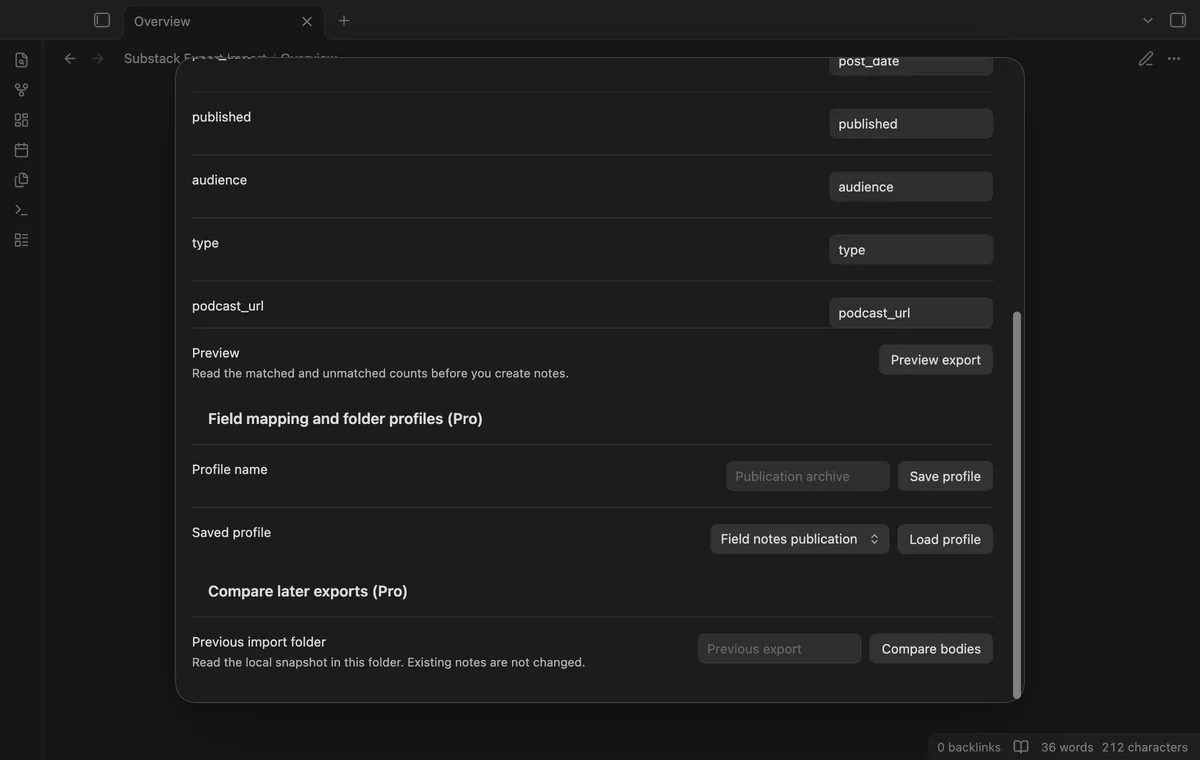
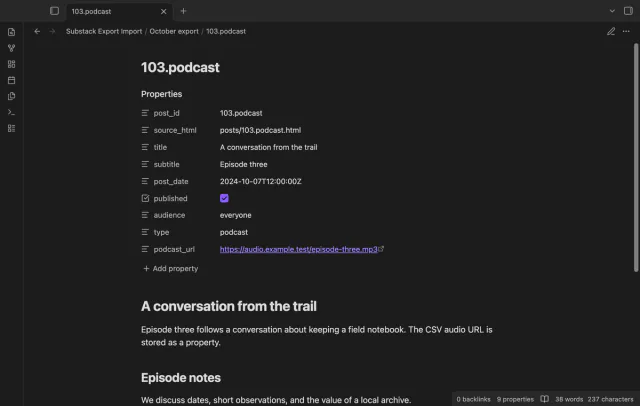
Notes keep title, subtitle, post date, published state, audience, type and podcast URL. Published values become booleans when the CSV says true or false. Parseable dates also set file timestamps.
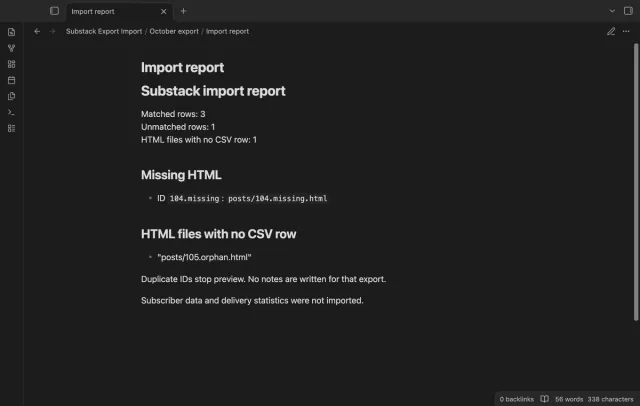
The report lists missing HTML and orphan HTML paths without subscriber or delivery data. Rows without bodies don't create notes. Duplicate IDs stop preview before writing.
The core import and one-time property naming are free; saved profiles and body comparison need Pro.
Pro costs $5 a month or $15 one time through GitHub Sponsors. One sponsorship turns on Pro in every plugin that has it.
Change property names for one import for free. Pro saves those names and a folder path as a profile. Load it later and choose a new output path.
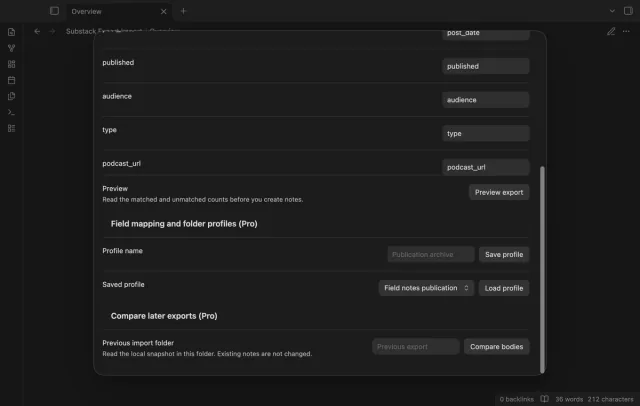
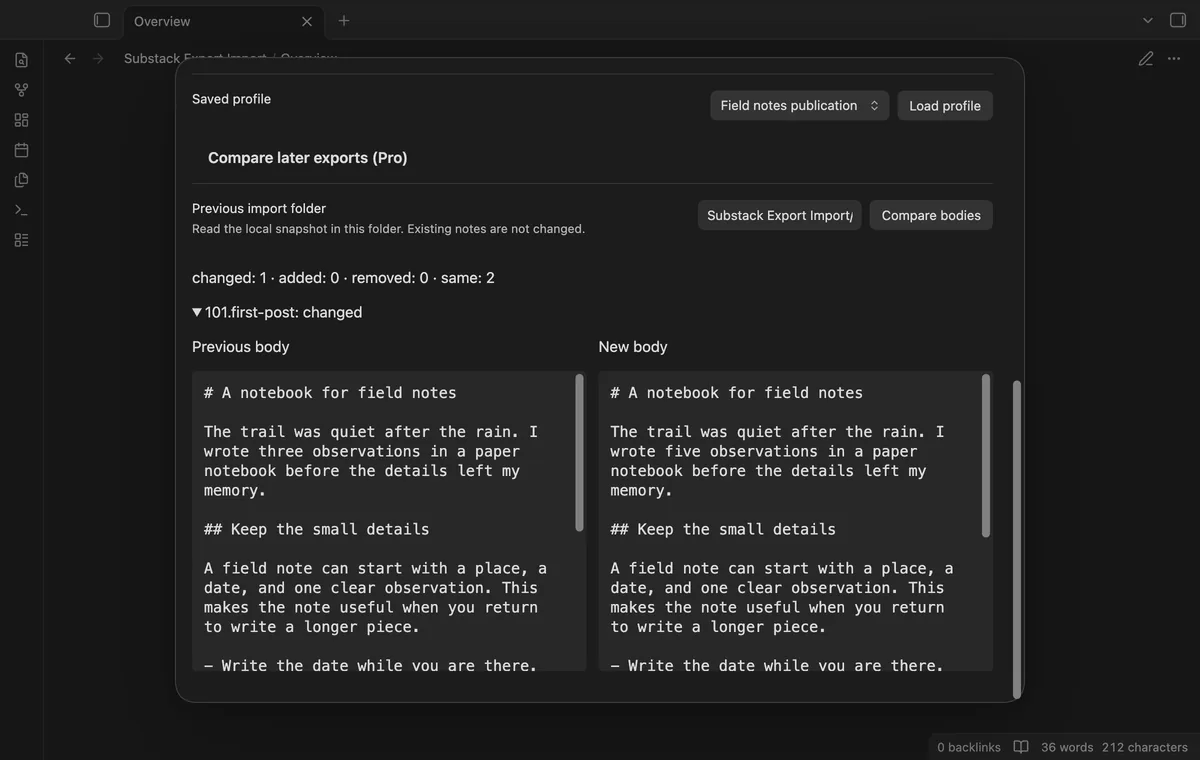
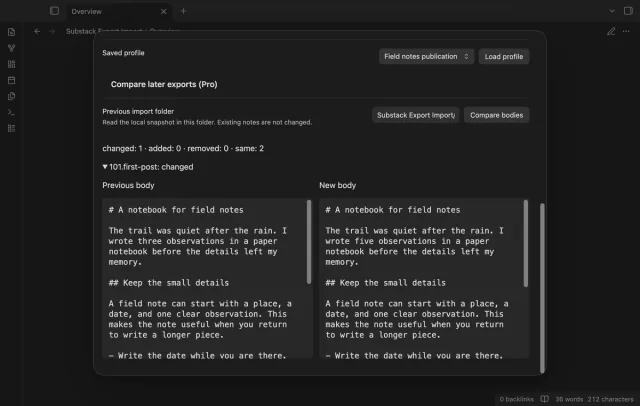
Compare Markdown bodies with the previous import's _substack-snapshot.json. Read changed bodies side by side without editing earlier notes. Property changes alone don't count as body changes.
needs
steps
Keep the original ZIP and run Import writer export.
Enter a new output folder; a nested path needs an existing parent.
Select the local export and read its preview and report.
Select Create import folder, then inspect the new notes and report.
If the app can't find a new plugin yet, try again later. Obsidian says a plugin that passes the review shows in the app within 24 hours.
posts.csv and direct posts/<post_id>.html files; wrapped exports are unsupported.Need a change for your team? I build custom Obsidian plugins and features.
No. Those files are ignored, and their contents stay out of the report.
No. Remote image URLs remain in Markdown, and podcast audio stays a URL property.
It compares imported Markdown bodies by post ID. Property changes and your edits to previous vault notes don't count.
The plugin makes no requests before GitHub sign-in, which sends its client ID, read:user scope and polling requests to github.com. Authenticated checks send your token to api.github.com for sponsorship status without vault data; successful checks last seven days, and Refresh checks sooner. Import downloads no media, but rendering imported remote images can contact their original hosts and disclose your network address.
Tell me what is broken in Substack Export Import, or what it should do next.
Substack Export Import 1.1.0, MIT license
MIT · no telemetry · core features free
Edit AsciiDoc source and see its preview side by side.
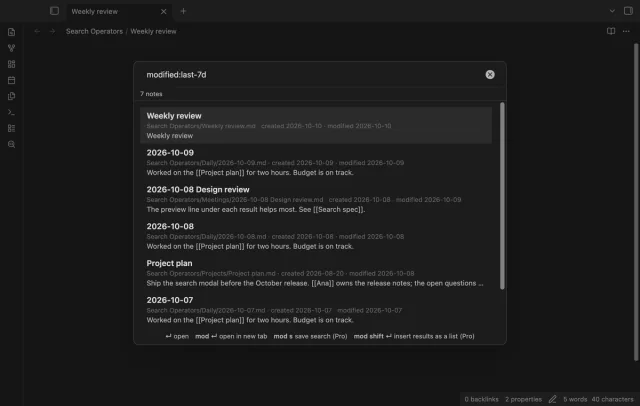
Find notes by date and links, with a preview for each result.