Search Operators
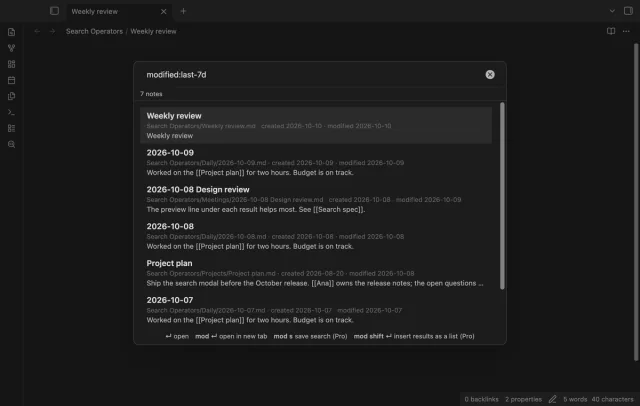
Find notes by date and links, with a preview for each result.
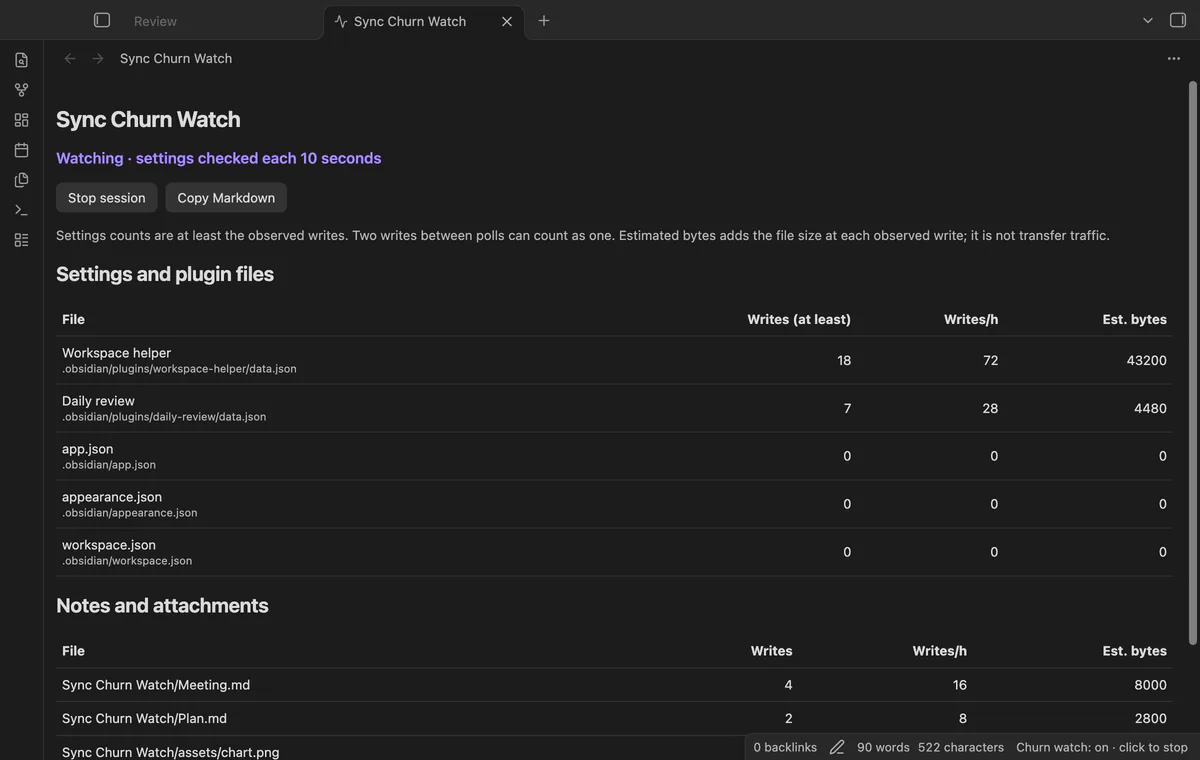
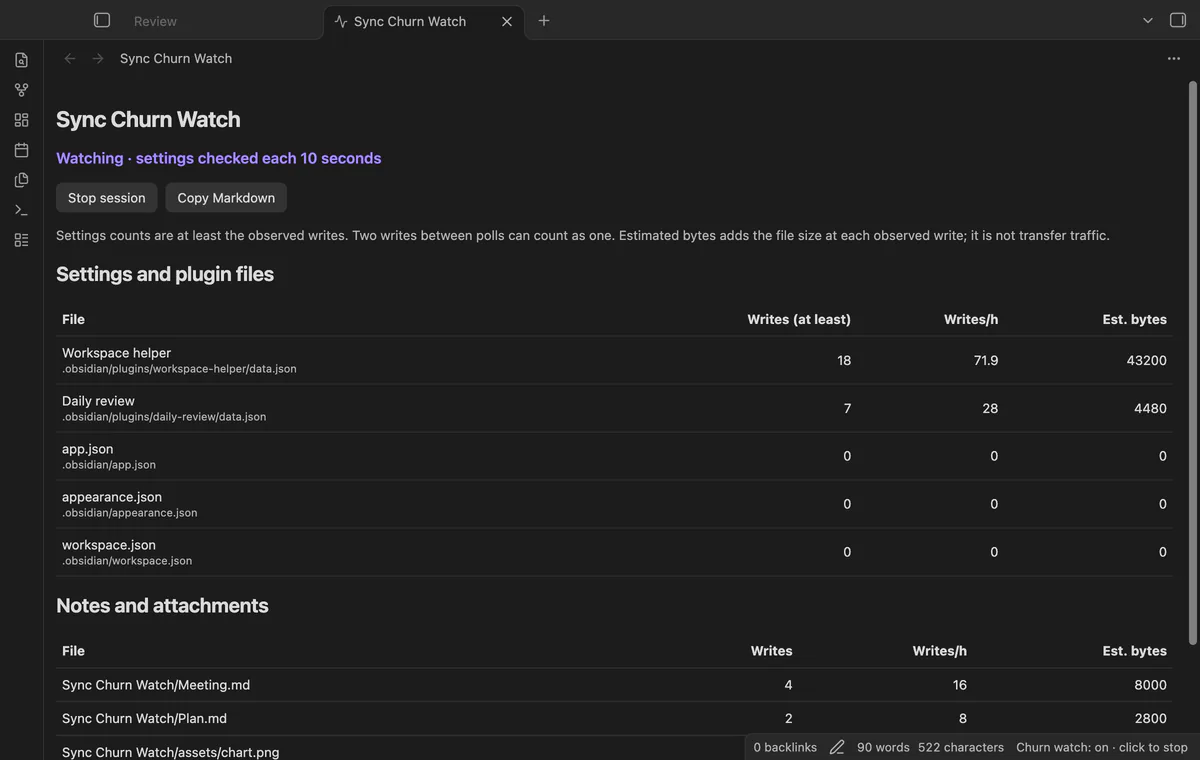
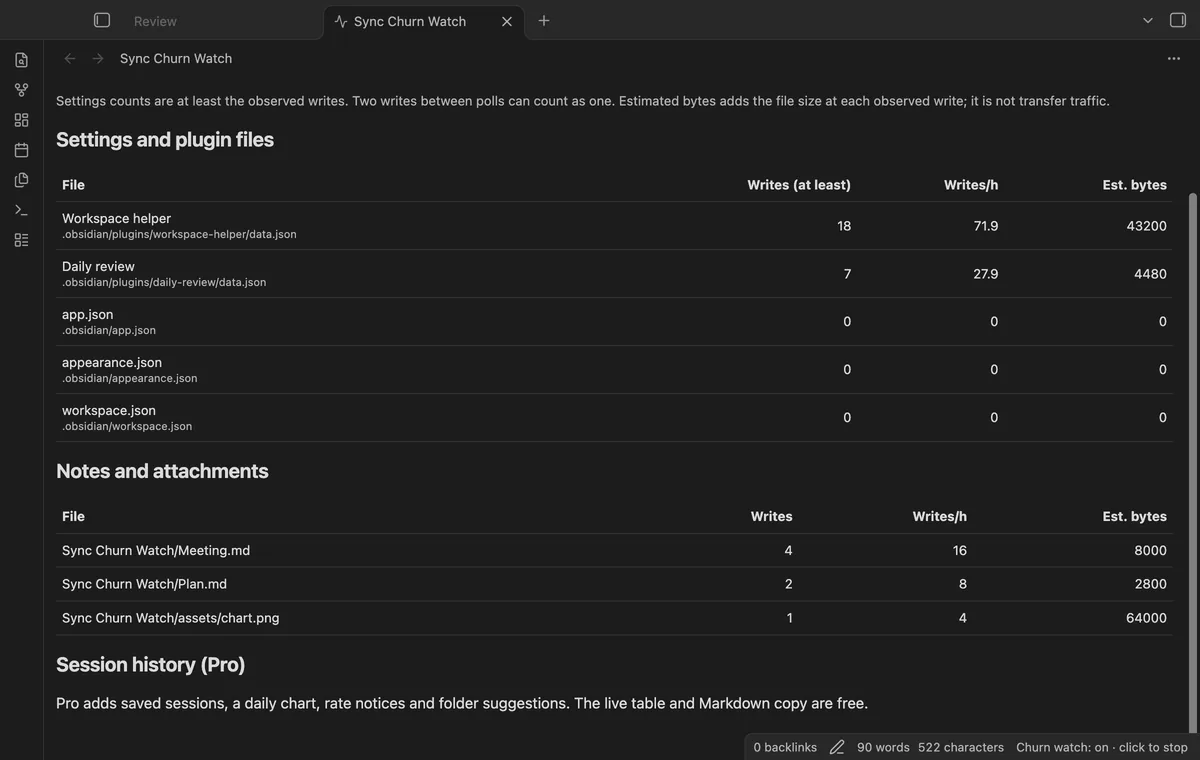
Compare observed file and settings writes.
MIT · no telemetry · core features free
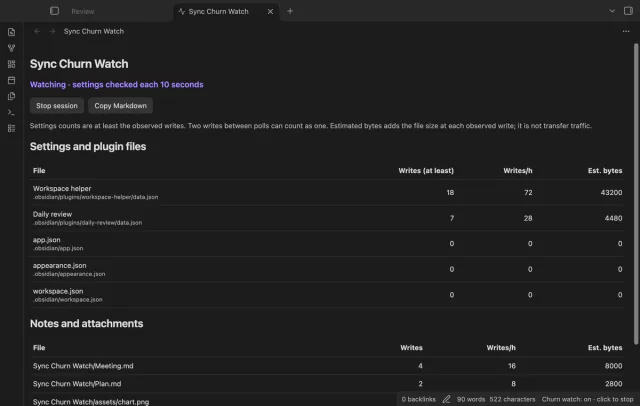
App tests ran on macOS, while screenshots use fixed sample sessions. Physical mobile devices and real Sync traffic were not tested.
Directory facts fetched from community.obsidian.md/users/theluckystrike.
You want to investigate repeated file changes before reviewing your Sync or Git setup.
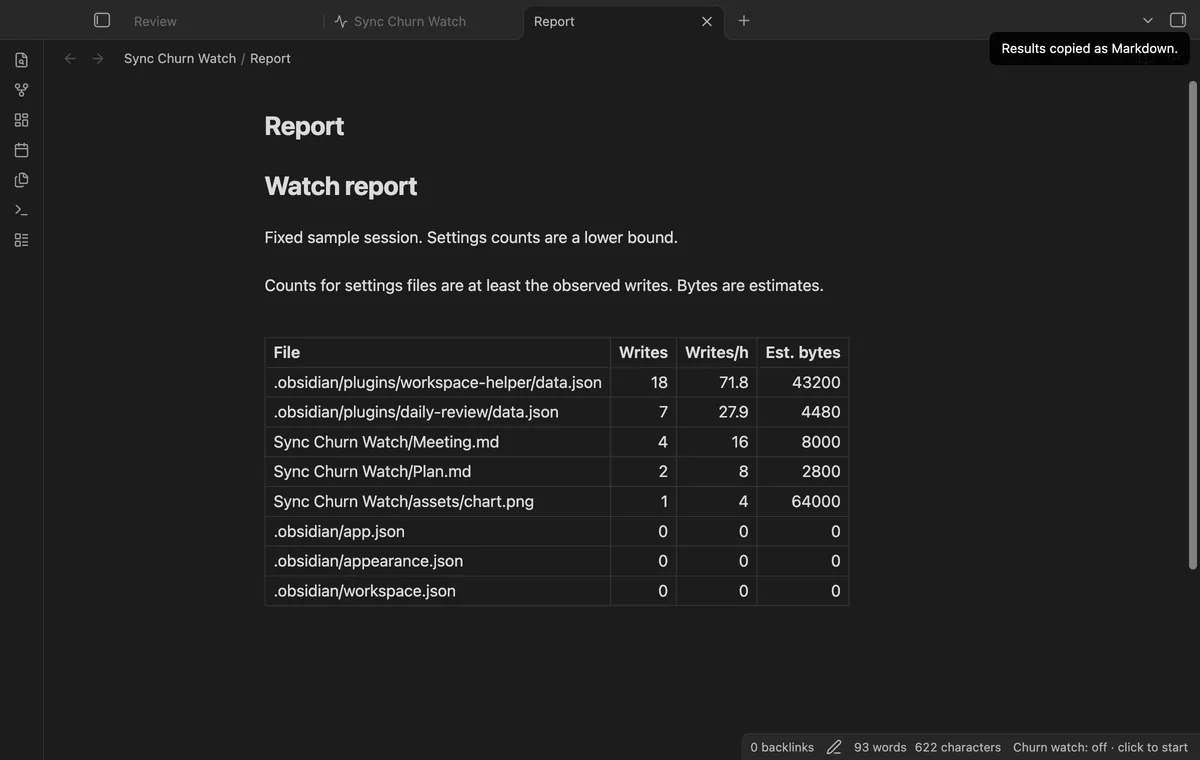
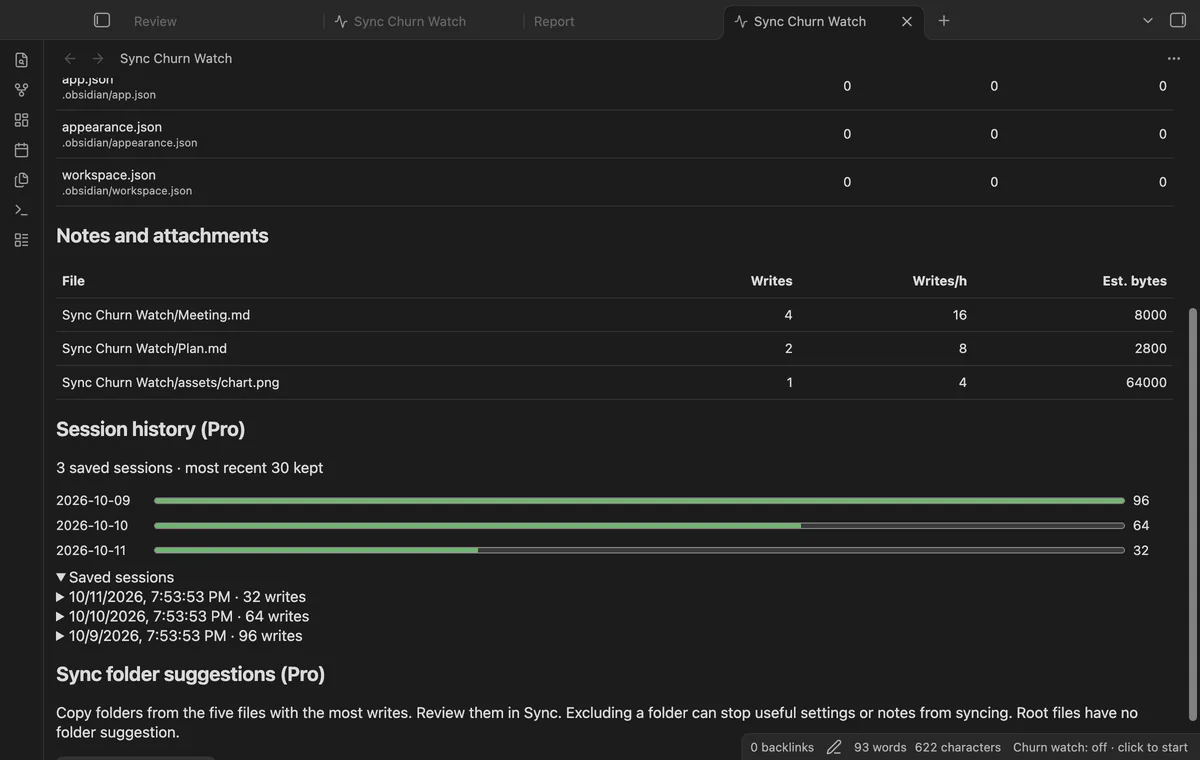
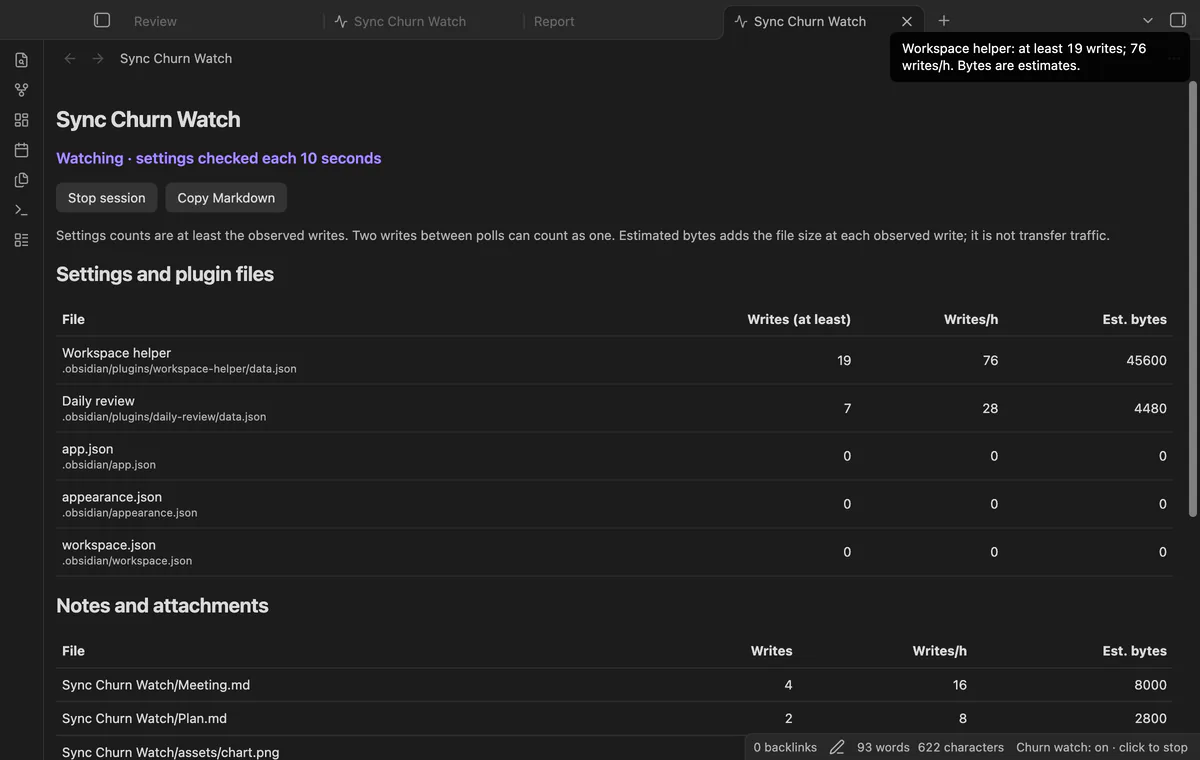
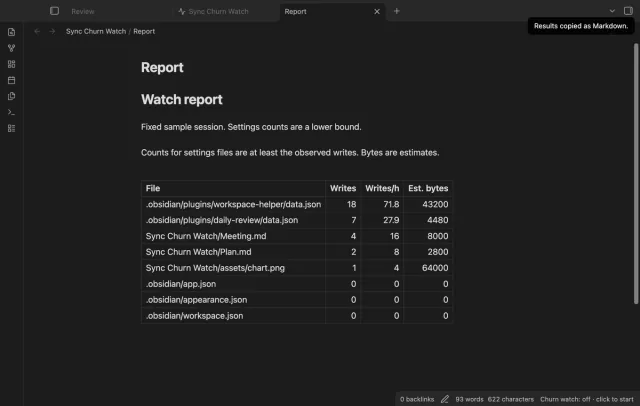
Start a watch session, use your vault, then stop to compare the files that changed. Sync Churn Watch separates settings from notes and attachments. Copy the table to keep a record of that work period.
The counts describe local observations. They don't measure Sync traffic, storage savings or merge conflicts.
 Play demo
Start and stop from commands, the view button or the desktop status bar. Closing the view leaves the session running. Stop keeps the results; starting again clears the live table.
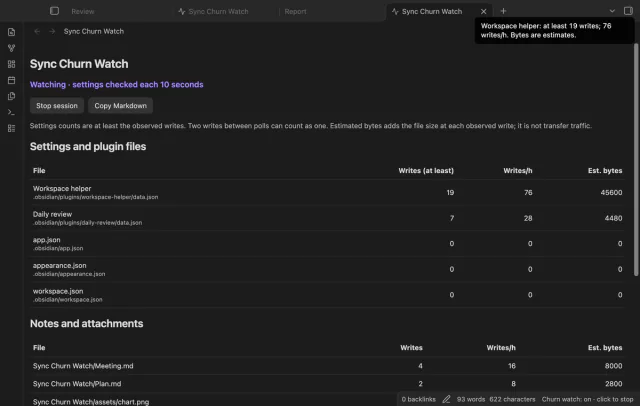
The watcher checks selected core settings and plugin data files at ten-second intervals. Rows show lower bounds because several writes between checks can count as one. Writes with unchanged modification times can be missed.
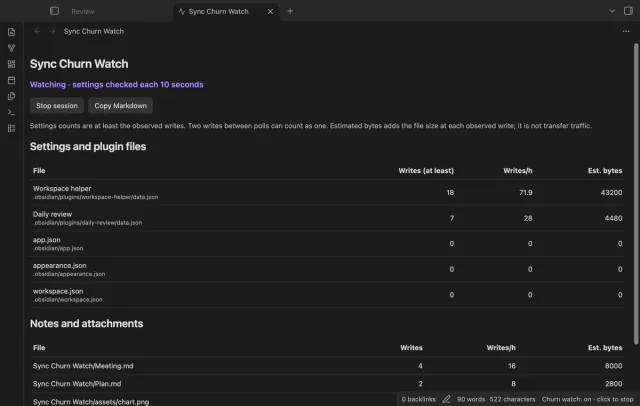
The watcher counts Vault modify events and sorts rows by writes. Estimated bytes adds the file size at each observed event. Writes per hour uses session duration, and stopping freezes the rate.
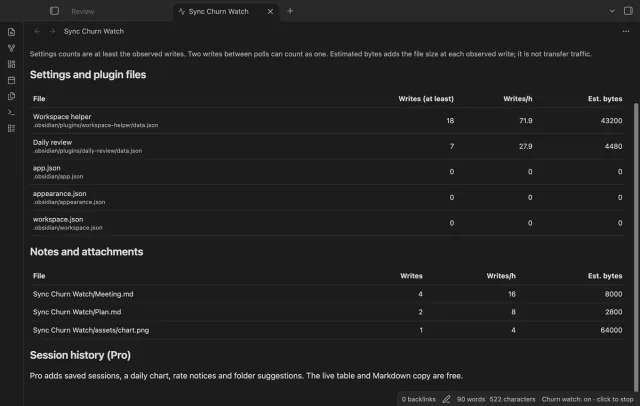
Copy Markdown sends a table of paths, writes, hourly rates and byte estimates to your clipboard. Read the paths before sharing the report. If clipboard access fails, the view keeps the table.
Pro costs $5 a month or $15 one time through GitHub Sponsors. One sponsorship turns on Pro in every plugin that has it.
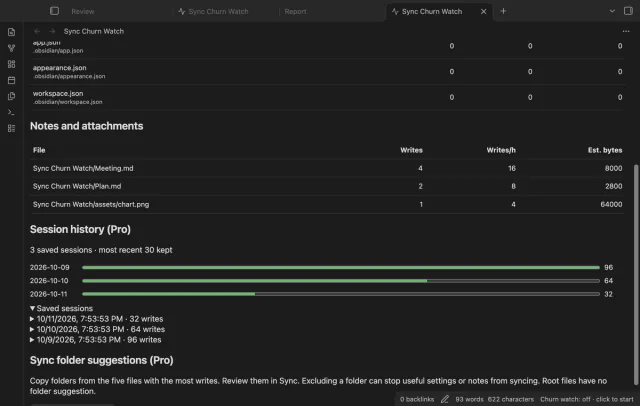
Pro retains the most recent 30 stopped sessions in plugin data. A daily chart groups observed writes by their local dates across those saved sessions.
Enable notices and set a writes-per-hour threshold. A file above it gets one notice per session. The notice calculation uses at least one minute of duration, so its early rate can differ from the table.
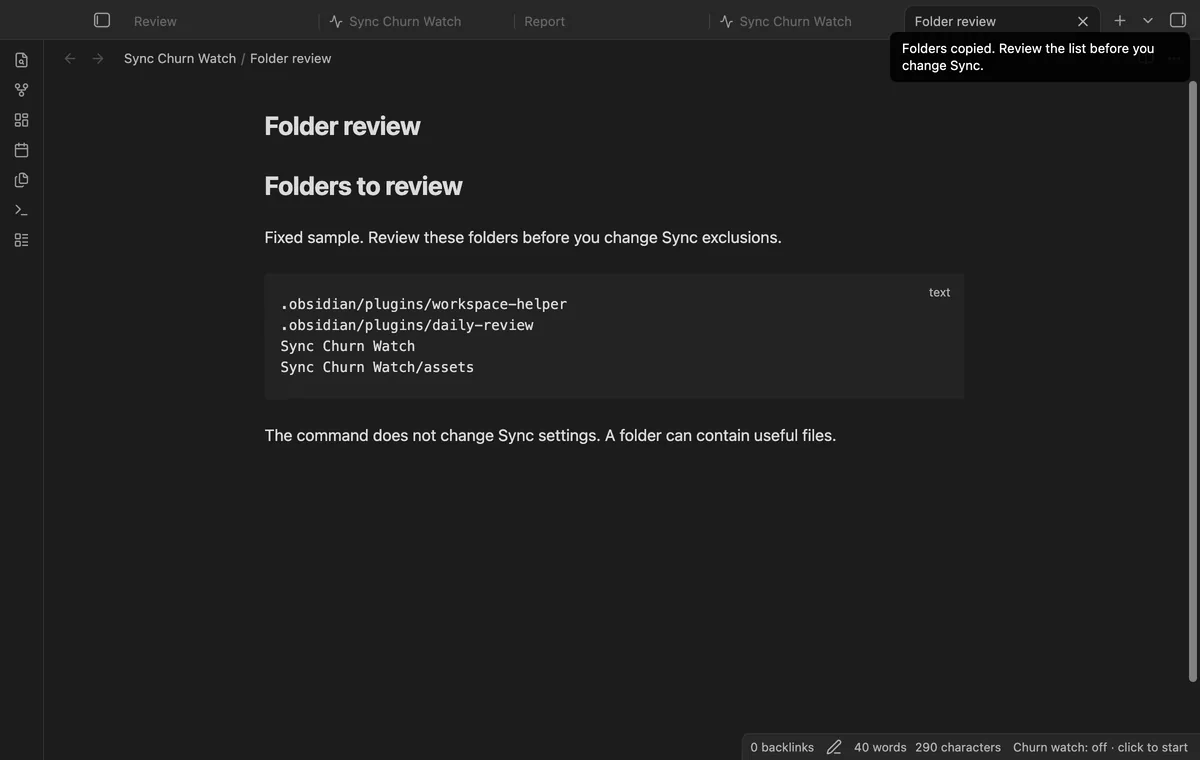
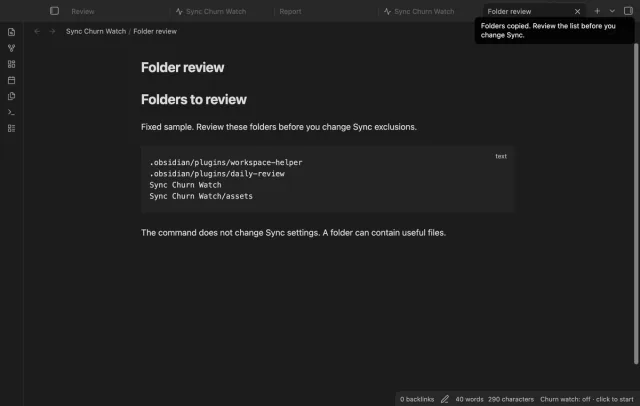
Pro copies parent folders from the five files with the most writes, omitting repeated folders and root files. Review the list before changing Sync settings. The command does not change those settings.
needs
steps
Run Open the watch view from the command palette.
Start a session before the activity you want to investigate.
Edit notes or use the suspected plugin, leaving time for settings checks.
Stop the session, copy the report and record what you did.
If the app can't find a new plugin yet, try again later. Obsidian says a plugin that passes the review shows in the app within 24 hours.
Need a change for your team? I build custom Obsidian plugins and features.
No, it records local file observations. Estimated bytes don't measure uploaded bytes, compressed storage or changed text.
It checks workspace.json, workspace-mobile.json, app.json, appearance.json and plugin data.json files in your vault config folder, whatever you named it. It leaves out its own data file.
No, an unfinished session is lost on unload or shutdown. Stop first to save its table; Pro also adds it to session history.
The table divides observed writes by elapsed session time. Compare stopped sessions and record their duration when reviewing rates.
After you choose Sign in with GitHub, github.com receives the public client ID and read:user scope for device sign-in. Then api.github.com receives your token and a sponsorship query at sign-in, periodic checks or Refresh. The plugin sends no vault data; successful checks last seven days, and failed checks can retry after six hours.
Tell me what is broken in Sync Churn Watch, or what it should do next.
Sync Churn Watch 1.1.0, MIT license
MIT · no telemetry · core features free
Find notes by date and links, with a preview for each result.

Edit AsciiDoc source and see its preview side by side.