How to find missing files in your Obsidian vault
As of October 2026, File recovery can restore saved snapshots of Markdown and Canvas files.
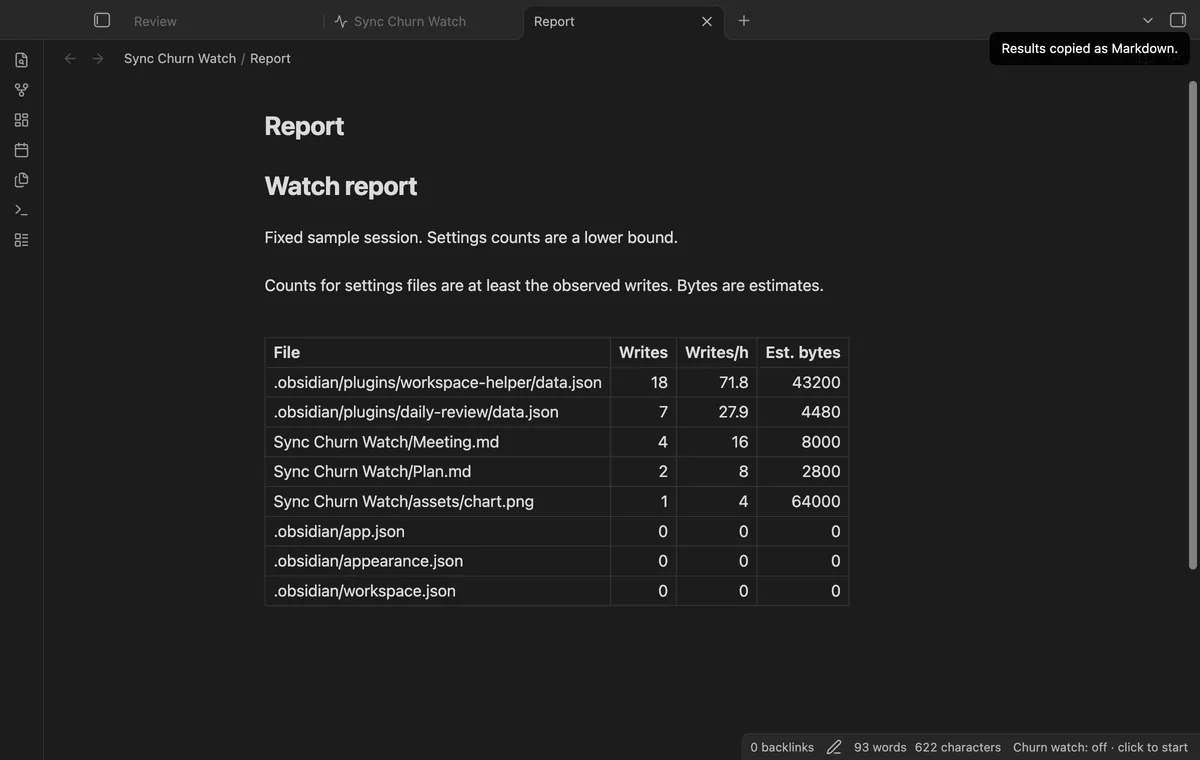
Use the Sync activity log to inspect uploads, downloads and conflicts. As of October 2026, that core log clears when Obsidian closes. Sync Churn Watch adds local observed-write counts for a work session, not transfer measurements.
A settings file can change while you read a note or switch tabs. Comparing a recorded work period can help you locate repeated writes before changing sync settings.
Run Sync’s Open activity log command or open it from the sync status icon. Read timestamps for transfers and filter for errors or merge conflicts.
Open Settings, then Sync, and review the files and configuration you want to sync. Use Manage beside Excluded folders to change the folder list.
Start a session before your normal work, then stop and compare settings, note and attachment rows. Copy the Markdown report and record what you did during that session.
MIT · no telemetry · core features free
Run Open the watch view from the command palette.
Start a session before the activity you want to investigate.
Edit notes or use the suspected plugin, leaving time for settings checks.
Stop the session, copy the report and record what you did.
No, Pro only copies a list for review. Check whether those folders contain notes or settings you need on another device.
Stopping saves the last table and ends the settings poll. Closing the view alone leaves the watcher running, while unloading loses an unfinished session.
 You can now find frequent file writes.
You're officially a regular.
Obsidian rewards people who share. NoteMods is just me and a lot of coffee. If this guide saved you a fight with the syntax, buy me a cup.
That's visit . Regulars are the reason I keep NoteMods running. If it's part of your routine now, a coffee says thanks better than anything.
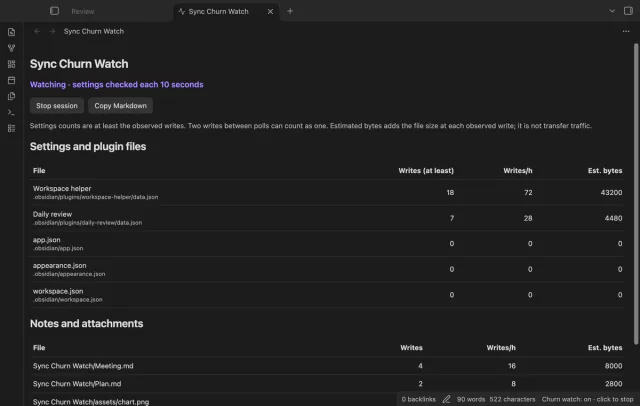
Compare observed file and settings writes.