
AsciiDoc Files
Edit AsciiDoc source and see its preview side by side.
Import version 3.8 archives with positions, keywords and links.
MIT · no telemetry · core features free
Phone and tablet use, live GitHub sign-in and paid sponsorship were not tested in this build.
Directory facts fetched from community.obsidian.md/users/theluckystrike.
You have a Zettelkasten 3 card index and want to move its supported text and links into an Obsidian vault.
Zettelkasten Archive Import converts a version 3.8 .zkn3 archive into Markdown notes. Preview live notes and conversion warnings before creating files. The import reads your archive locally and leaves it unchanged.
 Play demo

Check live notes, deleted slots, new notes, existing notes and conflicts before writing. The preview table shows up to eight notes. The report lists missing targets, unsupported markup and source warnings.
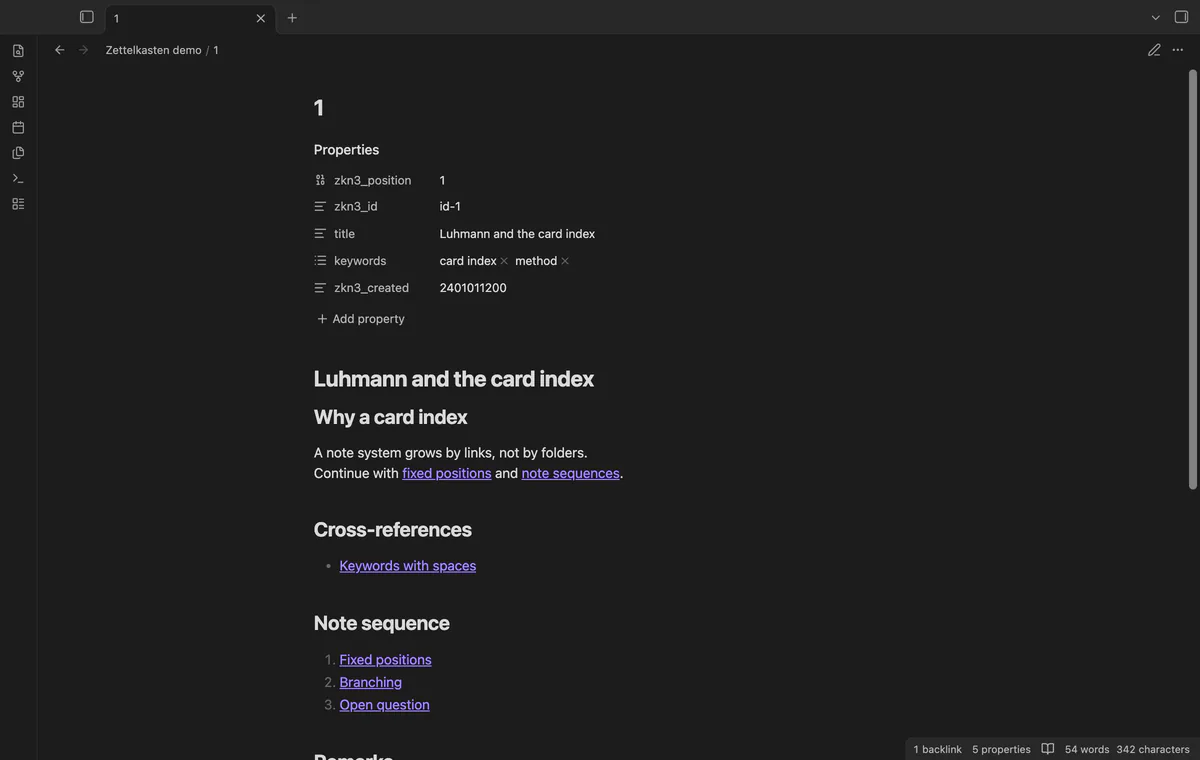
File names follow original one-based positions, so deleted slots do not renumber later notes. Supported note links become wikilinks, with cross-references and ordered sequences in separate sections. Missing targets keep source text and appear in the report.
Keep exact keyword values in a list property. Convert supported line breaks, emphasis, headings, quotes and note links, while unsupported markup stays as source text. Remarks go into their own section.
Saved keyword and file name rules, tag creation and archive comparison need Pro.
Pro costs $5 a month or $15 one time through GitHub Sponsors. One sponsorship turns on Pro in every plugin that has it.
Add titles to position-based file names, choose another keyword property or also create tags. Save these rules for the next import. When Pro turns off, imports use the free rules again.
Compare earlier and later archives by position to list added, changed and removed notes. Comparison writes nothing. A later import creates added notes and skips existing notes rather than updating them.
needs
steps
Save your Zettelkasten 3 data and keep a copy of the archive.
Run Import a Zettelkasten 3 archive and select the .zkn3 file.
Check the folder, preview counts and report; preview again if you change the folder.
Select Create notes and read the result counts and import errors.
Open the first note to compare the result with the source.
If the app can't find a new plugin yet, try again later. Obsidian says a plugin that passes the review shows in the app within 24 hours.
Need a change for your team? I build custom Obsidian plugins and features.
Existing notes in the import folder are skipped. Renamed notes are found through zkn3_position, but notes moved elsewhere or missing that property are not found.
Authors, attachments, images, bookmarks, desktop outlines and the BibTeX file are not copied. Source timestamps remain text properties, and the report lists attachment links and authors.
The reader accepts version 3.8 archives. Input is limited to 20 MiB, with a 100 MiB expanded-data limit.
Created notes stay in the folder, and the result reports skipped notes, errors and unchecked notes. Correct the problem and retry; the import skips notes that exist.
After you choose Sign in with GitHub, github.com receives the public client ID, profile scope and device-flow polling requests. After sign-in, api.github.com receives an authenticated query for your sponsorship tier and total payment; neither host receives vault data. Successful checks last seven days; network failures can retry after six hours, and Refresh requests an earlier check.
Tell me what is broken in Zettelkasten Archive Import, or what it should do next.
Zettelkasten Archive Import 1.1.0, MIT license
MIT · no telemetry · core features free
Edit AsciiDoc source and see its preview side by side.
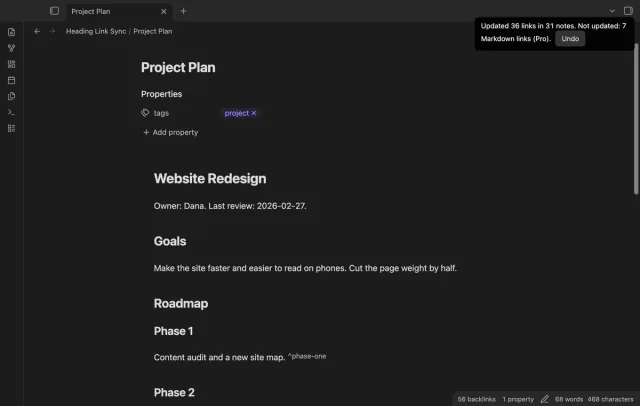
Update heading links and embeds when you edit a heading.