How to check CSV column rules in Obsidian
Check parsed CSV fields against rules you choose, then record errors by row and column.
Convert the supported archive content into Markdown, then inspect links and keywords before relying on the result. As of October 2026, Obsidian supports manually linked Markdown notes; Zettelkasten Archive Import reads version 3.8 archives directly.
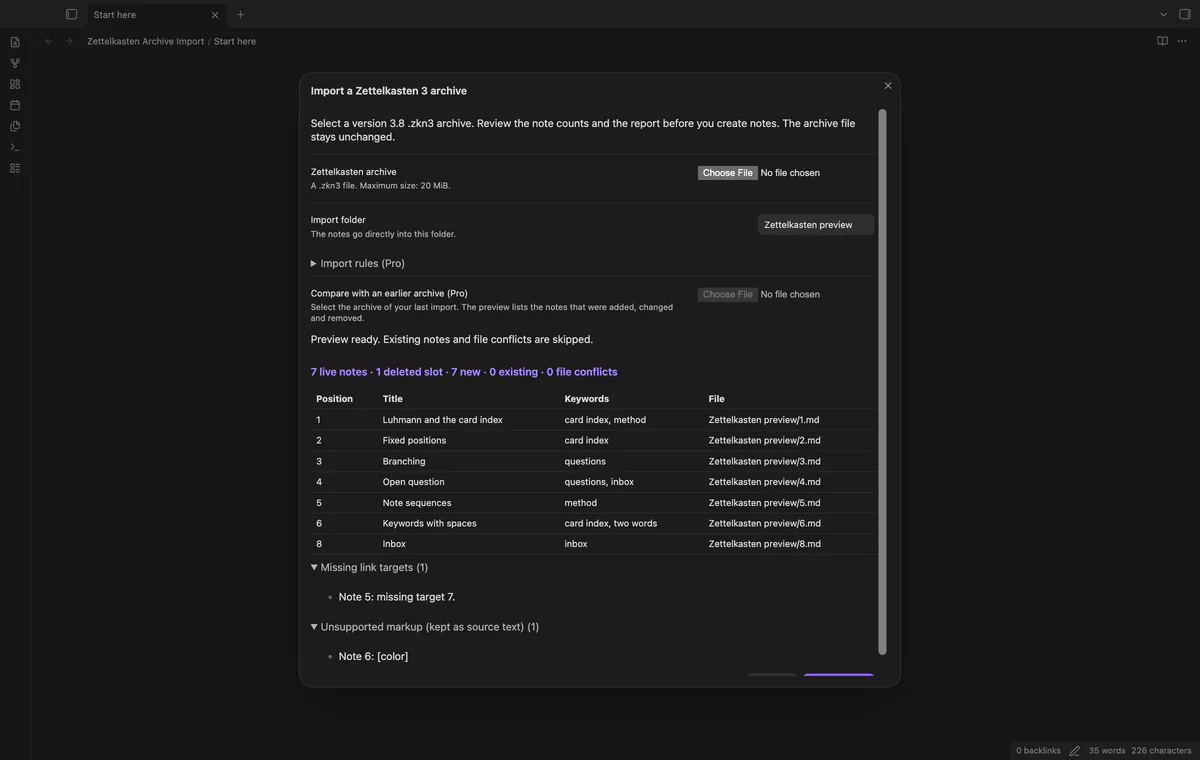
Deleted slots matter because later notes keep their original positions. The importer uses those positions for file names and repeat-import matching, rather than renumbering the live notes.
Keep the source application open and copy chosen note text into Markdown files. Name each file with its source position, then add supported headings, keywords and internal links by hand.
Obsidian’s syntax guide documents headings and wikilinks. Check each target against the source before adding a link or ordered note sequence.
Save the version 3.8 archive and open it with Import a Zettelkasten 3 archive. Check live notes, deleted slots, missing targets and unsupported markup before selecting Create notes.
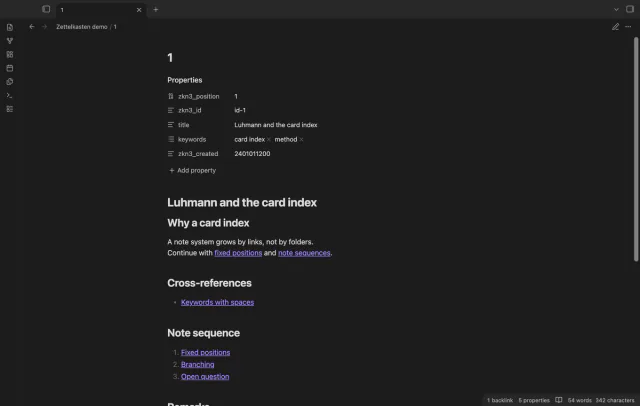
Keep the same import folder for later imports, and retain zkn3_position on imported notes. Pro can compare two archives, but imports skip existing notes rather than updating changed ones.
MIT · no telemetry · core features free
Save your Zettelkasten 3 data and keep a copy of the archive.
Run Import a Zettelkasten 3 archive and select the .zkn3 file.
Check the folder, preview counts and report; preview again if you change the folder.
Select Create notes and read the result counts and import errors.
Open the first note to compare the result with the source.
An empty source slot represents a deleted note. Later live notes keep their positions so their links do not shift.
Use Pro comparison to inspect added, changed and removed positions before importing. Review changed notes separately because the import only creates new notes.
 You can now import ZKN3 archives into Obsidian.
You're officially a regular.
Obsidian rewards people who share. NoteMods is just me and a lot of coffee. If this guide saved you a fight with the syntax, buy me a cup.
That's visit . Regulars are the reason I keep NoteMods running. If it's part of your routine now, a coffee says thanks better than anything.
Import version 3.8 archives with positions, keywords and links.