
AsciiDoc Files
Edit AsciiDoc source and see its preview side by side.
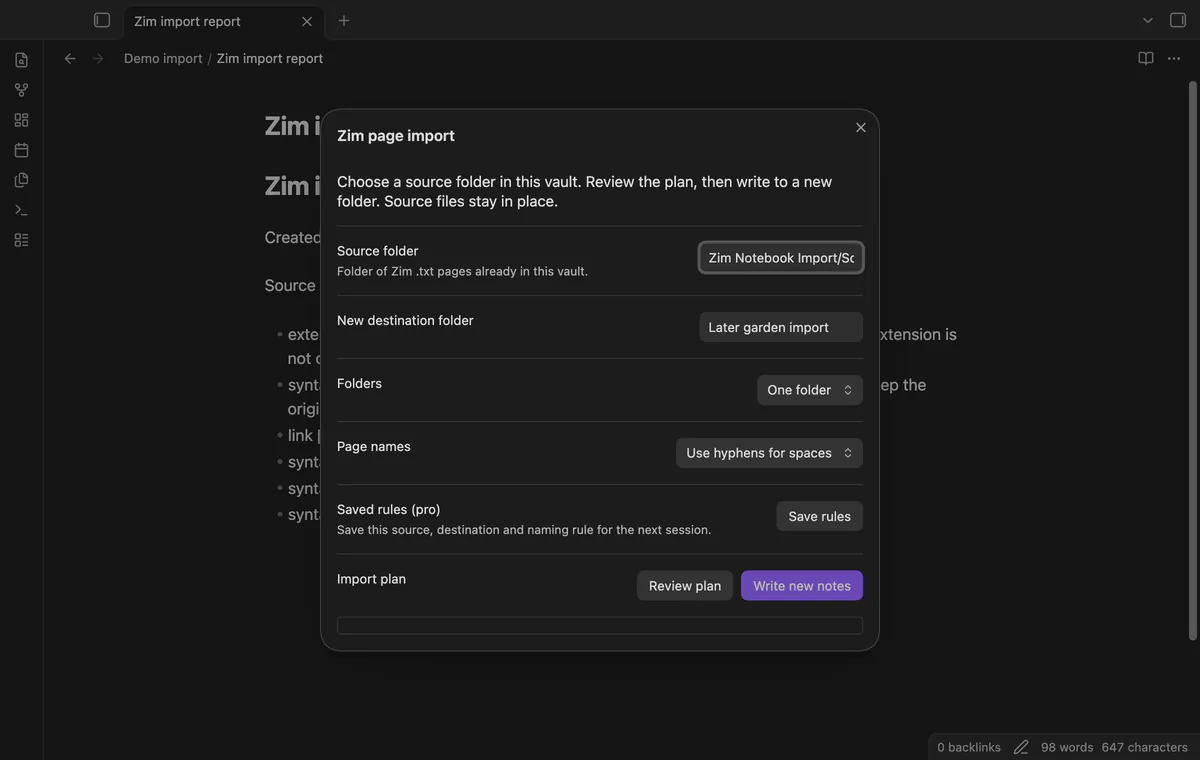
Review Zim paths, convert text and links, and check the report.
MIT · no telemetry · core features free
The review tested the desktop app on macOS. No physical phone or tablet test ran.
Directory facts fetched from community.obsidian.md/users/theluckystrike.
You have a Zim Desktop Wiki notebook and want to move its basic page text and links into your vault.
Copy your Zim notebook folder into the vault, then review the paths before writing to a new folder. Zim Notebook Import converts basic page syntax and maps supported links to the new notes. Your source files stay in place.
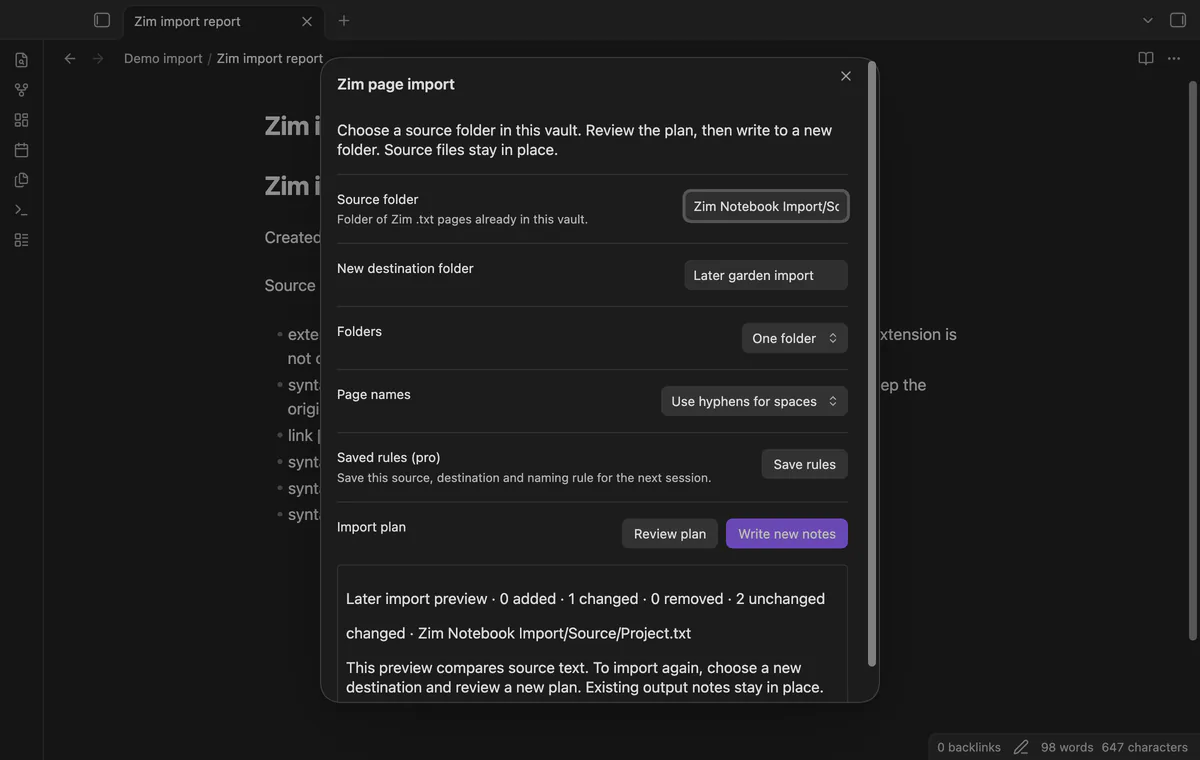
The report names unresolved links and recognized unsupported sections. Pro saves import choices and compares the current source with a snapshot from a completed import.
 Play demo
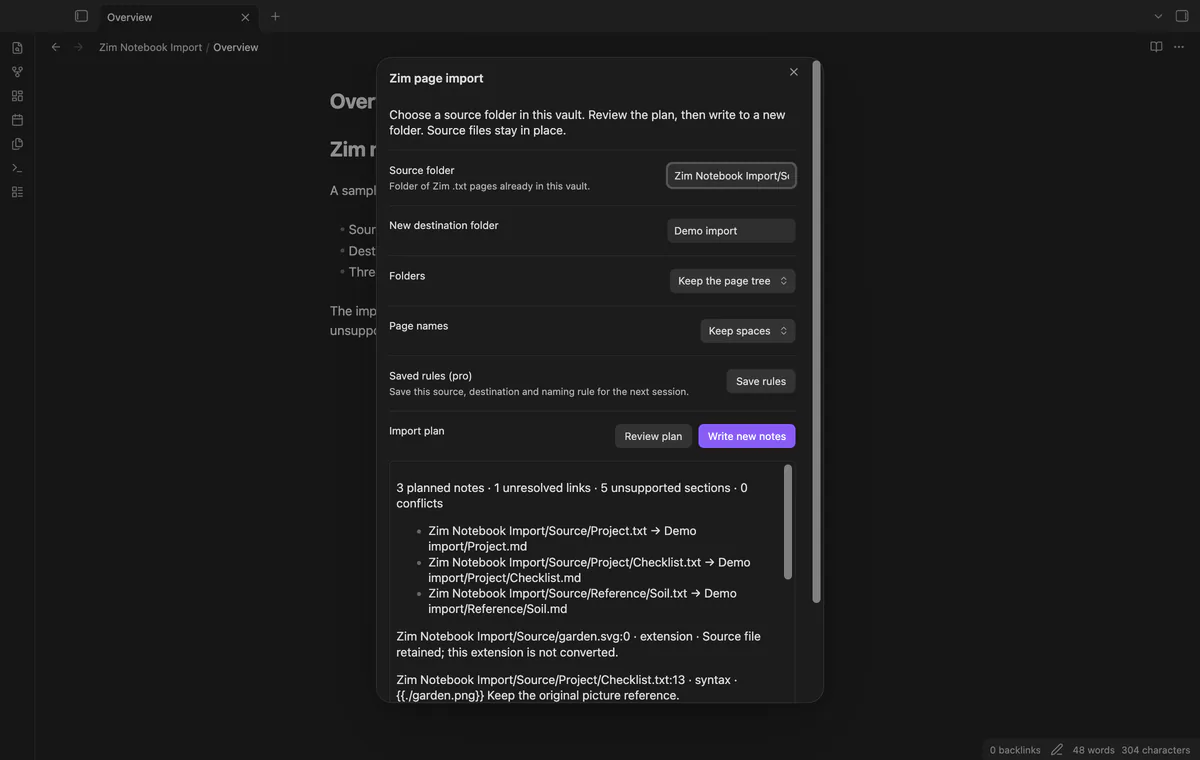

The plan lists source and output paths, the first note's text, issue counts and conflicts. An existing destination or a case-insensitive output collision blocks the batch. The importer rereads the source before writing and stops if it changed after review.
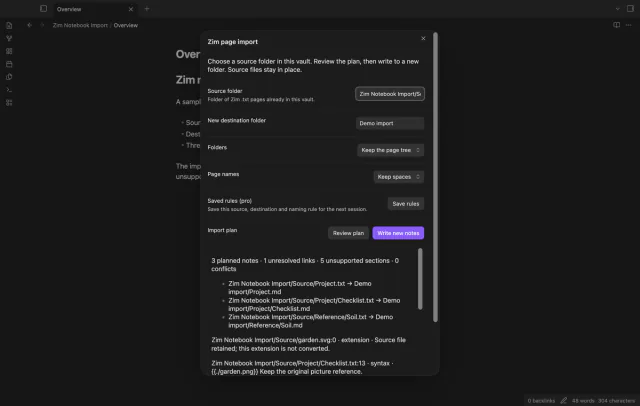
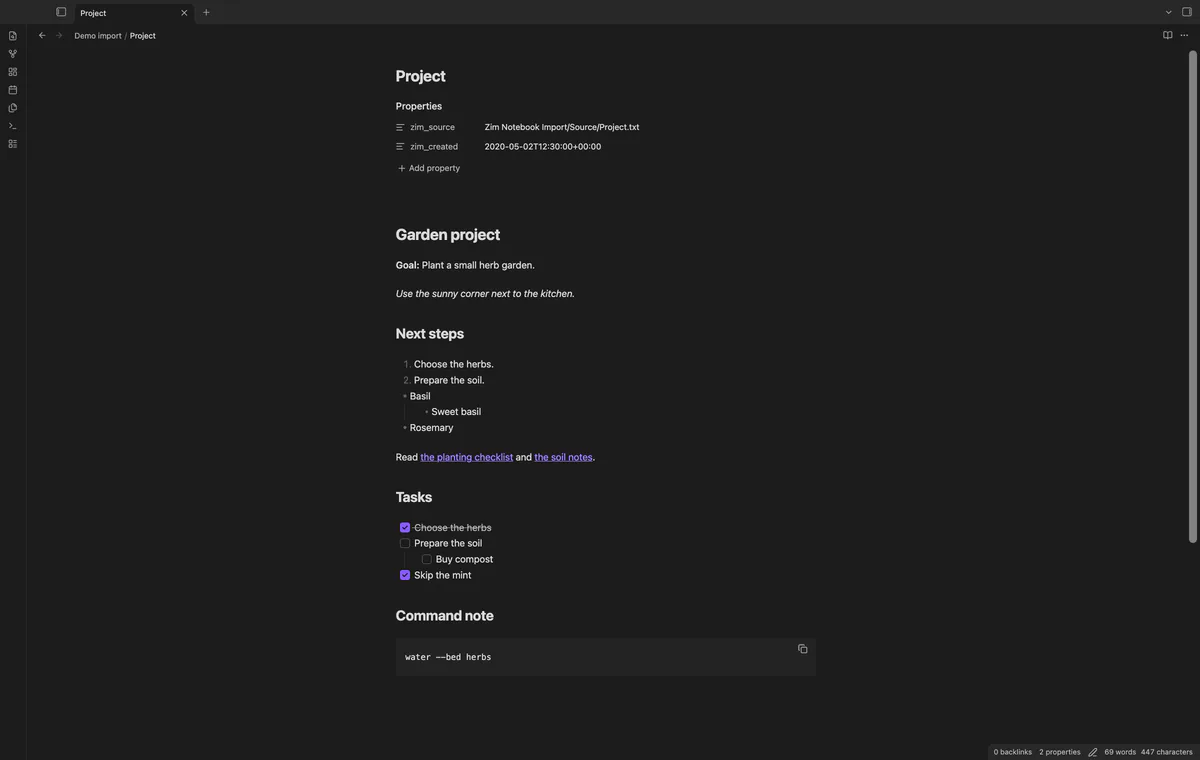
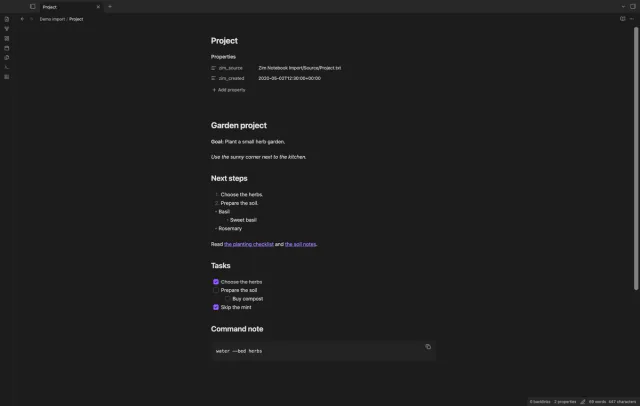
Convert supported headings, emphasis, basic lists, checkbox tasks and triple-quoted code blocks. Child, root and section-relative page links use the mapped note paths when the target resolves. Missing or ambiguous targets keep their source links and appear in the report.
The zim_source property records the original vault path, and a supported creation-date header supplies zim_created. Pages without that date keep no guessed date. The _ character becomes a page-name space, and filename cleanup happens before link mapping.
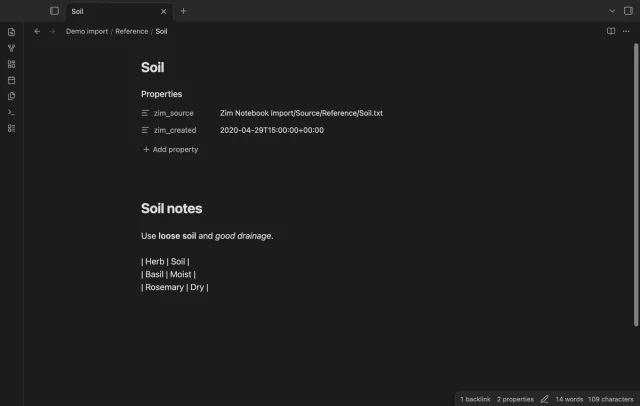
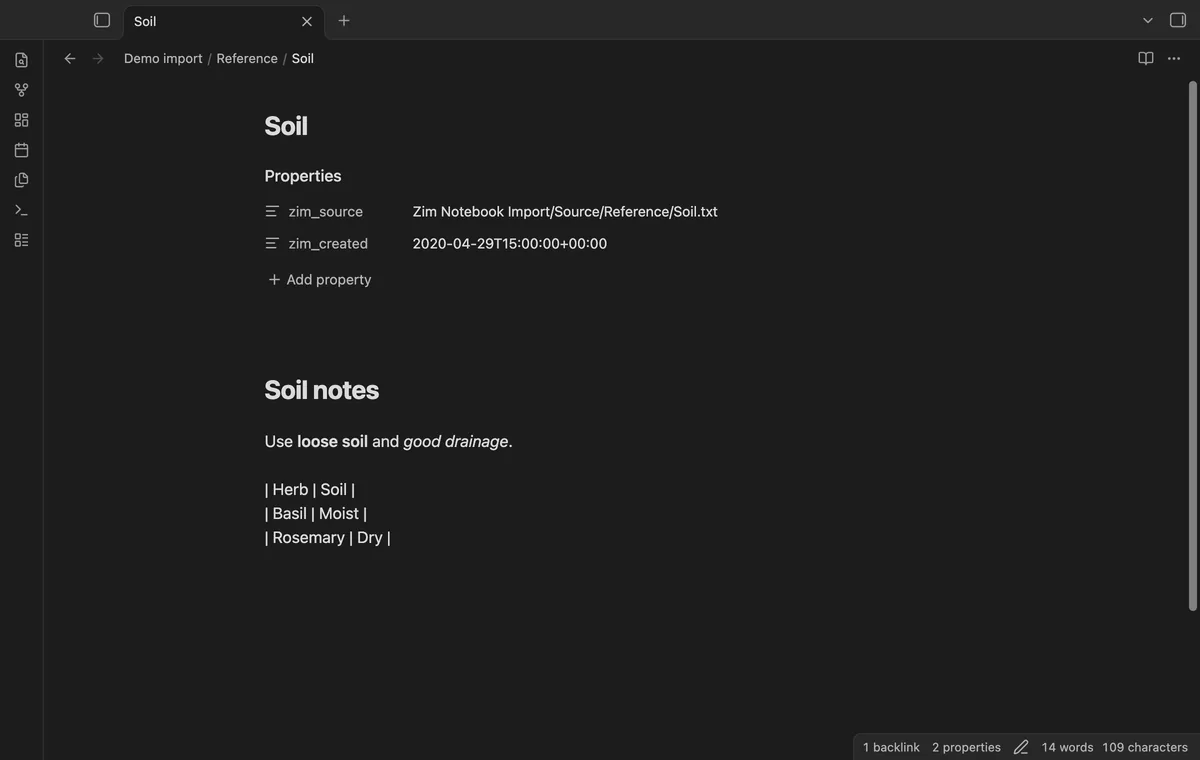
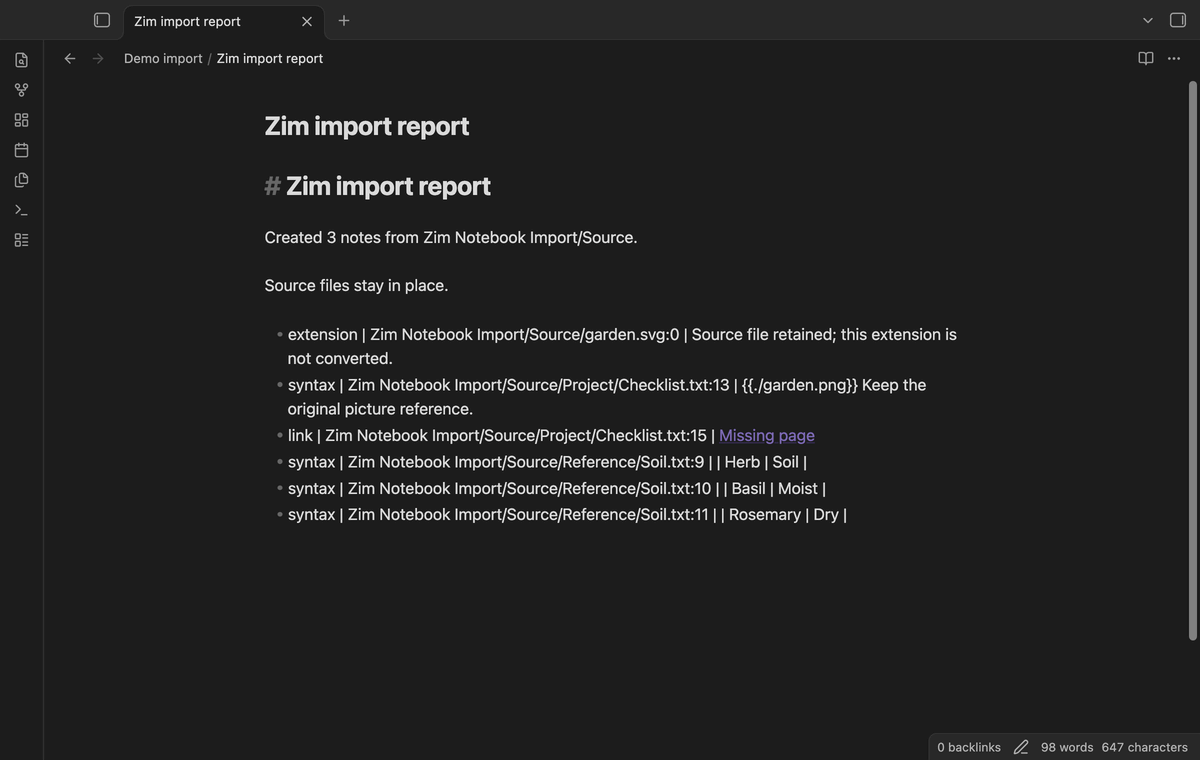
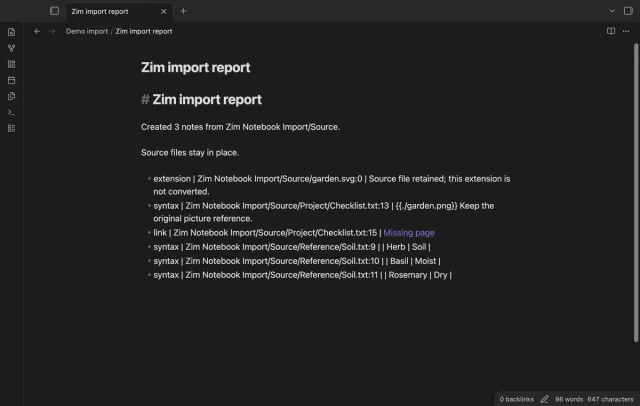
Open Zim import report.md in the destination to see created-note counts and detected issues by source path and line. Images, table lines, underline and recognized object blocks remain source text. Other file extensions stay in the source folder and appear in the report.
Pro costs $5 a month or $15 one time through GitHub Sponsors. One sponsorship turns on Pro in every plugin that has it.
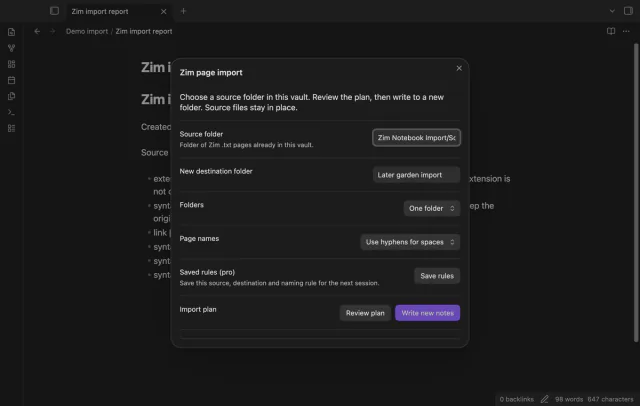
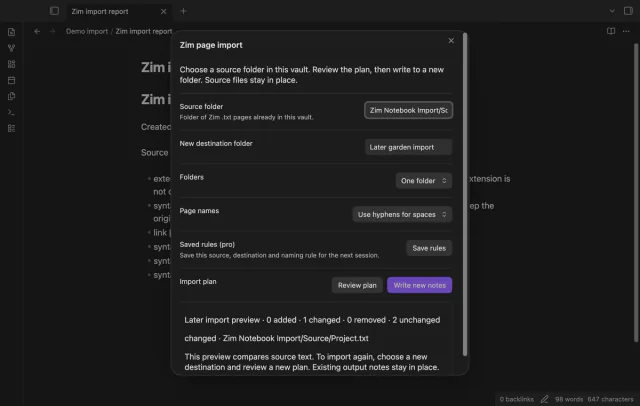
Choose tree or flat folders, and spaces or hyphens in page names, during a free import. Pro saves your source, destination and naming choices for the next command. A later conversion still needs a new destination.
Pro lists added, changed and removed source paths, plus an unchanged count. It compares source text with the snapshot from a completed import and doesn't merge edited output notes. The snapshot stores imported source text in the plugin's vault settings.
needs
steps
Copy your Zim notebook folder into the vault, keeping the page directory structure.
Run Zim page import from the command palette.
Enter the source folder and a new destination path relative to the vault.
Select Review plan and inspect paths, conflicts and detected issues.
Select Write new notes, then compare the output and report with your originals.
If the app can't find a new plugin yet, try again later. Obsidian says a plugin that passes the review shows in the app within 24 hours.
.txt pages inside your vault, rather than a .zim web archive.Need a change for your team? I build custom Obsidian plugins and features.
No. This importer reads Zim Desktop Wiki .txt pages, while .zim web archives use a different format. Attachments, equations and full table conversion are outside this version.
No. The destination must be new and separate from the source. Existing destinations and planned path conflicts block the batch before writing.
A partial destination can remain, and the error states how many notes were created. Keep that output for review and choose a fresh destination for your retry.
No. Pro compares the source snapshot with the current source pages. To convert again, review a new plan and use a new destination.
Before GitHub sign-in, the plugin sends no requests of its own. Imported HTML or remote image links can make Obsidian request their hosts when you render a note or the report.
Sign-in sends the client ID and device codes to github.com; api.github.com receives your token and a sponsorship query, without vault data. Successful Pro checks wait seven days; failed checks can retry after six hours, and Refresh checks when you're signed in. Imported HTML or remote images can make Obsidian contact their hosts when you render a note or the report.
Tell me what is broken in Zim Notebook Import, or what it should do next.
Zim Notebook Import 1.2.0, MIT license
MIT · no telemetry · core features free
Edit AsciiDoc source and see its preview side by side.

See headings from embedded notes in one outline.