How to save and refresh PDF crops in Obsidian
As of October 2026, Obsidian documents PDF page embeds using a page parameter.
As of October 2026, JSON Payload Delta provides a local JSON comparison dialog inside Obsidian. Without that plugin, Git can compare two file paths on disk. Choose between text differences and a report of JSON value changes.
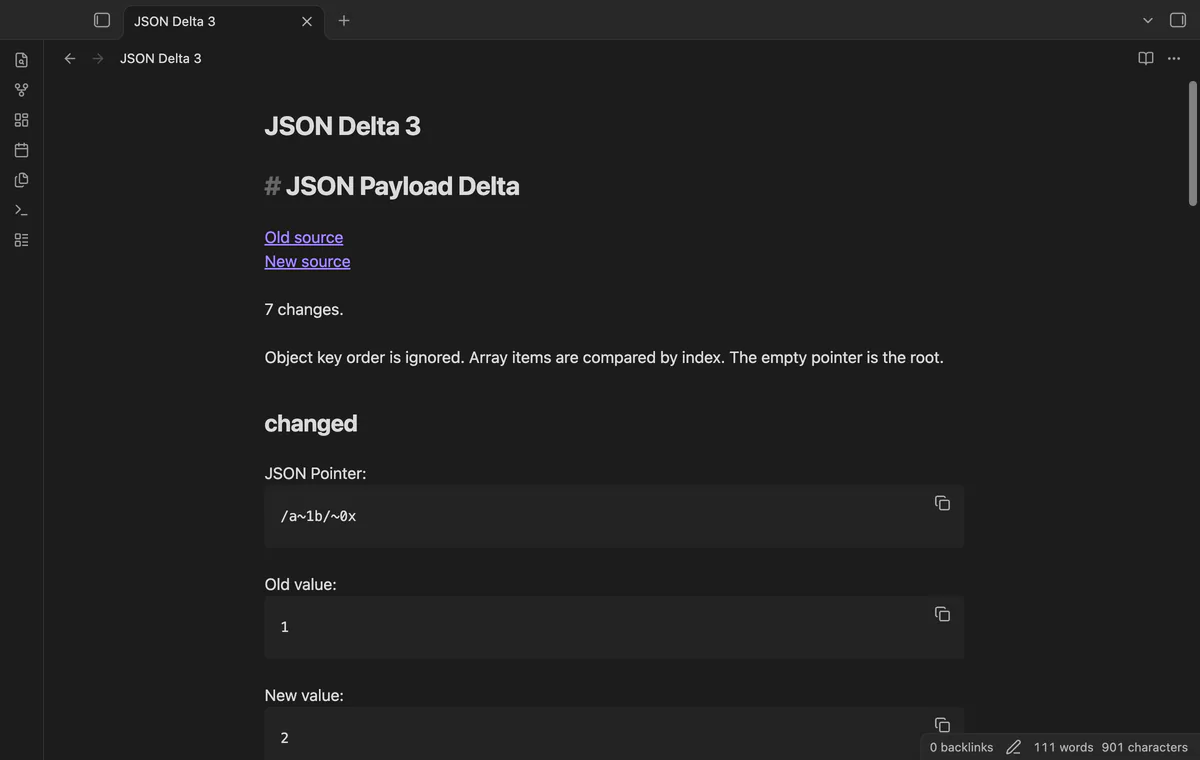
A saved response or configuration file can change while your review notes stay the same. JSON Payload Delta records a comparison snapshot with links to the old and new sources.
From outside a Git repository, run git diff /path/old.json /path/new.json with Git installed. Git documents this as comparing two filesystem paths.
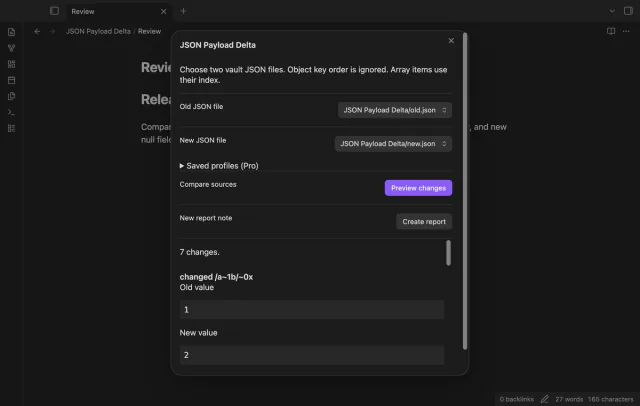
Choose two vault JSON files, preview added, removed and changed values, then create a Markdown report. Object key order is ignored; arrays use matching indices.
MIT · no telemetry · core features free
Put two JSON files in your vault and run Compare JSON files from the command palette.
Choose the old and new sources.
Select Preview changes and review the rows, especially array indices after an insertion.
Select Create report to open a new Markdown note.
The comparison matches array items by index. Inserting an item can change the values found at later indices.
With Pro, save its JSON Pointer path in a named profile and select that profile. A rule cannot mask part of a replaced parent value.
 You can now compare JSON files in Obsidian.
You're officially a regular.
Obsidian rewards people who share. NoteMods is just me and a lot of coffee. If this guide saved you a fight with the syntax, buy me a cup.
That's visit . Regulars are the reason I keep NoteMods running. If it's part of your routine now, a coffee says thanks better than anything.
Report changed JSON values in Markdown.