How to freeze columns in an Obsidian Bases table
Bases has no setting that freezes a column, as of October 2026.
As of October 2026, core Bases Table view puts files in rows and properties in columns. Use it for a row-based comparison, or choose Bases Transpose Table to put up to five notes across the top.
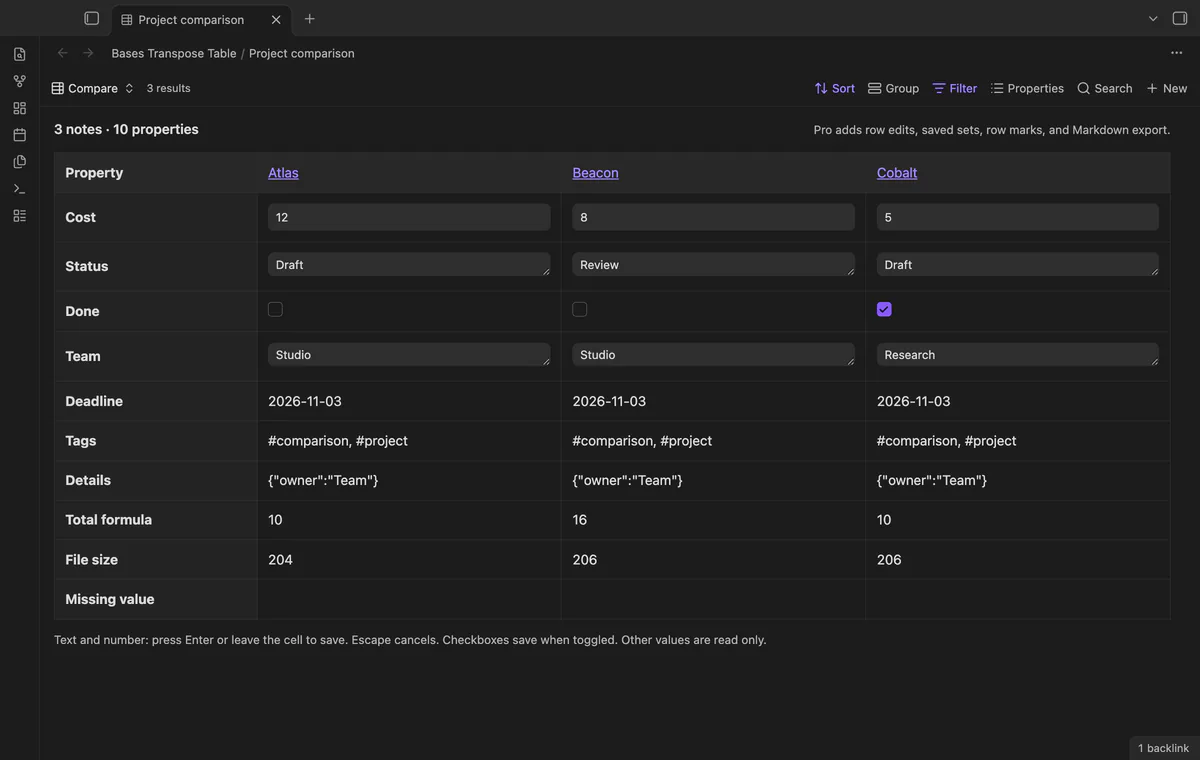
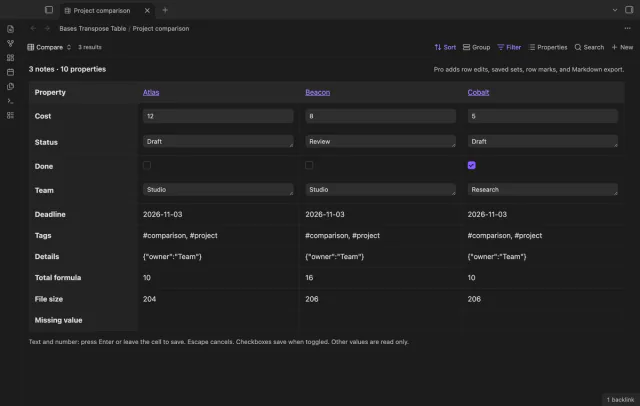
Bases Transpose Table suits a small comparison of a few notes with many properties. It places note names across the top and properties down the left.
Display your files in a Table view and compare their property columns. This keeps the standard layout described in the Obsidian help.
Choose Transpose in the view menu, then set property rows, sorting and filters through Bases. Edit existing simple text, number and checkbox values while other types stay read only.
MIT · no telemetry · core features free
Open a base that selects your notes and choose Transpose in its view menu.
Use the properties menu to choose rows and change their order.
Use sorting and filters to choose a comparison of up to five notes.
Edit an existing simple property, then open its source note from the column heading to inspect the result.
Change the native filter to select the group you need. The Transpose view shows up to five notes from the current query.
Dates stay read only in this view. Date-shaped text also stays read only to avoid converting the stored value.
Export Markdown creates a new note with the displayed values. It does not keep a connection back to source properties.
 You can now compare notes in Obsidian Bases.
You're officially a regular.
Obsidian rewards people who share. NoteMods is just me and a lot of coffee. If this guide saved you a fight with the syntax, buy me a cup.
That's visit . Regulars are the reason I keep NoteMods running. If it's part of your routine now, a coffee says thanks better than anything.
Compare Obsidian notes in property rows.