Bases Note Templates
Create notes in Bases with a template and filter values.
Compare Obsidian notes in property rows.
MIT · no telemetry · core features free
Desktop app tests do not prove phone or tablet behavior. Live GitHub sign-in and payment were not tested.
Directory facts fetched from community.obsidian.md/users/theluckystrike.
You compare a few project notes with many properties and want their values beside each other.
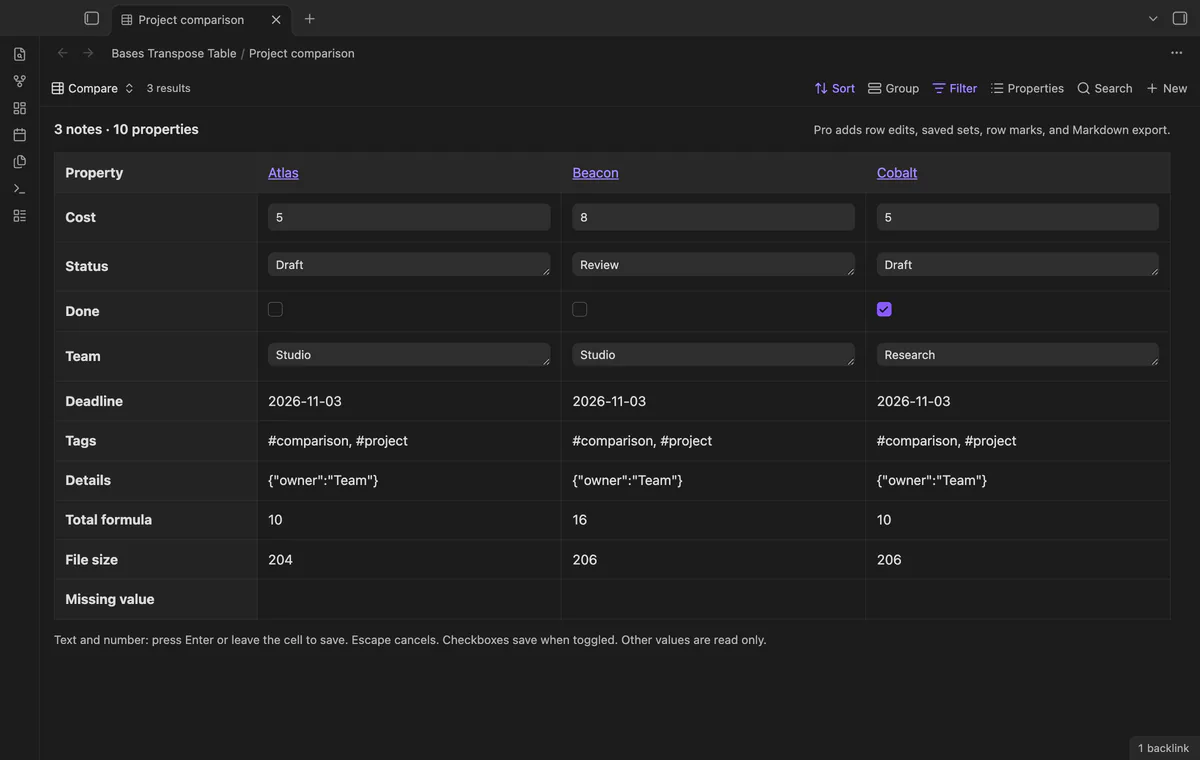
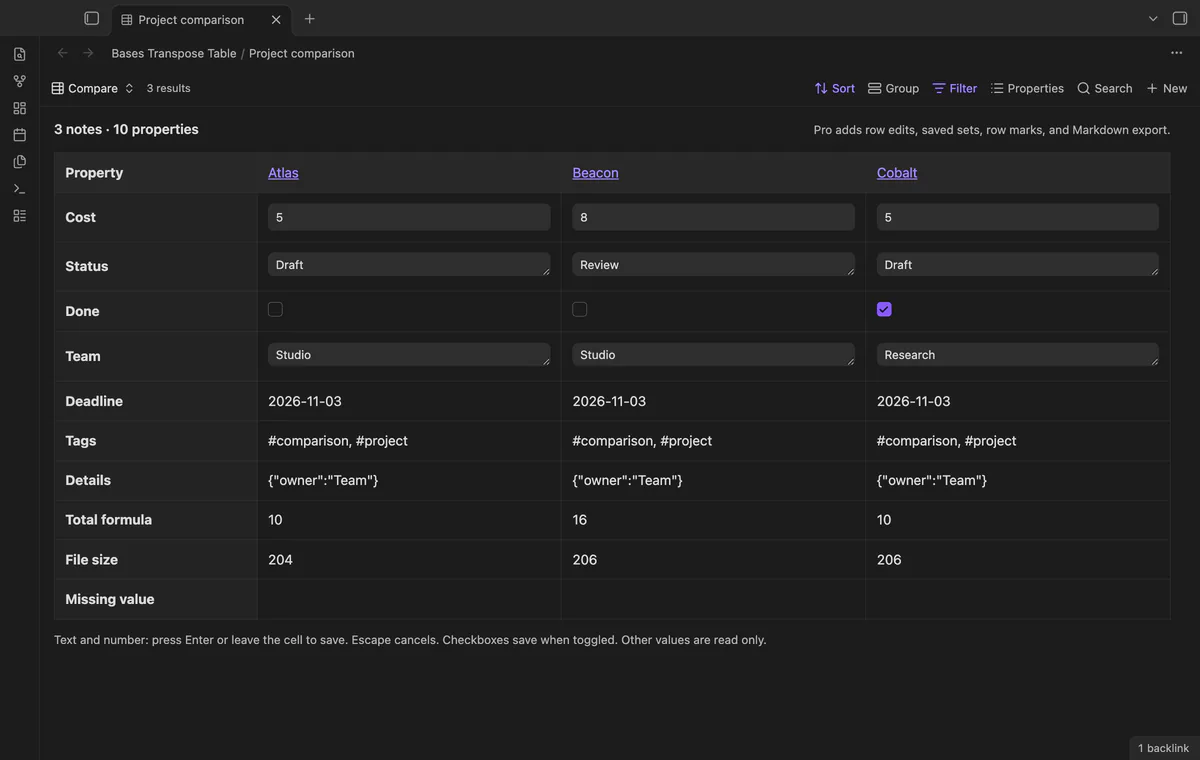
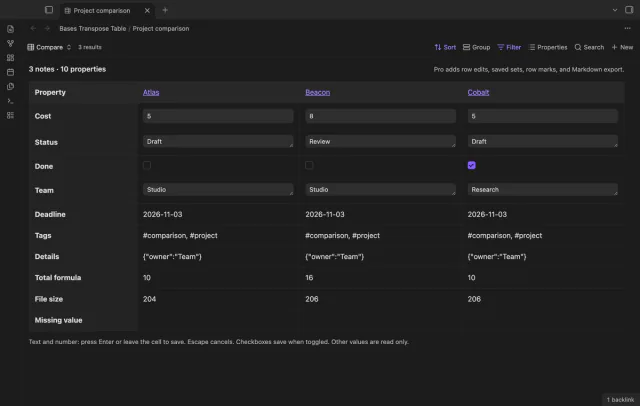

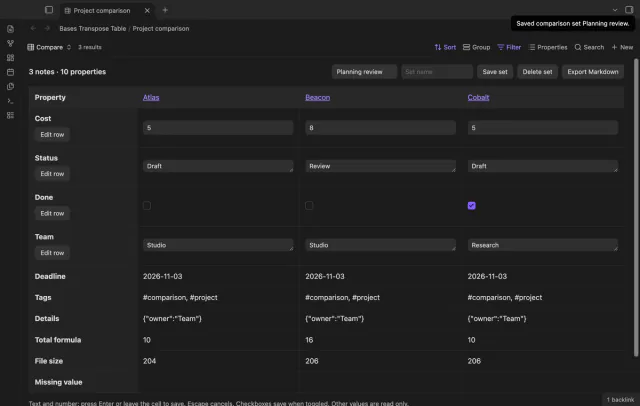
Bases Transpose Table puts note names across the top and properties down the left. Read costs, states and checkboxes beside each other. Edit existing simple frontmatter values in the same view.
 Play demo
Choose Transpose as your base view type. Column headings open source notes, and the Bases properties menu sets row order and labels.
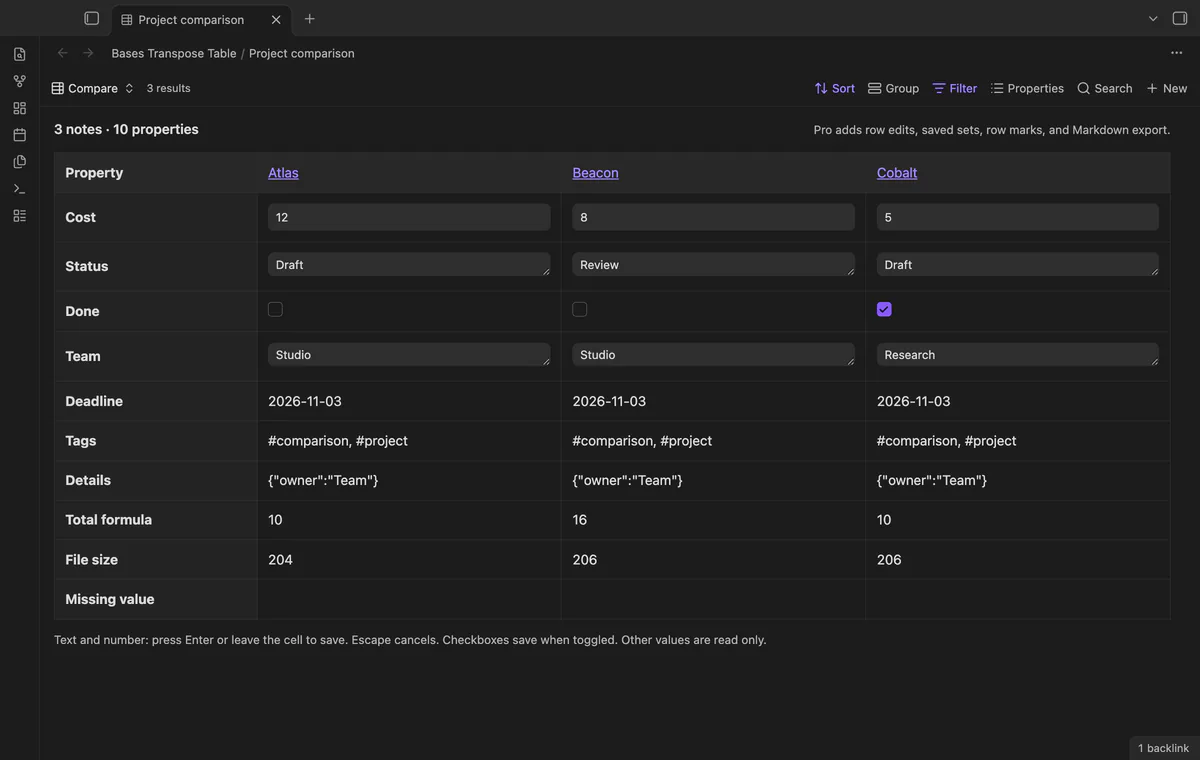
Edit existing text, number and boolean frontmatter values. Press Enter or leave a text or number cell to save; Escape cancels the draft. Invalid numeric text keeps the old value.
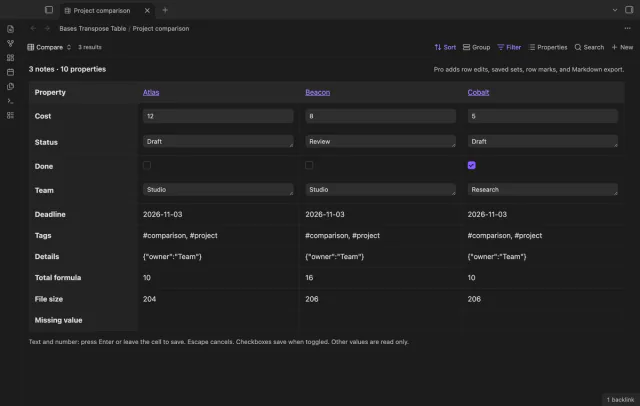
Formulas, file fields, lists, dates, objects, links and unknown types stay read only. Missing properties have empty cells without edit controls. Date-shaped strings and text containing wikilinks also stay read only.
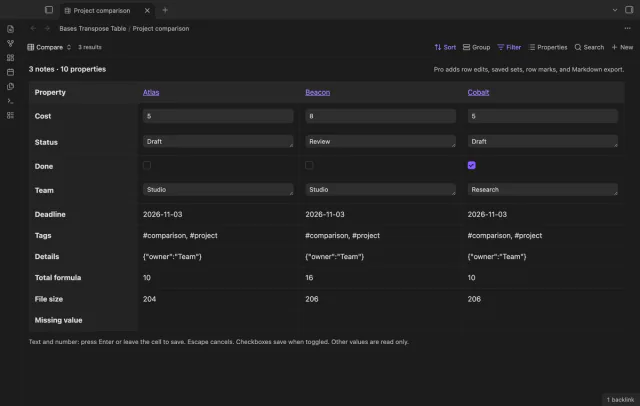
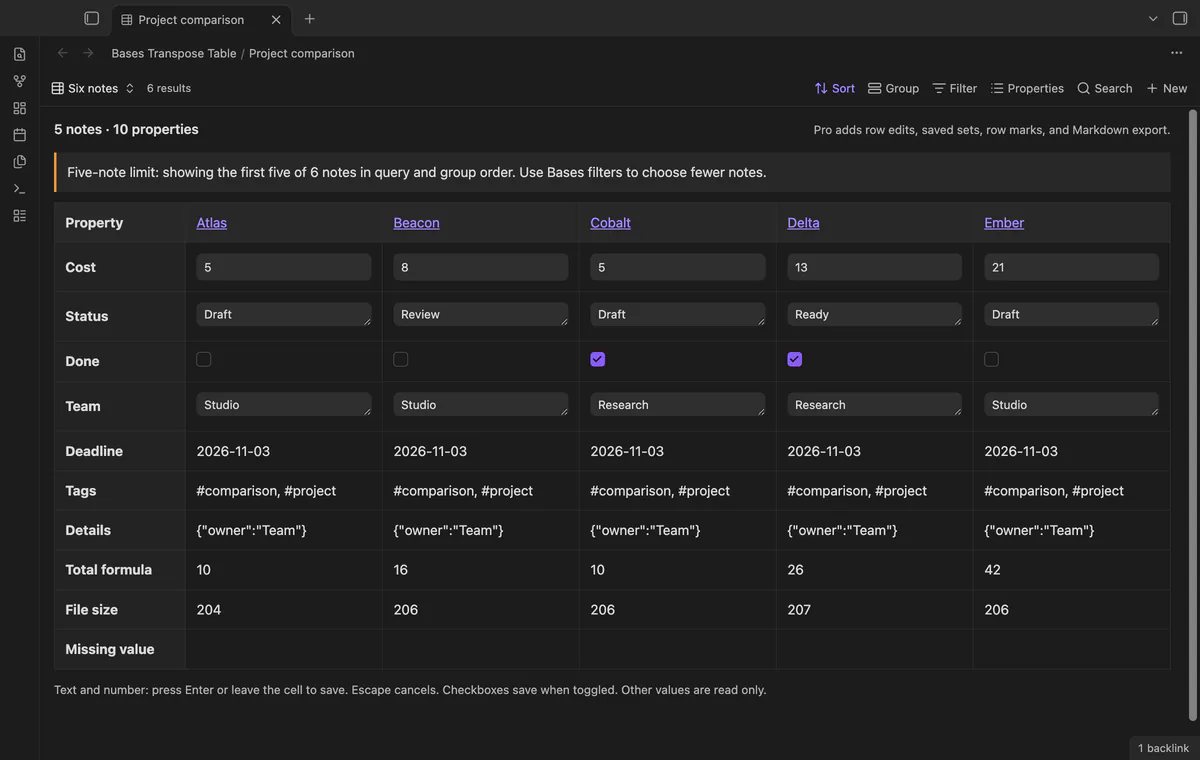
The view shows up to five notes, including with Pro. A larger query shows its first five with a limit message. Group labels follow query order, and wide tables scroll horizontally.
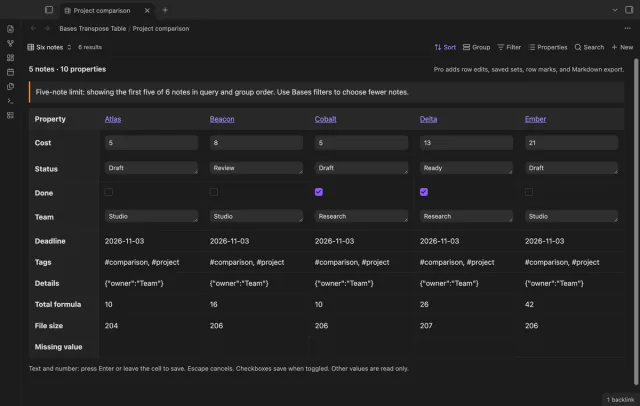
The five-note limit applies to both free and Pro comparisons.
Pro costs $5 a month or $15 one time through GitHub Sponsors. One sponsorship turns on Pro in every plugin that has it.
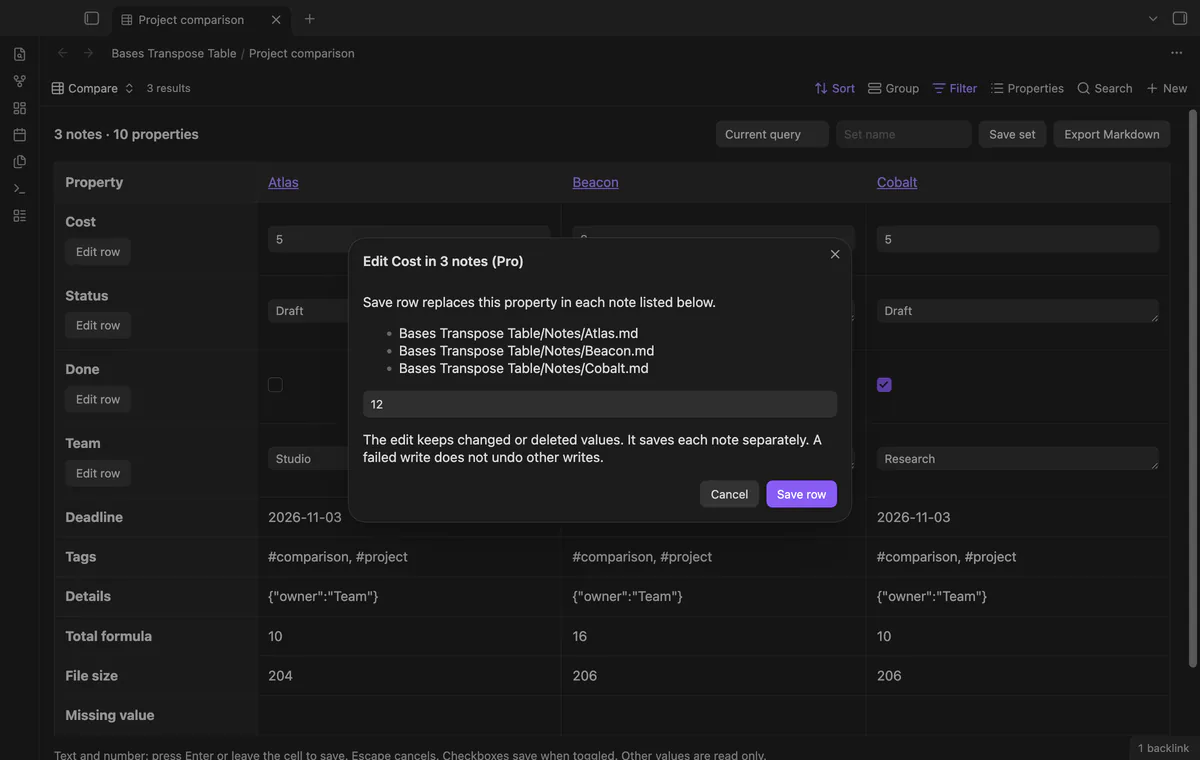
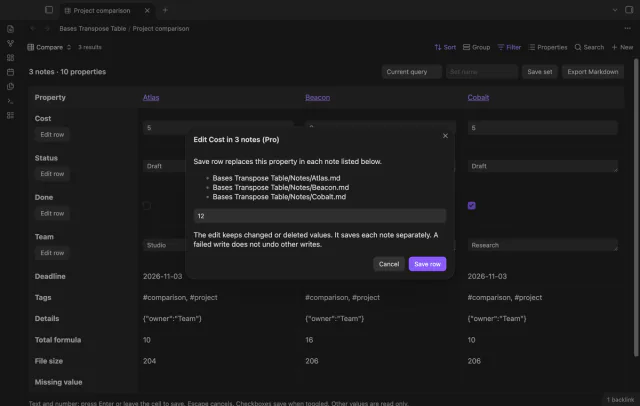
Edit row sets one existing text, number or boolean property across two to five visible notes with matching types. The dialog lists target paths and checks original values before saving. The result reports saved counts and failed paths, and a failed write does not undo other writes.
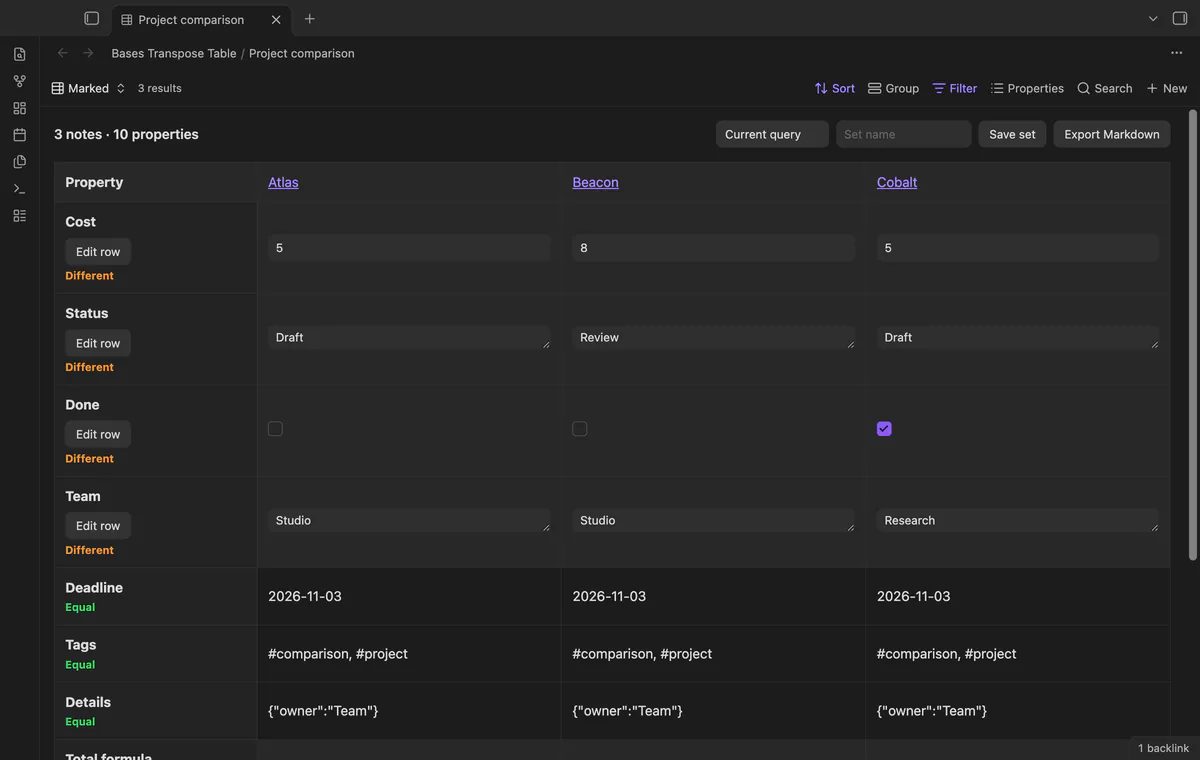
With two or more notes, turn on row marks to label each property Equal or Different. Comparison uses Bases values and their types. The option has no effect without Pro.
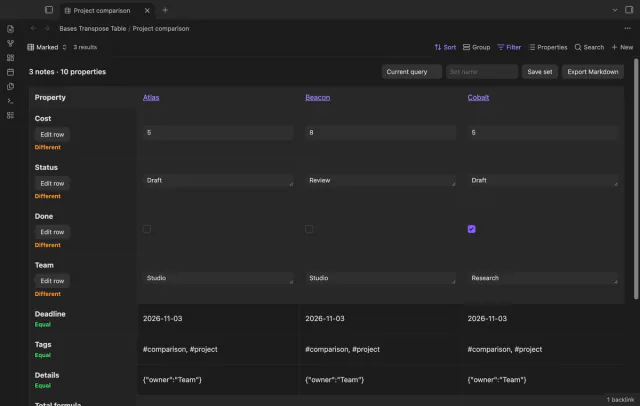
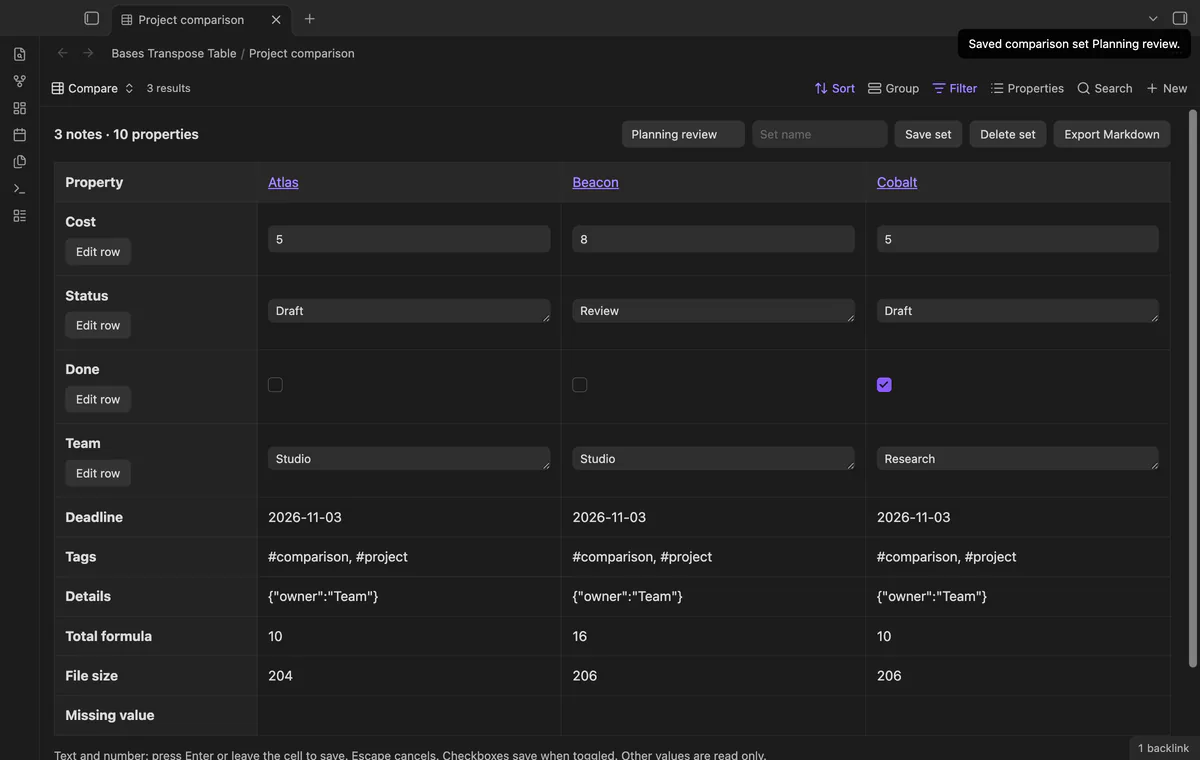
Save the visible note paths as a named set in the base view. A set stays within the current query and retains query order. Missing saved paths produce a count, rather than a list of names.
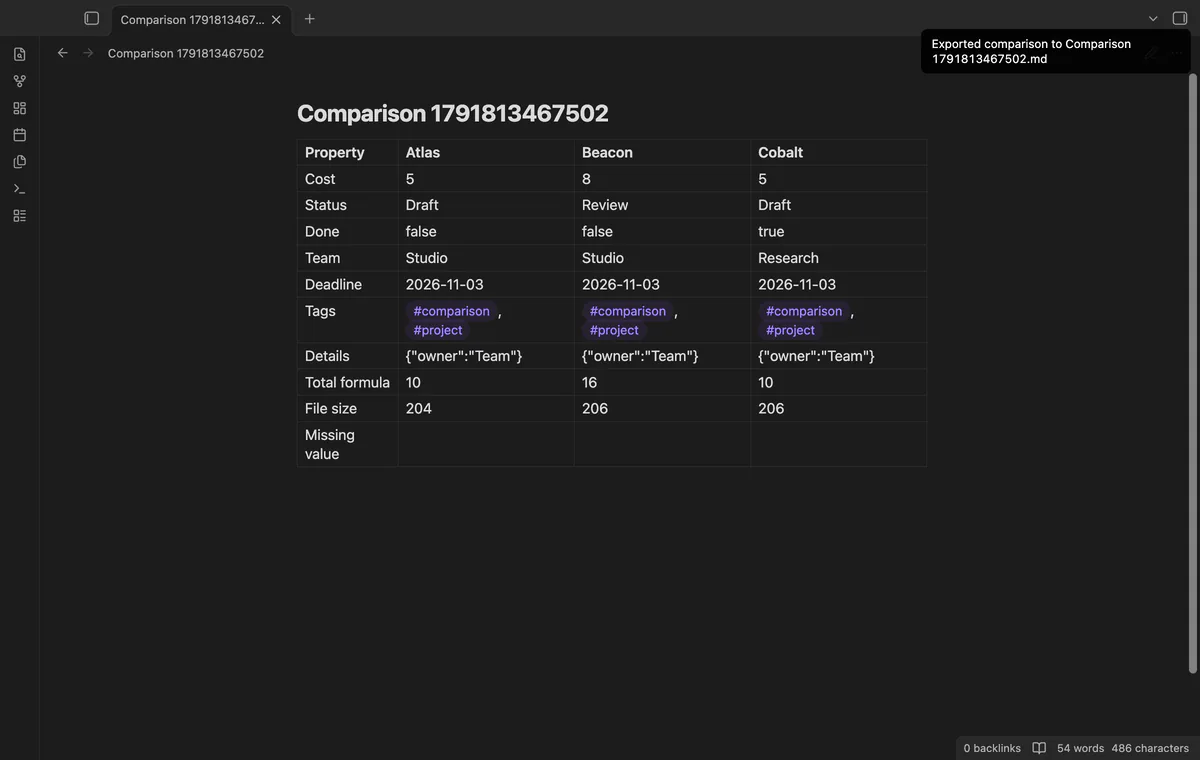
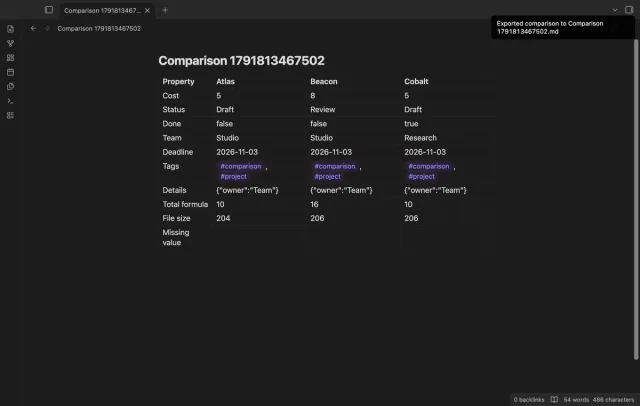
Export creates a new Markdown comparison note from displayed names, labels and values. The result is a snapshot. For a note with several embedded comparisons, use the button on the required view.
needs
steps
Open a base that selects your notes and choose Transpose in its view menu.
Use the properties menu to choose rows and change their order.
Use sorting and filters to choose a comparison of up to five notes.
Edit an existing simple property, then open its source note from the column heading to inspect the result.
If the app can't find a new plugin yet, try again later. Obsidian says a plugin that passes the review shows in the app within 24 hours.
Need a change for your team? I build custom Obsidian plugins and features.
No, the five-note limit applies to Pro too. Narrow the base filter to choose a different comparison.
Missing properties stay read only. Add the property in the source note before editing it in this view.
Each write compares the original stored value with the current value and preserves a changed or deleted property. Row edits report saved counts and failed paths. A failure does not undo other saved notes.
Saved sets keep note paths and do not repair moved or missing paths. They also stay restricted to the current query.
Before GitHub sign-in, the plugin sends nothing; sign-in sends a public client ID and read:user to github.com, then polls for authorization. api.github.com receives an authenticated query for your account, sponsorship tier and total payment; no note content, file names or vault data leaves. Successful checks last 7 days; failed checks retry after 6 hours, and Refresh requests an earlier check.
Tell me what is broken in Bases Transpose Table, or what it should do next.
Bases Transpose Table 1.2.0, MIT license
MIT · no telemetry · core features free
Create notes in Bases with a template and filter values.
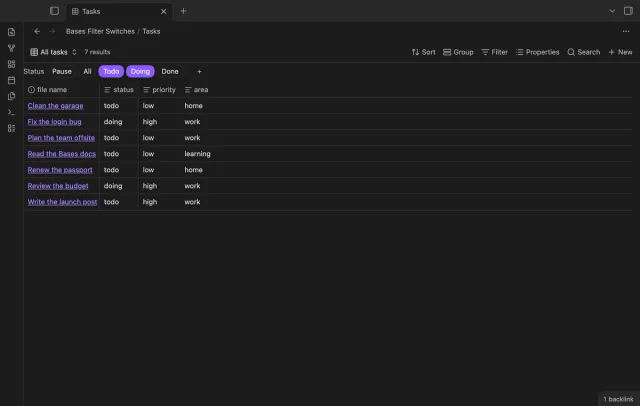
Turn saved Bases filters on or off with switches.