How to draft release notes from commit subjects in Obsidian
As of October 2026, the Obsidian core plugin list describes no commit subject grouper.
As of October 2026, the Obsidian file format list has no plain .json type, so a lockfile does not open as a note. A plugin can read two lockfiles in the vault and save their version changes as a Markdown report.
Lockfile Upgrade Notes has Pro, and $15 one time turns it on in all 129 plugins.
A dependency update changes many rows in package-lock.json. A project note needs the packages that were added, removed or moved to another version. The raw file does not show that list.
Obsidian supports Markdown, Bases, JSON Canvas, image, audio, video and PDF files. Other formats need community plugins.
The core File recovery plugin keeps snapshots of a file. Its Show changes toggle displays what was added, removed or modified between two snapshots.
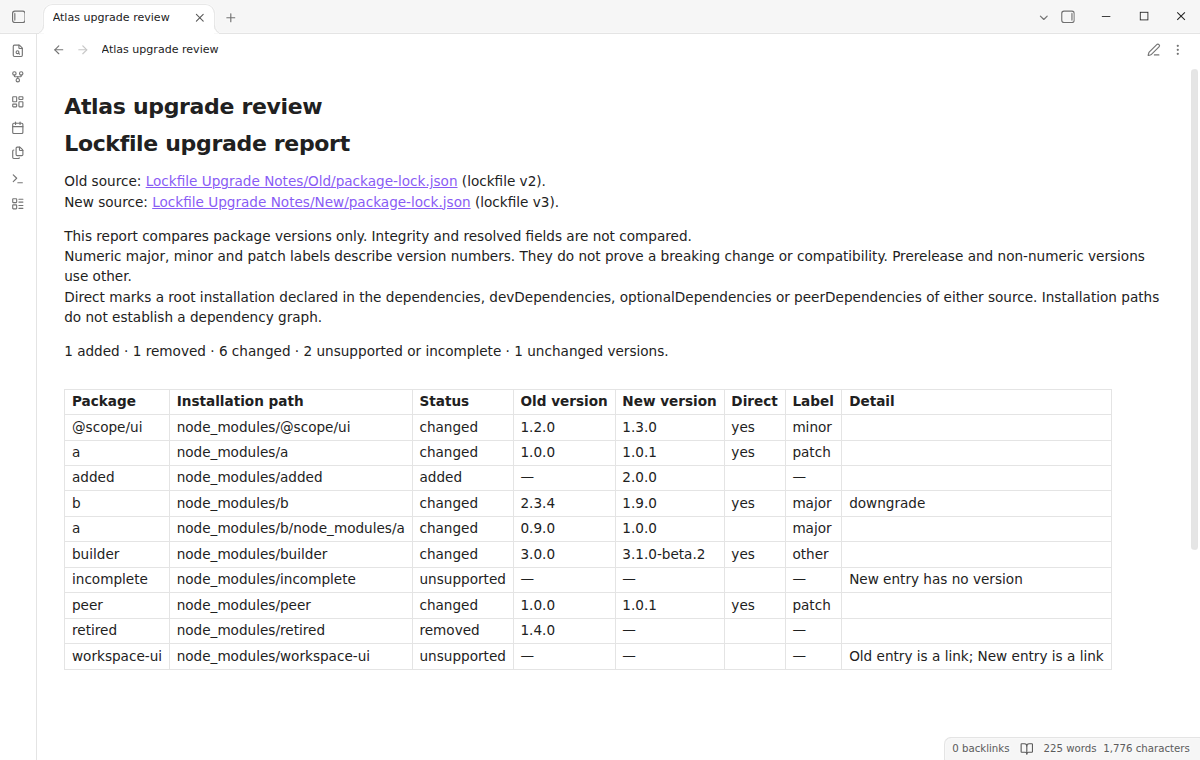
.md and .canvas files. It gives no comparison of two separate lockfiles.Lockfile Upgrade Notes compares two npm lockfiles of version 2 or 3 in your vault. It lists additions, removals and version changes by installation path, with major, minor, patch, other and downgrade labels.
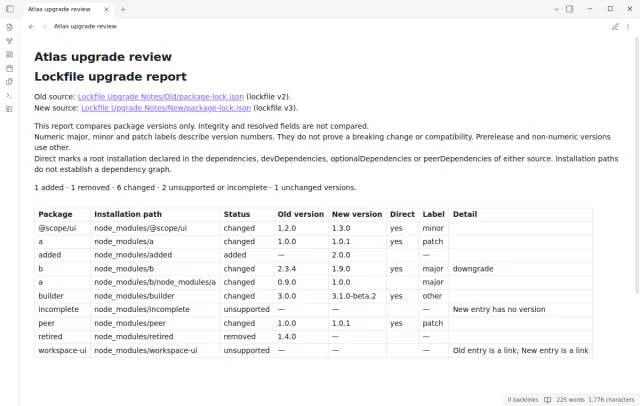
Create report saves a Markdown note with counts, version rows and links to both source files. The lockfiles stay unchanged, and the plugin does not run npm.
MIT · no telemetry · core features free
Open Settings, then Community plugins, and turn off restricted mode.
Select Browse, search for Lockfile Upgrade Notes, then select Install and Enable. It needs Obsidian 1.13.4 or later.
Copy the two snapshots into your vault, for example Old/package-lock.json and New/package-lock.json.
Run Lockfile Upgrade Notes: Compare vault lockfiles from the command palette. Choose the old and new files, then select Compare versions.
Review the labels and the unsupported entries. Select Create report to save and open the note.
No. A plain numeric version gets major, minor or patch from the first part that differs. These labels do not establish compatibility or a breaking change. Use project tests and package documentation for that.
The parser accepts npm lockfiles of version 2 and 3 with a packages object. Version 1 and malformed JSON give an error. The README lists yarn and pnpm lockfiles as not tested.
Lockfile Upgrade Notes keeps root and nested installations as separate rows. Only a root installation listed in the project dependencies gets the direct mark. The plugin does not infer a dependency graph from the paths.
 That's every step, start to finish.
This guide uses Lockfile Upgrade Notes. Pro adds "Named file pairs" and "Local project baselines". One payment of $15 turns on Pro in 129 plugins.
This guide uses Lockfile Upgrade Notes. Pro adds "Named file pairs" and "Local project baselines". One payment of $15 turns on Pro in 129 plugins.
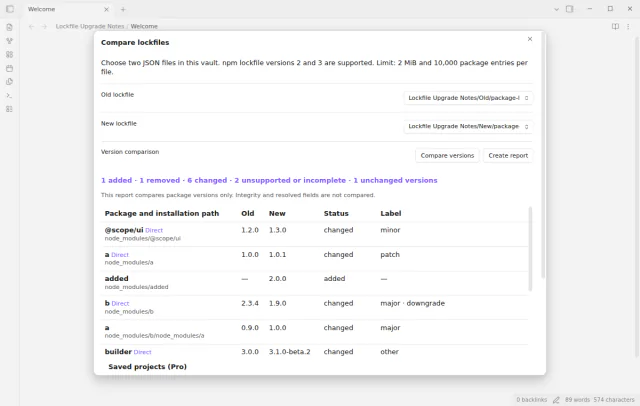
Compare two npm lockfiles in your vault and save added, removed and changed packages as a note.