How to import OPML outlines into Obsidian
Convert each outline root into a Markdown note, with its children as nested lists.
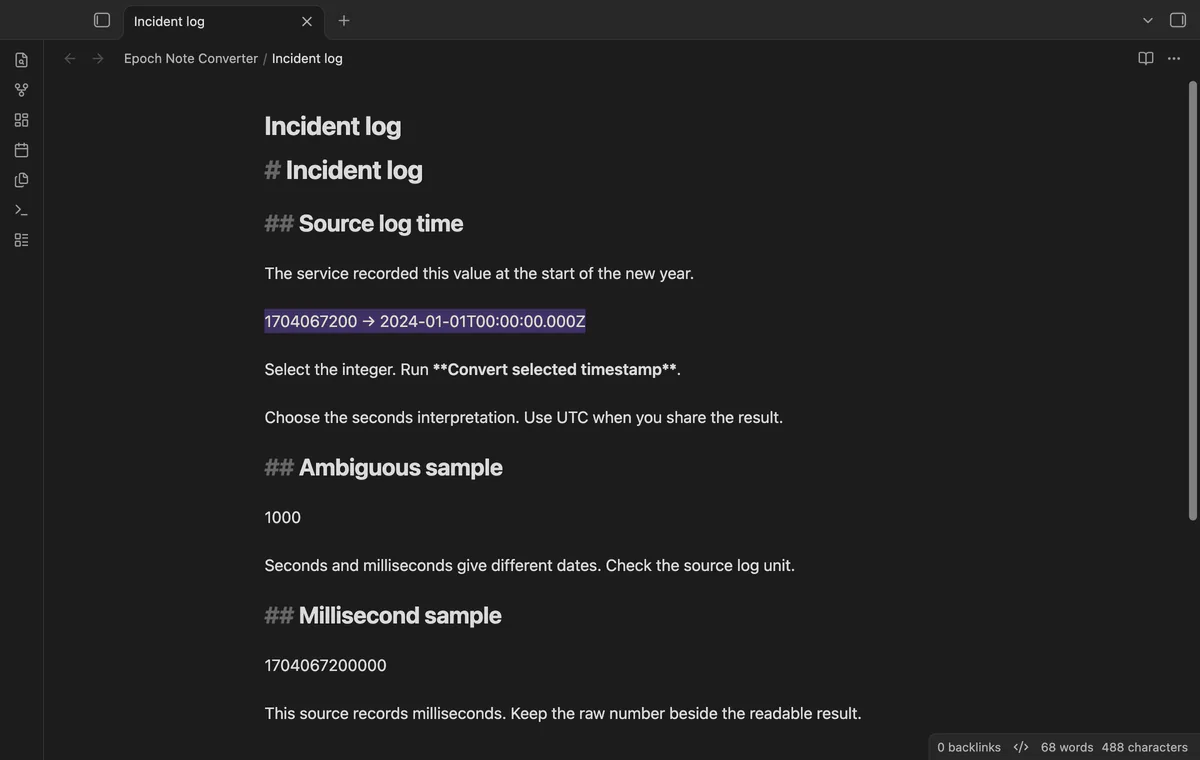
Confirm whether your source uses seconds or milliseconds before converting the number. As of October 2026, Obsidian can hold the source and readable result together in a Markdown note. Epoch Note Converter previews both units and lets you apply a chosen value.
The number 1000 can describe one second after the epoch or sixteen minutes and forty seconds after it. A valid date can't prove which unit your source used.
In a browser console, new Date(1000).toISOString() returns the UTC value for 1000 milliseconds. Multiply a seconds value by 1000 before passing it to Date.
Select the integer and open the conversion preview. Choose a labeled unit and zone, then insert beside the original or replace the selection.
MIT · no telemetry · core features free
Open a Markdown note in an editor.
Select one signed integer.
Run Convert selected timestamp from the command palette.
Choose the unit used by your source and a UTC or local result.
Select Insert beside original or Replace selection.
UTC provides an explicit result ending in Z. If you choose a local result, retain its numeric offset for later interpretation.
A Pro column choice applies one unit to its rows. Use separate selections when the source mixes seconds and milliseconds.
 You can now convert Unix timestamps in Obsidian.
You're officially a regular.
Obsidian rewards people who share. NoteMods is just me and a lot of coffee. If this guide saved you a fight with the syntax, buy me a cup.
That's visit . Regulars are the reason I keep NoteMods running. If it's part of your routine now, a coffee says thanks better than anything.
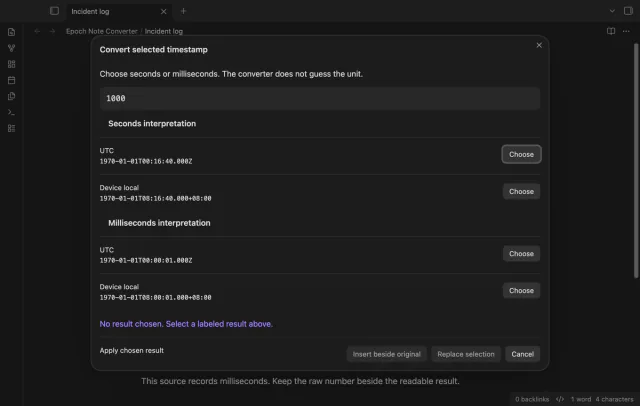
Compare timestamp units and time zones before you insert a date.