How to show a block embed inline in an Obsidian sentence
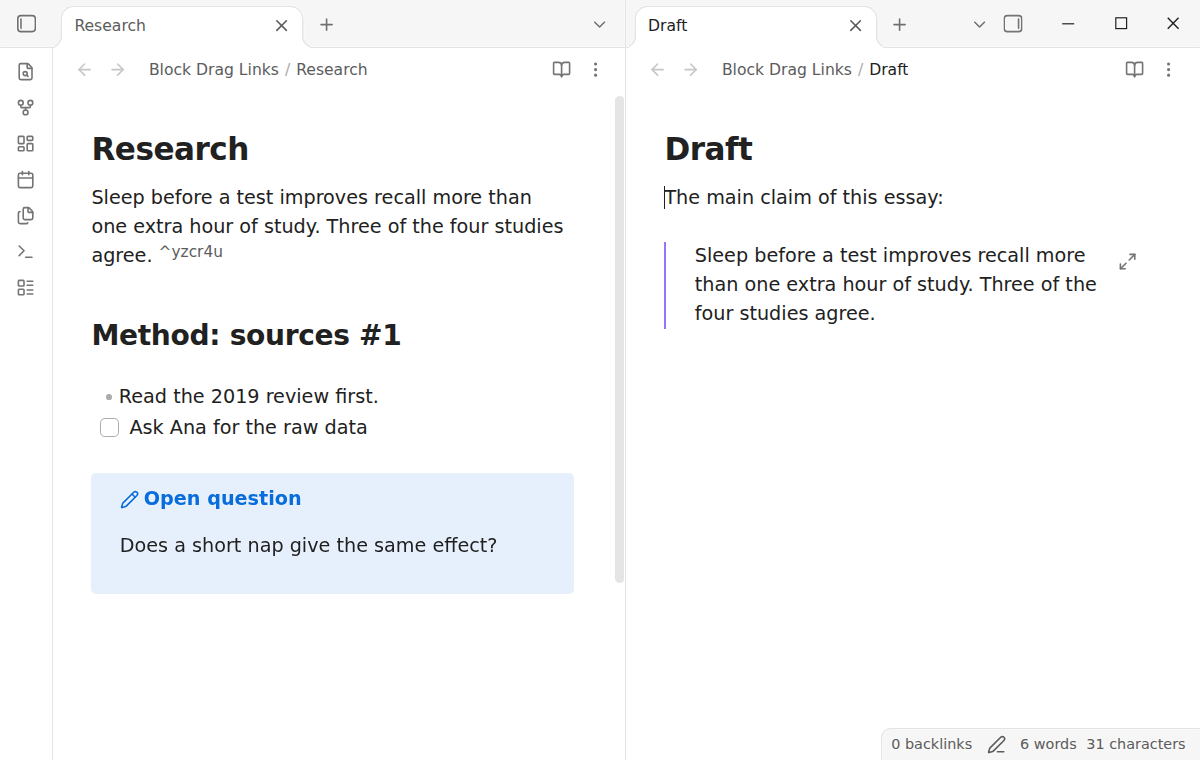
As of October 2026, Obsidian draws a block embed as a framed box on its own line, even in the middle of a sentence.
As of October 2026, Obsidian cannot drag a paragraph or list item from the editor into another note as a link. You type [[Note#^ and pick the block from the suggestions instead. A desktop plugin adds a drag handle that makes the link and the block ID.
Block Drag Links has Pro, and $15 one time turns it on in all 129 plugins.
The forum request "Create references for headers or blocks by drag-and-drop" opened on 20 October 2020. Its first post asks for a block reference when you drag text from one note to another.
Type [[, the note name and #^, then pick the block from the list. Obsidian adds an ID such as ^37066d to the block and completes the link. You can also write a readable ID by hand, such as ^quote-of-the-day.
A heading link needs no ID. The Block Drag Links README notes that a drop from the Outline view gives a heading link.
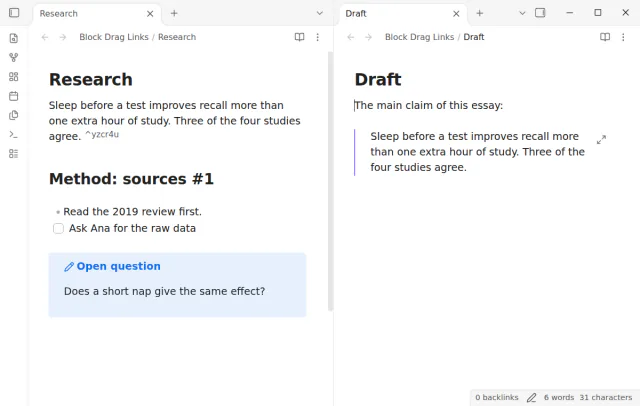
Block Drag Links shows a handle at the left of the block under the pointer. Drag it into another note, and the drop inserts a link such as [[Research#^k3x9qa]]. The source block gets a new 6 character ID if it had none.
Hold Ctrl, or Cmd on macOS, when you release to insert an embed instead. A heading drop gives a heading link, and the source note does not change.
MIT · no telemetry · core features free
Open Settings, then Community plugins, and turn off restricted mode.
Select Browse, search for Block Drag Links, then select Install and Enable. It needs Obsidian 1.13.4 or later on a desktop computer.
Open the source note and the target note side by side.
Move the pointer over a heading or a block in the source note until a handle shows at its left.
Drag the handle to the place in the target note where the link goes, and release it. Hold Ctrl or Cmd before you release to insert an embed.
Only when the block has no ID. Block Drag Links then adds the ID at the end of a paragraph, or on its own line after a quote, callout or table. A block that has an ID keeps it, and a heading needs none.
The plugin cannot add a block ID to code, math, comments, HTML or the note properties safely. So it shows no handle there. Put the block in a callout, or link to the heading above it.
No. Block Drag Links is for desktop only. A long press on a touch screen opens the menu and selects text, and it does not start a drag.
 That's every step, start to finish.
This guide uses Block Drag Links. Pro adds "Drag every block of a selection" and "Readable block IDs". One payment of $15 turns on Pro in 129 plugins.
This guide uses Block Drag Links. Pro adds "Drag every block of a selection" and "Readable block IDs". One payment of $15 turns on Pro in 129 plugins.
Drag a block or heading into another note to get a link, or hold Ctrl or Cmd for an embed.