How to find text in Obsidian embeds
As of October 2026, core Search finds text in file contents; its help lists no operator for expanding embeds into containing-note results.
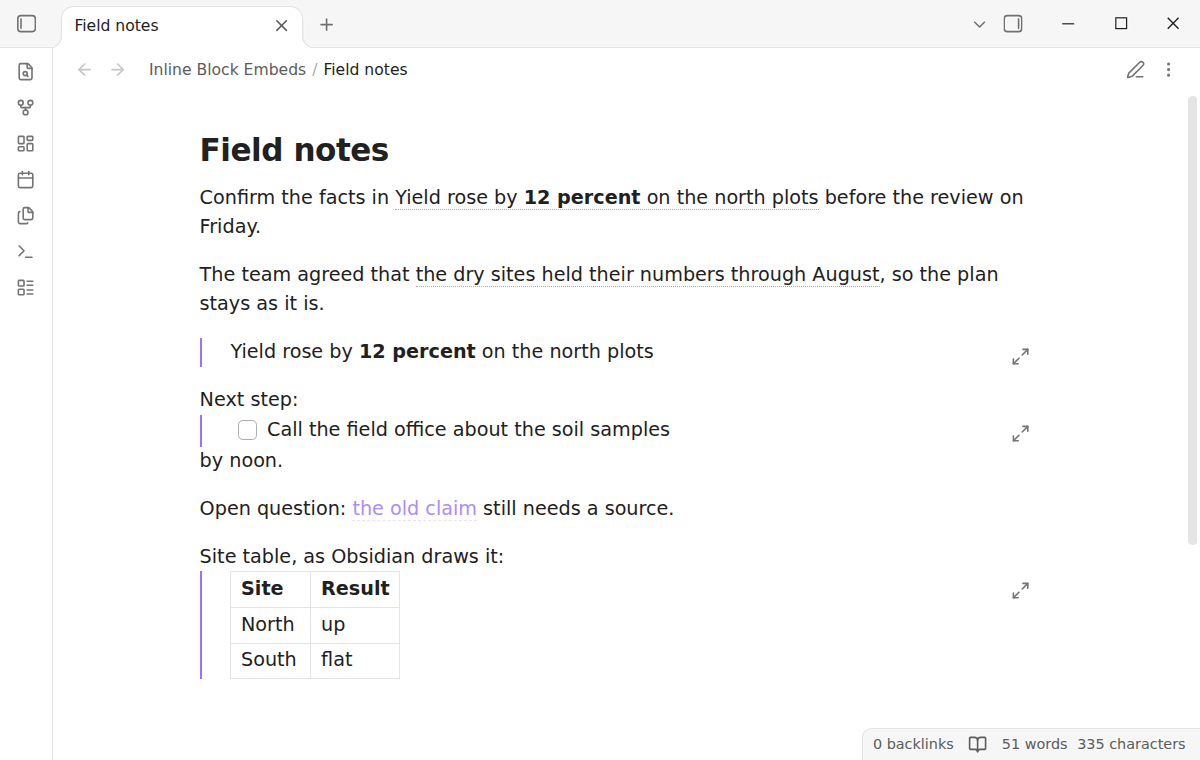
As of October 2026, Obsidian draws a block embed as a framed box on its own line, even in the middle of a sentence. Core Obsidian has no setting that shows the block text inside the line. A block link stays inline, and a plugin can draw the embed as text in the sentence.
Inline Block Embeds has Pro, and $15 one time turns it on in all 129 plugins.
The forum topic "A proposal for rendering block embeds inline" opened in November 2021. On 8 November 2026 it had 569 likes, 107 posts and 19,850 views.
Posters in that topic tried CSS. In January 2023 one wrote that a CSS hack stopped working after an update. In June 2023 another called the CSS hack not sustainable.
Leave out the exclamation mark and write [[Note#^id]]. The link stays in the sentence, and the core page preview shows the block when you hover over it.
The Obsidian help on internal links explains how to add a block id. End a paragraph with a space, a caret and the id.
Obsidian loads CSS snippets from the snippets folder of the vault. You turn each one on under Settings, in Appearance. Forum posters wrote snippets that remove the frame of an embedded block.
Inline Block Embeds shows the text of a paragraph block inside the sentence, with a dotted underline. It works in Live Preview and in Reading view, and PDF export from Reading view keeps the text.
Hover shows the source block in the core page preview, and Ctrl or Cmd click opens it in a new tab. The plugin never writes to your notes.
MIT · no telemetry · core features free
Install Inline Block Embeds from Community plugins and enable it. It needs Obsidian 1.13.4 or later.
Give the source paragraph a block id. End the paragraph with a space and ^id.
In another note, write a sentence with a block embed in it, such as [[Note#^id]] with an exclamation mark in front. Add |alias to name it.
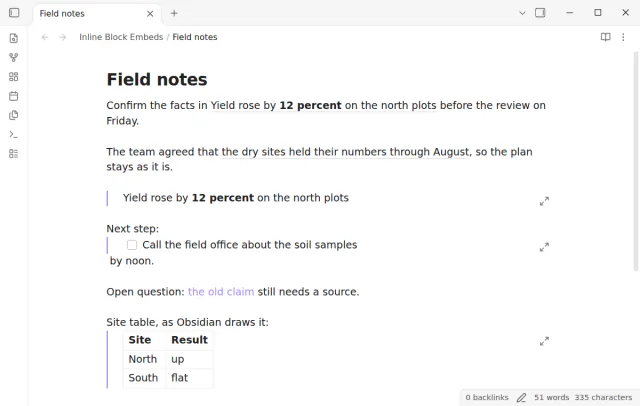
Read the sentence in Live Preview or Reading view. The block text sits in the line with a dotted underline.
To edit the raw link, put the cursor in the embed. The full embed link comes back.
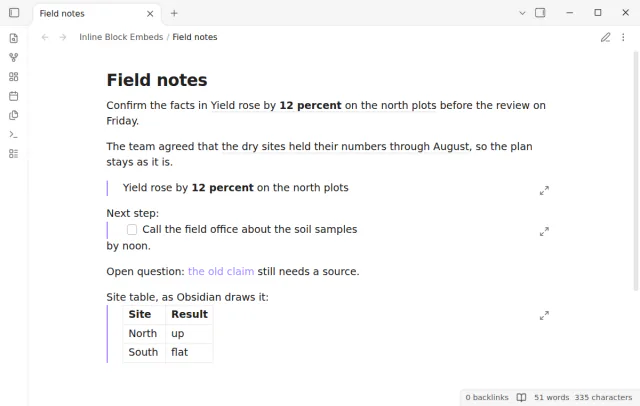
Obsidian draws every block embed as a box with a frame. The box takes its own line, so the text before and after it splits in two. No core setting changes this, as of October 2026.
Inline Block Embeds follows nested embeds three levels deep. At the fourth level, or when a block comes back to itself, it shows the link text and stops. So a loop cannot freeze the editor.
The plugin shows the alias, or the link text such as Sources#^old-claim. It uses the faded style of an unresolved link. Create the block, and the text fills in.
 That's every step, start to finish.
This guide uses Inline Block Embeds. Pro adds "List items" and "Every embed inline and styles". One payment of $15 turns on Pro in 129 plugins.
This guide uses Inline Block Embeds. Pro adds "List items" and "Every embed inline and styles". One payment of $15 turns on Pro in 129 plugins.
Read an embedded block as text in your sentence, with a hover preview and a jump to the source.