How to show headings from embedded notes in the Obsidian outline
The core Outline can't show them, as of October 2026.
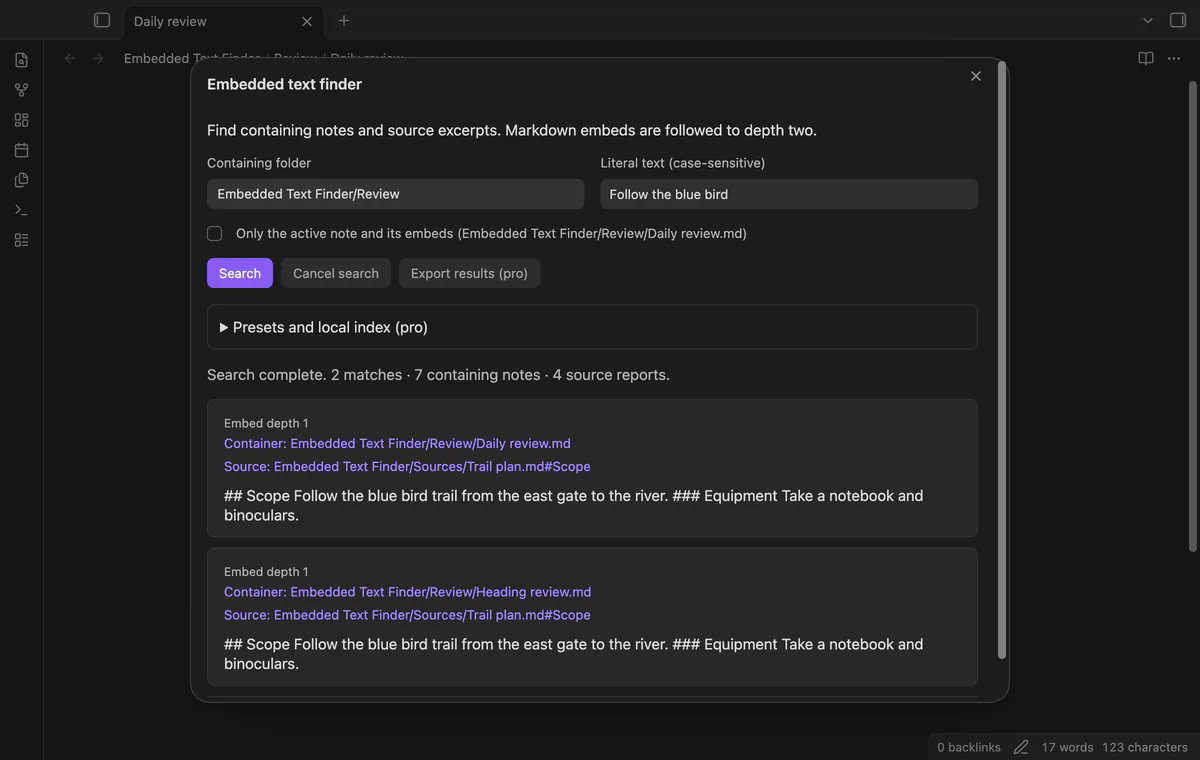
As of October 2026, core Search finds text in file contents; its help lists no operator for expanding embeds into containing-note results. Search the source phrase first, or use Embedded Text Finder to return containers through two embed levels.
A review can embed an observation without storing its text in the review body. The plugin README uses a daily review and a bird observation to explain this gap.
In core Search, surround the phrase with quotes for an exact match. Open the matching source and inspect your review’s embed links when you know which review to check.
Select a containing folder and enter the phrase without search operators. The plugin returns source excerpts beside their containers and follows static Markdown wikilink embeds to depth two.
MIT · no telemetry · core features free
Run Find text in notes and embeds from the command palette.
Select the containing folder and enter your phrase with the same letter case as the source.
Select Search, or press Enter in the text field.
Select Container or Source to open a result, and read source reports for gaps.
Core Search uses quotation marks to match an exact phrase. In Embedded Text Finder, type the phrase directly because quotation marks count as literal text.
Yes, the chosen folder limits containers and includes their subfolders. Embed sources can come from another folder in the same vault.
Cancel stops further search work and marks the returned list as partial. Run Search again when you need the completed result list.
 You can now find text in Obsidian embeds.
You're officially a regular.
Obsidian rewards people who share. NoteMods is just me and a lot of coffee. If this guide saved you a fight with the syntax, buy me a cup.
That's visit . Regulars are the reason I keep NoteMods running. If it's part of your routine now, a coffee says thanks better than anything.
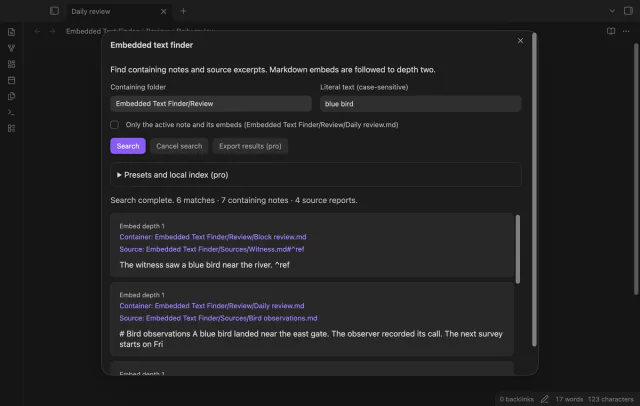
Find notes through text in their Markdown embeds.