How to show checklist tasks in Obsidian Bases
Bases can't list the checklist tasks inside your notes on its own, as of October 2026.
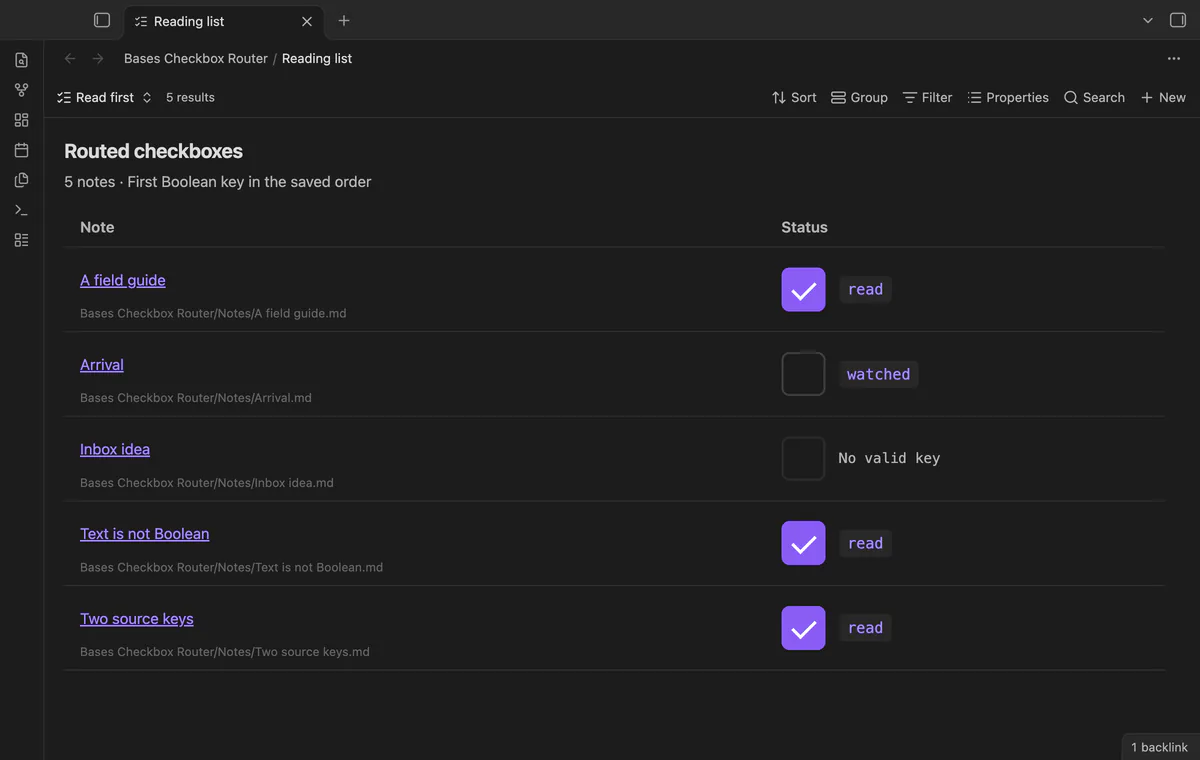
As of October 2026, Obsidian supports Boolean checkbox properties and Bases tables with a column for each property. Keep read and watched separate, or use Bases Checkbox Router to edit existing Boolean keys through one column.
Books and films can use different status keys in the same base. A routed control lets you keep those names while checking which source property it will change.
Open a note and find its read or watched property. Obsidian checkbox properties use true or false values and display as checkboxes in Live Preview.
The core Table view displays files as rows and properties as columns. Show read and watched separately, then focus a checkbox cell and press Enter to toggle it.
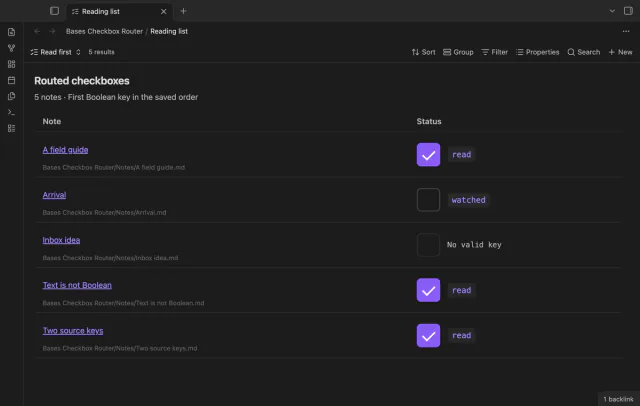
Add a Checkbox router view and enter watched followed by read. The first existing Boolean property supplies the control, and its key appears beside it.
False remains a valid Boolean; quoted text doesn't qualify. Pro can select main-column keys by note type or add extra routed columns.
MIT · no telemetry · core features free
Create the Boolean properties you want to edit in your source notes.
Enable Bases Checkbox Router with the Bases core plugin enabled.
Open a base and filter it to the notes you need.
Add a Checkbox router view.
Enter the property keys in order and check the displayed source labels.
Change a value; if the row reports a refresh, inspect the current source before trying again.
It has no existing Boolean property from the selected key list, or its properties could not be read. Create the intended Boolean in the note or correct the key list.
Pro supports rules such as book=read and movie=watched. The first matching string type rule supplies its keys. A type without a matching rule uses the free order.
 That's every step, start to finish.
You're officially a regular.
Obsidian rewards people who share. NoteMods is just me and a lot of coffee. If this guide saved you a fight with the syntax, buy me a cup.
That's visit . Regulars are the reason I keep NoteMods running. If it's part of your routine now, a coffee says thanks better than anything.
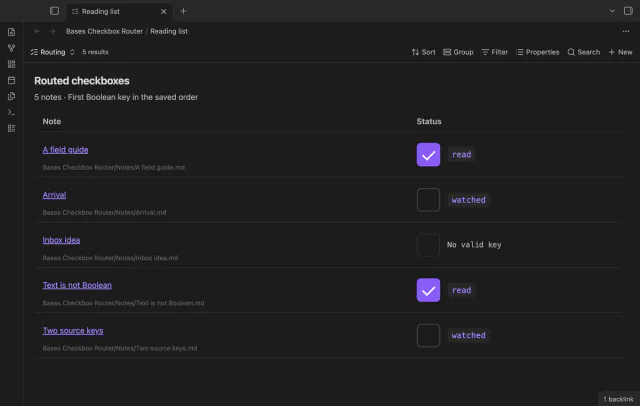
Change read or watched from one Bases column.