How to archive saved Annotator data as local JSON
As of October 2026, Source mode lets you inspect the Markdown stored in an Obsidian note.
As of October 2026, Obsidian supports code blocks enclosed by backticks or tildes. Copy their bodies into files manually, or use Fence File Export to preview and create named targets.
A note can hold a script and configuration together, but the next step may need separate files. Keep the note as your source.
Open your note in Source mode to see its Markdown syntax. Copy each code block body into a new file with your chosen editor.
Add a double-quoted file attribute to each top-level fence, then preview the target paths and complete text. Blocks sharing a path join in note order.
MIT · no telemetry · core features free
Open a Markdown note with a top-level named fence, such as a Python fence with file="main.py".
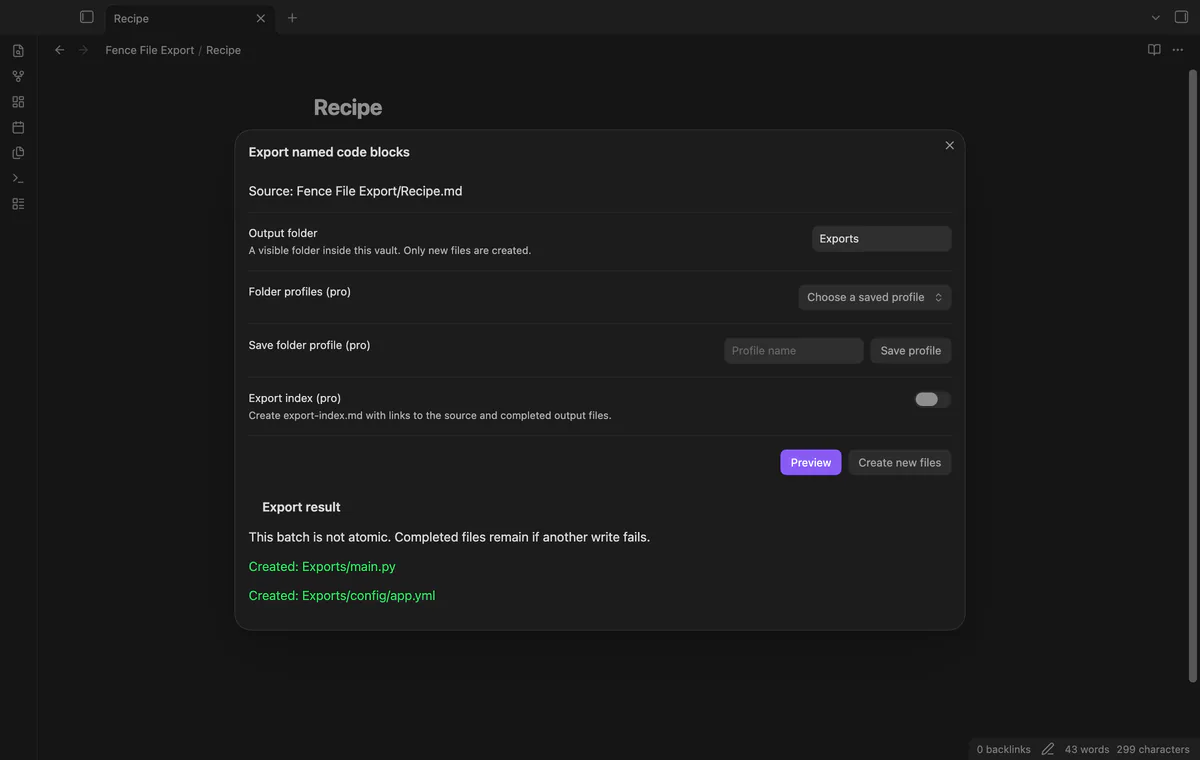
Run Preview named code blocks from the command palette.
Enter an output folder and review the target text and rejected blocks.
Select Create new files, then read the completed and failed paths.
Give both fences the same target path. Fence File Export joins their bodies in note order with one extra newline between them.
The plugin writes text files without formatting or compiling them. Review the output separately before using it.
 You can now export code blocks as files.
You're officially a regular.
Obsidian rewards people who share. NoteMods is just me and a lot of coffee. If this guide saved you a fight with the syntax, buy me a cup.
That's visit . Regulars are the reason I keep NoteMods running. If it's part of your routine now, a coffee says thanks better than anything.
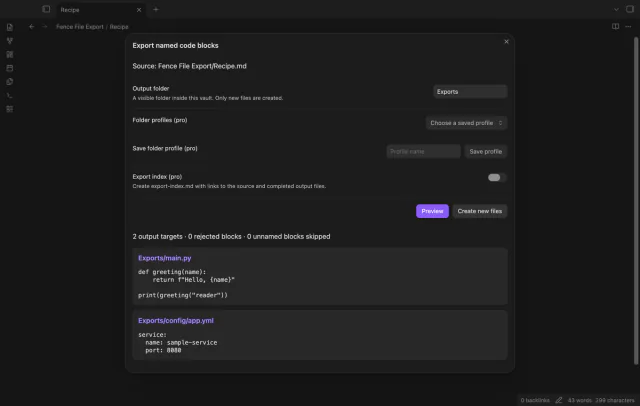
Preview named code blocks and write them to new files in your vault.