How to import a RedNotebook journal into Obsidian
As of October 2026, you can keep journal text in Markdown paragraphs and dated note files.
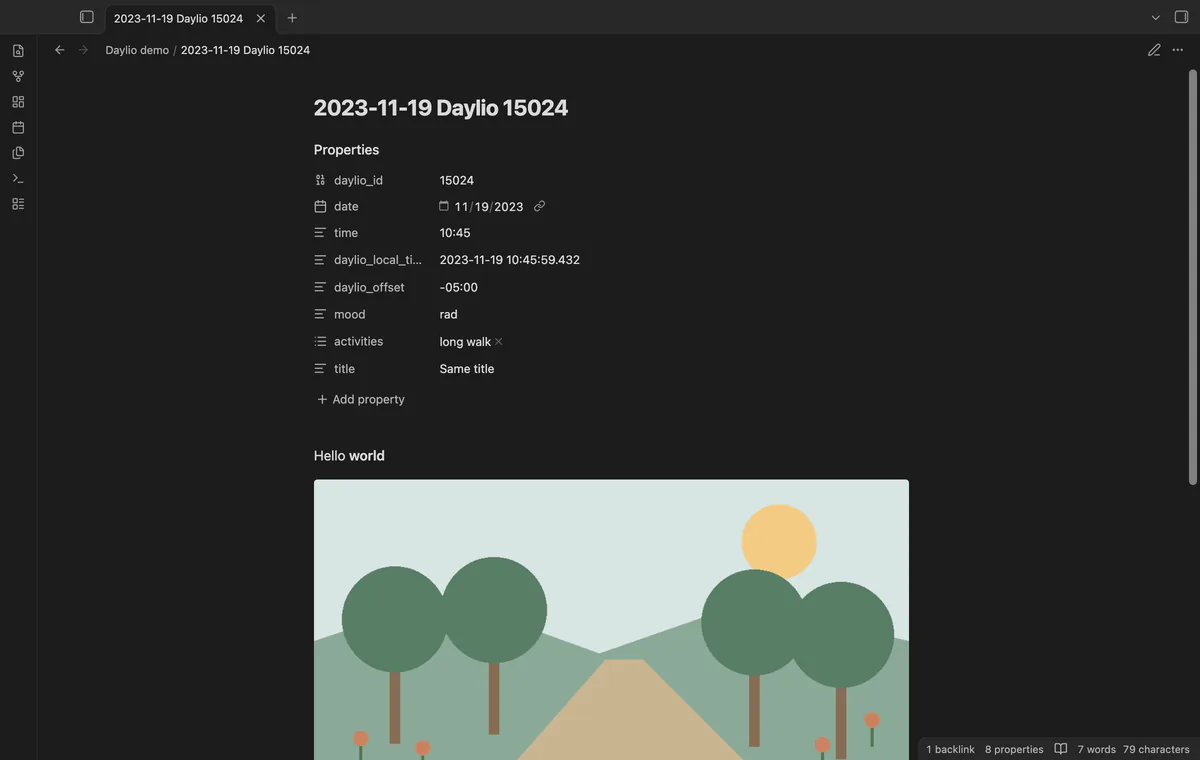
As of October 2026, you can write journal entries as Markdown notes. Daylio Backup Import reads Android schema version 15 and creates notes with source IDs and referenced photos.
Keep the backup until you have checked the imported notes and photos. The plugin’s tests used synthetic Android version 15 data.
For a few entries, copy their text into Markdown notes. Separate paragraphs with blank lines and add headings where useful.
This Python tool reads Daylio CSV exports and creates one Markdown file per day. It groups entries into year and month folders.
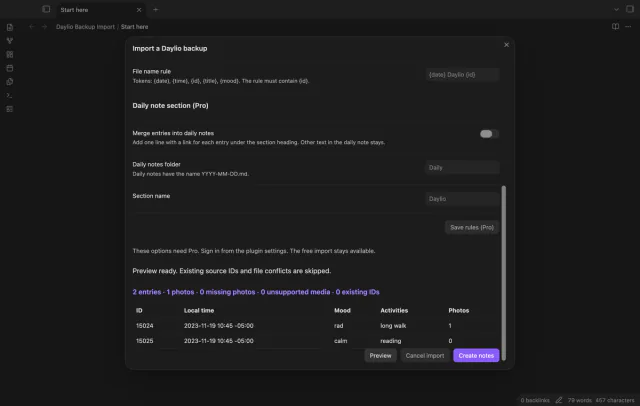
Select a local Android Daylio backup using schema version 15. Preview its entries and media reports before creating notes keyed by source ID.
MIT · no telemetry · core features free
Make a local Android Daylio backup and copy it to your Obsidian device.
Run Import a Daylio backup and select the file.
Check the folder, entry counts and media reports.
After changing a folder or Pro option, select Preview again.
Select Create notes, then inspect an imported note and its photo.
The source ID distinguishes entries with the same title and time. A Pro file name rule must keep the ID token too.
Pro adds linked lines under a named daily-note section. Those lines carry source block IDs so a repeat import can skip duplicate lines.
 You can now import a Daylio backup.
You're officially a regular.
Obsidian rewards people who share. NoteMods is just me and a lot of coffee. If this guide saved you a fight with the syntax, buy me a cup.
That's visit . Regulars are the reason I keep NoteMods running. If it's part of your routine now, a coffee says thanks better than anything.
Import Daylio entries with moods and photos.