How to import a Daylio backup into Obsidian
As of October 2026, you can write journal entries as Markdown notes.
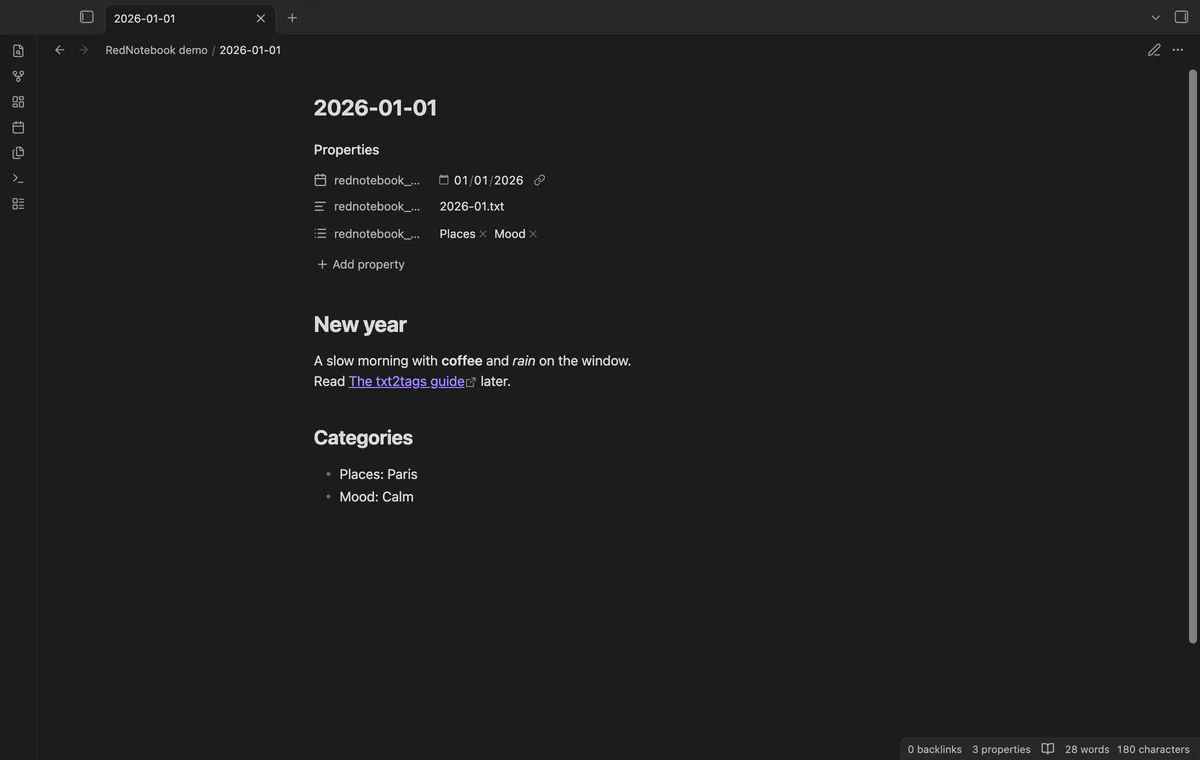
As of October 2026, you can keep journal text in Markdown paragraphs and dated note files. RedNotebook Backup Import converts supported monthly YAML from a local ZIP.
Keep the original backup until you have checked the imported notes. This importer’s tests used synthetic journals rather than backups made by RedNotebook.
For a small set of days, copy the journal text into notes. Use Markdown headings and paragraphs to organize the entries.
RedNotebook’s Journal menu exports plain text, HTML or LaTeX. Use plain text if you want to transfer journal prose without reading monthly YAML.
Select a local RedNotebook backup ZIP and check its dates, conflicts and markup reports. Create a note for each day with text or categories.
MIT · no telemetry · core features free
Make a RedNotebook backup ZIP and keep a copy.
Run Import a RedNotebook backup.
Select the ZIP and check the folder, counts and markup reports.
After changing the folder, select Preview again.
Select Create notes and read the result counts.
The import can copy month YAML into RedNotebook source inside your import folder. A setting lets you turn those copies off.
This version converts basic headings, bold, italic and links. Other forms remain with reports for your review.
 You can now import a RedNotebook journal.
You're officially a regular.
Obsidian rewards people who share. NoteMods is just me and a lot of coffee. If this guide saved you a fight with the syntax, buy me a cup.
That's visit . Regulars are the reason I keep NoteMods running. If it's part of your routine now, a coffee says thanks better than anything.
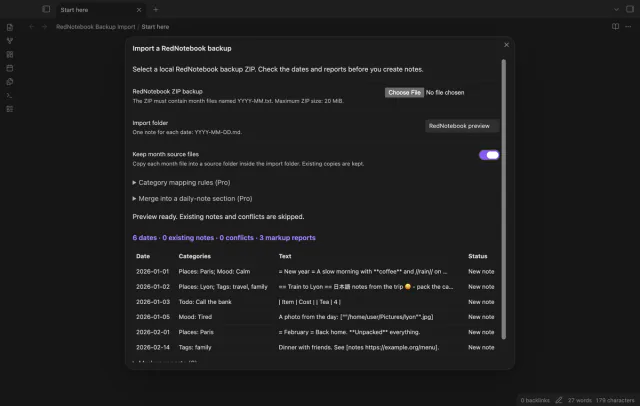
Preview a local backup ZIP and import dated notes with categories.