How to import OPML outlines into Obsidian
Convert each outline root into a Markdown note, with its children as nested lists.
Read a supported local backup into dated Markdown notes, then compare sample entries with the source journal. As of October 2026, Obsidian links to community Diaro migration guidance and accepts Markdown notes. Diaro Backup Import previews version 2 ZIP backups before writing notes and supported photos.
Journal entries can depend on source dates and attachment records as well as their text. This importer keeps original time fields while using UTC dates for filenames.
For a small selection, prepare Markdown notes from your source entries and move them into the vault. Obsidian documents moving Markdown files directly.
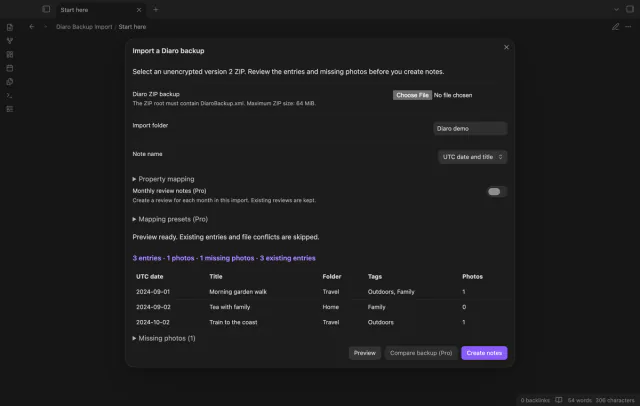
Select a supported unencrypted ZIP and review missing photos, counts and file conflicts. Create dated notes, then inspect the result and sample images.
MIT · no telemetry · core features free
Make an unencrypted Diaro ZIP backup and keep a copy.
Run Import a Diaro backup from the command palette.
Select the ZIP and review the folder, counts and warnings.
Adjust naming or property mapping if needed, then preview again.
Select Create notes and check the result counts, errors and sample photos.
The importer uses UTC for its filename date. It retains source offset fields without interpreting their unit.
The later backup lacks that source ID. This doesn't prove that you deleted the entry in Diaro.
The importer keeps its contents and reports the path as an error. New reviews include only entries created during their import run.
 You can now import Diaro backups into Obsidian.
You're officially a regular.
Obsidian rewards people who share. NoteMods is just me and a lot of coffee. If this guide saved you a fight with the syntax, buy me a cup.
That's visit . Regulars are the reason I keep NoteMods running. If it's part of your routine now, a coffee says thanks better than anything.
Import local Diaro backups as dated notes.