How to import OPML outlines into Obsidian
Convert each outline root into a Markdown note, with its children as nested lists.
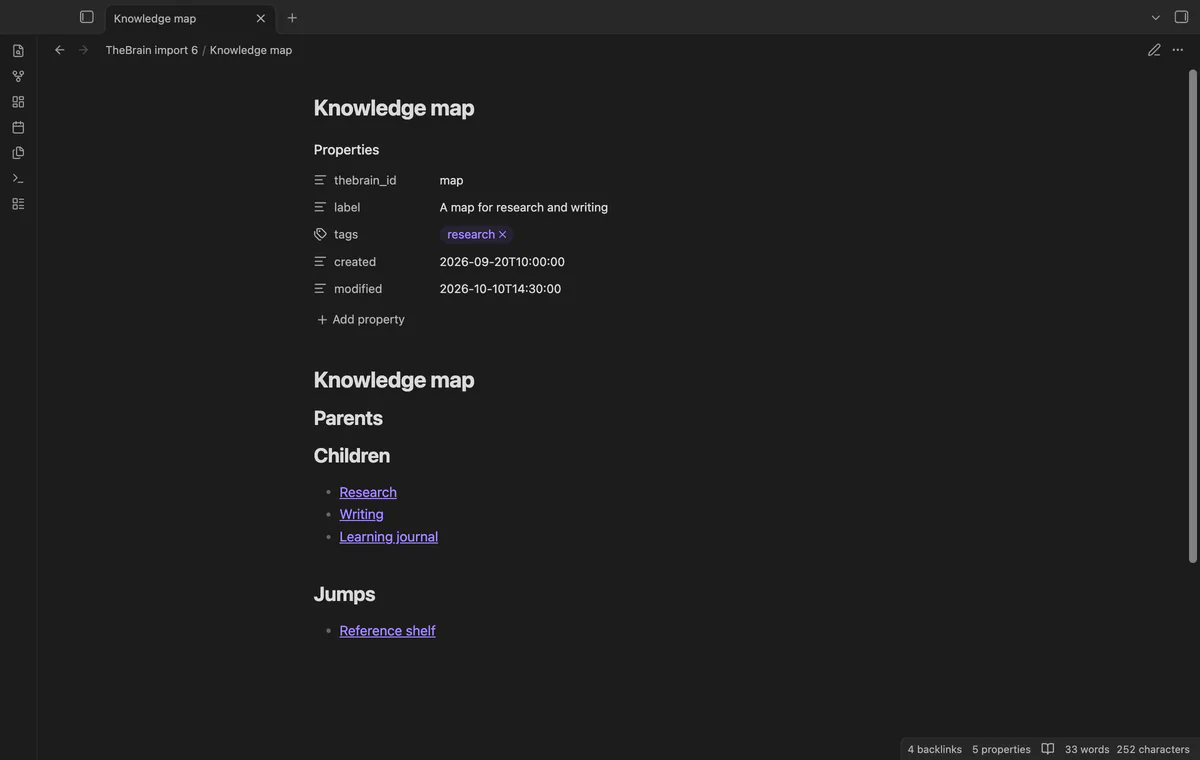
Create one Markdown note per thought and use note links to represent its supported relations. As of October 2026, Obsidian links to community TheBrain migration guidance rather than a dedicated built-in route. TheBrain Import reads local thought and link records into a new vault folder.
A thought name alone can't distinguish duplicate names in an export. The importer resolves relations by source ID and writes links using the final filenames.
Create notes for selected thoughts and connect them with wikilinks. Obsidian supports internal note links, so you can choose your own relation headings.
Choose the .brz archive or the two supported JSON files. Review broken endpoints and name suffixes before writing linked notes.
MIT · no telemetry · core features free
Keep a copy of your TheBrain export.
Run Import thoughts and links from the command palette.
Select a .brz archive, or select the two JSON files together.
Check names and counts, then choose whether tag thoughts should get notes.
Select Import to new folder and read the completed report.
A broken endpoint names a thought that the export lacks. The importer skips its link, so inspect the export if that relation matters.
Keep the first folder and run another import. Each attempt writes a separate folder, letting you inspect both sets of notes.
 You can now import TheBrain into Obsidian.
You're officially a regular.
Obsidian rewards people who share. NoteMods is just me and a lot of coffee. If this guide saved you a fight with the syntax, buy me a cup.
That's visit . Regulars are the reason I keep NoteMods running. If it's part of your routine now, a coffee says thanks better than anything.
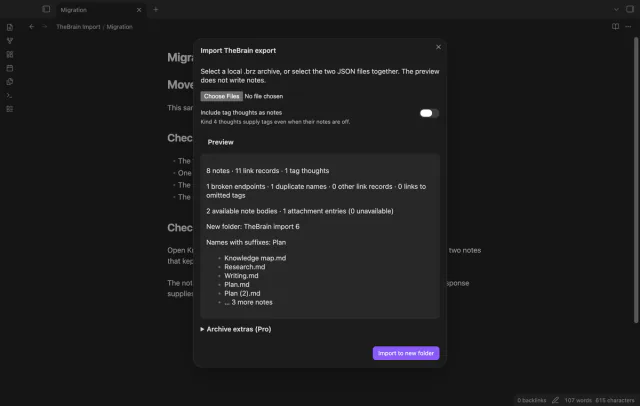
Preview a local TheBrain export and import notes with links.