How to link completed tasks to the daily note in Obsidian
The Tasks plugin writes the done date as plain text, and its docs say a date can't be a link, as of October 2026.
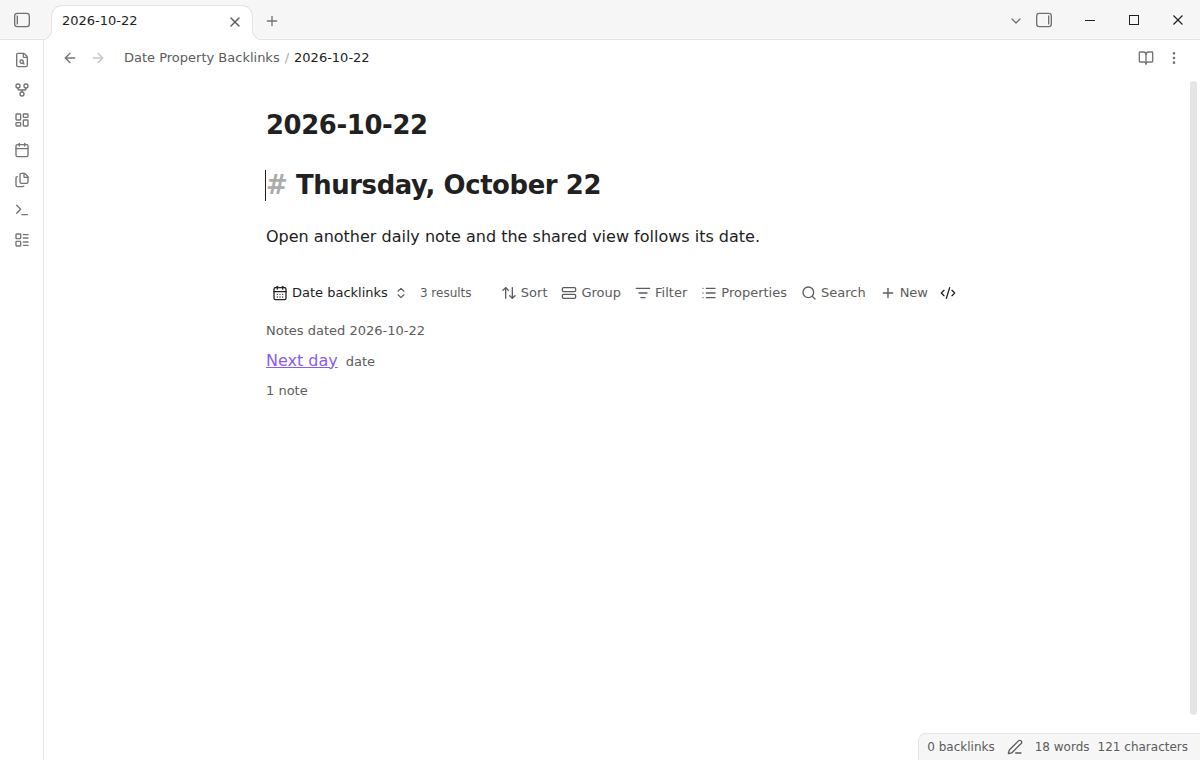
As of October 2026, the Backlinks pane lists notes that link to a daily note, not notes that only carry its date. An embedded base can filter notes by date with this.file. A plugin can set up that view for you.
Date Property Backlinks has Pro, and $15 one time turns it on in all 129 plugins.
The forum topic "Backlink in daily note from property link" asks for this. People who keep a date property on meeting or reading notes want to see those notes inside the daily note for that day.
When a base is embedded in a note, this points to the embedding note. A filter or formula can compare a date property with this.file.name to list notes for that daily note.
Add the embed to your daily notes template so that each new daily note gets the view.
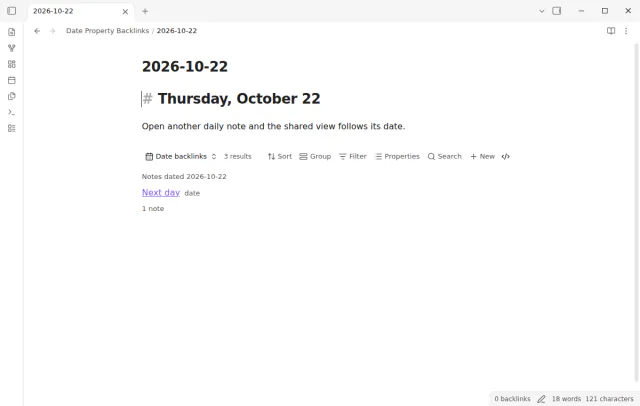
Date Property Backlinks adds a Bases view that shows notes whose date property matches the date of the daily note. A date and time value matches on its local calendar date, and a list matches when any item does.
One command adds a shared base embed to your daily notes template. An automatic view can also show the matches below existing daily notes. Source notes stay unchanged.
MIT · no telemetry · core features free
Turn on the core Bases plugin. Set a template in core Daily notes or Periodic Notes.
Open Settings, then Community plugins, and install and enable Date Property Backlinks. It needs Obsidian 1.13.4 or later.
Run Add to the daily notes template, check the template path and preview, then select Add view to template.
Create a daily note from the template. Notes with a date property that matches its file name show in the view.
In the Bases view settings, change Match date property if your notes do not use note.date.
Check that core Bases is on and that the file name matches the daily note date format. Then choose the date property that your notes use. The base query must also include the notes that you want to see.
No. Turn on Show automatically in daily notes in the plugin settings. It shows the view below open daily notes whose file names match the format, and it leaves their text unchanged.
Date Linker writes daily note links into a managed frontmatter property. Date Property Backlinks shows matching rows in a Bases view and adds no link value to the matching notes.
 That's every step, start to finish.
This guide uses Date Property Backlinks. Pro adds "Roll up a week or month". One payment of $15 turns on Pro in 129 plugins.
This guide uses Date Property Backlinks. Pro adds "Roll up a week or month". One payment of $15 turns on Pro in 129 plugins.
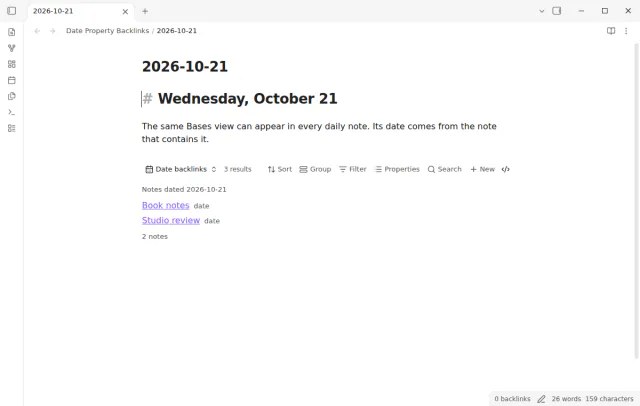
See every note whose date property matches the day, in a live Bases view inside your daily note.