How to import OPML outlines into Obsidian
Convert each outline root into a Markdown note, with its children as nested lists.
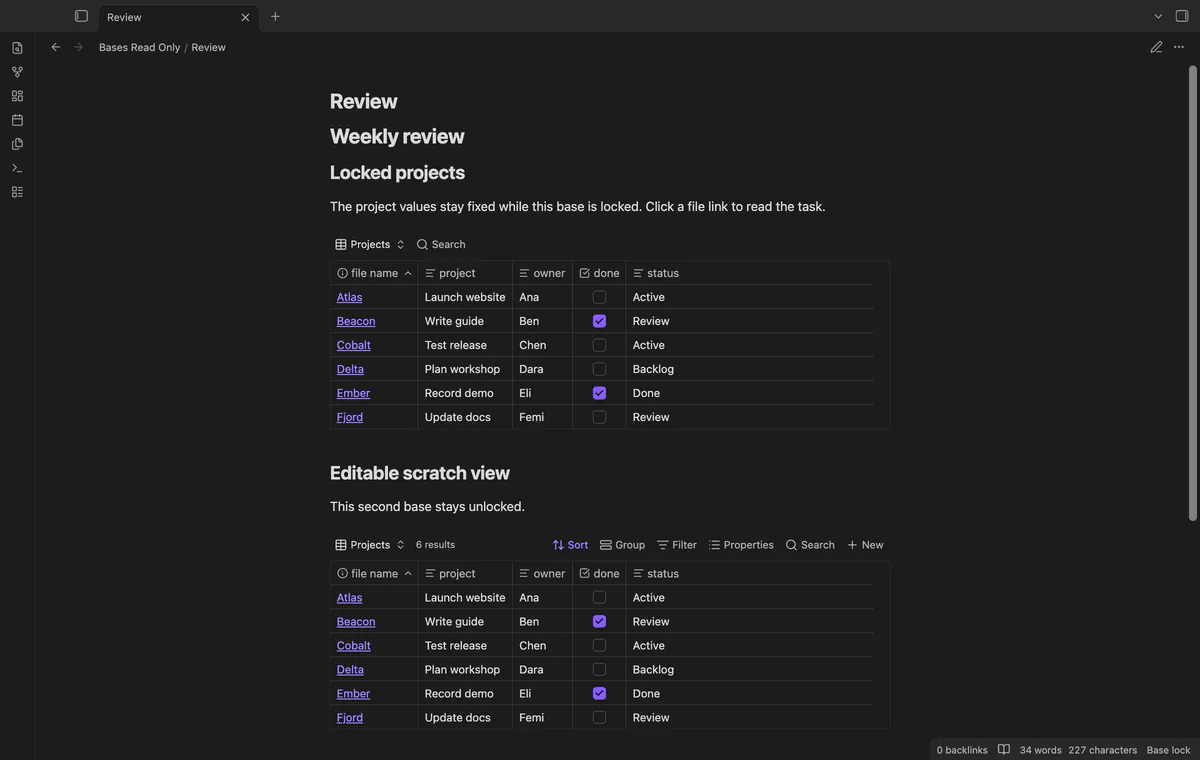
Use a view guard when you need to read a saved base while blocking supported editing controls. As of October 2026, core Bases lets you edit note properties through its views. Bases Read Only guards those controls without changing file permissions.
A base presents the properties of underlying notes. Guarding its interface can't stop edits from the note editor or another writer.
Core Bases offers a list layout as well as tables and cards. A list can serve as a simpler way to browse your selected files.
Configure your saved base, then toggle its manual lock. The guard blocks supported cell edit events while retaining file links and saved-view switching.
MIT · no telemetry · core features free
Create your base and configure its saved views.
Open the .base file in a tab.
Run Toggle lock for current base and check the desktop badge.
Follow file links to read the underlying notes.
Set its columns and filters before locking it. Mutable view controls are hidden while the guard applies.
Pro property exceptions permit a named property when its cell exposes a known ID. The rest of the supported locked controls retain their guards.
 That's every step, start to finish.
You're officially a regular.
Obsidian rewards people who share. NoteMods is just me and a lot of coffee. If this guide saved you a fight with the syntax, buy me a cup.
That's visit . Regulars are the reason I keep NoteMods running. If it's part of your routine now, a coffee says thanks better than anything.
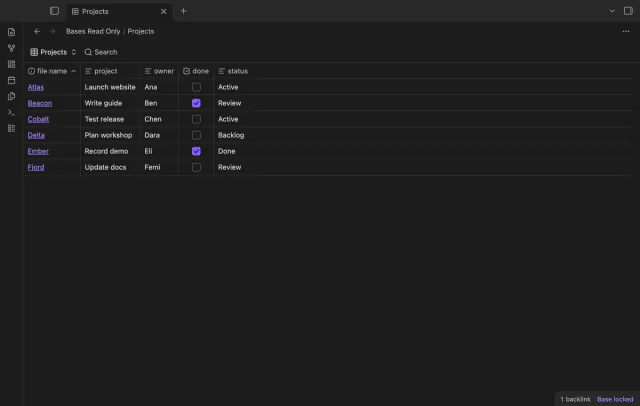
Lock supported controls in a saved base.