How to import OPML outlines into Obsidian
Convert each outline root into a Markdown note, with its children as nested lists.
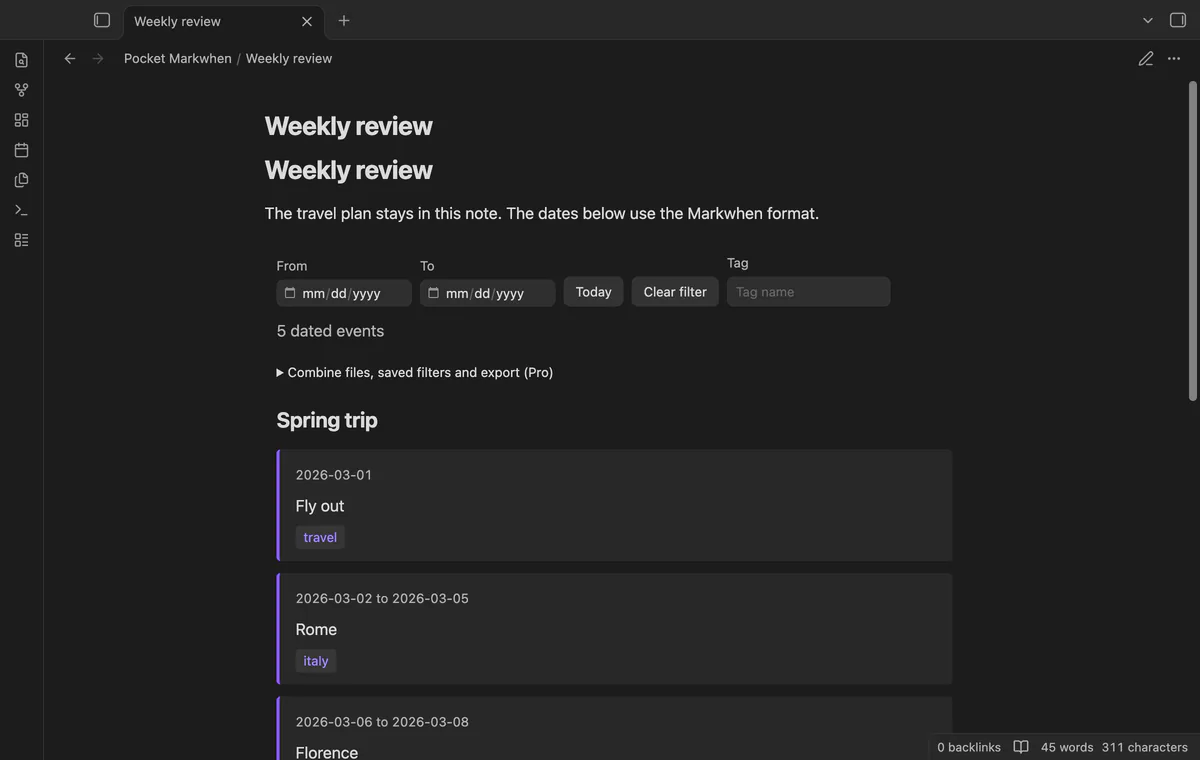
Keep the plan as Markwhen text and use a timeline view to read its dated events. As of October 2026, Obsidian can display a fenced source block as code. Pocket Markwhen renders mw blocks and opens .mw files as vertical timelines.
Markwhen syntax represents dated events and ranges in text. Pocket Markwhen displays event first-line text and heading groups while retaining the source for editing.
Put the plan inside a fenced code block to retain readable source text. Obsidian displays fenced code without needing a timeline renderer.
Open a .mw file or render an mw block in Reading mode. Date filters retain overlapping ranges, and heading groups can collapse.
MIT · no telemetry · core features free
Save a short dated plan as a .mw file in your vault.
Open the file from the file list.
Use Source to edit the plan and Timeline to read it.
Set date or tag filters, or select Today.
The list retains source order within its grouping structure. Today finds the earliest qualifying future start date in that visible set.
With Pro, save it under a name before switching panels. Loading the saved filter restores its date and tag values.
 You can now read Markwhen timelines in Obsidian.
You're officially a regular.
Obsidian rewards people who share. NoteMods is just me and a lot of coffee. If this guide saved you a fight with the syntax, buy me a cup.
That's visit . Regulars are the reason I keep NoteMods running. If it's part of your routine now, a coffee says thanks better than anything.
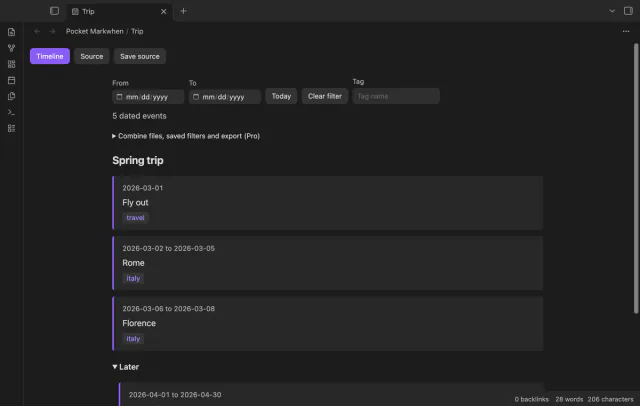
Read a Markwhen timeline and edit its source.