How to use a template with the New button in Obsidian Bases
The New button has no template setting, as of October 2026.
As of October 2026, core Templates inserts text and its supported variables; Templater handles dynamic script commands. Templater documents dynamic output in preview mode, while Live Template Results displays supported single-line output in enabled Live Preview notes. Review scripts before enabling them because execution can change files or send data.
A dynamic command leaves the calculation in the note rather than replacing it with a saved value. Templater's documentation warns about dynamic-command maintenance and caching. Decide whether you need a fixed inserted value, a Reading view result or output beside the text you edit.
Core Templates inserts the contents of a template into the active note. Its documented variables include title, date and time. Use this when you need a value at insertion time rather than a script result that refreshes.
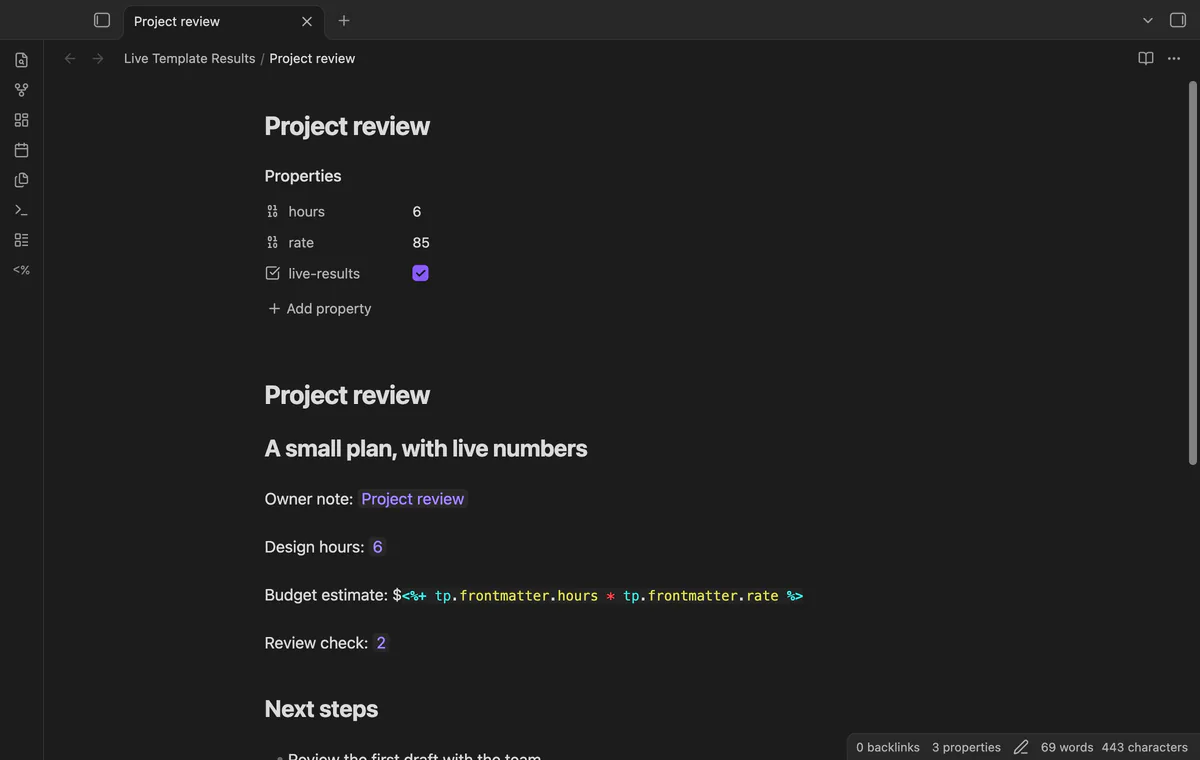
Templater marks dynamic commands with <%+ and resolves them in preview mode. Its documentation gives a last-modified-date example. It says a cached preview may need closing and reopening to refresh.
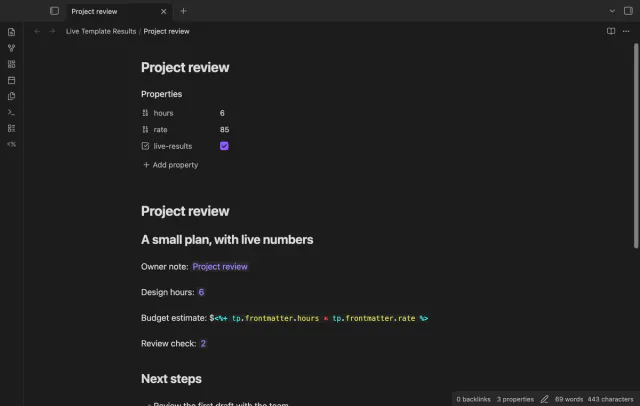
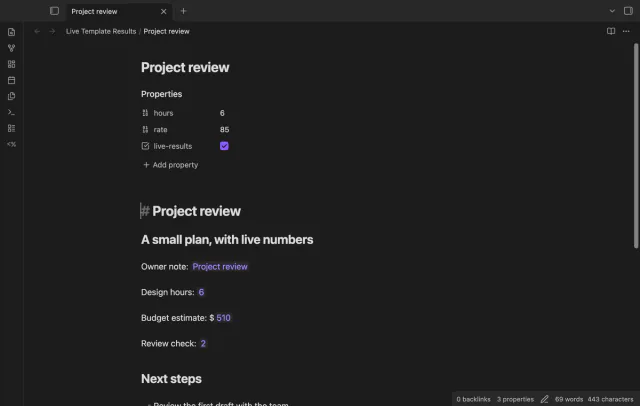
Enable a trusted note to show supported single-line commands as plain text results in Live Preview. Enter a result to expose the original command, then leave it to restore cached output. After changing source, use the refresh command.
Templater executes through Obsidian's renderer; this plugin doesn't add a script evaluator. Trust applies to this feature, while Templater still controls Reading view.
MIT · no telemetry · core features free
Install Templater and the Live Template Results release files, then enable both plugins.
Add a heading, a blank line and <%+ 1 + 1 %> to a test note.
Select Live Preview and read the command before enabling it.
Run Enable template results in this trusted note, then move the cursor to the heading.
Enter the result to edit the original command.
After an edit, run Refresh template results in this note.
A source edit discards that editor's cache. Run the refresh command to execute the changed source. Moving the cursor into and out of a cached result doesn't request another run.
No, the enable choice controls this Live Preview feature. Templater still controls Reading view. Disabling results also can't stop a script that has already started.
A Pro folder rule permits commands in matching open notes and subfolders. Review those scripts first, including any file changes or network requests. Manual disable takes priority over the rule.
 That's every step, start to finish.
You're officially a regular.
Obsidian rewards people who share. NoteMods is just me and a lot of coffee. If this guide saved you a fight with the syntax, buy me a cup.
That's visit . Regulars are the reason I keep NoteMods running. If it's part of your routine now, a coffee says thanks better than anything.
Read Templater results in Live Preview and edit their source.