
How to repair Base references after a property rename in Obsidian
As of October 2026, Obsidian lets you rename properties and edit Base YAML manually.
As of October 2026, only the built-in tags property has the Tags type in Obsidian. A custom list such as topics or company holds plain values, and the core tag pane does not show them. You can search the property with core Search, or use a plugin that shows the values as clickable tags.
Tag Properties has Pro, and $15 one time turns it on in all 129 plugins.
Two forum requests from July 2023 ask for this. "Add a property type for tags / multiple tag-based properties" had 94 likes and 46 posts on 8 November 2026. "Properties, Recognize tags in text property when formatted as #tags" had 97 likes and 41 posts.
The posters want to keep topics, companies or categories apart from general tags. They also want to click a value and see the other notes that use it.
Put the values in tags with a prefix, such as company/acme and topic/research. The Obsidian help says nested tags show under their parent in the Tags view.
A search for the parent tag also matches every nested tag. In Bases, the hasTag function matches the parent and its children too.
tags property, so you can't keep a separate company list in the note. You rename values by hand to add the prefix.Core Search finds notes by a property value. Write the property name and the value in brackets, such as [topics:research]. The help page says the value part takes OR, quotes and regular expressions.
Tag Properties shows the values of a custom list property as tag buttons in its own view, with a count of notes for each. Select a tag to see the notes that use it, then open one.
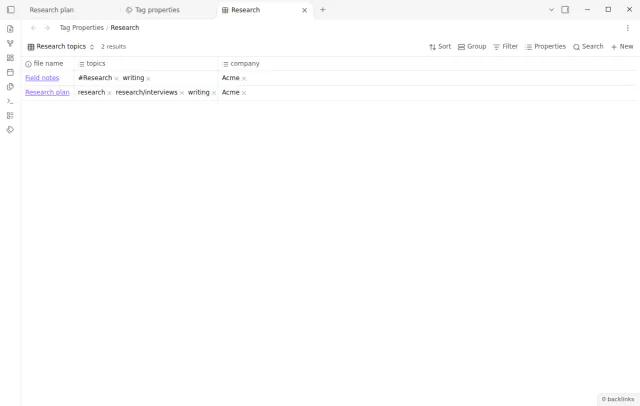
Each selection gives a native Bases filter that you can copy into a base. The plugin only reads your properties and never changes your notes.
MIT · no telemetry · core features free
Install Tag Properties from Community plugins and enable it. It needs Obsidian 1.13.4 or later.
Add a List property such as topics to your notes, with values like research and research/interviews.
If your property has another name, type it in the Tag properties setting. The default is topics.
Run the command Open custom tags, or select the tags button in the ribbon.
Select a tag to see the matching notes. Turn on Include child tags to add the tags below it.
To use the selection in a base, select Copy bases filter and paste the expression in the advanced filter editor of the base.
No. The Obsidian help says the Tags type is only for the tags property and can't go on another property. A custom property can be a List, which holds several values.
No. The Properties help page says hashtags in a text property don't create tags. Tag Properties also ignores a text property, so change its type to List if you want the values indexed.
Yes, in Tag Properties. research, Research and #research share one tag and one count. When you edit YAML directly, put a value that starts with a hash in quotes, because a bare hash starts a comment.
 That's every step, start to finish.
This guide uses Tag Properties. Pro adds "Combine properties". One payment of $15 turns on Pro in 129 plugins.
This guide uses Tag Properties. Pro adds "Combine properties". One payment of $15 turns on Pro in 129 plugins.
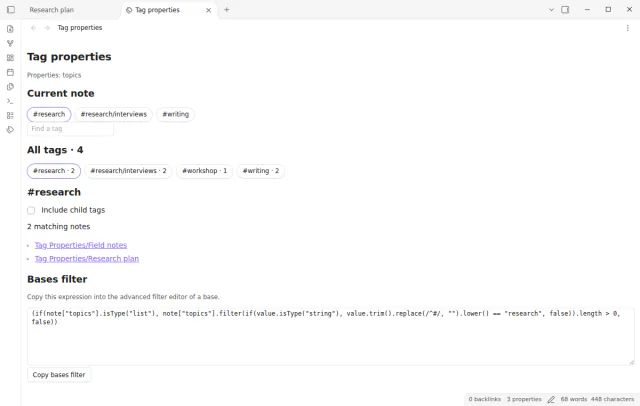
Browse the values of a list property such as topics as tags with note counts and note links.