Bases Task Rows
See each task from the notes in a base as a separate row.
Record selected property changes while your vault is open.
MIT · no telemetry · core features free
The directory takes these platforms from the plugin manifest. The automated tests run in the desktop app only.
Directory facts fetched from community.obsidian.md/users/theluckystrike.
You track project status or due dates and need a record of changes observed on this device.
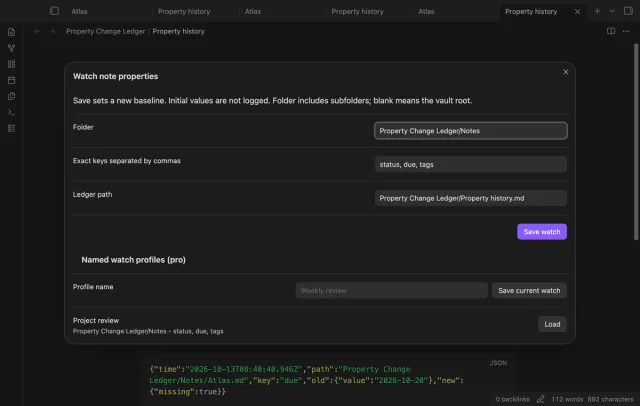
Choose a folder and the property keys you want to watch. Property Change Ledger records later observed changes with their old values and UTC times.
 Play demo
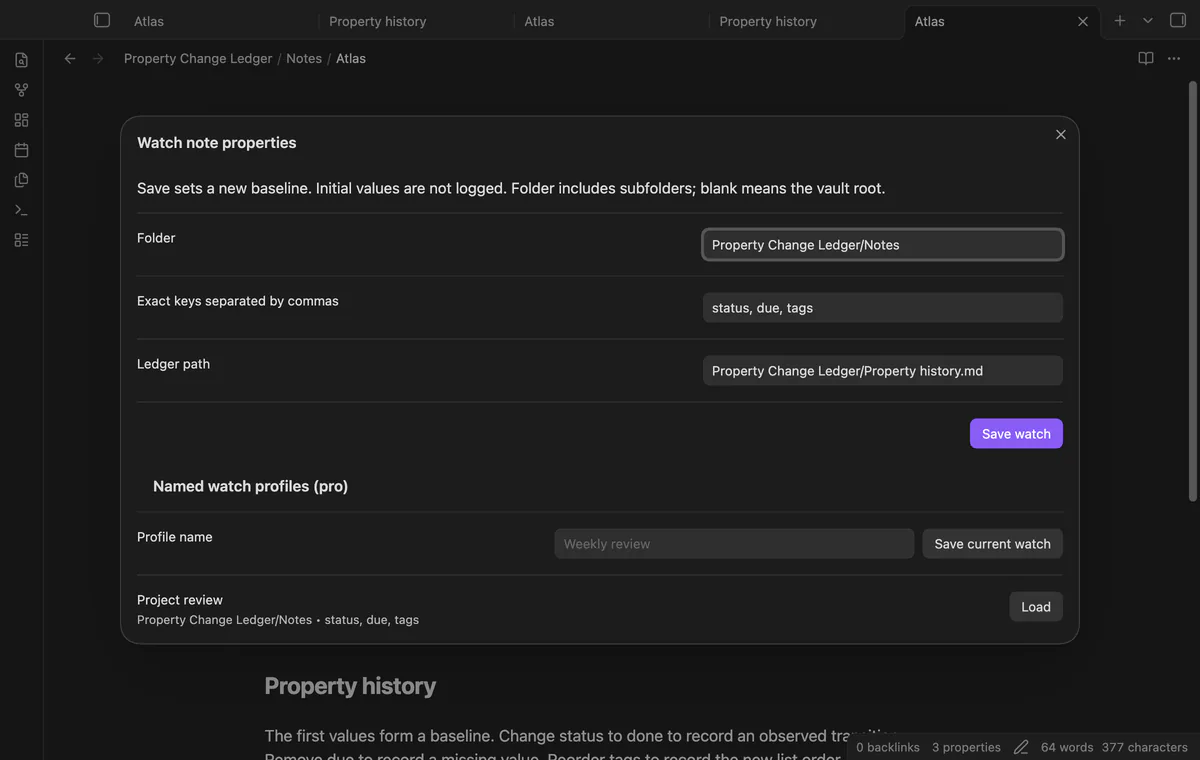
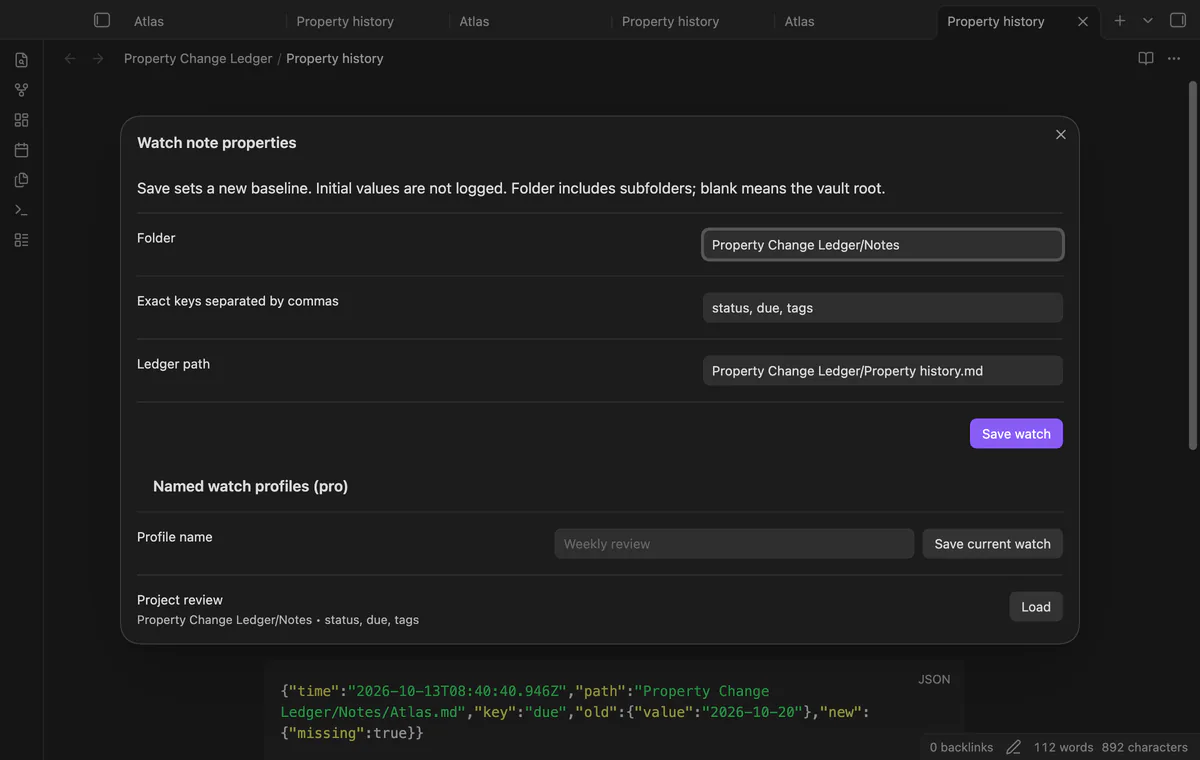
Watch Markdown notes in a folder and its subfolders. Keys match exact spelling and case, and an empty folder selects the vault root.
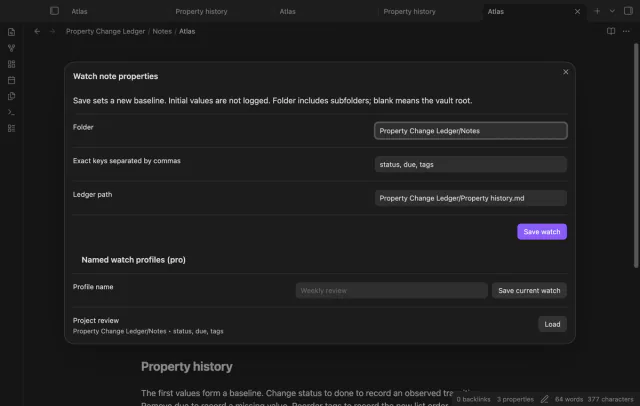
Existing values start the comparison period without creating history records. Saving a watch configuration establishes a new baseline.
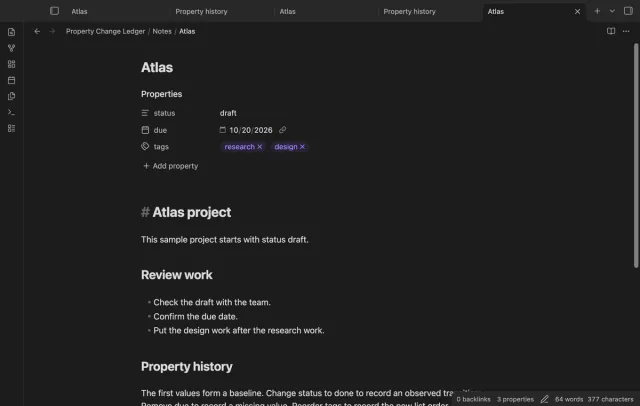
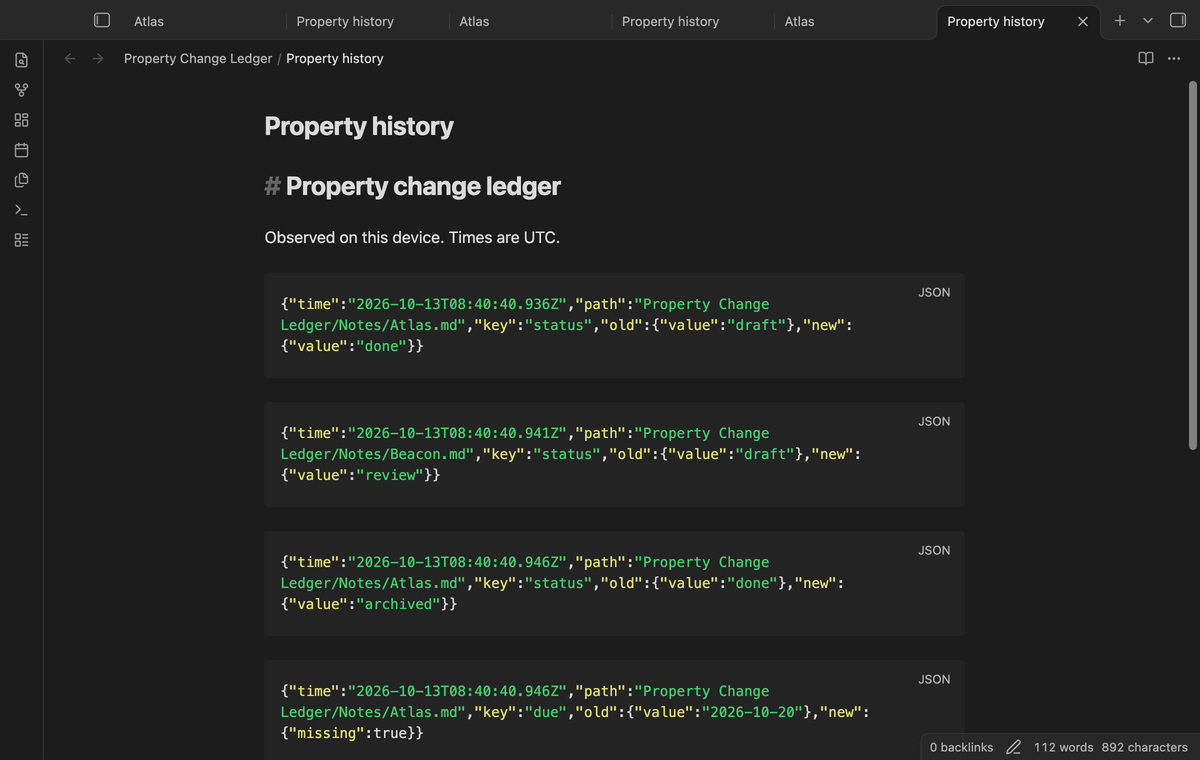
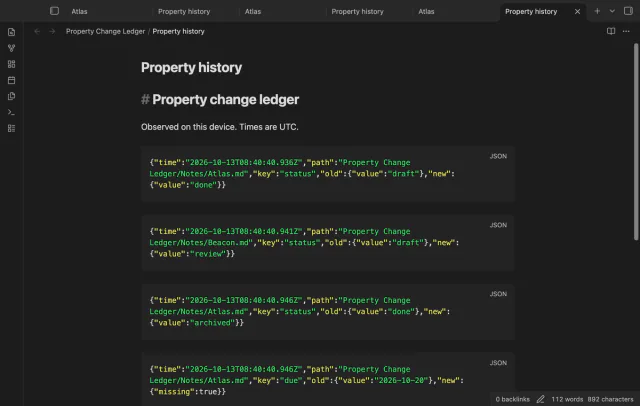
Records include UTC observation time, note path, key and both values. A missing property differs from a present null value.
Ledger writes run in sequence through the vault API. An unrelated note at the chosen path stops writing and leaves pending jobs for retry.
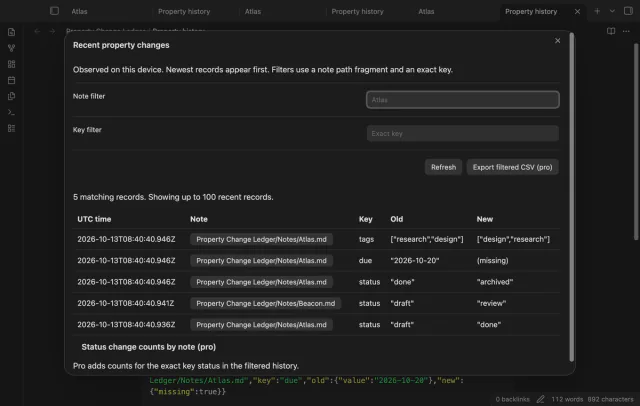
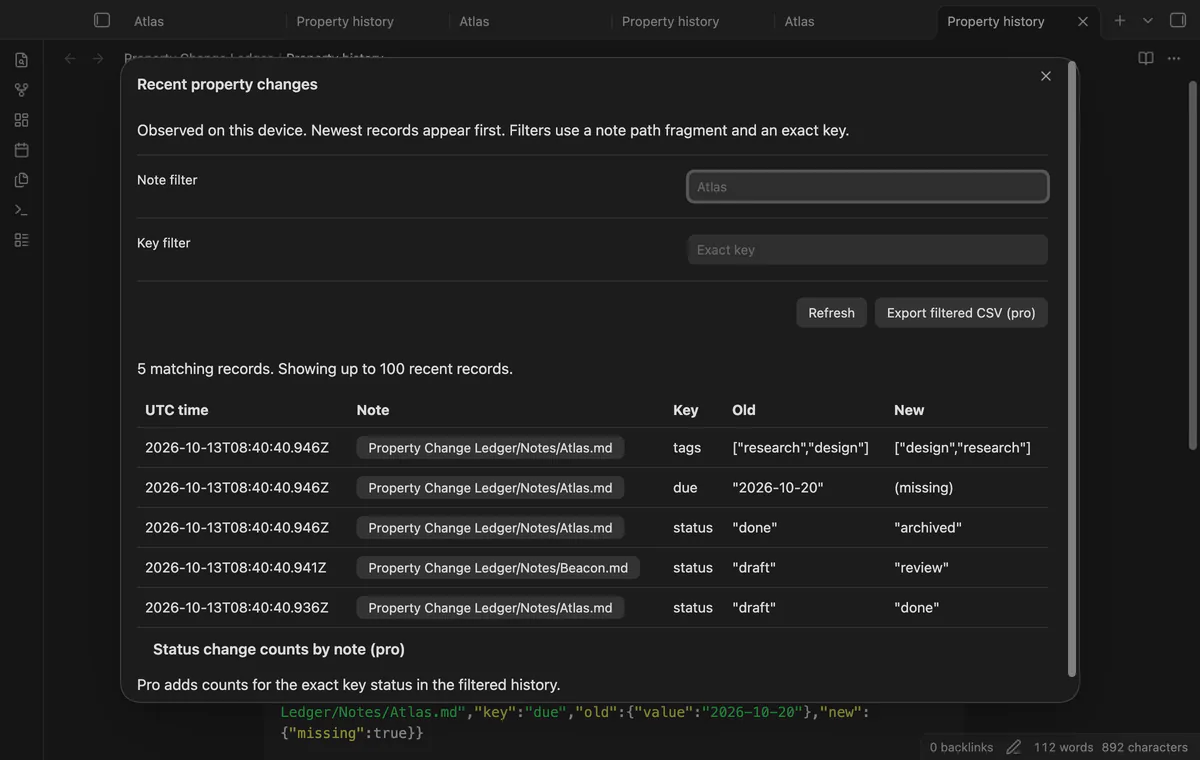
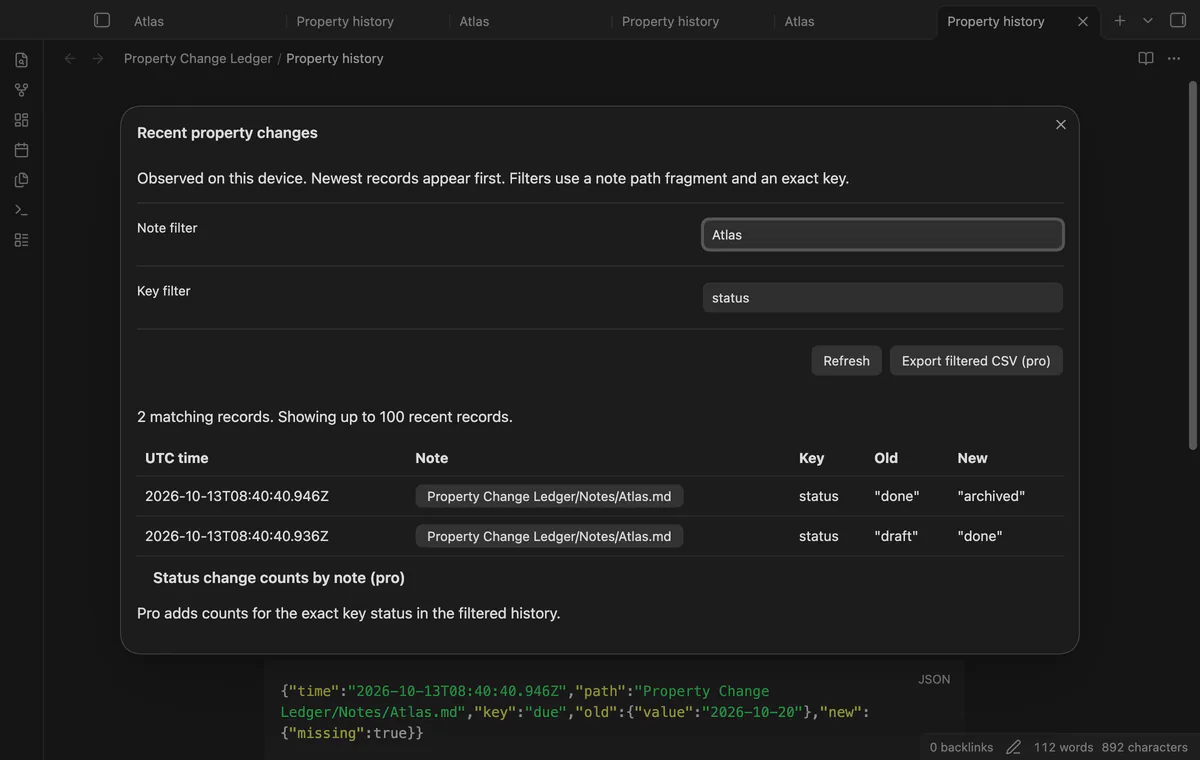
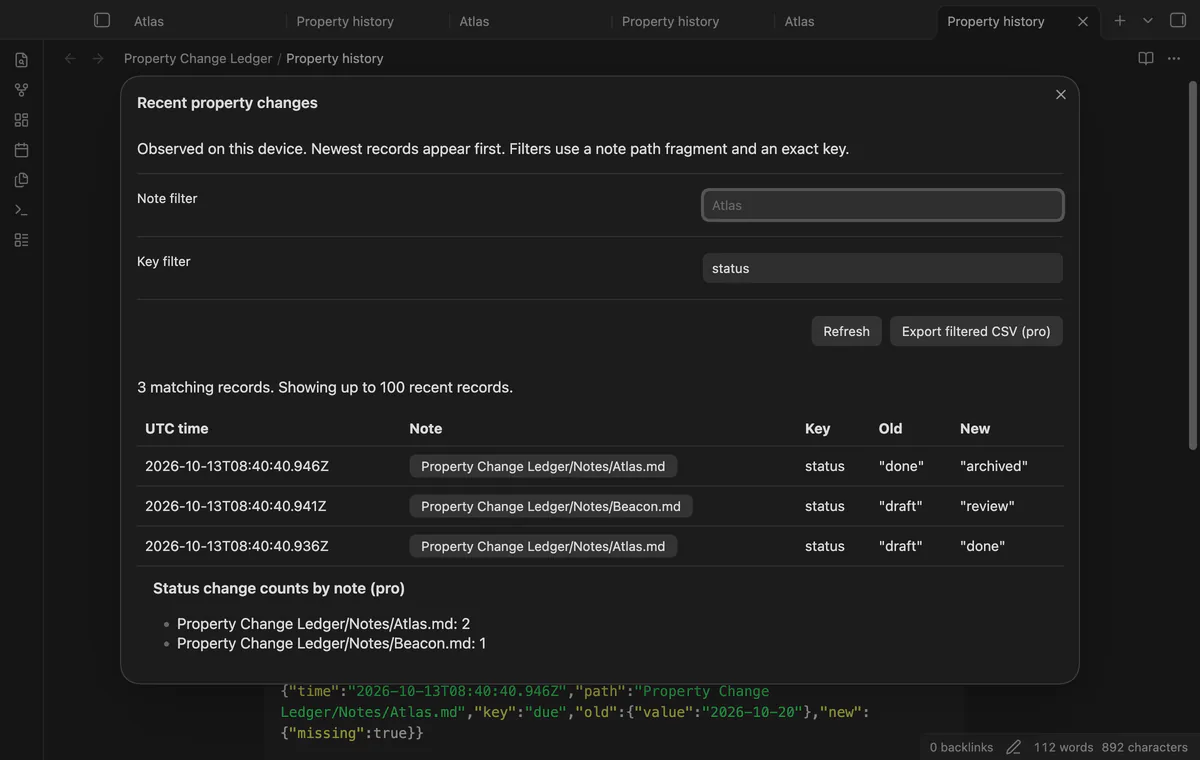

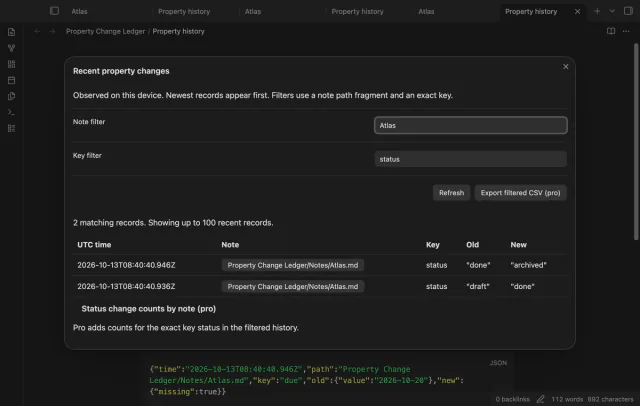
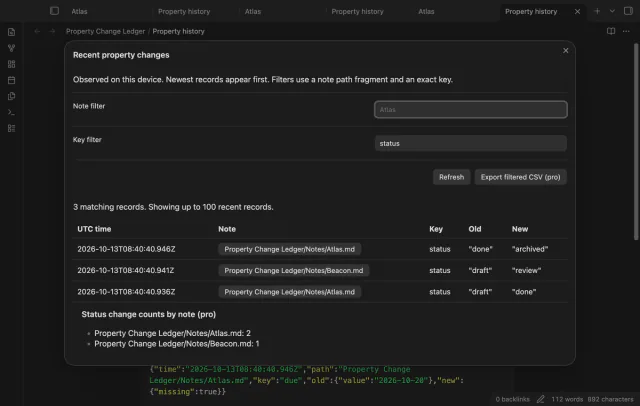
View up to 100 matching records, newest first. Filter by a path fragment or an exact key, then refresh after edits.
Pro costs $5 a month or $15 one time through GitHub Sponsors. One sponsorship turns on Pro in every plugin that has it.
Save the applied watch configuration under a name. Loading a profile starts a new baseline.
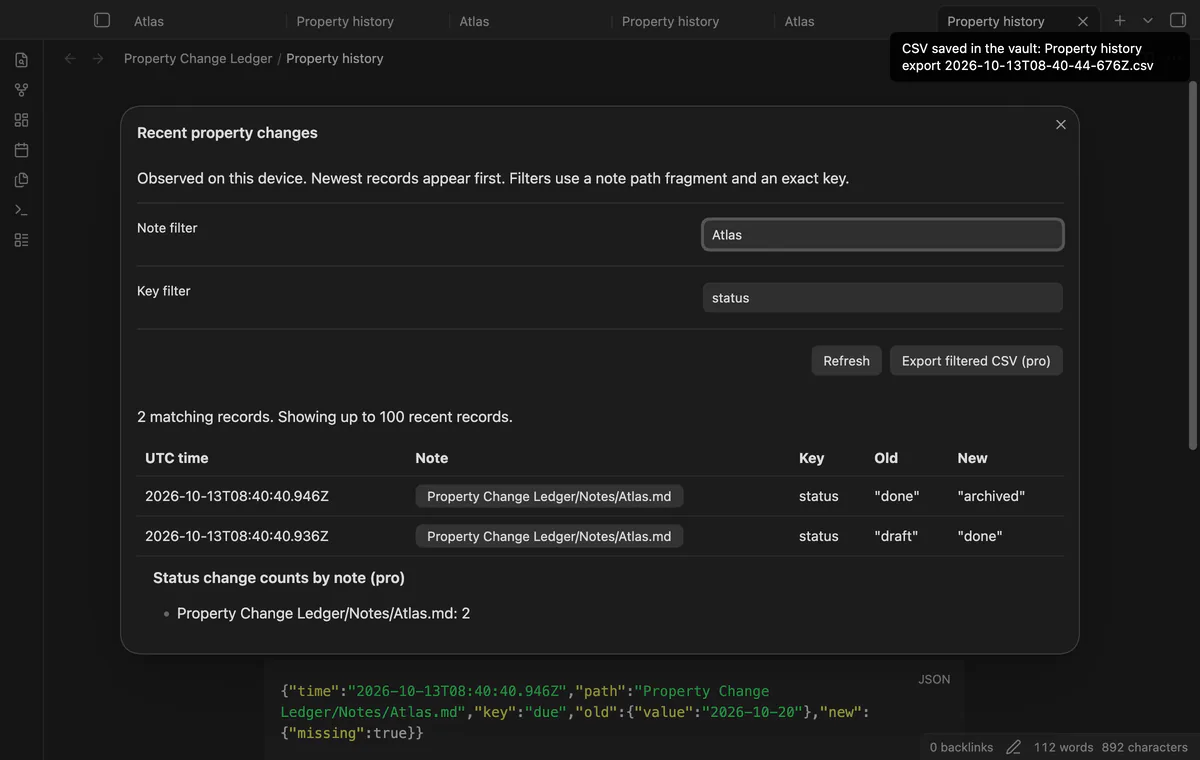
Export matching history to a new CSV file. The export can include records beyond the display’s 100-row limit.
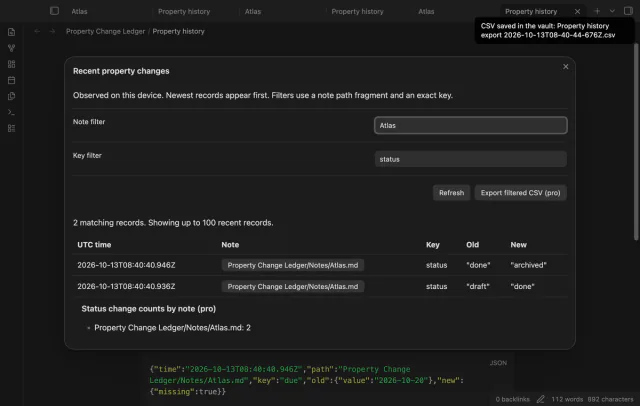
Count observed transitions for the exact key status, grouped by note. These counts do not measure completed tasks or time in a state.
needs
steps
Run Set the folder and keys to watch.
Enter your folder, exact keys and ledger path, then select Save watch.
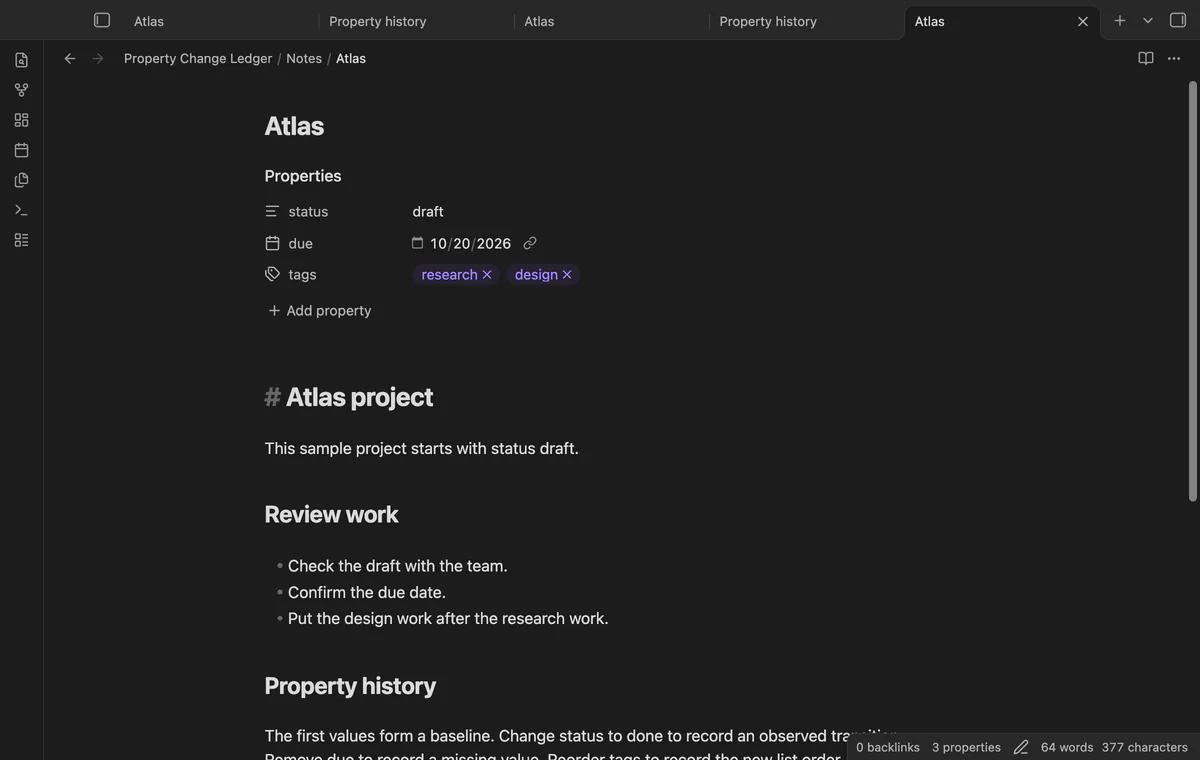
Edit a selected property after the baseline starts.
Run Show recent property changes and filter by note or key.
If the app can't find a new plugin yet, try again later. Obsidian says a plugin that passes the review shows in the app within 24 hours.
How to record observed changes to your note properties in Obsidian
Need a change for your team? I build custom Obsidian plugins and features.
Watching starts with current values as a baseline. The plugin cannot infer earlier transitions from those values.
Each device records its own observations. Use separate ledger paths when you need to keep those observations distinct.
The ledger and exported CSV contain ordinary vault data. Your backup or sync service can copy those files.
Correct the storage problem, then run Retry pending ledger writes. Keep the app open until pending writes finish.
Before sign-in, requests stay off; sign-in sends the client ID and read:user scope to github.com and polls for a token. After sign-in, api.github.com receives authenticated sponsorship queries for tier and total payments; no note content, file names or vault data leaves. Successful checks last seven days, failures retry after six hours, and Refresh requests an earlier check.
Tell me what is broken in Property Change Ledger, or what it should do next.
Property Change Ledger 1.1.0, MIT license
MIT · no telemetry · core features free
See each task from the notes in a base as a separate row.
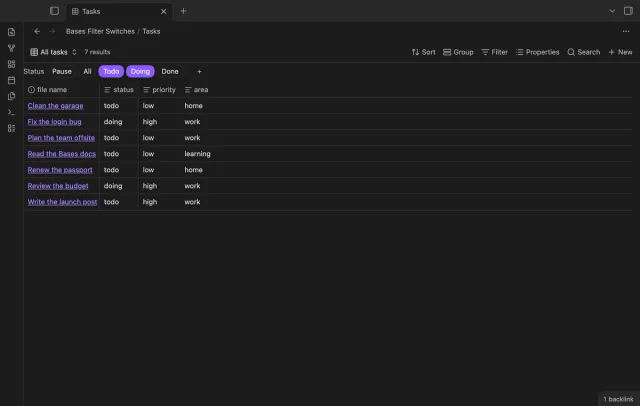
Turn saved Bases filters on or off with switches.