Heading Link Sync
Update heading links and embeds when you edit a heading.
Move chapters with their child scenes.
MIT · no telemetry · core features free
Desktop app tests do not prove phone or tablet behavior. Live GitHub sign-in and payment were not tested.
Directory facts fetched from community.obsidian.md/users/theluckystrike.
You write with a Longform manuscript index and want to reorder a chapter without leaving its scenes behind.
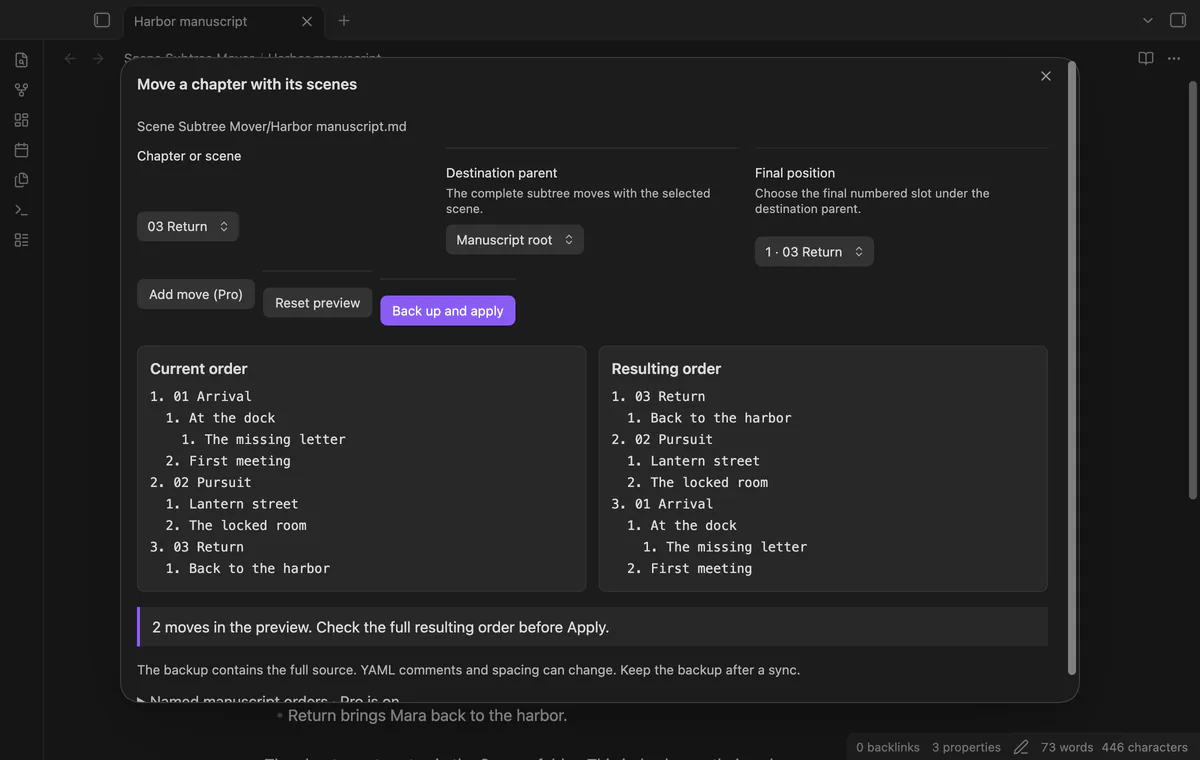
A chapter name and its following child array belong together in a Longform index. Scene Subtree Mover moves that unit within a sibling group or under another parent. Check the resulting order before applying a change with a full source backup.
 Play demo
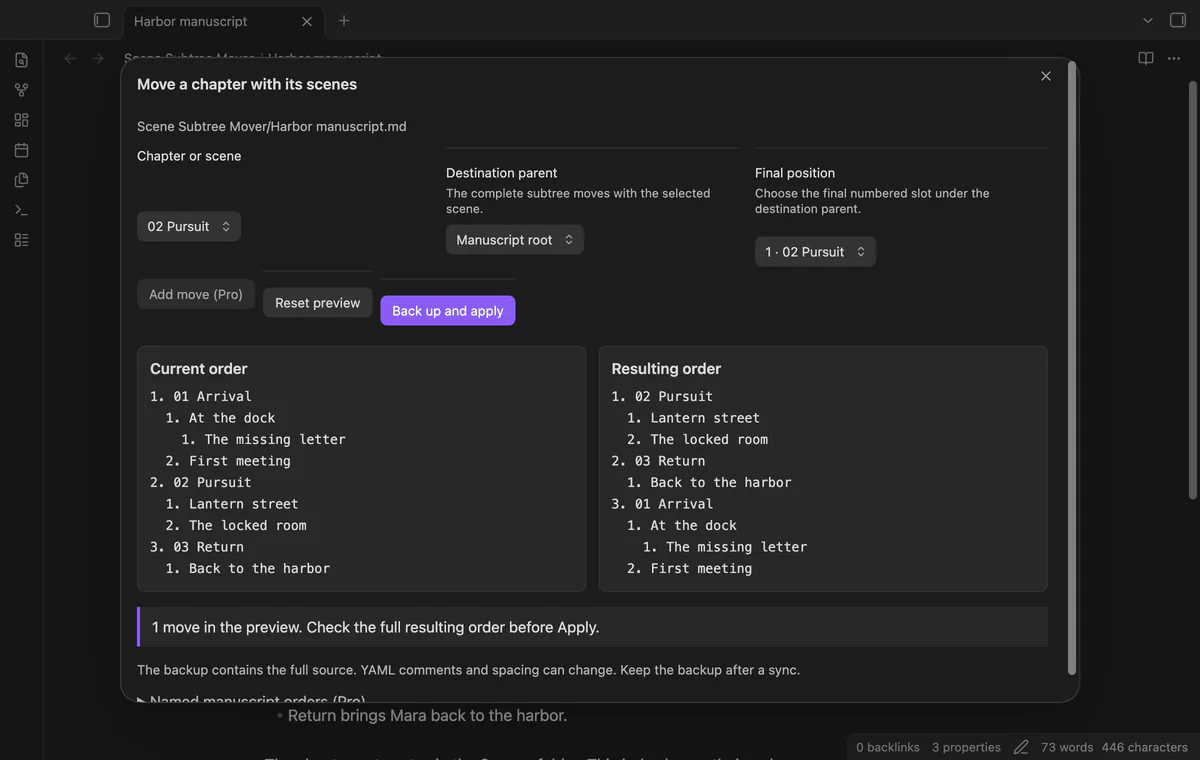
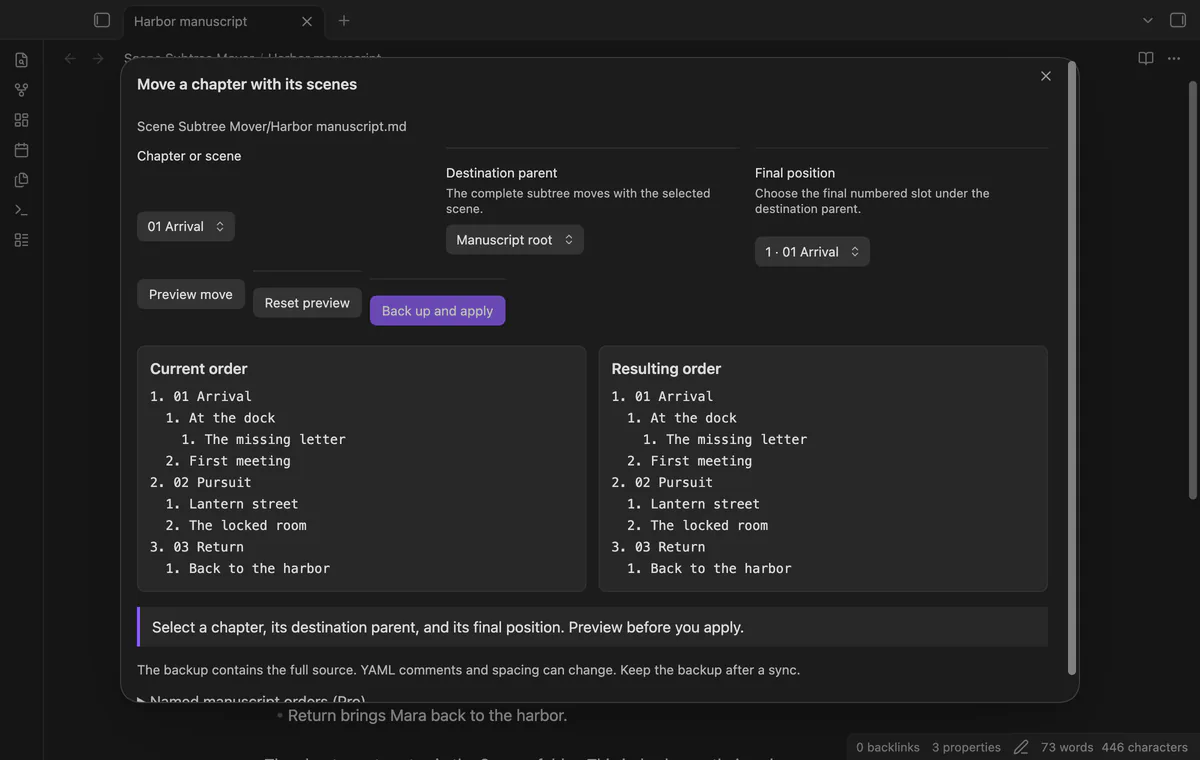
Open a Markdown index with a longform.scenes array. The window shows numbered siblings and indented descendants. Invalid scene-array structure stops the operation without changing the index.
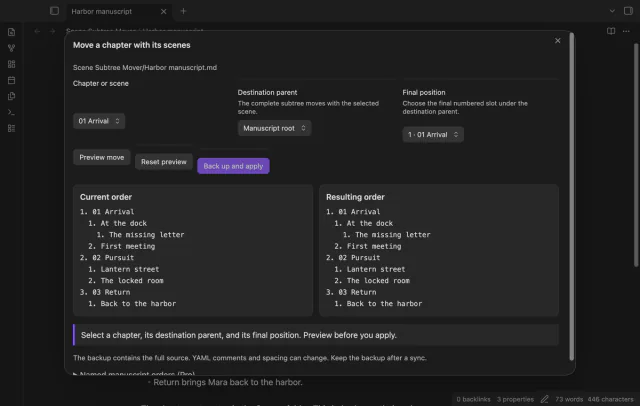
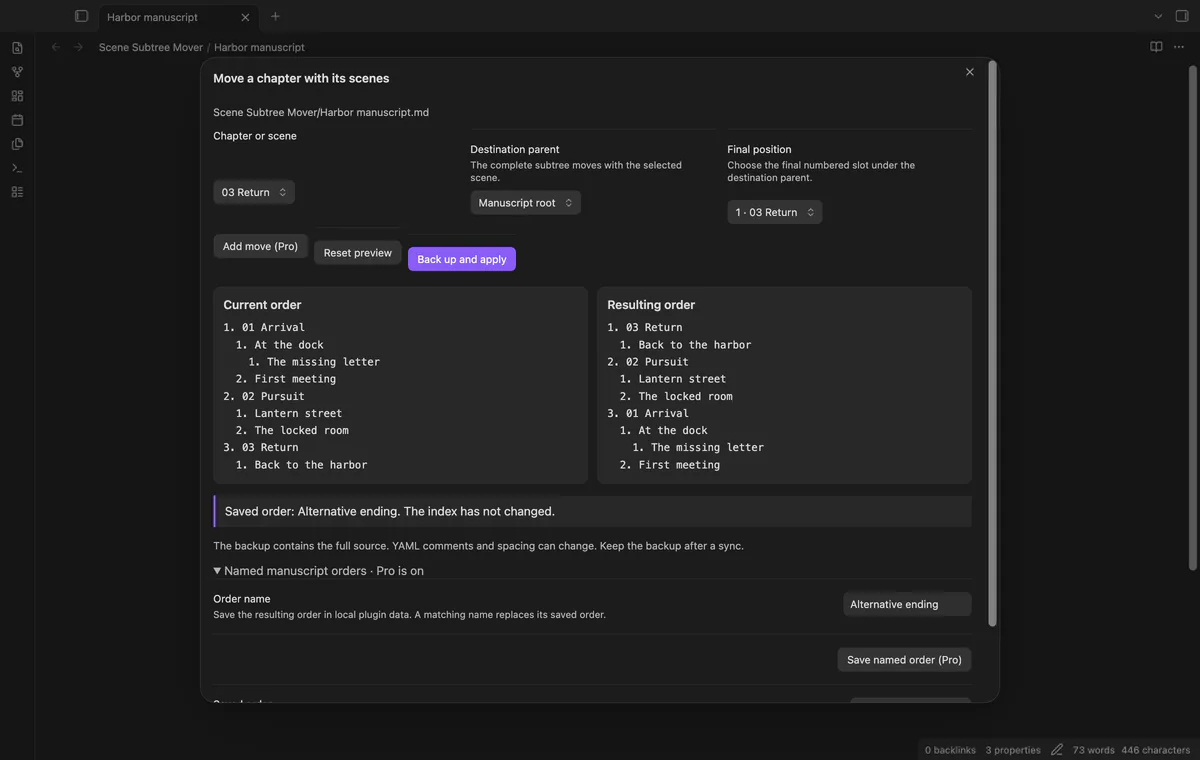
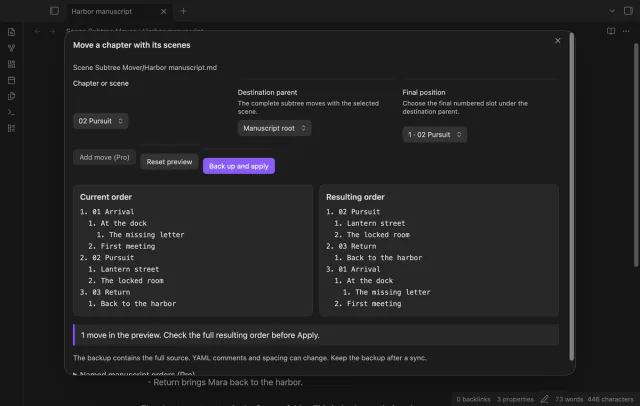
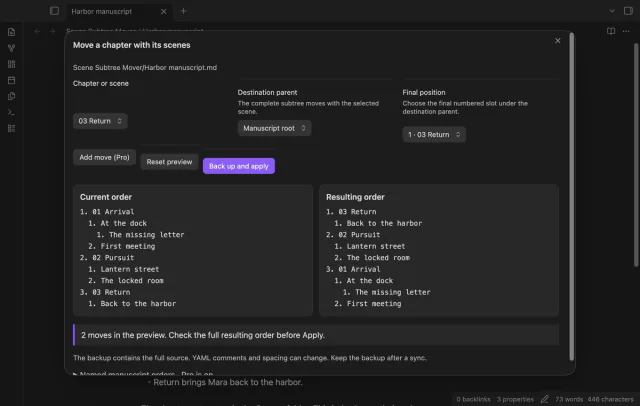
Choose a chapter or nested scene and its final position among its siblings. The preview keeps its descendants with it and shows the complete proposed order. Reset preview returns to the order read when the window opened.
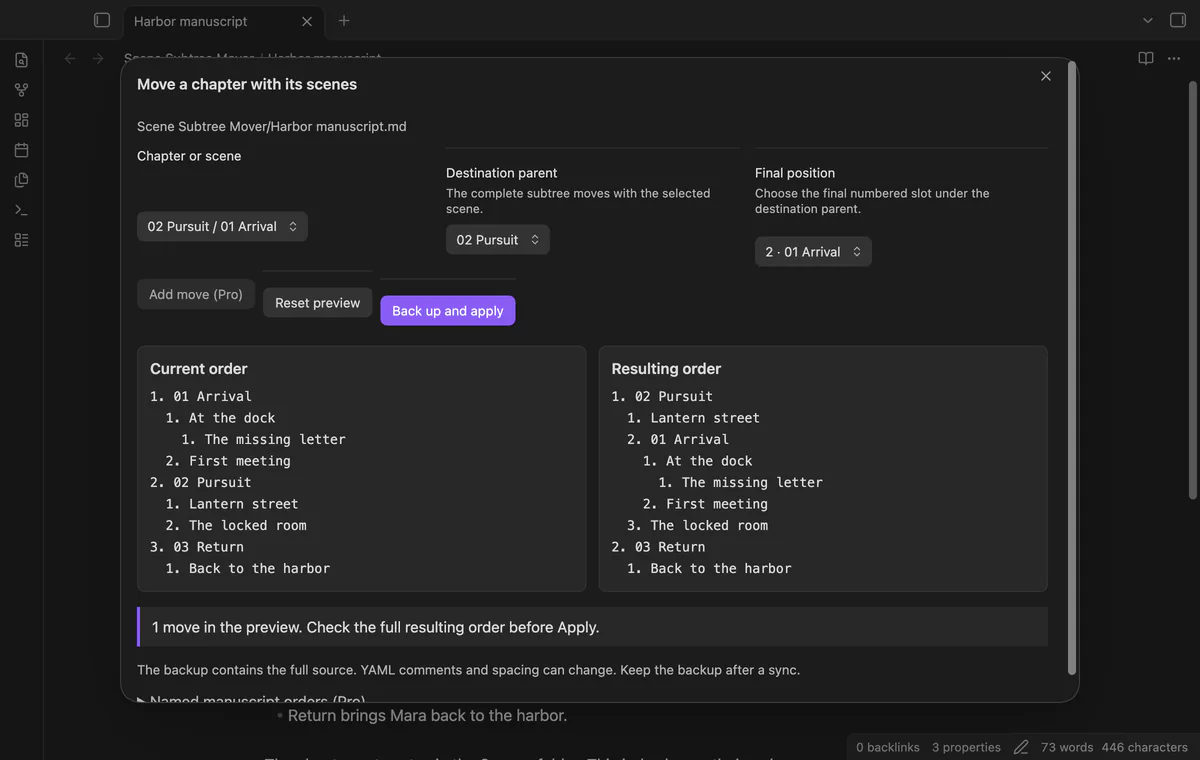
Choose Destination parent to place a chapter or scene under another chapter, or select Manuscript root to promote it. The subtree keeps its descendants, and a single move is free. The destination list excludes the selected scene and its descendants.
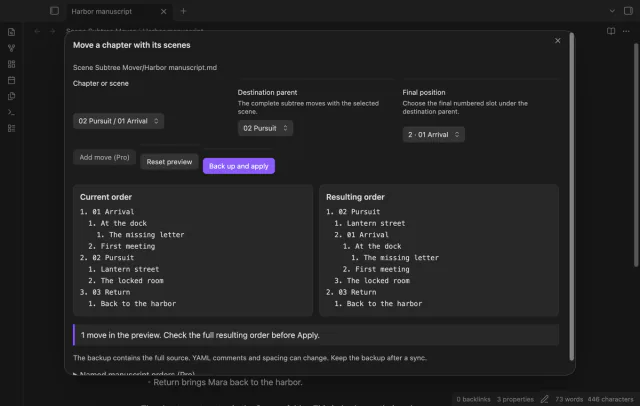
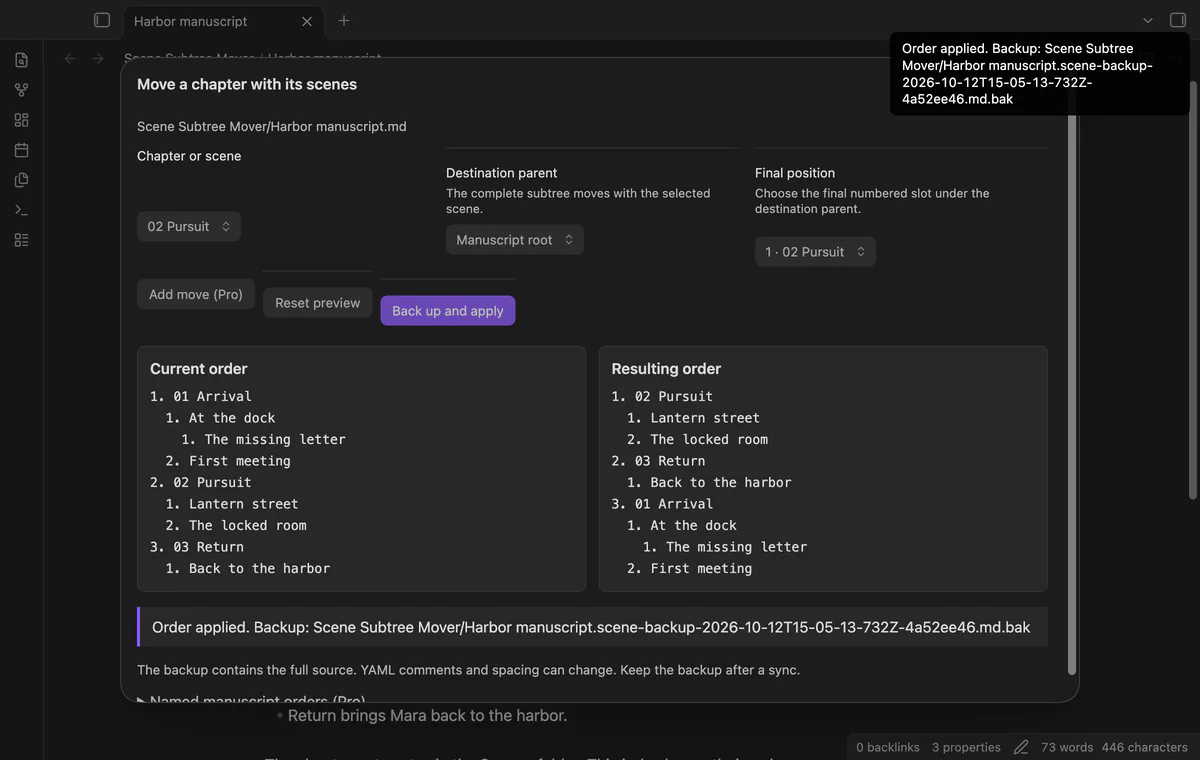
Apply creates a complete .md.bak source backup beside the index before writing. Backup failure leaves the index unchanged. The write rejects a source that differs from the preview source when its checked update starts.
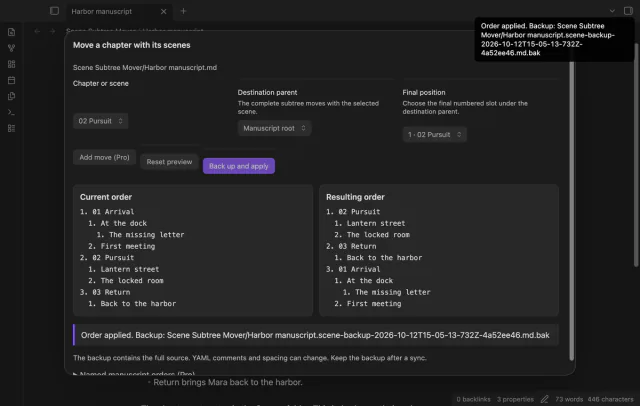
The free version previews one move at a time; several moves in one preview need Pro.
Pro costs $5 a month or $15 one time through GitHub Sponsors. One sponsorship turns on Pro in every plugin that has it.
Add successive moves to the proposed tree while the current-order panel stays at the source order. Apply uses one backup and one checked update. Losing Pro before Apply blocks the combined update.
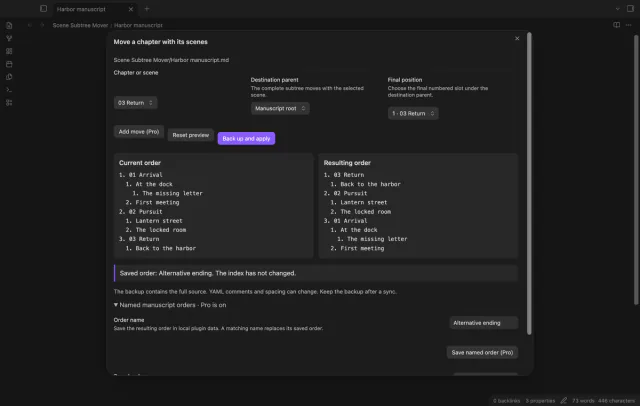
Save a named order in local plugin data without changing the index. Restore requires matching scenes and parent relationships, though siblings can have a different order. Apply makes a new backup and checks the current source.
needs
steps
Open your manuscript index.
Run Move a chapter with its scenes from the command palette.
Select the chapter, destination parent and final position within that group.
Select Preview move and check both order panels.
Select Back up and apply, then keep the reported backup.
If the app can't find a new plugin yet, try again later. Obsidian says a plugin that passes the review shows in the app within 24 hours.
Longform issue 161 asks for a parent move to carry its children. Scene Subtree Mover now previews moves between parent groups with the descendants attached.
Need a change for your team? I build custom Obsidian plugins and features.
Yes, select the destination chapter in Destination parent, then choose the final position. Manuscript root promotes a nested scene. The selected scene and its descendants cannot be destination parents.
The operation changes longform.scenes in the index. It does not rename scene notes or move folders.
The backup preserves the full original source, including comments and body text. The index update keeps unrelated frontmatter data, but YAML serialization can change comments, spacing, quotes and aliases.
Longform need not be enabled to read the index. The file still needs its nested scene-array format, and the Longform interface was not tested.
Before GitHub sign-in, the plugin sends nothing; sign-in sends a public client ID and read:user to github.com, then polls for authorization. api.github.com receives an authenticated query for your account, sponsorship tier and total payment; no note content, file names or vault data leaves. Successful checks last 7 days; failed checks retry after 6 hours, and Refresh requests an earlier check.
Tell me what is broken in Scene Subtree Mover, or what it should do next.
Scene Subtree Mover 1.2.0, MIT license
MIT · no telemetry · core features free
Update heading links and embeds when you edit a heading.

See headings from embedded notes in one outline.