Bases Task Rows
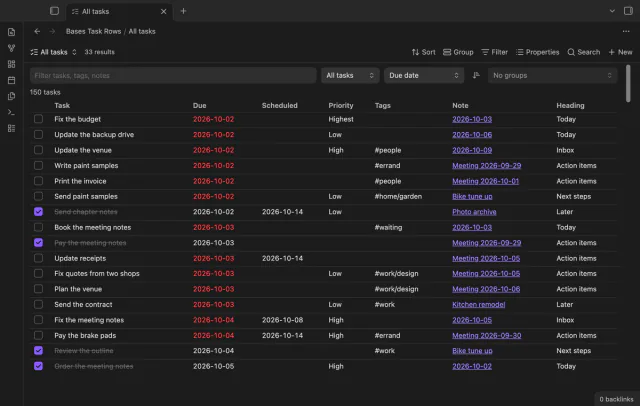
See each task from the notes in a base as a separate row.
Convert supported task fields between emoji and Dataview syntax after reviewing the changes.
MIT · no telemetry · core features free
Tested on desktop only.
Directory facts fetched from community.obsidian.md/users/theluckystrike.
You need to change task metadata syntax without rewriting task descriptions.
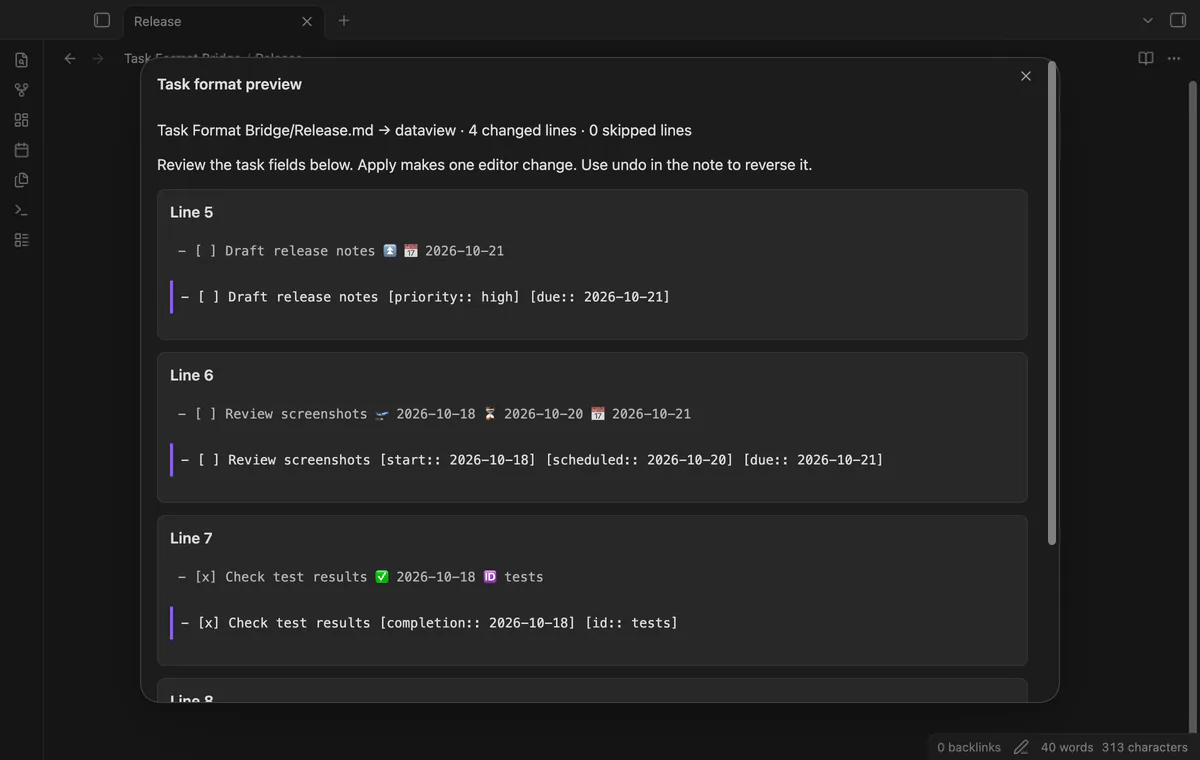
Choose emoji or Dataview syntax for the active note. Task Format Bridge shows proposed changes and reasons for skipped lines before you apply them. The conversion uses one editor transaction.
Convert supported trailing dates, priorities, recurrence text, IDs, dependencies and completion actions. The converter keeps task descriptions, tags, block IDs and field order.
Duplicate fields, invalid dates and fields inside descriptions stay unchanged with a warning. The converter skips frontmatter, fenced code, comments and unsupported syntax.
Active-note previews and conversion are free; folder migration reports need Pro.
Pro costs $5 a month or $15 one time through GitHub Sponsors. One sponsorship turns on Pro in every plugin that has it.
Pro reports convertible lines and warnings across a folder and its subfolders. Open a source note from the report to use its free conversion preview.
needs
steps
Enable Task Format Bridge and open a note with task fields.
Run Preview note as Dataview fields or Preview note as emoji fields.
Review the proposed replacements and skipped-line warnings.
Select Apply conversion, then use editor undo if you need to reverse it.
If the app can't find a new plugin yet, try again later. Obsidian says a plugin that passes the review shows in the app within 24 hours.
How to convert task fields between emoji and Dataview syntax
Need a change for your team? I build custom Obsidian plugins and features.
No. It reads up to 500 notes and 5,000,000 characters. Open a listed note and use the free preview to convert it.
No. The plugin checks the active editor, file path and source text before applying. Reopen the preview after an edit or note switch.
It displays the first 200 changes and first 100 warnings. Apply conversion applies the supported changes counted for the note, including changes beyond those displayed.
No. It edits supported fields in the note only. Check your Tasks format setting separately.
The plugin processes your notes locally. GitHub sign-in and sponsorship checks contact github.com and api.github.com with authentication data, without sending your note text or paths.
Tell me what is broken in Task Format Bridge, or what it should do next.
Task Format Bridge 1.2.0, MIT license
MIT · no telemetry · core features free
See each task from the notes in a base as a separate row.
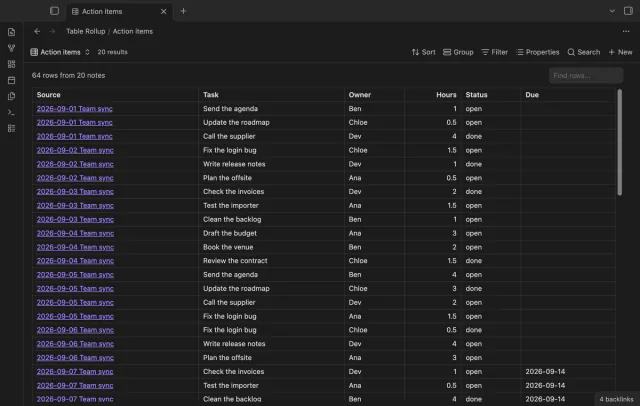
Combine note tables in one table with links to the source notes.