Heading Link Sync
Update heading links and embeds when you edit a heading.
Check translated lines for token and order errors.
MIT · no telemetry · core features free
The README reports app tests on macOS with simulated sponsorship replies. Physical Android and iOS devices, Linux, live GitHub sign in and real payments were not tested.
Directory facts fetched from community.obsidian.md/users/theluckystrike.
You review translated software strings in Markdown notes before copying them into an application.
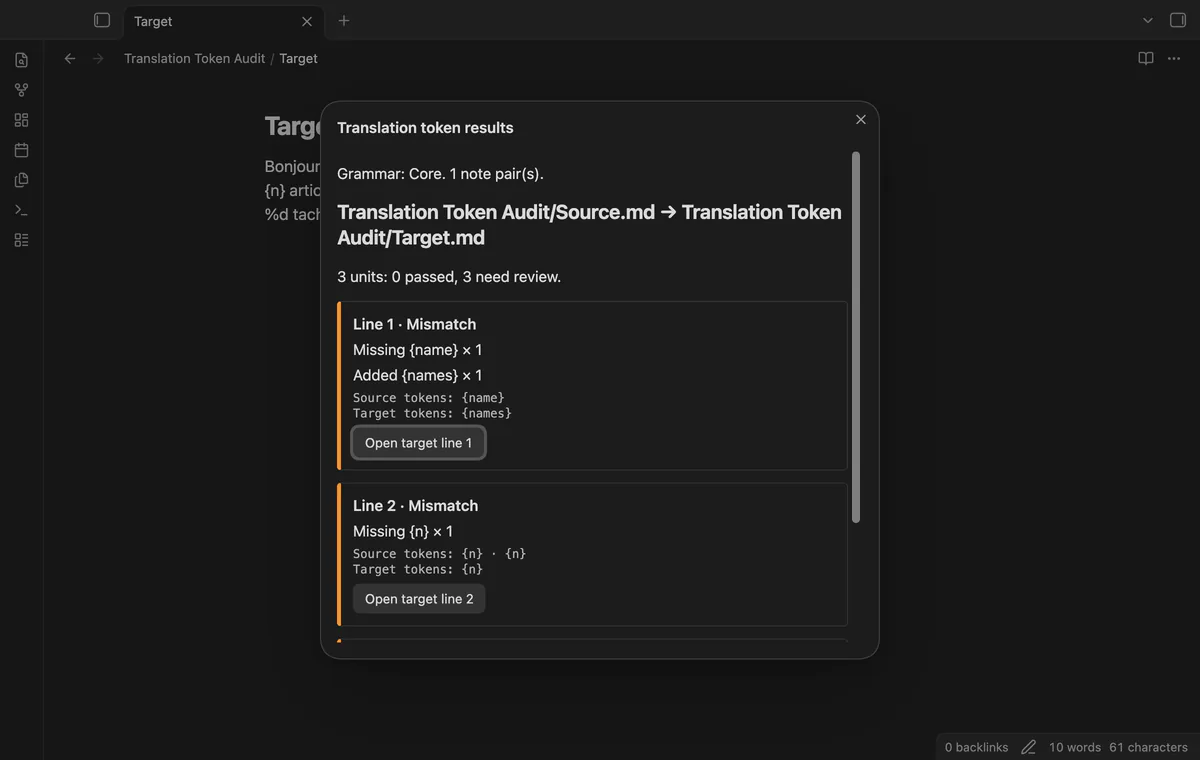
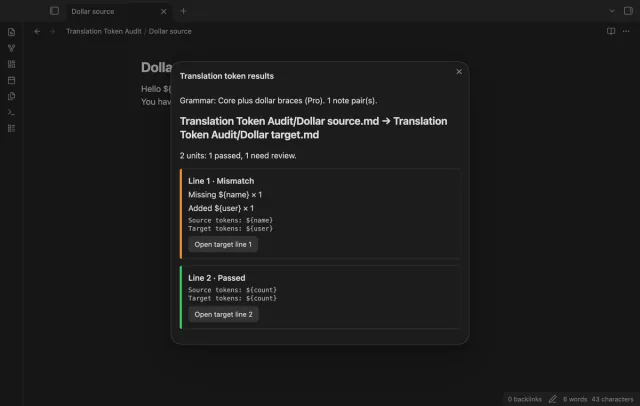
Translation Token Audit compares tokens in two local Markdown notes. Keep one translation unit per physical line, with matching line positions in the source and target. The report shows missing tokens, added tokens and unnumbered printf order differences.
Select a result to open its target line for editing. The check itself leaves your notes unchanged, and a pass says nothing about translation quality.
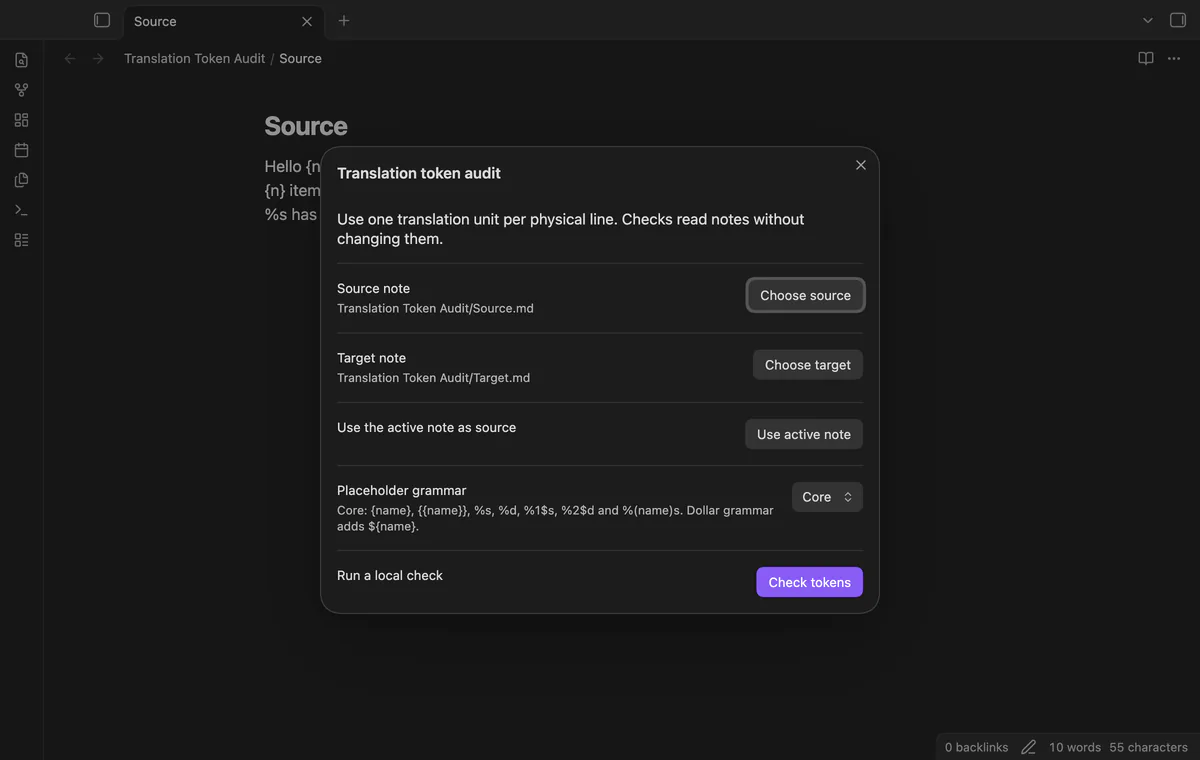
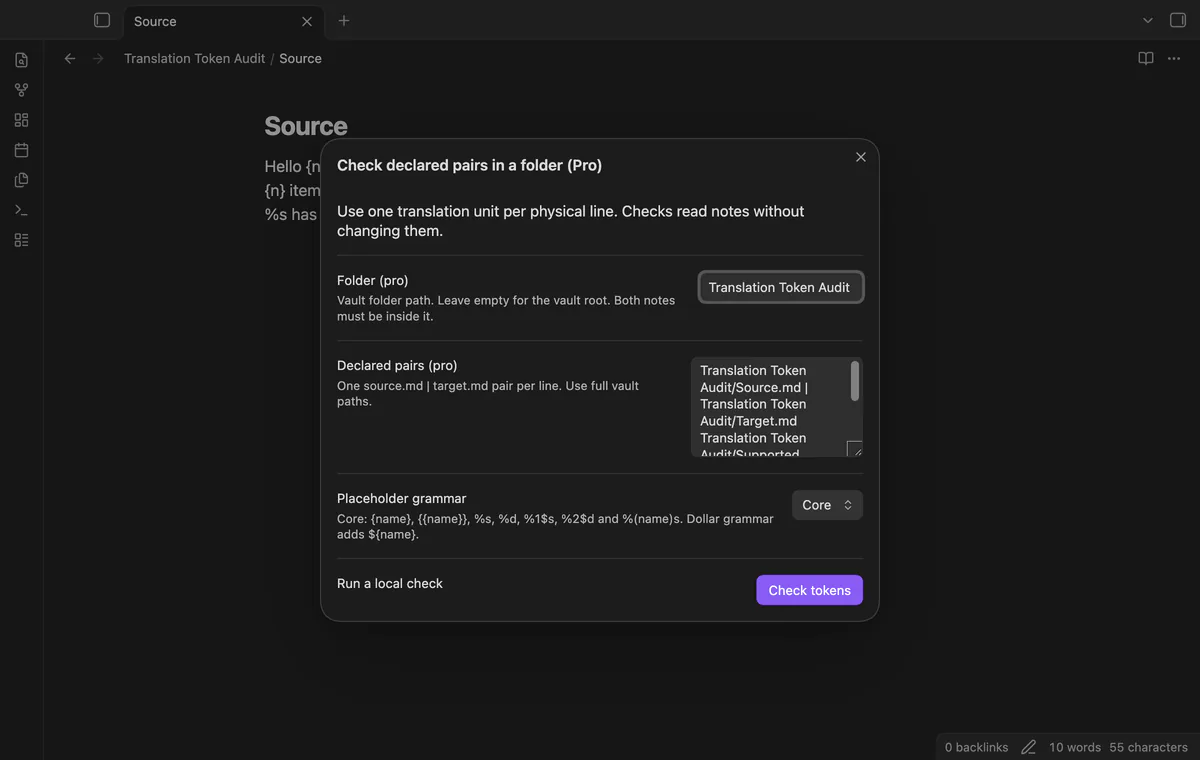
Run Check translated line pairs and choose the source and target Markdown notes. Select Core, then Check tokens. The plugin saves the selected paths after the check.
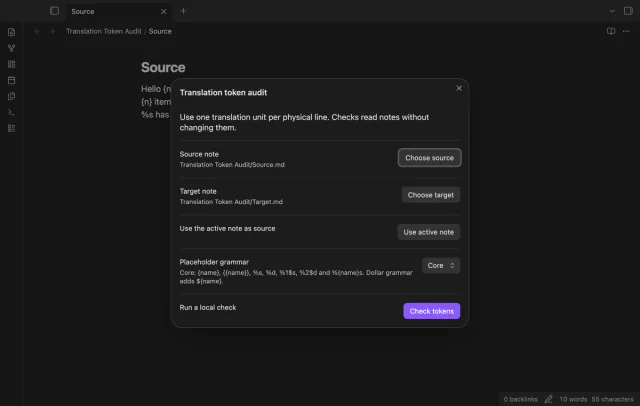
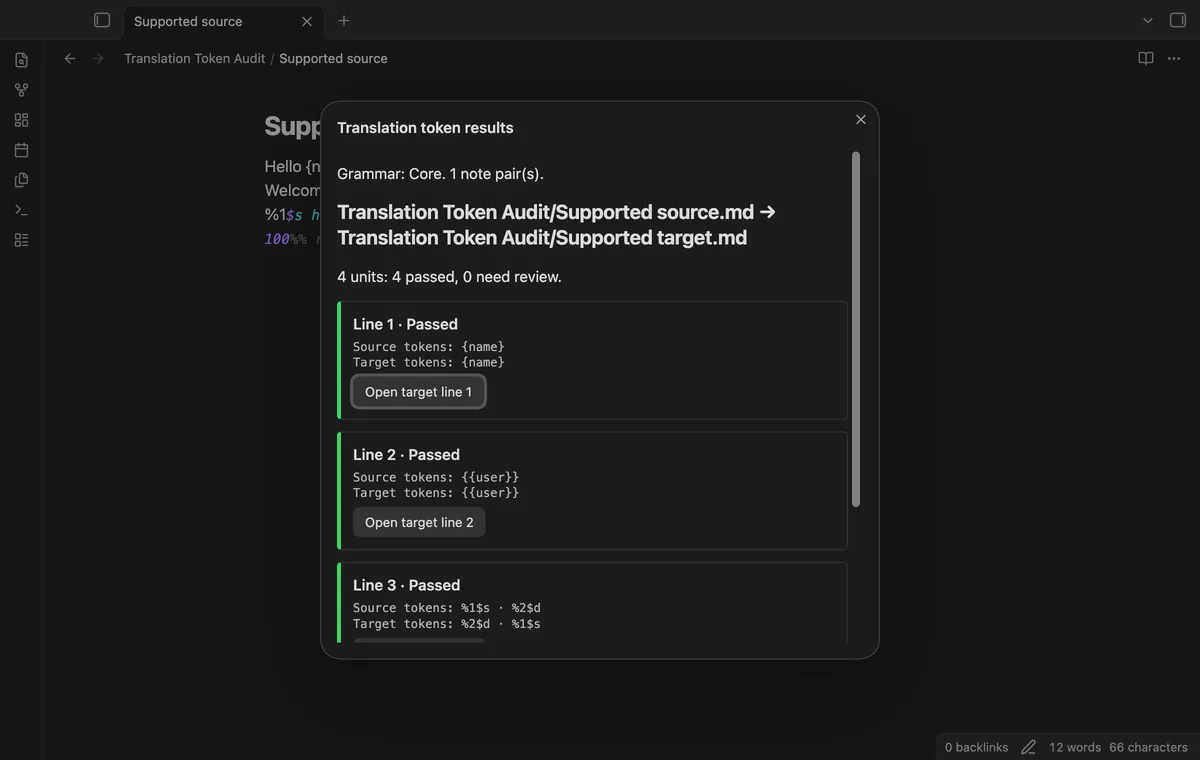
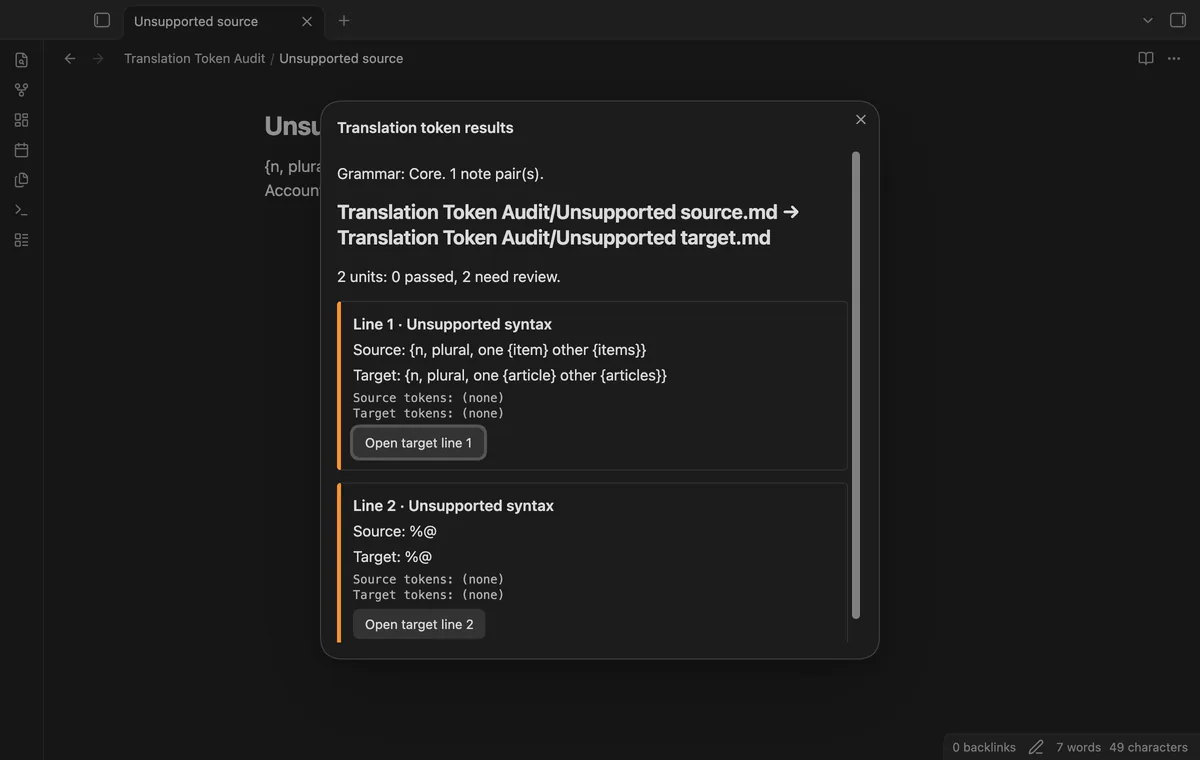
Core accepts {name}, {{name}}, %s, %d, numbered %1$s and %2$d, and named string forms such as %(detail)s. Token names keep their case, and %% is an escape. The grammar covers these forms rather than full printf syntax.
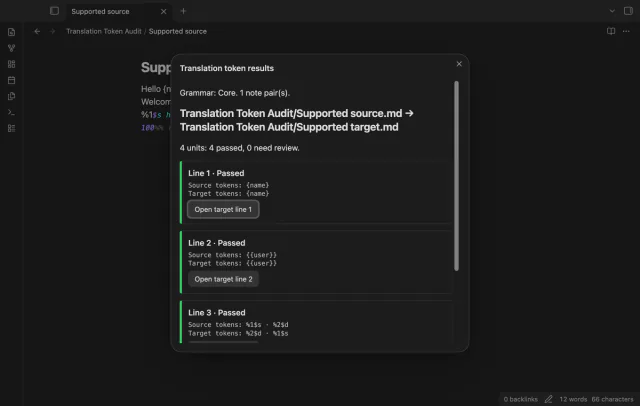
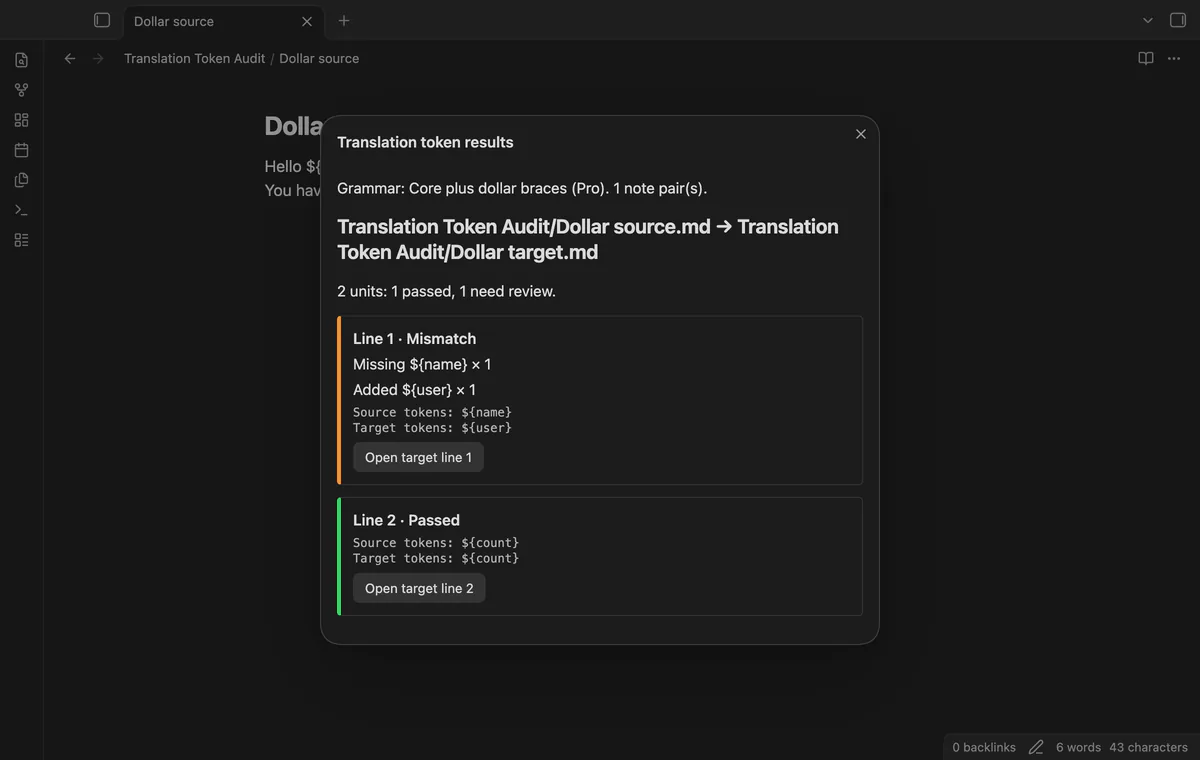
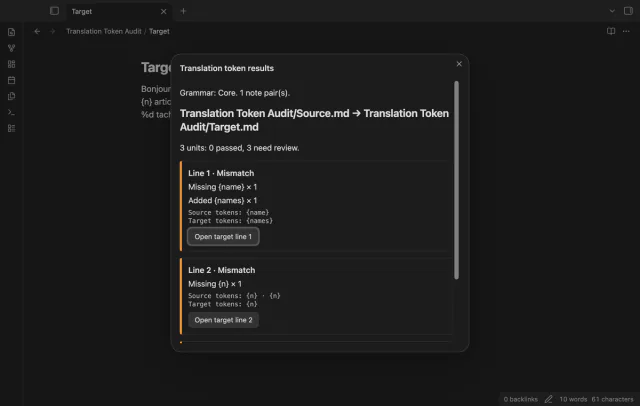
Missing and added tokens include counts; a token with a changed name appears in both lists. Named and numbered tokens can move within a unit. Unnumbered printf tokens must keep their type sequence.
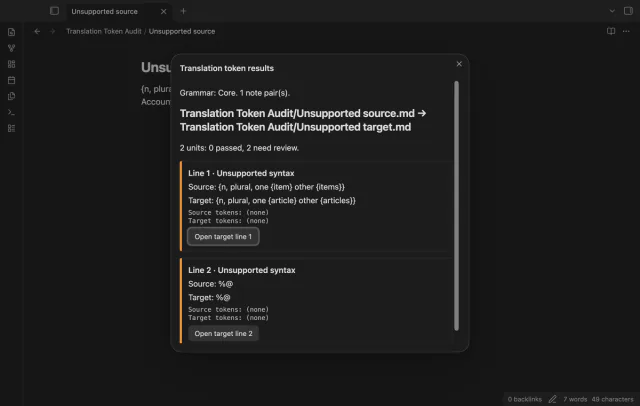
Each row reports passed, mismatch or unsupported syntax with its physical line number. Open target line closes the report and moves the cursor to that line in Source mode. Rerun the check after an edit before using an older result.
Pro costs $5 a month or $15 one time through GitHub Sponsors. One sponsorship turns on Pro in every plugin that has it.
Declare one source.md | target.md pair per line using full vault paths. Both notes must belong to the chosen folder or its subfolders. Invalid declarations stop the run, and missing notes produce pair errors.
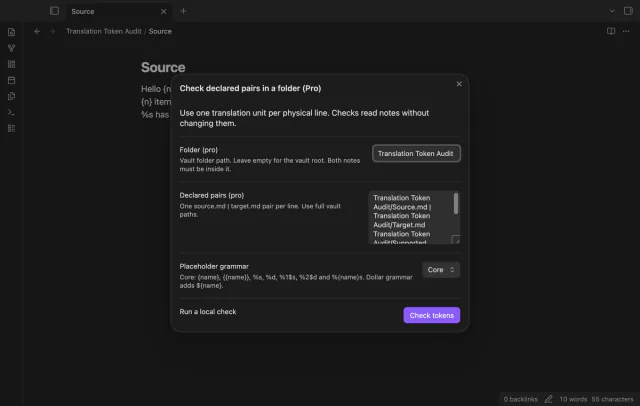
Select Core plus dollar braces to compare ${name} tokens with the core grammar. Dollar braces and ordinary braces stay separate. This grammar adds no ICU syntax or printf conversions.
needs
steps
Create two plain Markdown notes with corresponding translation units on matching physical lines.
Run Check translated line pairs and choose the source and target notes.
Select Core, then Check tokens.
Review mismatch and unsupported rows, then select Open target line for a result.
Edit the target text yourself and rerun the check.
If the app can't find a new plugin yet, try again later. Obsidian says a plugin that passes the review shows in the app within 24 hours.
Need a change for your team? I build custom Obsidian plugins and features.
The report gives both counts and compares no units. Correct the line alignment before running the check again.
It reads raw Markdown note text, including headings and frontmatter. It does not extract strings from JSON, YAML or application catalogs.
A pass means the supported token forms, counts and unnumbered order match. You still need to review meaning and application behavior.
User-defined grammars and arbitrary regular expressions are not included. Core plus dollar braces requires Pro; unsupported syntax needs separate review.
Before you sign in, the plugin makes no network requests. Sign in sends a public client ID and read:user scope to github.com, then polls that host for an access token. Afterward, it sends the token and sponsorship queries to api.github.com; those requests include no note text, file names or vault data.
Tell me what is broken in Translation Token Audit, or what it should do next.
Translation Token Audit 1.1.0, MIT license
MIT · no telemetry · core features free
Update heading links and embeds when you edit a heading.

See headings from embedded notes in one outline.