Bases Property Repair
Preview and repair property references in Bases.
Sort, filter and sum your notes by length in Bases with numeric word count properties.
MIT · no telemetry · core features free
The directory takes these platforms from the plugin manifest. The automated tests run in the desktop app only.
Directory facts fetched from community.obsidian.md/users/theluckystrike.
You track the length of chapters or drafts and want to sort and sum them in a Bases table.
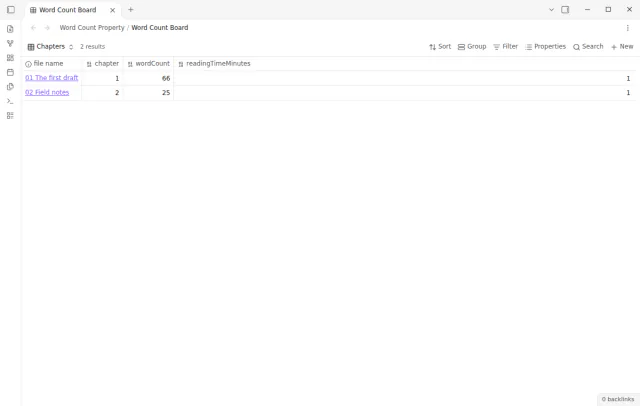
Run one command to opt a note in. Word Count Property then writes a numeric wordCount and readingTimeMinutes value to its properties and refreshes them after edits. Bases can sort, filter, group and summarize these columns.
 Play demo
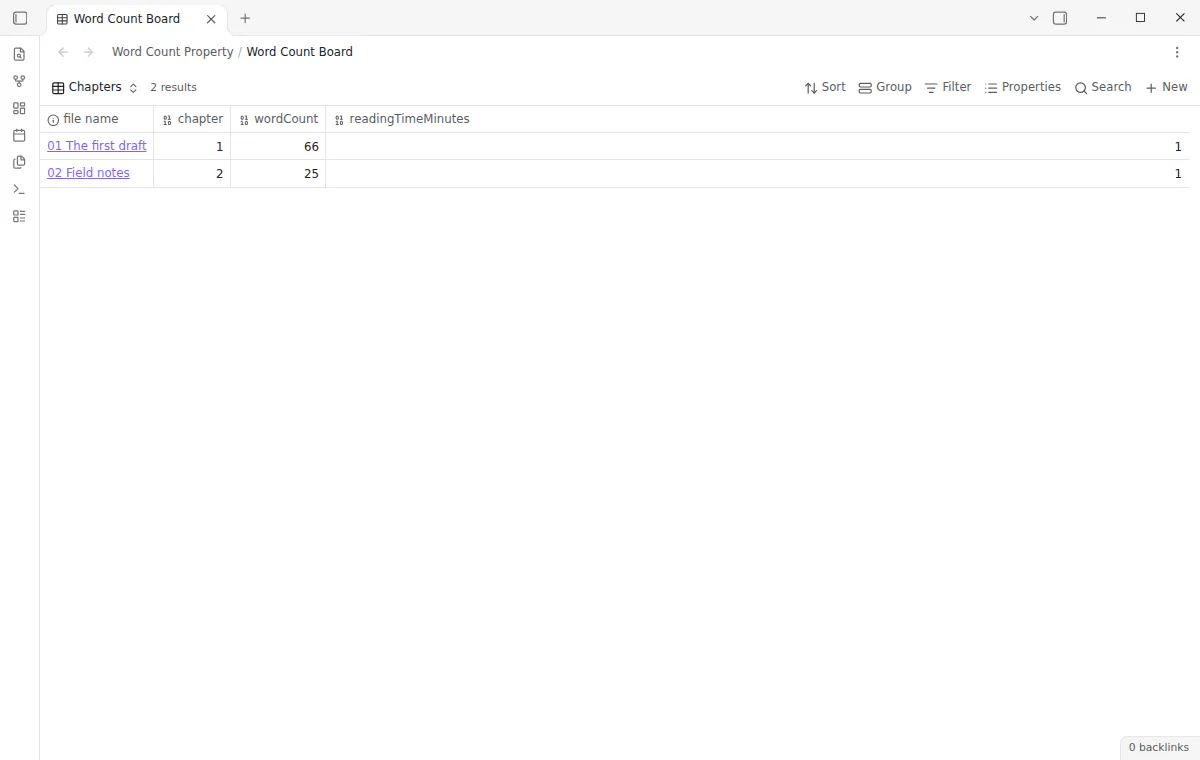

The values are numbers, so Bases can sort, filter, group and summarize them. Use note.wordCount and note.readingTimeMinutes in a table.
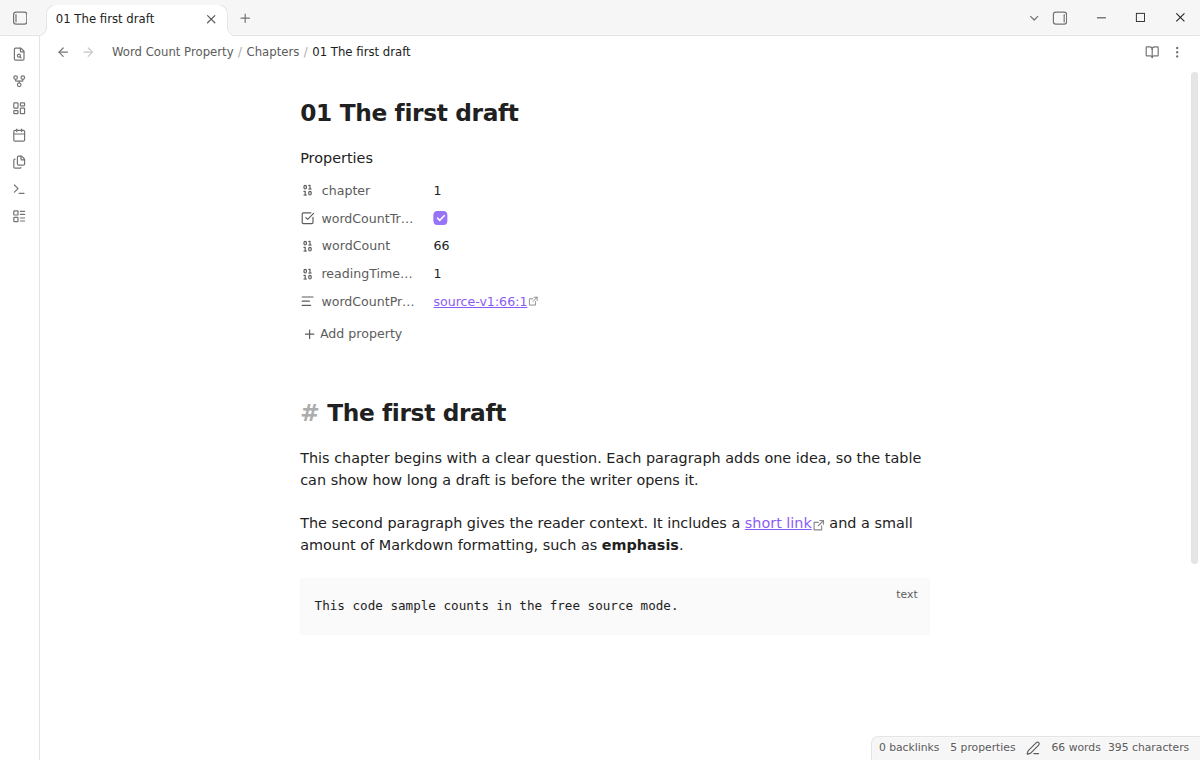
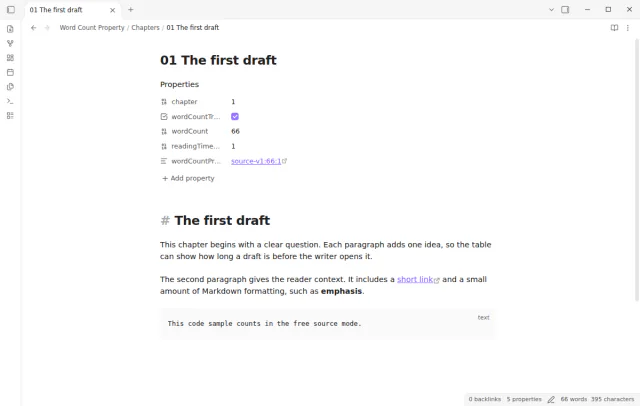
The toggle command adds a wordCountTracked: true marker and the two numeric values. A note without the marker does not change. If wordCount or readingTimeMinutes already exists, the plugin reports a conflict and leaves the note as it was.
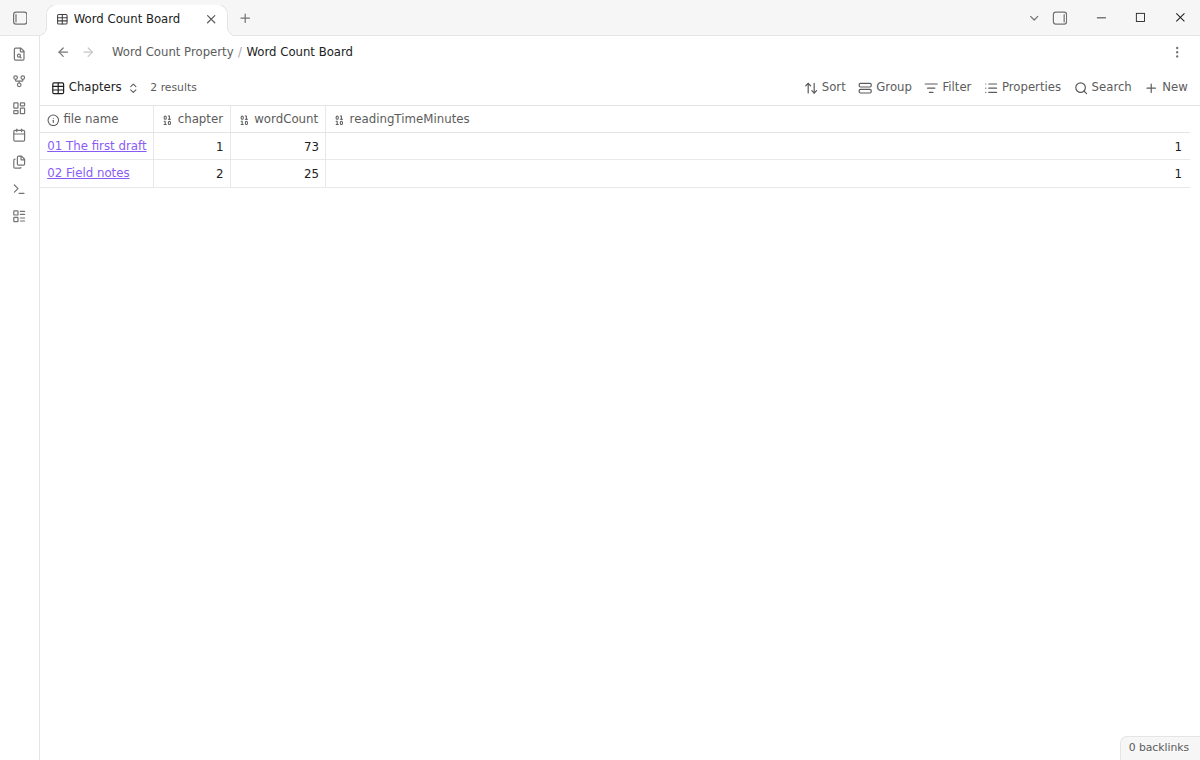
The plugin refreshes tracked notes after edits and checks them again after startup. It waits at least five seconds after the last change, and it skips the write when the number stays the same.
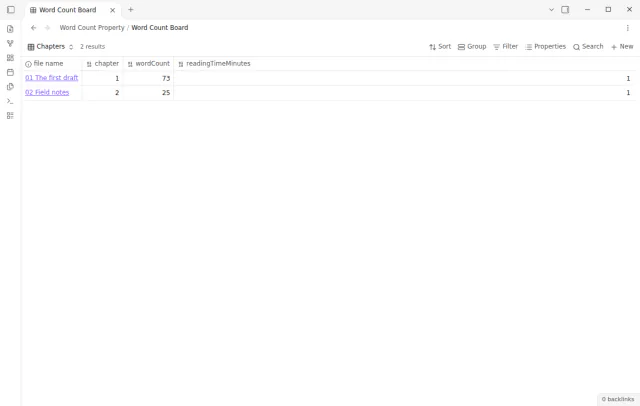
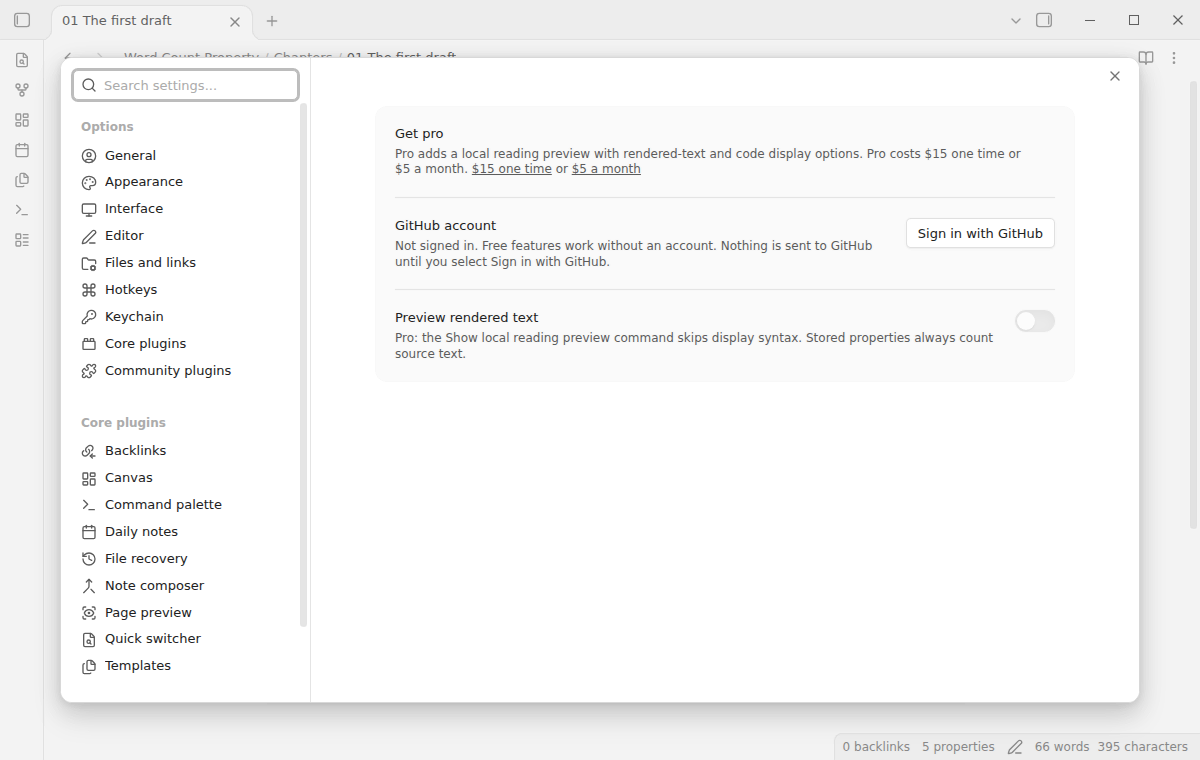
Word count and reading time properties are free; the rendered-text reading preview needs Pro.
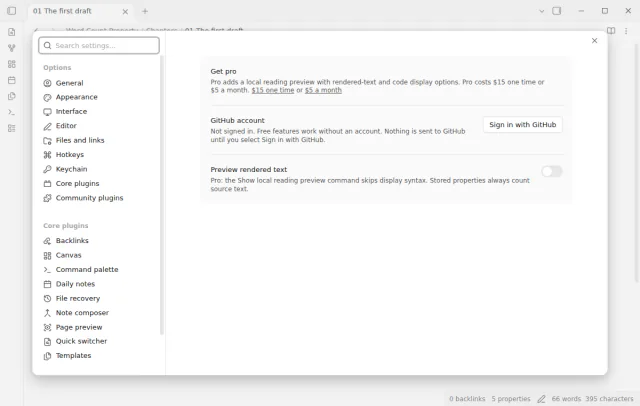
Pro costs $5 a month or $15 one time through GitHub Sponsors. One sponsorship turns on Pro in every plugin that has it.
Pro adds a local reading preview with rendered-text and code display options. The preview skips frontmatter, link destinations, embeds, HTML tags, comments and fenced code. It never rewrites notes, so every device stores the same source-based values.
needs
steps
Open a Markdown note that you want to include in a writing view.
Run Toggle word count tracking for the current note from the command palette.
Check that wordCountTracked, wordCount and readingTimeMinutes appear in the note properties.
Add wordCount and readingTimeMinutes as columns in a Bases table, then sort, filter or summarize them.
If the app can't find a new plugin yet, try again later. Obsidian says a plugin that passes the review shows in the app within 24 hours.
A forum request asks for a word count function property in Bases. A second forum request asks for a word count of the rendered preview text.
Need a change for your team? I build custom Obsidian plugins and features.
It counts the note source outside a valid frontmatter block. Markdown code, comments and link destinations count. YAML fields do not count.
The opt-in command refuses to start when wordCount or readingTimeMinutes already exists. Rename the field of the other workflow if you want this plugin to manage these names. A manual change to a generated value pauses updates for that note.
The plugin uses 200 words per minute, and 500 Chinese and Japanese characters per minute. It rounds the value up to whole minutes. An empty note stores zero.
Make sure that the marker is the YAML boolean true and that the note has valid frontmatter. Obsidian must read the updated frontmatter before the new values show in Bases.
Until you select Sign in with GitHub, the plugin makes no network requests. Sign in and the sponsorship check contact github.com and api.github.com, and a successful check is reused for 7 days. It sends no note content, file names or other vault data, and it has no telemetry.
Tell me what is broken in Word Count Property, or what it should do next.
Word Count Property 1.2.0, MIT license
MIT · no telemetry · core features free
Preview and repair property references in Bases.
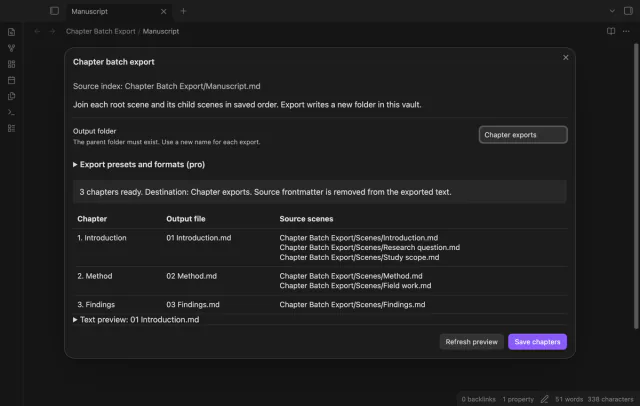
Export Longform scene groups as chapters.
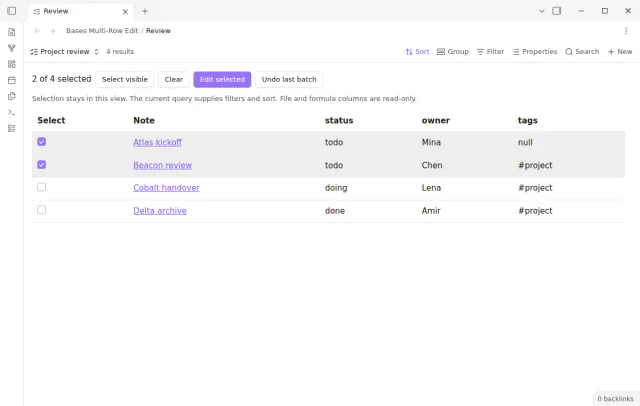
Select rows in a base, preview each new value, apply the change and undo the batch.