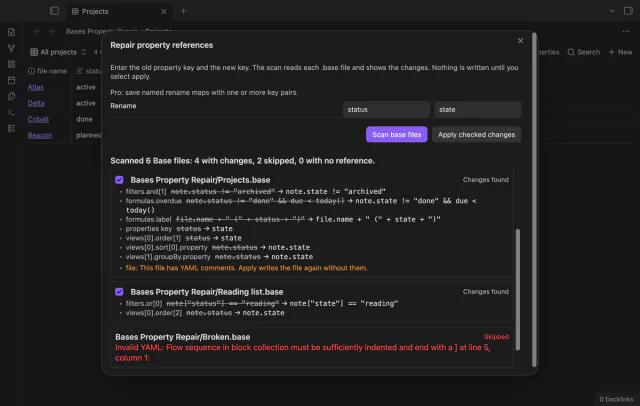
Bases Property Repair
Preview and repair property references in Bases.
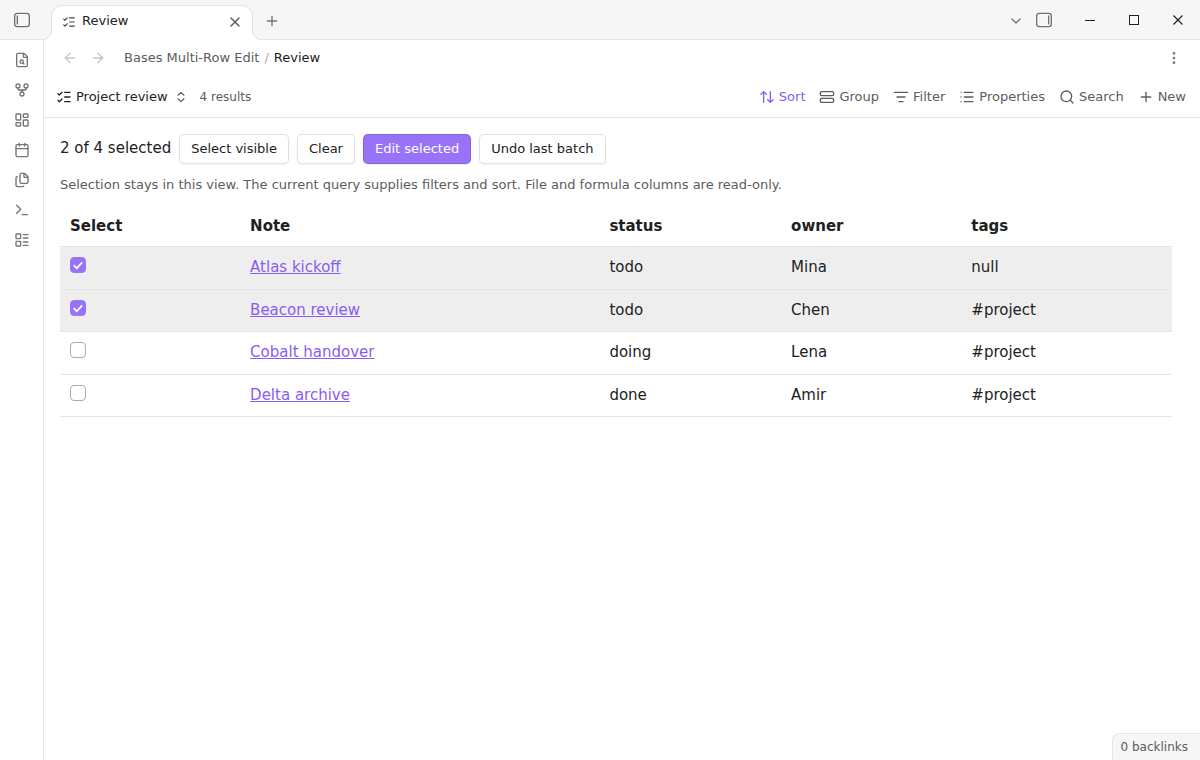
Select rows in a base, preview each new value, apply the change and undo the batch.
MIT · no telemetry · core features free
The directory takes these platforms from the plugin manifest. The automated tests run in the desktop app only.
Directory facts fetched from community.obsidian.md/users/theluckystrike.
You end a review with the same property change on several notes in a base.
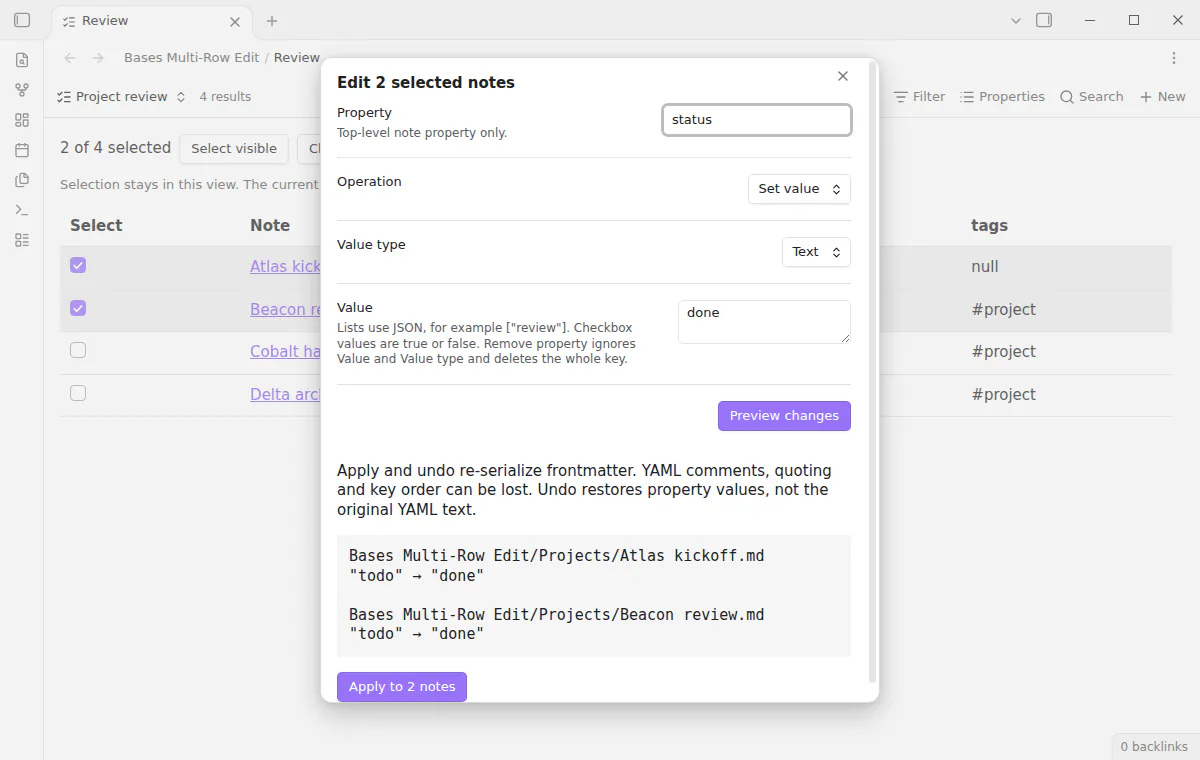
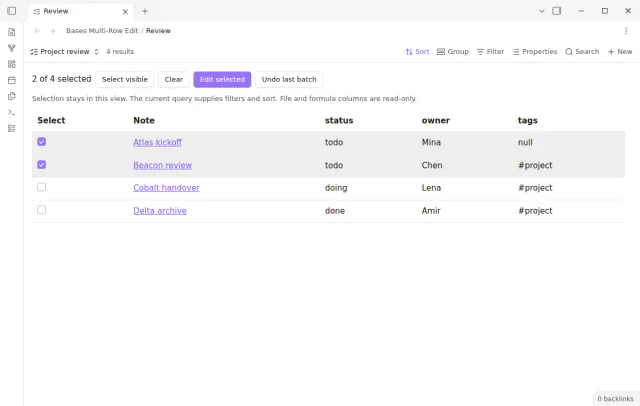

Switch a base to the Multi-row edit view and check the rows to change. Enter a property, an operation and a value, then read the old and new value of each note. Apply the batch, or undo it in the same session.
 Play demo
The view uses the filters, sorting and visible columns of the query. Check rows or use Select visible, then choose Edit selected. The selection lives in the view and never writes a property to your notes.
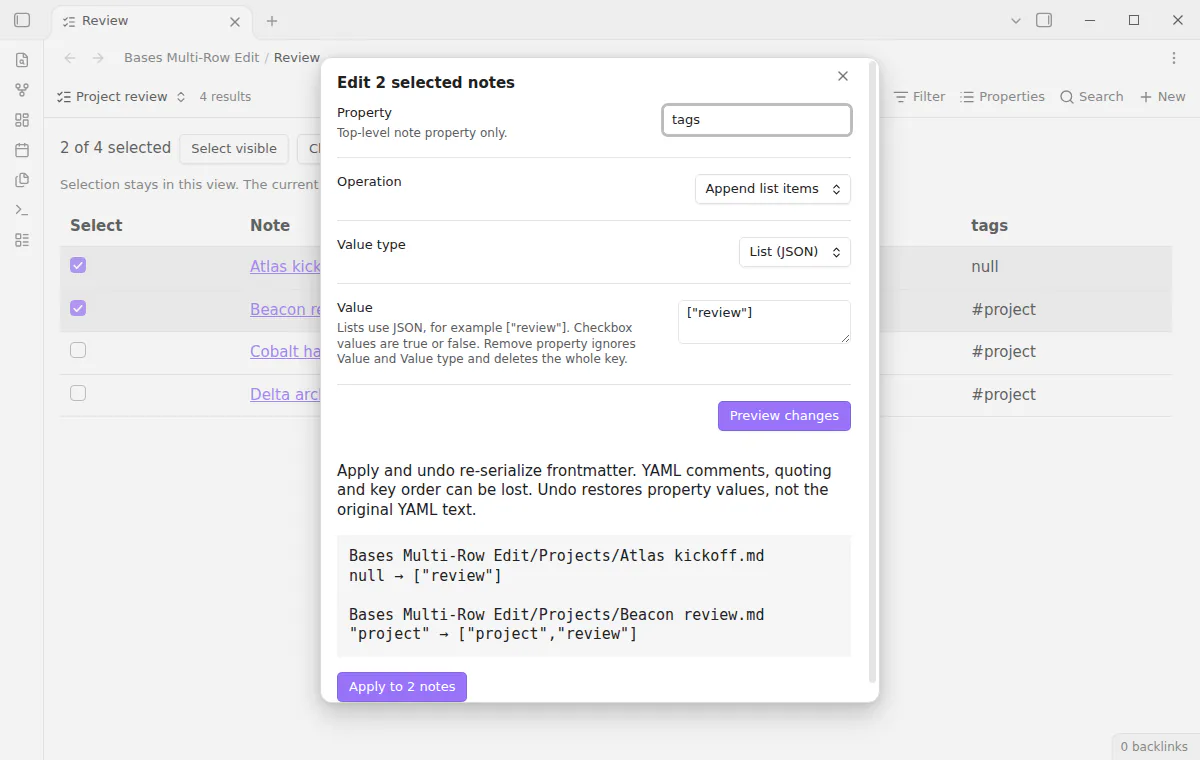
Set a text, number, checkbox or list value, or remove the property. The preview lists the old and proposed value of each note. Notes that already match are left out of the apply count.
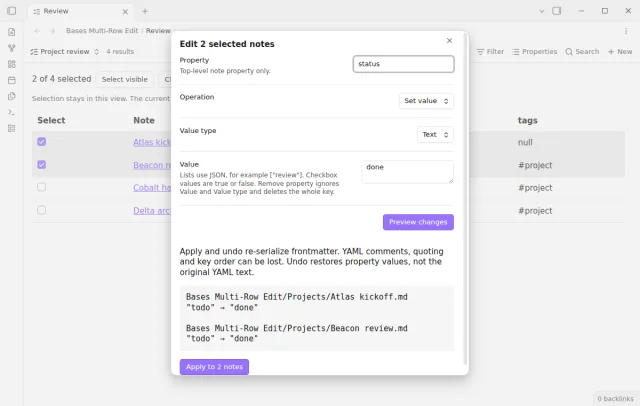
Enter list items in JSON syntax such as ["review"]. Append keeps the existing order and adds each new item once. Remove list items keeps the values that do not match.
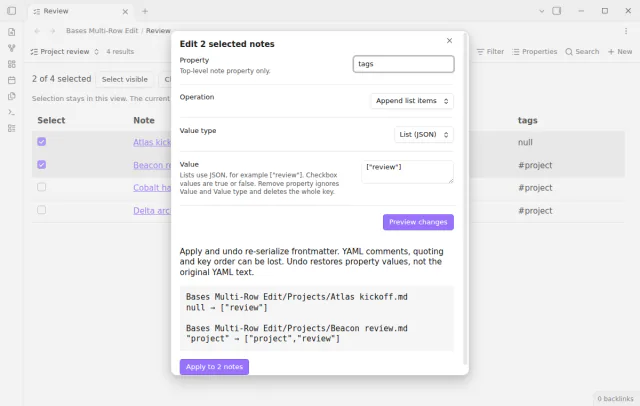
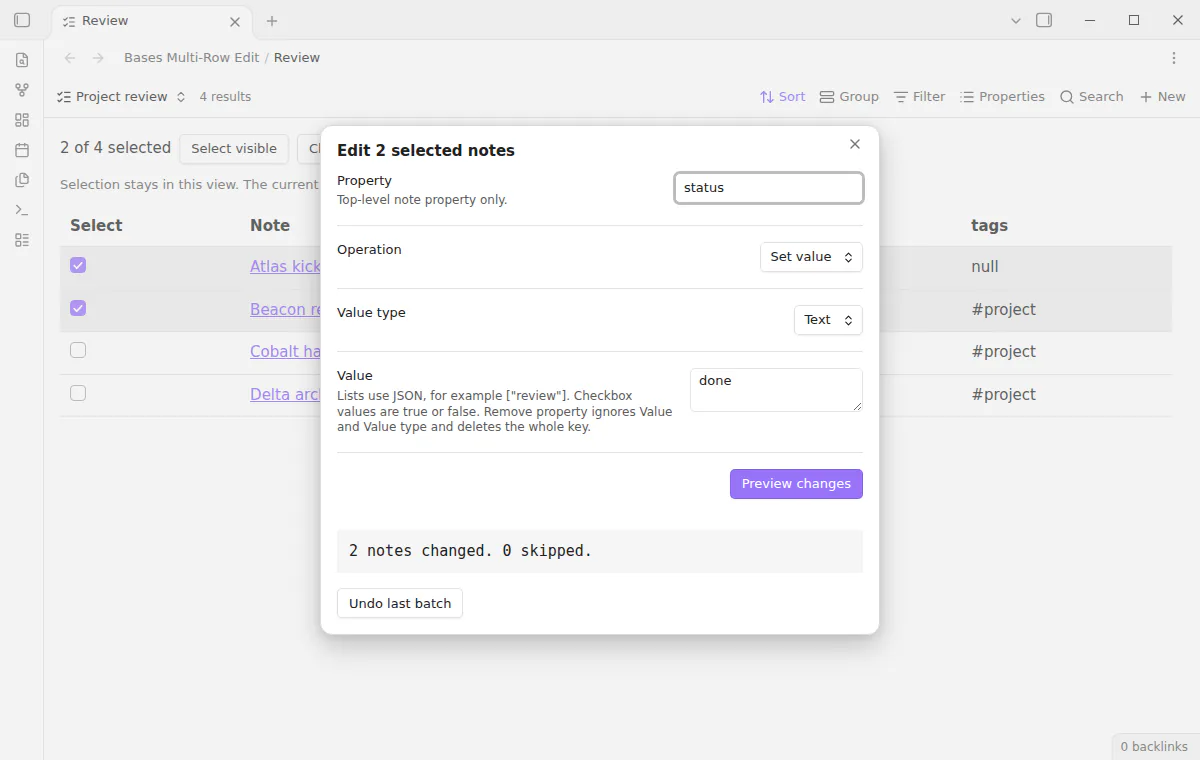
Apply checks the property again before each write and skips a note that changed after the preview. Undo restores the values of the last batch, but not the original YAML text. The undo history ends when Obsidian restarts.
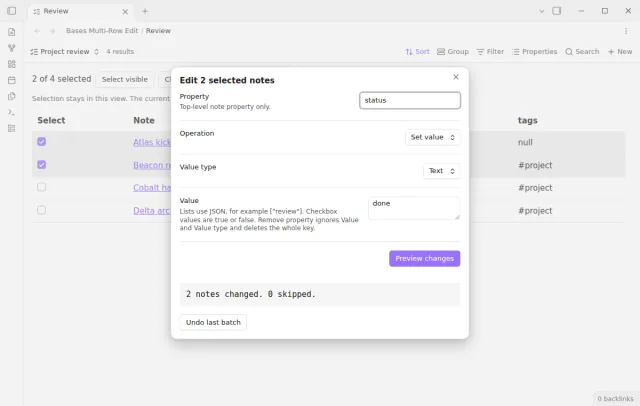
The free version has every edit operation and the preview, with undo for the last batch only.
Pro costs $5 a month or $15 one time through GitHub Sponsors. One sponsorship turns on Pro in every plugin that has it.
Pro adds saved bulk actions and 20 session undo batches. An action stores the property, operation, type and input, but never a row selection. Up to 50 actions stay saved across restarts.
needs
steps
Open a base and switch to a Multi-row edit view.
Check the rows to change and choose Edit selected.
Enter a property, operation, type and value, then choose Preview changes.
Apply, read any skipped paths, and use Undo last batch if you need it.
If the app can't find a new plugin yet, try again later. Obsidian says a plugin that passes the review shows in the app within 24 hours.
A forum request from May 2025 asks to edit multiple files at once in Bases. Its first post has 35 likes.
Need a change for your team? I build custom Obsidian plugins and features.
No. The plugin adds its own Bases table view through the public API. Switch to Multi-row edit to use its checkboxes.
No. Those columns show for context but stay read-only. The property field accepts top-level note property names only.
Not always. Apply and undo write the whole frontmatter again through Obsidian, so comments, quotes and key order can change. The note body stays the same.
A hidden row leaves the selection. The preview also checks that each note still belongs to the query and skips the others.
Until you select Sign in with GitHub, Bases Multi-Row Edit makes no network requests. Sign in and the sponsorship check contact github.com and api.github.com with the scope read:user, and a successful check is reused for 7 days. The plugin sends no note content, file names or other vault data.
Tell me what is broken in Bases Multi-Row Edit, or what it should do next.
Bases Multi-Row Edit 1.2.0, MIT license
MIT · no telemetry · core features free
Preview and repair property references in Bases.
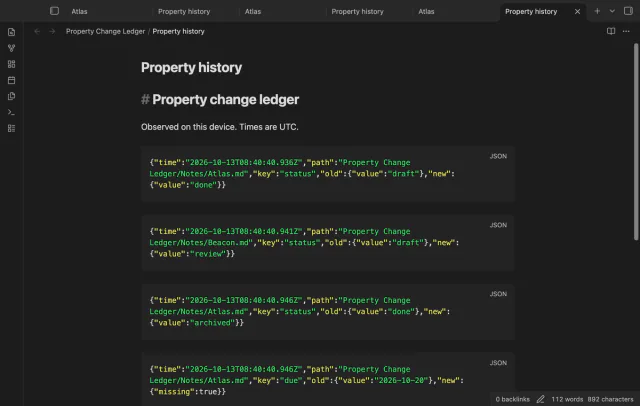
Record selected property changes while your vault is open.
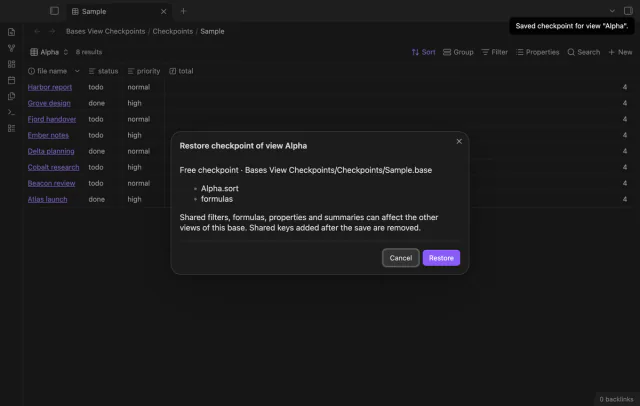
Save a Base view before you change its settings.
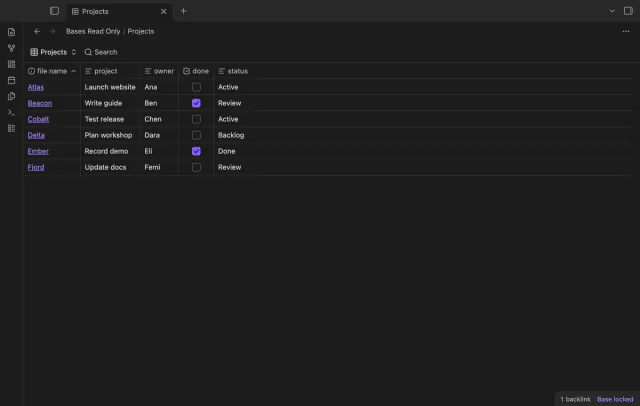
Lock supported controls in a saved base.